
Best All-Purpose TVs (2025) — Family and Living Room Focus
Choosing the best all-purpose TV in 2025 means balancing picture quality, smart features, ease of use, and long-term value for the whole family. Whether you’re streaming movies, hosting game nights, or watching live sports, the right TV should deliver bright, accurate visuals, clean motion, robust sound options, and a smart platform that’s quick and intuitive. This guide explains what to look for, why it matters in a family or living-room setting, and how to future-proof your purchase without overspending.
Screen size and seating distance
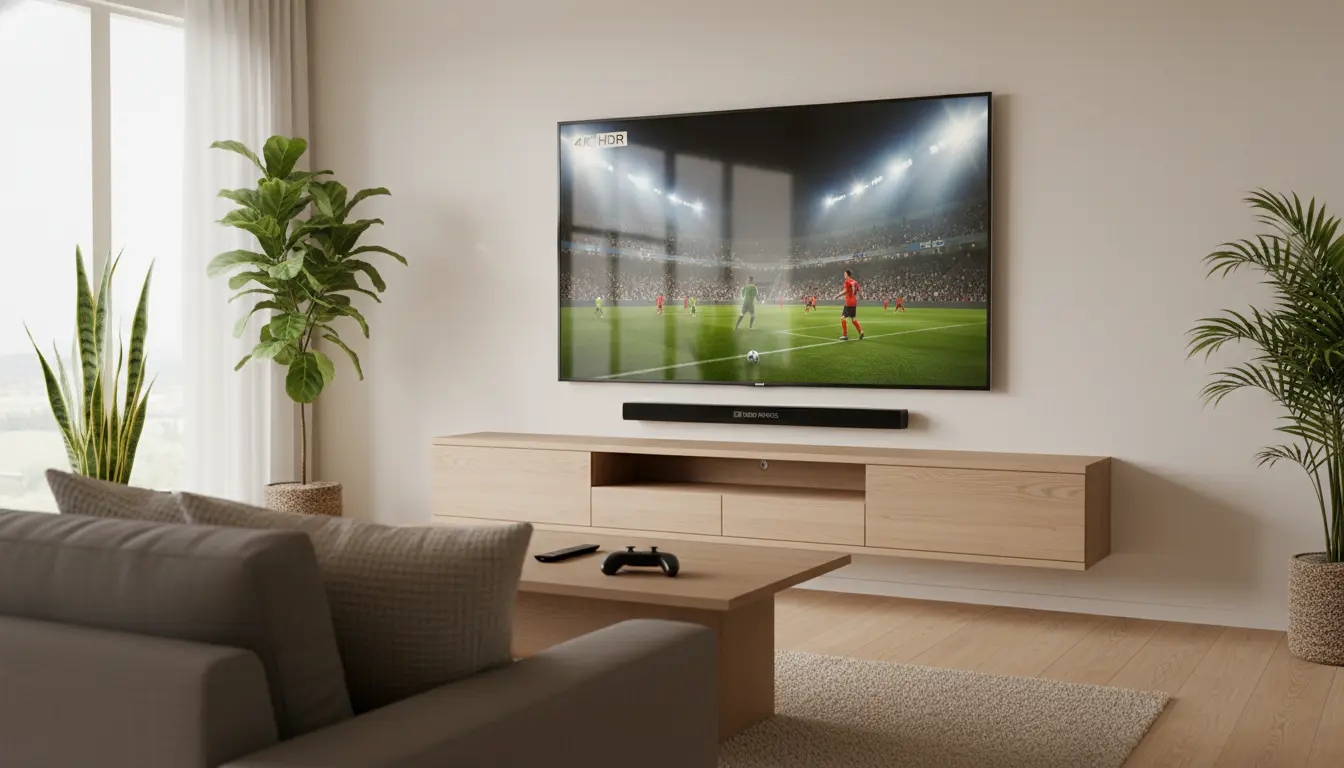
Start with size. For most living rooms, 55–65 inches offers the best mix of immersion and cost. If you sit 2.5–3 meters away, a 65-inch screen is a sweet spot for clarity without feeling overwhelming. Larger rooms or open-plan spaces can justify 75 inches if your budget allows. Bigger screens amplify streaming and sports, but make sure you have the wall space and a suitable TV stand or wall mount with proper cable management.
Display type: OLED vs Mini-LED vs QLED
- OLED: Delivers perfect blacks, near-infinite contrast, and wide viewing angles—ideal for evening movie sessions and mixed lighting. Modern OLEDs (including MLA or high-efficiency panels) also get brighter than older generations, reducing reflections.
- Mini‑LED/QLED: Excellent brightness and impressive HDR pop, especially in bright rooms with daylight. The best Mini-LED sets now rival OLED for black levels thanks to advanced local dimming with thousands of zones.
- Which to choose: If you watch lots of films and care about cinematic contrast at night, OLED wins. For daytime family viewing in bright rooms or for vivid sports, high-end Mini‑LED/QLED is a superb, often more affordable pick.
HDR formats and real-world impact
Ensure the TV supports HDR10, HLG, and ideally Dolby Vision. Dolby Vision’s dynamic metadata helps preserve highlight detail and color volume on supported content from Netflix, Disney+, and Apple TV+. Note that panel brightness, local dimming, and tone mapping determine how “wow” your HDR looks—formats matter, but execution matters more.
Motion handling for sports and games
Sports demand clean motion, low blur, and limited artifacts. Look for:
- Native 120Hz panels for smoother movement and reduced judder.
- Strong motion interpolation options you can fine-tune or disable.
- Good response time and minimal overshoot to avoid smearing.
Gamers should check for HDMI 2.1 ports (at least two), 4K 120Hz, VRR (Variable Refresh Rate), ALLM (Auto Low Latency Mode), and low input lag. These features keep gameplay fluid on PS5, Xbox Series X, and modern PCs.
Smart TV platforms and ease of use
Family-friendly means frictionless:
- Google TV: Personalized recommendations, robust app library, strong voice search.
- webOS (LG): Clean UI, quick switching, great for families who like simplicity.
- Tizen (Samsung): Responsive, packed with streaming apps, broad device compatibility.
Make sure your must‑have apps (Netflix, YouTube, Prime Video, Disney+, local streamers) run smoothly in 4K with HDR where available. Voice assistants and profile support help different family members jump into their shows quickly.
Sound: built-in audio vs soundbar
Slim TVs struggle with bass and dialog clarity. For living rooms, plan on a soundbar with a dedicated subwoofer and optional rear speakers for Dolby Atmos. If you can’t add external audio, look for TVs with upward-firing or side-firing drivers and dialog enhancement. Always enable eARC on the TV for the best audio passthrough to your sound system.
Reflections and living-room lighting
Ambient light affects perceived contrast. If your room is bright or has large windows, prioritize:
- High peak brightness (Mini‑LED/QLED typically excel)
- Effective anti-reflection coating
- Strong ABL management on OLEDs to keep bright scenes consistent
Position the TV to avoid direct sunlight and consider blackout curtains or adjustable lighting for movie nights.
Calibration and picture modes
Out of the box, “Filmmaker” or “Cinema” modes are typically the most accurate. For sports, a “Sports” preset can boost brightness and motion clarity but may oversaturate colors—tune to taste. Disable unnecessary processing like noise reduction for 4K sources and keep motion smoothing modest to avoid “soap opera” effect in films. If you want the most natural image, basic calibration (even via built-in calibration patterns or a streaming app) yields big gains.
Energy efficiency and longevity
Modern panels are more efficient, but large sizes and high brightness do increase power usage. Eco modes can save energy but sometimes crush highlight detail—balance carefully. OLED longevity has improved with pixel shifting and refined algorithms; Mini‑LEDs are robust for bright rooms. Keep firmware updated for performance and app stability.
Connectivity and future-proofing
Aim for:
- At least 4 HDMI ports with 2 x HDMI 2.1 for 4K120 gaming and eARC on one port
- Wi‑Fi 6 or Ethernet for stable 4K streaming
- Bluetooth for headphones and remotes
- Support for major casting standards (Chromecast, AirPlay)
This ensures smooth use with consoles, set‑top boxes, and sound systems over the next several years.
Parental controls and family features
Look for easy parental controls, profile switching, app‑level PINs, and content filters. Voice control that understands multiple users can reduce friction for kids and guests. Quick-access buttons on the remote for top apps are a small but real quality-of-life win.
Price tiers and value
- Midrange (best value): Delivers excellent brightness, local dimming, and smart features suitable for most families.
- Premium: Higher peak brightness, better anti‑reflective layers, superior processing, and refined motion—worth it for big living rooms, sports fans, and movie lovers.
- Entry-level: Fine for bedrooms or casual viewing; for a main living room, you’ll likely outgrow them.
Recommended 2025 picks by use case
- Best for bright rooms and sports: A premium Mini‑LED with high zone count, 120Hz panel, and robust anti‑glare. Expect vivid HDR and outstanding motion.
- Best for cinematic nights: A modern OLED with excellent peak brightness and Dolby Vision for nuanced shadows and highlights.
- Best for families on a budget: A midrange QLED/Mini‑LED with decent local dimming, Google TV or Tizen, and at least one HDMI 2.1 port for future gaming needs.
Setup tips for a family living room
- Mount at eye level; center of the screen should align with seated eye height.
- Enable eARC and set audio output to “bitstream” for Atmos systems.
- Use “Filmmaker” mode for movies, a tuned “Sports” preset for games/matches.
- Turn on “Game Mode” for consoles to reduce input lag.
- Label inputs clearly and create a simple home screen layout for kids.
Model Recommendations (2025)
- Samsung QN90D (Neo QLED Mini‑LED)
- Why it’s great: Class‑leading brightness, excellent anti‑reflection, vivid but controllable color, 120Hz, HDMI 2.1, VRR/ALLM—fantastic for bright rooms and sports.
- Best for: Daytime family viewing, sports, streaming, and console gaming.
- Suggested size: 65″ for most living rooms; 75″ for larger spaces.
- LG C4 OLED
- Why it’s great: Perfect blacks and cinematic contrast, Dolby Vision support, 120Hz, very low input lag, and a clean webOS experience.
- Best for: Movie nights and mixed use; superb for PS5/Xbox as well.
- Suggested size: 65″ for typical 2.5–3m viewing; 55″ if you sit closer.
- Sony Bravia X90L (or the current X90‑series successor)
- Why it’s great: Natural color processing, strong motion handling, good local dimming and HDR, with Google TV’s excellent recommendations and profiles.
- Best for: Balanced all‑rounders who want lifelike color and a straightforward interface.
- Suggested size: 65″ as a value‑minded living room pick.
- Hisense U8N (Mini‑LED)
- Why it’s great: Price‑to‑performance standout—very bright HDR, robust local dimming, 120Hz, HDMI 2.1 features.
- Best for: Families wanting premium‑grade brightness and gaming features without premium pricing.
- Suggested size: 65″ or 75″ depending on room size.
- TCL QM8 (Mini‑LED)
- Why it’s great: High peak brightness, effective anti‑glare, feature‑rich for gamers, and excellent value at larger sizes.
- Best for: Big living rooms where a 75″ or larger screen maximizes impact.
- Suggested size: 75″+ if your seating distance allows.