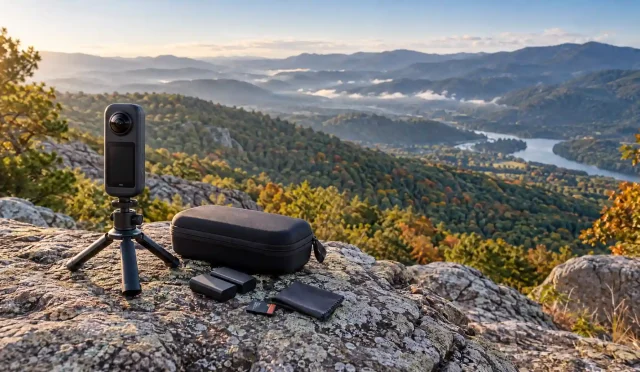
California offers striking outdoor locations, but attractive scenery does not guarantee usable sound. Ocean gusts, passing traffic, and rustling clothing can bury an otherwise engaging voice. Creators searching for tested wireless microphones need more than impressive range claims: they need evidence that matches their filming conditions. This guide explains what to evaluate and how to run practical checks. It does not claim firsthand product testing or present invented field results.
Why California Locations Challenge Your Audio
A beach interview creates different problems from a shaded park tutorial. Along the coast, wind can overload an exposed microphone capsule. Beside busy streets, engines and conversations compete with your subject. On open trails, movement can introduce clothing friction and interrupt the wireless connection when the speaker turns away.
Start by listening before you unpack. Identify the dominant noise, choose a quieter position, and frame your shot around that advantage. Moving behind a suitable windbreak often helps more than applying aggressive processing afterward. Good outdoor audio recording begins with location decisions, not expensive software.
Prioritize Wind Protection and Microphone Placement
For exposed locations, use a furry windshield designed for your transmitter or lavalier capsule. Foam covers may help with gentle air movement, but stronger gusts require more substantial protection. Attach the windshield securely and check that loose fibers do not brush against nearby fabric.
Clip the microphone near the upper chest while keeping necklaces, jacket edges, and backpack straps away. Ask your subject to turn, walk, and gesture during a short recording. Listen for scratches and sudden changes in vocal level. These checks help you find a practical balance between discreet placement and clear speech.
Evaluate Wireless Reliability Beyond Advertised Range
Manufacturers often measure maximum transmission distance under favorable conditions. Your actual route may include people, walls, vehicles, or a speaker whose body blocks the signal. Treat headline range as a reference point rather than a promise for every California filming location.
Test the distance you genuinely need. Walk through the planned scene while speaking continuously, then review the recording for gaps or digital artifacts. Repeat the test with your subject facing different directions. A wireless lavalier microphone should support your normal shooting distance reliably; extreme distance matters less when your camera stays nearby.
Balance Noise Reduction With Natural Speech
Noise cancellation can reduce some background distractions, but it cannot make every noisy location sound like a studio. Strong processing may thin out a voice or produce unnatural fluctuations. Compare recordings with the feature enabled and disabled before choosing your setting.
Keep the microphone close enough to capture direct speech clearly. If traffic overwhelms the conversation, move rather than expecting an algorithm to rescue everything. For documentary work, preserve some environmental character when it supports the story. Clear dialogue should remain the priority without stripping the scene of its atmosphere.
Check Compatibility Before Leaving Home
Confirm that your receiver connects to your exact camera or smartphone. Similar looking connectors do not always support the same audio workflow, and some recording apps require an external microphone selection. Check the manufacturer’s compatibility information instead of assuming that every adapter will work.
Record a sample in the app and resolution you plan to use. Play it back to confirm that the external microphone supplied the audio. Smartphone video microphones work best when the entire recording chain behaves predictably, including adapters, cables, permissions, and mounting accessories. Pack any essential connector where you can find it quickly.
Build a Repeatable Outdoor Test Routine
Use the same spoken passage when comparing systems. Record stationary speech, walking narration, a turn away from the receiver, and a brief pause that captures background sound. Keep placement and recording settings consistent so your comparison reflects microphone behavior rather than unrelated changes.
Listen through headphones, not just your phone speaker. Check speech clarity, wind rumble, clothing noise, and connection stability. Note the location and conditions alongside each sample. Reliable microphone wind protection deserves particular attention because an otherwise clean system can still struggle when gusts hit the capsule directly.
Before each take, ask everyone to pause briefly so you can hear problems before they spoil the recording.
Plan Power and Backup Recording
Charge transmitters, receivers, and the charging case before departure. Distinguish between continuous operating time and total runtime that includes recharging in the case. A long advertised total does not necessarily cover an uninterrupted interview.
If your chosen system supports internal recording, learn how to start it and retrieve files before a paid shoot. Otherwise, consider a separate backup recording method appropriate to the project. Keep electronics away from sand and moisture, and follow the manufacturer’s temperature and care guidance.
Amazon Product Recommendation: DJI Mic 2
Consider the DJI Mic 2 package with two transmitters, one receiver, and a charging case, listed on Amazon.com. The listing identifies noise cancellation and internal recording with 32 bit float support. These features make it worth considering for interviews and outdoor narration, especially when you value a separate transmitter recording. This recommendation reflects listed capabilities, not personal field testing. Confirm device compatibility, package contents, and current availability before ordering. Fit suitable wind protection, check your levels, and test the complete setup at your actual location before filming important footage.