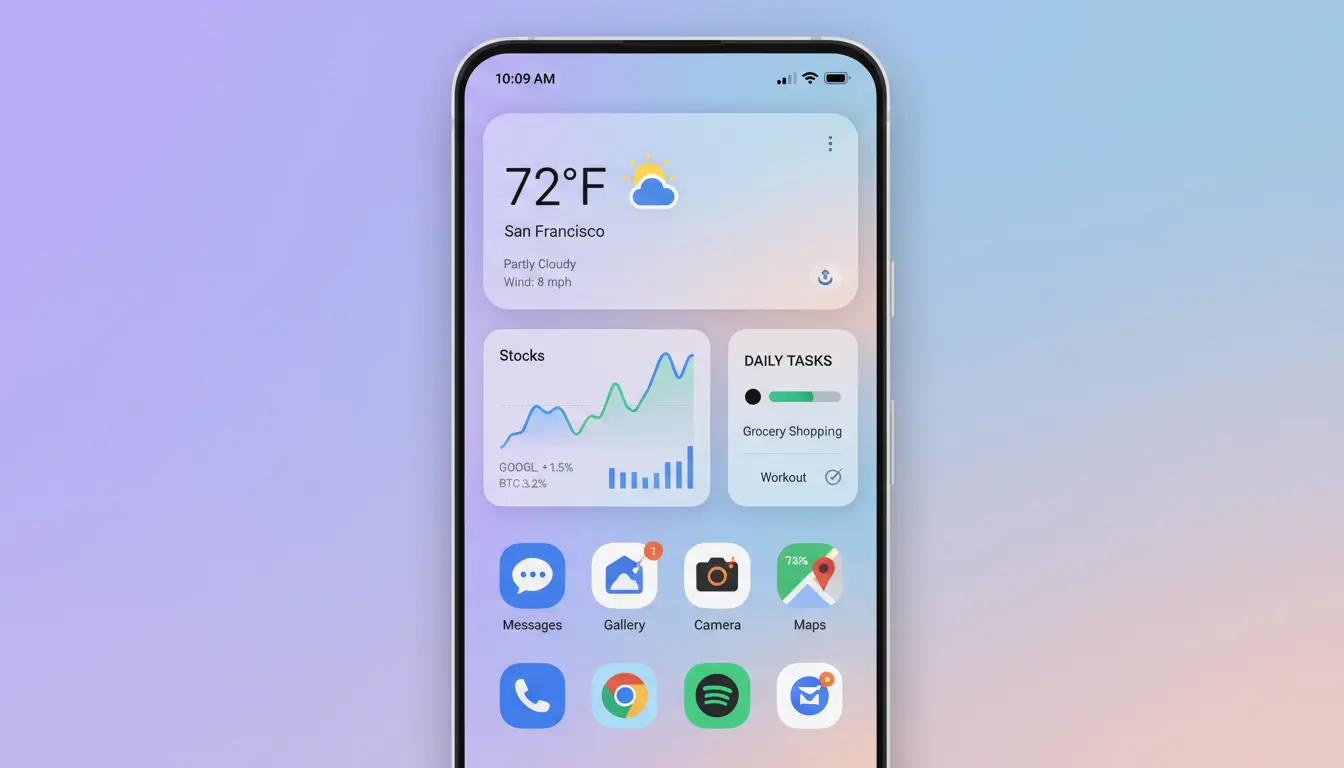

Android has long been known for its flexibility, customization, and adaptability. Among its most powerful features, live widgets stand out as a bridge between users and their most important data. Whether you’re tracking the weather, following stock market trends, or managing daily to-do lists, Android widgets turn your home screen into a personalized live data dashboard.
In this detailed article, we dive into how Android widgets transform daily productivity, their technical underpinnings, and how they bring real-time interaction to users.
The Power of Live Data Dashboards on Android
Android widgets have evolved tremendously since their introduction. Early versions offered simple static shortcuts—like a calendar or clock. Today, modern Android systems support dynamic widgets that refresh autonomously, display live metrics, and even respond to gestures.
A live data dashboard acts as a centralized visualization of key metrics: live temperature readings, financial graphs, and task statuses—all in one glance. Unlike traditional apps that require manual opening and navigation, widgets democratize access to essential data, saving users both time and taps.
How Android Widgets Work Under the Hood
At the core, an Android widget is a small application extension that runs on your device’s home screen or lock screen. It uses the AppWidgetProvider class to update its layout and content dynamically via data services or APIs.
For example:
- A weather widget might fetch live meteorological data every 10 minutes from a cloud API.
- A finance widget could display current stock indexes or cryptocurrency prices in real-time.
- A task manager widget pulls data from productivity tools like Google Tasks or Trello.
By leveraging Android’s RemoteViews framework, developers can update widget layouts without consuming heavy system resources. These components are designed to be lightweight yet highly functional—offering smooth performance even on mid-range smartphones.
Widgets for Weather — Real-time Climate Awareness
The weather widget is one of the most commonly used forms of live dashboards. These widgets deliver instant meteorological information right on your screen.
From live temperature graphs to humidity and wind speed, they merge functionality with aesthetics. Modern widgets even come with location-based forecasts, animated backgrounds, and AI-driven suggestions, such as whether you should carry an umbrella or apply sunscreen.
Leading Android launchers integrate seamlessly with weather APIs like OpenWeatherMap or AccuWeather to ensure accurate, up-to-date results.
Widgets for Finance — Real-time Market Insights
Financial dashboards are another rapidly growing segment of widget usage. Investors, traders, and finance enthusiasts rely heavily on real-time stock widgets to stay ahead of the market.
Imagine glancing at your home screen to see instantly:
- Current stock prices
- Market trend charts
- Cryptocurrency exchange rates
- Portfolio performance summaries
By connecting to APIs such as Alpha Vantage or Yahoo Finance, these widgets not only refresh data frequently but also enable users to interact—a tap can open a detailed view inside the finance app or trigger alerts for drastic price changes.
This integration of live finance data makes Android widgets indispensable for anyone managing investments or budgets efficiently.
Widgets for Tasks — Stay Productive Without Opening Apps
In a world filled with distractions, task management widgets can significantly boost productivity. They allow users to check off daily items, view deadlines, and track progress—without ever opening a dedicated app.
Through frameworks like Google Tasks API or popular third-party services like Todoist or Asana, these widgets sync your data continuously across devices. A simple “Add Task” button or checkbox interaction becomes enough to capture your plans and keep you on track.
The result is a seamless, time-saving workflow that helps users manage work, personal goals, and shopping lists effortlessly.
Customization and Aesthetic Control
One key advantage of Android widgets is customization. Users can resize widgets, change transparency, and even adapt the color themes to match their wallpapers or system-wide dark mode.
Developers now offer interactive widgets with touchable zones, button controls, and adaptive color palettes using Android’s Material You design language. This ensures every widget can reflect the user’s individual style while maintaining clean usability.
With the rise of home screen personalization, users are effectively building their own miniature command centers. Background photos, live wallpapers, and widget placements combine to create a visually appealing and functional dashboard.
Efficiency and Battery Optimization
Modern widgets are smarter with resource management. Starting from Android 12, Google implemented significant improvements in background process limitations. Widgets update efficiently using WorkManager or JobScheduler, ensuring they pull only necessary data to maintain performance and save battery.
Energy optimization is vital for live data dashboards, as frequent refreshes can become power-intensive. Developers use push-based updates via Firebase Cloud Messaging instead of pulling data every few minutes, significantly improving efficiency.
Practical Examples of Real-Life Use Cases
- Smart Home Control Panel: Displaying thermostat temperatures, room lighting levels, and door lock status.
- Travel Dashboards: Integrating live flight trackers, hotel reservations, and maps with ETA updates.
- Fitness Progress Tracking: Showing real-time workout stats, step counts, or caloric intake.
- Digital Note Widgets: Snippets of to-do notes or reminders pinned to the screen.
Each example showcases how widgets transform static interfaces into live, interactive dashboards.
Building Your Own Live Widget Dashboard
For developers seeking to create their own widgets, Android’s Jetpack Glance API offers a modern approach to design and functionality. The combination of Compose UI elements with RemoteViews gives developers both control and flexibility to craft visually rich and data-driven widgets.
To ensure performance and accuracy, best practices include:
- Using background services sparingly
- Caching responses to minimize network calls
- Designing for various screen densities
- Testing across light/dark themes
Creating a live widget dashboard not only elevates user experience but also increases app engagement, as users interact more frequently with widget surfaces.
The Future of Android Widgets: AI & Predictive Design
As Android continues to evolve, artificial intelligence and machine learning are transforming widgets from reactive to predictive tools. Imagine a system that auto-surfaces relevant widgets at the right moment:
- A weather widget showing up when rain is imminent
- A finance tracker appearing before market hours
- A task reminder popping up near your scheduled activity
These context-aware widgets are paving the way for an even more intelligent and frictionless Android experience.
Conclusion
Android widgets are no longer simple shortcuts—they’re live data ecosystems that enrich daily life. Whether you want real-time insights into the weather, your financial portfolio, or ongoing tasks, Android’s widget system turns your device into a smart, efficient, and visually engaging information hub.
By leveraging cloud APIs, efficient background updates, and intuitive design, Android’s live widgets continue to evolve into a vital part of digital productivity and personalization.









