
Best PC Desktop 2.0 Speakers: A Complete Buyer’s Guide
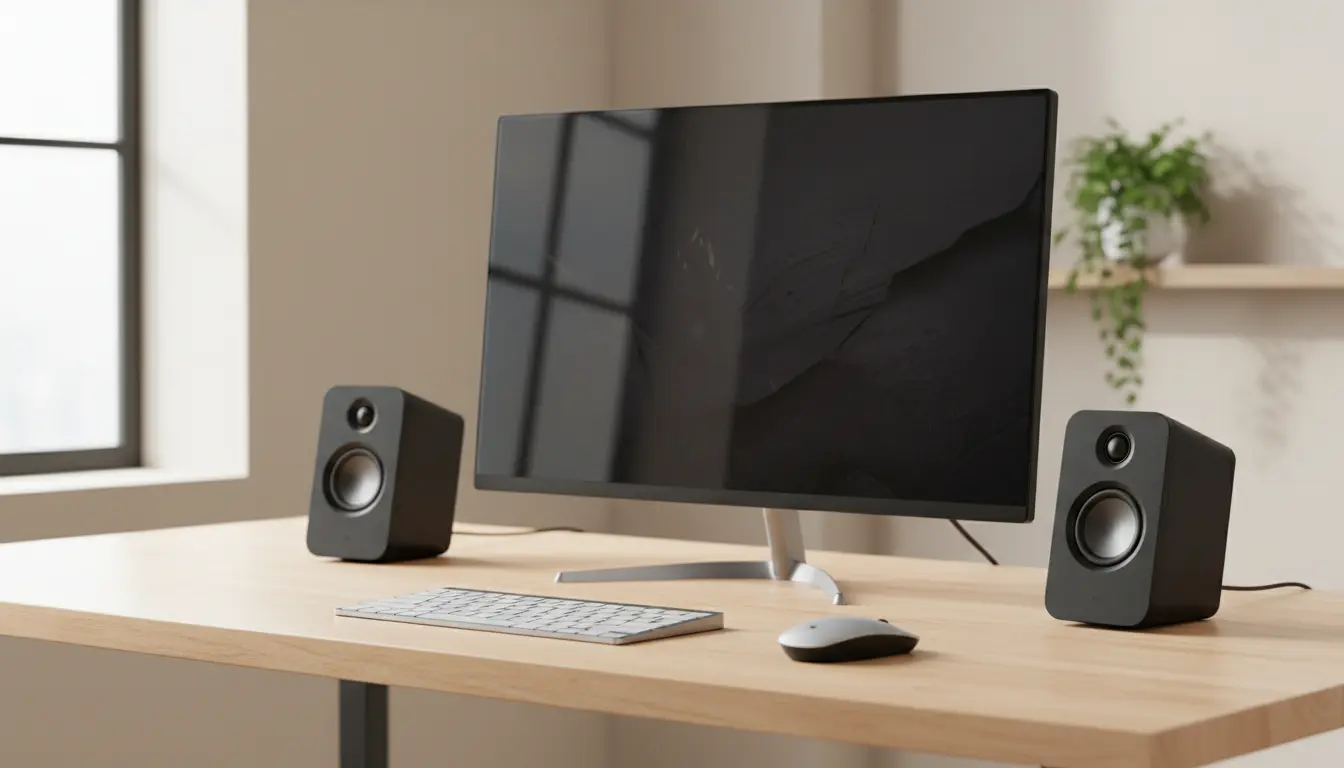
Finding the best PC desktop 2.0 speakers is not just about volume. You want a clean, balanced sound that makes music, movies, and games more immersive without taking over your entire desk. A good 2.0 speaker system can transform even an average computer setup into a surprisingly rich listening experience.
In this guide, you’ll learn what makes 2.0 speakers special, which features matter most, how to match a speaker to your room and usage, and you’ll see one solid product recommendation available on Amazon at the end.
What Are PC Desktop 2.0 Speakers?
A 2.0 speaker system has two speakers (left and right) and no separate subwoofer. Each speaker handles the full range of sound, from low to high frequencies.
For many users, 2.0 PC speakers are ideal because:
- They take up less space than 2.1 or 5.1 systems.
- Cable management is simpler and cleaner.
- They usually offer a more accurate, natural sound than tiny soundbars or built-in monitor speakers.
If you sit close to your screen and want clear stereo imaging without clutter, a 2.0 setup is often the most practical and balanced choice.
Key Features to Look For in 2.0 PC Speakers
1. Sound Quality and Tuning
You should prioritize balanced sound over raw loudness. Good PC desktop 2.0 speakers deliver:
- Clear mids and highs so voices, instruments, and in-game effects sound crisp.
- Controlled bass that has presence without overwhelming the rest of the mix.
- Low distortion even at higher volumes.
Check if the manufacturer mentions frequency response and tuning. While numbers alone don’t tell the whole story, a wider frequency range usually indicates more detail and depth.
2. Power and Volume (Wattage)
Speaker power, often listed as RMS wattage, tells you how loud and dynamic the system can get without distortion. For a typical home office or bedroom setup:
- 6–10W RMS total is enough for casual listening at close range.
- 10–25W RMS total suits users who like louder music, gaming, or watching movies.
You don’t always need the highest wattage. Aim for a level that matches your room size and your listening habits.
3. Connectivity Options
Modern PC desktop 2.0 speakers often include multiple input options. Common ones are:
- 3.5mm analog input – simple and universal, works with almost any PC, laptop, or phone.
- USB audio – sends both power and digital audio over one cable (for some models).
- Bluetooth – allows you to use the same speakers with your phone or tablet wirelessly.
If you want a clutter-free desk, USB-powered or Bluetooth-enabled speakers can reduce the number of cables dramatically.
4. Size and Design for Your Desk
Your speakers should fit your space, not fight it. Look at:
- Footprint – narrow or angled cabinets sit better next to monitors and leave room for your keyboard and mouse.
- Speaker orientation – slightly upward-tilted drivers aim the sound toward your ears for better clarity.
- Aesthetics – a clean, minimal design blends well with modern setups and feels more premium.
Compact speakers can still sound big if they use smart acoustic design, like rear or bottom-firing passive radiators.
5. Controls and Everyday Usability
You will adjust volume often, so good ergonomics matter. Helpful features include:
- Front-access volume knob or top-dial control instead of a small wheel on the back.
- Separate tone or bass controls (if available) to fine-tune the sound for music, movies, or games.
- Headphone jack or AUX-in on the front for easy device switching.
The easier your speakers are to use, the more you will enjoy them in daily life.
Matching Speakers to Your Use Case
For Office and Productivity
If you mainly use your PC for calls, online meetings, and light music at work:
- Choose compact, neutral-sounding speakers that don’t exaggerate bass.
- Prioritize speech clarity and low noise at lower volumes.
- USB-powered models help keep cable clutter under control in a clean office setup.
For Gaming
Gamers benefit from accurate positional audio and impactful effects:
- Look for speakers with wide stereo imaging and good detail in mids and highs so you can hear footsteps, gunfire, and environmental cues.
- A slightly enhanced bass response makes explosions and soundtracks more immersive.
- If your desk is small, choose angled speakers that direct sound right to your ears.
For Music Listening and Casual Mixing
If you listen to a lot of music or dabble in basic music production:
- Choose speakers marketed as “nearfield” or “multimedia monitors” with a flatter, more honest sound.
- Avoid overly “boomy” models; they may sound fun at first but hide detail and make mixing harder.
- Check for stable stands or included isolation pads to reduce vibration on the desk.
How to Get the Best Sound from Your 2.0 Speakers
Even great speakers can sound mediocre if they’re placed poorly. A few quick tweaks can drastically improve your experience:
- Create a triangle
Place each speaker at roughly the same distance from your ears as they are from each other, forming an equilateral triangle. This improves stereo imaging and focus. - Raise speakers to ear level
Aim the drivers at your ears. Use small stands or tilt the speakers slightly upward to avoid sound firing at your chest. - Avoid pushing them right against the wall
Many speakers sound overly boomy when placed too close to a wall. Leave a bit of space behind them if possible to keep bass tight. - Fine-tune with software EQ (if needed)
If your sound card or operating system offers an equalizer, make small, gentle adjustments rather than extreme boosts. This helps tailor the sound to your room and taste without destroying balance.
Budget vs. Premium: Where Should You Spend?
You don’t need to break the bank for impressive PC desktop 2.0 speakers, but spending a bit more can bring clear benefits.
- Budget range: Basic powered speakers with modest wattage and simple connectivity. Ideal for office use, online learning, and background listening.
- Mid-range: Better drivers, more solid cabinets, and cleaner amplifiers. Perfect balance between price and quality for most users.
- Premium range: Higher-quality components, often with richer, more detailed sound and refined design. Good for serious music lovers and creative professionals.
If audio quality is important to you, consider stretching slightly into the mid-range. The improvement in clarity and build quality is usually worth the extra cost and still offers excellent value over time.
Amazon Product Recommendation: Creative Pebble 2.0 USB-Powered Desktop Speakers
One widely loved and affordable option available on Amazon is the Creative Pebble 2.0 USB-Powered Desktop Speakers. They are a strong choice if you want clean, practical audio in a compact package.
Why they stand out:
- USB-powered convenience – You power them directly from your PC’s USB port, which keeps your setup simple and portable.
- Compact, modern design – The small, spherical enclosures with 45° elevated drivers direct sound toward your ears while taking minimal desk space.
- Surprisingly full sound – For their size, they deliver clear mids and highs with enough low-end warmth for casual music listening, gaming, and streaming.
- Great value – They offer a very attractive price-to-performance ratio, making them one of the most popular choices for everyday PC users.
If you want a plug-and-play speaker system that looks clean, sounds clear, and fits easily under your monitor, the Creative Pebble 2.0 is an excellent starting point.