
Alexa and Google Assistant Compatible Robot Vacuums: The Future of Hands‑Free Cleaning
Smart homes are no longer a luxury; they are quickly becoming the standard. At the center of this transformation stand intelligent cleaning devices, and among them, Alexa and Google Assistant compatible robot vacuums are leading the way. These devices merge powerful cleaning performance with voice control and automation, giving homeowners a truly hands‑free experience. In this article, we will explore how these robot vacuums work, their main benefits, key features to look for, and how to pick the right model for your home.
What Are Alexa and Google Assistant Compatible Robot Vacuums?
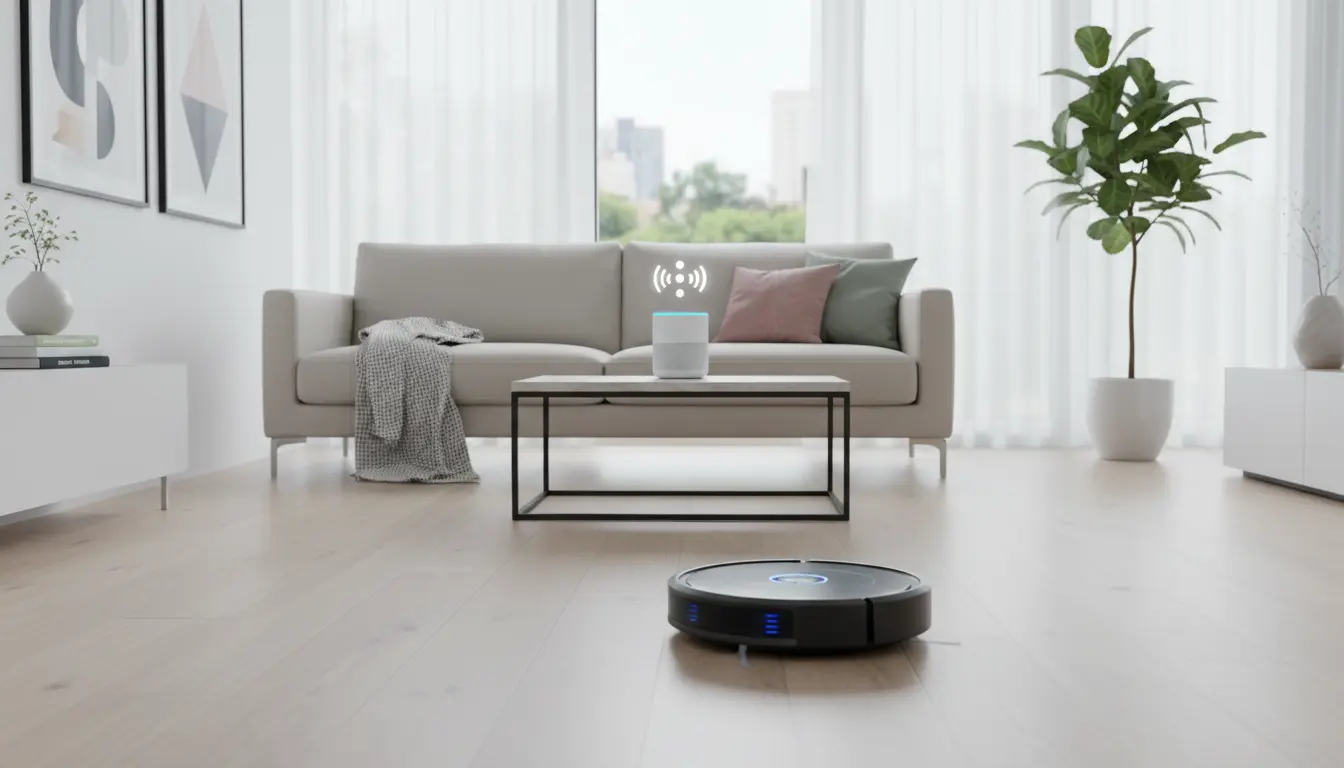
Alexa and Google Assistant compatible robot vacuums are autonomous cleaning devices that connect to your Wi‑Fi network and integrate with smart assistants such as Amazon Alexa and Google Assistant. Once connected, you can control the robot using simple voice commands like “Alexa, start vacuuming” or “Hey Google, clean the living room.”
These devices usually come with a dedicated mobile app as well, allowing you to schedule cleanings, monitor battery levels, check cleaning history, and customize cleaning modes. The real advantage, however, is the seamless integration with your existing smart ecosystem, from smart lights to thermostats and even smart locks.

Key Benefits of Voice‑Controlled Robot Vacuums
1. True Hands‑Free Operation
The biggest advantage of Alexa and Google Assistant compatible robot vacuums is the convenience of voice control. You can start, pause, or send the robot back to its charging dock without touching your phone or bending down to press any buttons. This is especially useful when your hands are full, you are cooking, or you simply want to relax on the couch and still keep your home clean.
2. Smarter Home Automation Routines
When a robot vacuum supports Alexa and Google Assistant, it can become part of your home automation routines. For example, you can create a routine where the lights dim, the TV turns off, and the robot vacuum starts cleaning when you say, “Alexa, good night.” Similarly, you can ask Google Assistant to start a quick cleaning session before guests arrive.
By linking your robot vacuum to other smart devices, you create a more coordinated and efficient smart home experience. This synergy is one of the strongest reasons to invest in a voice‑controlled robot vacuum.
3. Time and Energy Savings
Robot vacuums already save time by cleaning floors automatically. Adding Alexa and Google Assistant compatibility takes this productivity to the next level. You no longer need to open an app or press buttons; your voice becomes the main control interface. Over time, these small conveniences add up, giving you more free time and less mental load related to household chores.
4. Accessibility and Ease of Use
For older adults or people with mobility challenges, voice‑controlled robot vacuums can significantly improve daily life. Being able to command the vacuum from a sofa, wheelchair, or bed without any physical effort makes regular cleaning more accessible. The learning curve is minimal because most people are already familiar with basic voice commands to control their smart speakers or displays.
Essential Features to Look for in a Smart Robot Vacuum
Not all robot vacuums with Alexa and Google Assistant support offer the same performance. When choosing a model, keep the following features in mind:
1. Strong Suction Power and Cleaning Modes
Check the suction power, usually measured in Pascals (Pa). Higher suction levels help lift dust, pet hair, and debris from both hard floors and carpets. Multiple cleaning modes, such as edge cleaning, spot cleaning, and turbo mode, provide flexibility for different situations and floor types.
2. Advanced Navigation and Mapping
Modern robot vacuums use smart mapping technology to scan and map your home layout. With LiDAR or camera‑based navigation, the robot can move in systematic patterns, avoid obstacles, and cover every corner efficiently. App‑based maps often allow you to set no‑go zones, create virtual walls, and assign room‑specific cleaning tasks.
3. Long Battery Life and Auto‑Recharge
Look for a robot vacuum with enough battery life to handle your home’s size. Many models can run for 90–180 minutes on a single charge. The best devices automatically return to the charging base when the battery is low and resume cleaning from where they left off.
4. Multi‑Surface Compatibility
A good Alexa and Google Assistant compatible robot vacuum should transition smoothly between hardwood, tile, and various carpet heights. Some models adjust suction levels automatically when they detect carpeted areas, improving both cleaning performance and energy efficiency.
5. Large Dustbin or Self‑Emptying Base
If you want a truly low‑maintenance solution, consider a robot vacuum with a larger dustbin or a self‑emptying base station. These systems automatically empty the dirt into a sealed bag, reducing the number of times you need to interact with the vacuum and keeping dust exposure to a minimum.
6. Reliable Smart App and Voice Integration
Beyond basic voice commands, a mature software ecosystem is critical. The companion app should offer:
- Detailed cleaning history and coverage maps
- Room naming and zone cleaning
- Adjustable suction levels and cleaning schedules
- Easy linking with Alexa and Google Assistant
Make sure the product description clearly states support for both smart assistants if that is important for your home setup.
How to Use Alexa and Google Assistant with Your Robot Vacuum
Connecting your robot vacuum to Alexa or Google Assistant is usually a quick process:
- Set up the robot vacuum in its native app and connect it to your home Wi‑Fi network.
- Enable the relevant skill or service in the Alexa or Google Home app. This might involve logging into your robot vacuum account.
- Discover the device in your smart assistant app and assign it to a room or group.
- Try basic commands, such as “Alexa, start the vacuum” or “Hey Google, pause the robot vacuum.”
Once everything is configured, you can create routines, schedule cleanings, and integrate the vacuum with other smart home devices.
Tips for Getting the Most Out of Your Smart Robot Vacuum
To maximize both cleaning performance and the organic longevity of your device, consider these best practices:
- Declutter the floor before each cleaning run so the robot can move freely and avoid getting stuck.
- Regularly clean brushes and filters to maintain suction power and air quality.
- Update firmware and apps to benefit from new features, improved mapping, and better voice assistant integration.
- Set realistic schedules—for example, once a day in high‑traffic areas and several times per week in less‑used rooms.
- Use room‑specific commands like “clean the kitchen” or “clean under the dining table” if your model supports zone cleaning.
By following these steps, you can enjoy a cleaner home with minimal effort and make full use of your Alexa and Google Assistant ecosystem.
Recommended Alexa & Google Assistant Compatible Robot Vacuum on Amazon
One popular option available on Amazon.com is the iRobot Roomba i7+ (7550). It offers powerful suction, smart mapping, and a self‑emptying base, and it integrates seamlessly with both Amazon Alexa and Google Assistant. With this model, you can simply say, “Alexa, ask Roomba to clean the kitchen,” and it will head directly to that room based on its saved map, delivering a highly convenient and efficient cleaning experience.