
The Ultimate Guide to TV Color Calibration: Achieving Reference-Grade Accuracy at Home
Modern televisions arrive from the factory designed to grab your attention on a crowded showroom floor. Manufacturers often crank up the brightness and oversaturate the colors to make the picture “pop” under harsh fluorescent lights. However, once you bring that display into your living room, these settings often result in distorted skin tones, crushed shadow details, and an overall artificial look. This is where TV color calibration becomes essential. By fine-tuning your display to meet industry standards, you transform a consumer electronic device into a window that reflects the director’s original vision.
Understanding the Science of Color Accuracy
Color accuracy refers to a display’s ability to reproduce colors exactly as they were recorded. In the world of professional filmmaking, directors and colorists use high-end reference monitors calibrated to specific standards, such as Rec. 709 for HD content or Rec. 2020 for HDR. When your home TV deviates from these standards, you aren’t seeing the “real” movie.
A common misconception is that “vivid” or “dynamic” modes represent high quality. In reality, these modes often introduce a heavy blue tint to the whites (high color temperature) and exaggerate reds and greens. Professional TV color calibration corrects the white point to D65 (6500 Kelvin), which mimics natural daylight. This adjustment ensures that white looks neutral, rather than appearing like a glowing blue neon sign.
Why Factory Presets Fall Short
Even the most expensive OLED or QLED TVs suffer from panel variance. No two panels are identical, even if they come off the same assembly line. While “Filmmaker Mode” or “Cinema” presets get you closer to the truth, they are generic profiles applied to thousands of units. Environmental factors also play a role. The lighting in your room—whether it is warm incandescent bulbs or cool LED strips—interacts with the screen’s surface.
Calibration tailors the output to your specific panel and your unique viewing environment. It addresses the “grayscale,” ensuring that every step from pure black to pure white is neutral. Without this, you might notice “black crush,” where details in dark scenes (like a character’s black suit in a dimly lit room) disappear into a muddy blob.
The Tools of the Trade: DIY vs. Professional
You can approach TV color calibration in three ways: basic menu adjustments, DIY hardware calibration, or hiring a certified professional.
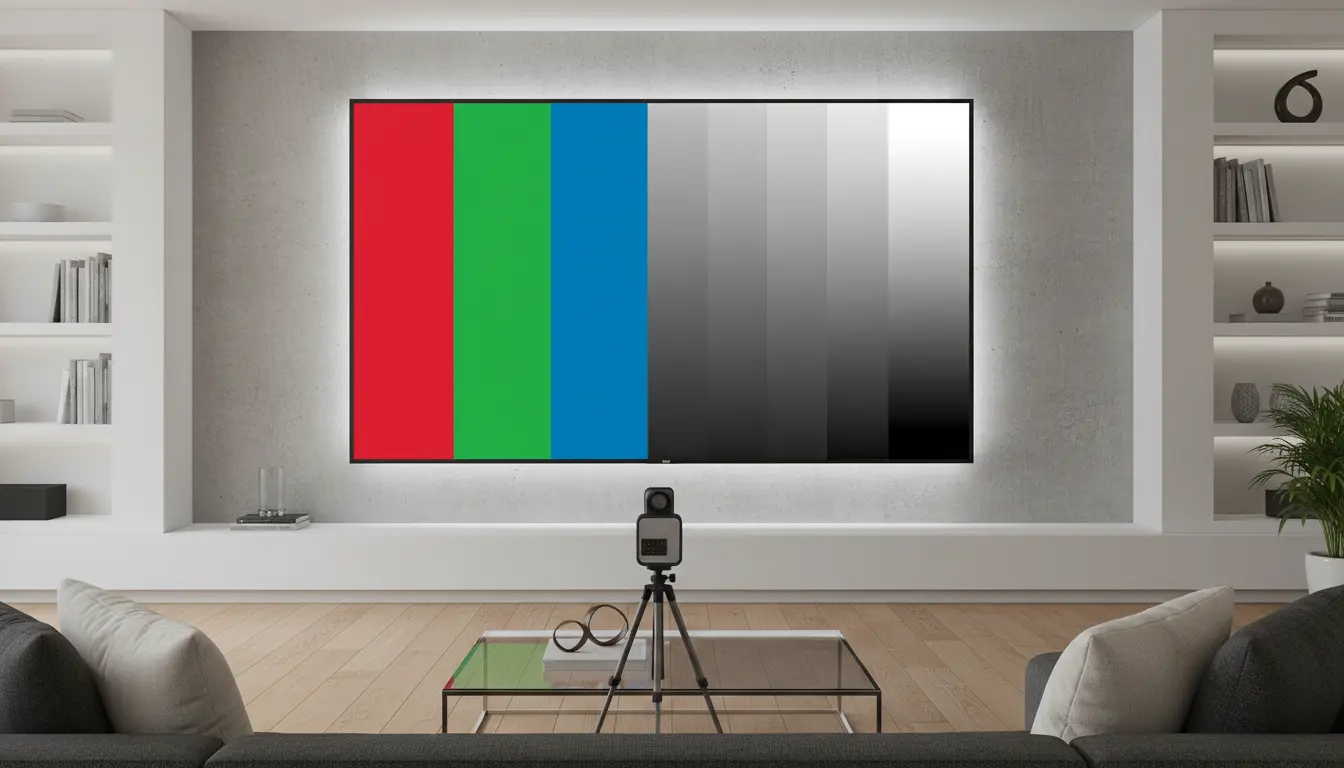
Basic adjustments involve using your eyes and a calibration disc or YouTube pattern. While this helps with brightness and contrast, the human eye is notoriously bad at judging absolute color temperature. Our brains “auto-white balance” our vision, making it impossible to hit D65 accurately without tools.
For enthusiasts, DIY hardware like a colorimeter (e.g., Datacolor Spyder or X-Rite i1Display) paired with software like Calman or HCFR offers a middle ground. These devices “read” the light coming off the screen and provide data-driven corrections. However, the gold standard remains a professional calibration by an ISF (Imaging Science Foundation) certified technician. They use high-speed spectrophotometers and signal generators to map thousands of color points, ensuring a near-perfect Delta E (the measure of error) of less than 3.0, which is the threshold where the human eye cannot perceive any inaccuracy.
The Impact of Calibration on HDR and 4K Content
High Dynamic Range (HDR) has revolutionized home cinema, but it makes TV color calibration more complex. HDR requires the TV to follow an EOTF (Electro-Optical Transfer Function) curve, which dictates how brightness levels are mapped. If your TV’s tracking is off, HDR highlights might “clip,” losing detail in bright clouds or explosions.
Proper calibration ensures that the “tone mapping” of your TV works correctly. It balances the peak brightness with the deep blacks of an OLED, maintaining the “pop” of HDR without sacrificing the subtle gradations in color. This is particularly important for 10-bit panels that can display over a billion colors; without calibration, you might see “banding” in sky gradients or sunsets.
Longevity and Eye Comfort
Beyond aesthetics, TV color calibration benefits your health and your wallet. Overly bright and blue-heavy settings cause significant eye strain during long viewing sessions. By shifting to a warmer, more accurate color temperature, you reduce the “blue light” impact, making late-night movie marathons much more comfortable.
Furthermore, calibrated TVs often run more efficiently. By reducing unnecessary “backlight” or “OLED light” levels to meet standard luminance targets (usually 100-120 nits for dark rooms), you reduce the heat generated by the panel. For OLED owners, this is a critical step in preventing “burn-in” or permanent image retention, as it avoids pushing the organic pixels to their absolute limits unnecessarily.
The Step-by-Step Calibration Process
If you decide to calibrate, the process usually follows a logical sequence. First, you must disable all “image enhancements” like motion smoothing, noise reduction, and dynamic contrast. These features interfere with the raw signal.
Next comes the “Grayscale and White Balance.” This is the foundation. If your grayscale is tinted green, every other color will be skewed. Technicians use 2-point or 20-point adjustments to align the red, green, and blue sub-pixels across the entire brightness range.
Finally, the “Color Management System” (CMS) is used to adjust the hue, saturation, and luminance of the primary (RGB) and secondary (CMY) colors. This ensures that a specific shade of “Ferrari Red” looks exactly as it should, rather than leaning toward orange or pink.
Conclusion: Is It Worth It?
Investing in a high-end 4K TV and not calibrating it is like buying a Ferrari and never tuning the engine. You are only seeing a fraction of what the technology is capable of. TV color calibration bridges the gap between “good enough” and “perfection.” It provides a consistent, immersive, and realistic experience that honors the art of cinematography. Whether you use a calibration disc or hire a pro, the result is a picture that feels deeper, more three-dimensional, and ultimately, more human.
Amazon Product Recommendation
For those looking to start their journey into professional-grade accuracy at home, the Datacolor SpyderX Pro is an excellent entry-point colorimeter. It offers fast, sensor-based calibration that significantly outperforms manual “eye-balling” and helps you achieve consistent colors across your TV and monitor setups.