
Mastering Visual Quality: Best Key Lights for Streamers and YouTube Video Creators
Great video production begins long before a camera sensor records a single frame. Digital cameras crave clean illumination, and without proper lighting, even five-thousand-dollar cinema setups yield noisy, washed-out, or grainy video feeds. A dedicated key light solves this core problem by establishing the primary exposure, controlling facial shadows, and separating you from your studio backdrop. Streamers, vloggers, and content producers frequently discover that upgrading their light produces a far more noticeable jump in perceived quality than buying an expensive new camera body.
Choosing the right illumination tool requires balancing color fidelity, mounting flexibility, heat dissipation, diffusion quality, and digital controls. Modern video creators run multi-task workflows where sudden lighting adjustments must happen on the fly through desktop software or mobile apps rather than physical dials. Investing in high-grade studio fixtures transforms dull webcam broadcasts into broadcast-tier visual experiences that engage viewers, enhance skin textures, and keep audiences watching longer.
Understanding the Fundamental Role of a Key Light
In traditional three-point lighting theory, the key light serves as your dominant source of illumination. It highlights your facial contours, creates attractive catchlights in your eyes, and defines the overall mood of the shot. Secondary sources like fill lights simply soften deep contrast, while backlights outline your silhouette to prevent you from blending into the background. However, the key light carries the heavy burden of setting base exposure and determining skin tone accuracy.
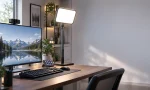
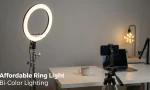
When you position a strong, diffused illumination source roughly forty-five degrees to the side and slightly above eye level, you introduce flattering depth. This angle prevents the flat, passport-photo look typical of direct camera flashes while eliminating unsightly shadows under the chin and nose. Furthermore, powerful key fixtures allow creators to lower camera sensor sensitivity, entirely banishing digital visual noise from darker areas of the frame.
Core Technical Specifications That Dictate Studio Quality
Before purchasing any production lamp, creators must evaluate specific technical metrics that determine visual performance. Many cheap desk lamps claim exceptional brightness, yet they ruin skin tones and introduce severe camera flicker during recording. Understanding color metrics, diffusion methods, and control mechanisms guarantees that your investment delivers lasting value.
Evaluating Color Accuracy with High CRI and TLCI Ratings
Color reproduction metrics directly govern how natural and healthy your skin looks on screen. The Color Rendering Index (CRI) and Television Lighting Consistency Index (TLCI) measure how faithfully an artificial light reveals object colors compared to natural sunlight. Quality video lights must achieve a minimum rating of CRI 95 or above. Cheaper, low-grade LED panels often exhibit nasty green or magenta color casts that require exhausting post-production color grading or make live broadcasts appear sickly. A fixture boasting balanced spectral output ensures accurate skin tones without taxing your real-time graphics processor or software LUT filters.
Navigating Color Temperature and Bi-Color Range
A versatile fixture must offer an adjustable color temperature spectrum, generally spanning 2800K to 6500K. Warm color values around 3200K simulate cozy golden-hour illumination or incandescent bulbs, while cool daylight settings near 5600K replicate midday natural light. Content creators who work near room windows need matching color temperatures to prevent strange mixed-temperature color clashes across their face. Premium bi-color panels allow smooth Kelvin adjustments through minute increments, ensuring your look remains completely coherent throughout changing daylight conditions.
Why Advanced Edge-Lit Diffusion Prevents Eye Fatigue
Staring into bare, directional LEDs for several hours during an intense gaming broadcast causes rapid visual exhaustion, headaches, and strained retinas. High-tier creator lights employ edge-lit architecture combined with multi-layer internal diffusion panels. Instead of shining directly toward your face, perimeter LEDs fire inwards across an optical light-guide plate before emerging through frosted translucent filters. This engineering technique creates an ultra-soft, glare-free beam that bathes the subject evenly, eliminating harsh specular hot spots on foreheads while maintaining comfortable eye conditions for marathon streams.
Digital Controls, Wireless App Integration, and Desktop Ecosystems
Streamers operate in fast-paced live environments where reaching behind a desk to fiddle with hardware knobs disrupts viewer interaction. Top-tier key units now feature dual-band Wi-Fi, Bluetooth, and dedicated desktop application integration. With intuitive software platforms, you can adjust output percentages, alter Kelvin balances, and program instantaneous preset shifts directly from a mouse click or hotkey controller. Integrating your illumination into a cohesive hardware ecosystem streamlines pre-stream setup routines and keeps your focus squarely on content delivery.
Designing Your Production Space: Mounting and Thermal Management
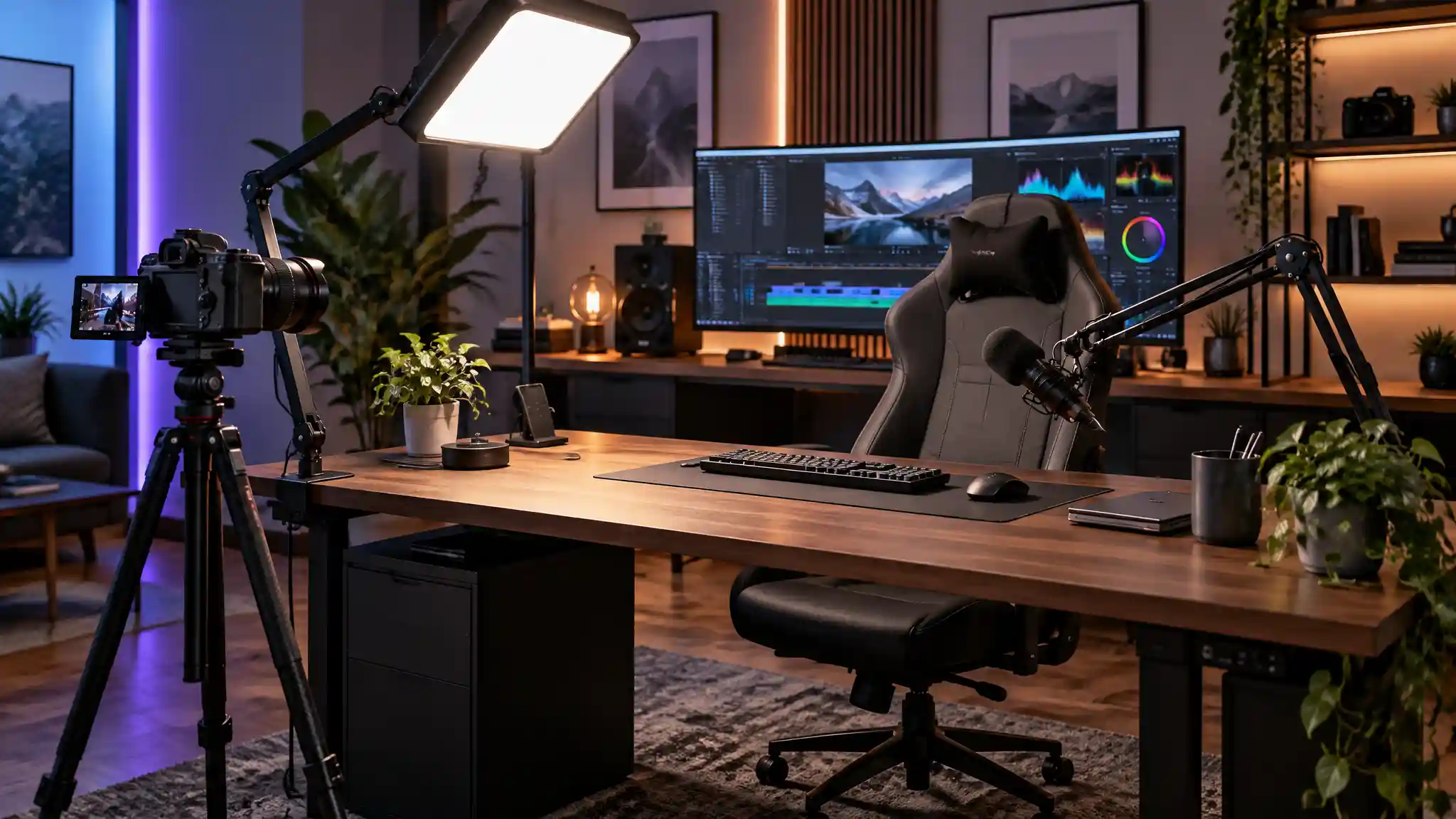
Studio environments differ widely, from spacious production offices to tight bedroom corners where space is at a premium. Bulky, traditional light stands with sprawling tripod legs consume valuable floor area and create dangerous tripping hazards around delicate microphone cables and cameras. Low-profile desk clamps featuring telescopic poles solve this space crunch effortlessly. These sturdy c-clamps screw tightly onto the rear edge of standard desks, elevating the lighting fixture high overhead while leaving desktop territory open for keyboards, audio interfaces, and control decks.
Simultaneously, content producers must consider acoustic conditions and internal thermal management. Microphones capture faint mechanical noises easily, meaning your lighting gear cannot rely on buzzing cooling fans. Top studio fixtures employ passive heat sinks forged from solid aluminum alloy. These metal bodies draw excess heat away from sensitive LED chips quietly, maintaining reliable peak performance over twelve-hour streaming sessions without introducing distracting fan hum into sensitive broadcast microphones.
Strategic Illumination Setup and Best Practices
To get the most out of your new visual fixture, set your camera to manual exposure mode before switching on the lamp. Relying on automatic webcam exposure causes distracting brightness shifts whenever you gesture, hold up a product, or shift in your chair. Once you lock your camera shutter speed to twice your framerate and fix your ISO at its cleanest base level, bring up your key brightness until your face registers an optimal exposure curve.
Angles matter just as much as brightness. Mounting the fixture slightly above your monitor prevents reflections from bouncing off eyeglass lenses into your camera lens. Angling the light downward creates natural shadow falloff under your jawline, emphasizing face structure and lending a clean, cinematic aesthetic to casual conversation segments. Pair this setup with modest ambient room accents, and your video feed immediately commands professional respect across YouTube, Twitch, or video conferencing platforms.
Recommended Amazon Product
If you want the undisputed gold standard for streaming and YouTube production, the Elgato Key Light (available on Amazon.com) stands out as the ultimate studio choice. Boasting a genuine 2800-lumen output powered by premium edge-lit architecture, it delivers exceptional glare-free softness that protects your eyes during lengthy broadcasts. It pairs an industrial-grade metal desk mount with complete software control via PC, Mac, iOS, Android, and Stream Deck integration, ensuring effortless real-time Kelvin and brightness adjustments.