
Best Compact Printers for Small Offices in New York
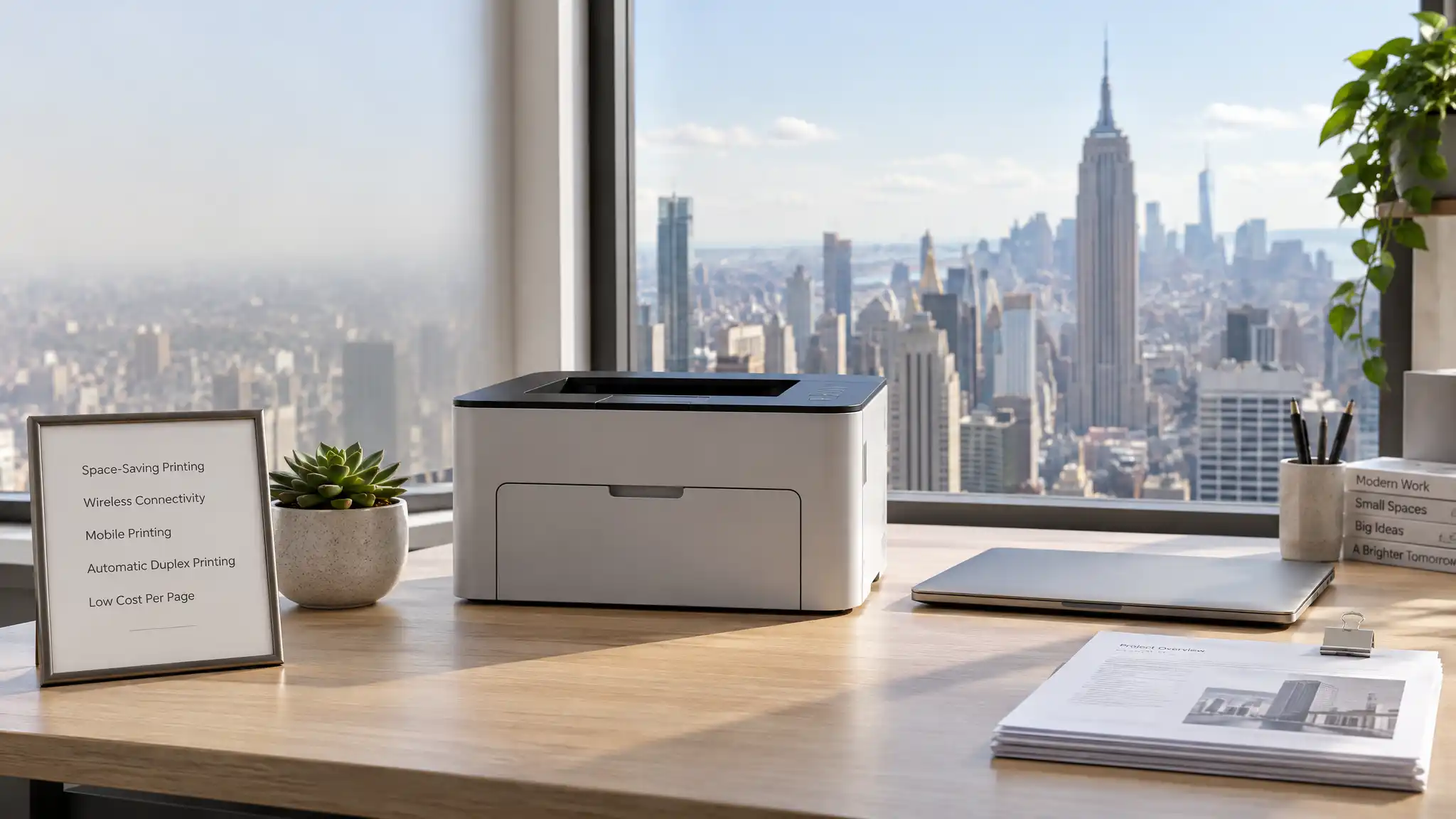
Navigating commercial real estate in New York City presents a unique challenge for founders, consultants, and boutique agency leads. Square footage commands a premium across Manhattan, Brooklyn, and Long Island City, meaning every square inch on your desk must deliver tangible productivity. Bulky corporate copiers waste valuable floor space, while flimsy personal desktop printers fail under demanding daily workloads. Urban entrepreneurs need space-saving printing solutions that combine enterprise-grade output with a minimal footprint. Selecting the right hardware ensures that your administrative workflows run smoothly without turning your workspace into a cluttered storage room.
The Realities of Workspace Constraints in New York
Operating a business in bustling commercial hubs like Midtown or DUMBO requires ruthless space optimization. Shared coworking areas, micro-suites, and converted loft offices often allocate narrow desks to teams that handle substantial document volumes. In such environments, equipment must pull double duty without causing disruption.
A high-volume printer that vibrates aggressively or consumes an entire side credenza degrades your daily operational environment. Furthermore, New York professionals frequently handle time-sensitive paperwork, such as commercial leases, investment decks, legal filings, and creative client proofs. Waiting for a slow machine or untangling paper jams wastes hours you cannot afford to lose. Compact machines built specifically for micro-workspaces provide the ideal balance of physical economy, speed, and quiet operation.
Essential Features to Evaluate Before Buying
When reviewing hardware for a space-conscious urban office, you must look past basic product dimensions. Thoughtful design choices separate truly efficient workhorse machines from toys masquerading as office equipment.
First, examine paper path design and media loading mechanisms. Front-loading paper trays prove essential when you position a device on shallow shelving or tight credenzas. Rear-loading gravity feeders demand substantial vertical clearance and pull-out room, which quickly eliminates them from tight corners.
Second, calculate the realistic monthly duty cycle alongside total cost of ownership. Laser printing technology remains the gold standard for producing crisp monochrome text, legal briefs, and professional contracts at minimal cost per page. However, modern ink tank setups have revolutionized small-batch full-color printing by replacing expensive miniature cartridges with bulk liquid reservoirs.
Third, evaluate modern connectivity protocols. Modern hybrid office setups across New York depend on seamless wireless network capabilities. Fast dual-band Wi-Fi, Ethernet connectivity, and native mobile printing apps enable team members to send print jobs directly from laptops, tablets, or smartphones without running ugly cables across the floor.
Laser Power Versus Ink Tank Innovation
Small enterprise setups generally lean toward two distinct technologies, each solving specific administrative needs. Monochrome laser systems continue to dominate law practices, accounting firms, and administrative desks where black-and-white legibility matters above all else. These systems deliver dry, smear-resistant pages instantly, handling heavy multi-page documents without pausing for thermal cool-downs.
Conversely, marketing consultancies, design studios, and boutique fashion showrooms require rich color capabilities. Traditional cartridge-based color printers carry prohibitive ink replacement expenses that quickly strain operating cash flow. In contrast, refillable ink tank technology delivers ultra-low running costs per print while preserving sharp graphics and accurate palettes. The upfront purchase price pays for itself within several months of regular production, keeping overhead predictable.
Noise Mitigation and Eco-Efficiency in Shared Suites
Quiet operation represents an overlooked consideration in high-density collaborative offices. High decibel spikes disrupt client phone calls, board pitches, and creative deep-work sessions. Leading compact units now feature dedicated silent modes that slightly reduce throughput speed while dropping operational sound levels below ambient conversation volumes.
Energy consumption also impacts bottom-line expenses. Energy Star certified units draw negligible standby electricity, switching automatically between deep sleep and rapid warm-up states. Instant-fusing heaters ensure your team prints the first page within seconds, avoiding long delays when rushing out the door to meet a prospective partner downtown.
Long-Term Maintenance and Urban Workflow Tips
Keeping small-scale office equipment running reliably in demanding urban environments requires sensible operational hygiene. Always use paper stocks with appropriate moisture levels to prevent persistent multi-sheet feeds during humid summer months.
Position your equipment away from direct sunlight, air conditioning blowers, or radiator pipes common in classic pre-war Manhattan buildings. Keep replacement high-yield toner cartridges or sealed ink bottles in an adjacent drawer so sudden depletion never halts critical transactions. Finally, activate automatic firmware updates to protect sensitive administrative traffic transmitted over shared enterprise Wi-Fi routers.
Why the Brother HL-L2350DW Fits New York Offices
For entrepreneurs seeking dependable, space-conscious performance, the Brother HL-L2350DW Monochrome Compact Laser Printer stands out as an exceptional choice. Engineered deliberately for tight desk configurations, this unit measures just 14 x 14.2 x 7.2 inches, easily fitting onto corner workstations, modular shelving, or compact filing cabinets.
This compact monochrome laser engine churns out up to 32 pages per minute, producing clean 2400 x 600 dpi text documents that make your proposals look immaculate. The 250-sheet enclosed front paper cassette prevents street dust from fouling the internal rollers while holding an entire half-ream of standard copy paper. Built-in automatic two-sided printing cuts paper waste in half, reducing physical storage requirements for archived files.
Flexible wireless pairing via Wi-Fi and Wi-Fi Direct permits cord-free operation from anywhere inside your suite. The Brother HL-L2350DW supports AirPrint, Mopria, and Brother iPrint&Scan, enabling immediate mobile output without intricate driver installations. Its manual feed slot accommodates envelopes, cardstock, and legal-size papers effortlessly, turning an unassuming grey box into a versatile administrative hub.
Final Verdict
Thriving as an independent firm in New York demands smart investments in durable, flexible, and space-saving tools. By replacing cumbersome legacy machinery with an agile desktop solution, you protect operational budgets, declutter your desk, and preserve maximum room for real collaborative work. Invest in a dependable, compact device that mirrors the speed, discipline, and grit of your enterprise.
Amazon.com Product Recommendation
Brother HL-L2350DW Compact Monochrome Laser Printer