
Choosing the right smart doorbell (video doorbell) can dramatically improve your home’s security, convenience, and curb appeal. Whether you’re upgrading from a traditional chime or building a smart home from scratch, this comprehensive guide covers everything from essential features and compatibility to installation steps and privacy best practices. Written for U.S. homeowners, it focuses on standards, wiring, and services commonly used in the United States, ensuring a smooth selection and setup process—and long-term reliability.
Why a Smart Doorbell Matters
A smart doorbell gives you a live view of your porch, motion-triggered alerts, and two-way audio to talk to visitors—even when you’re not home. Beyond deterring porch pirates and door-to-door scams, many models integrate with smart locks, lights, and security systems, turning your entryway into a responsive, automated security zone. The result: greater peace of mind, fewer missed deliveries, and better evidence if an incident occurs.
Key Features to Consider
- Video resolution and HDR: Aim for at least 1080p; HDR helps balance bright skies and shaded porches so faces look clear.
- Field of view (FOV): Wider FOV (e.g., 150–180° diagonal) captures more area, including packages on the ground. Some models offer head-to-toe framing.
- Low-light performance: Look for color night vision or strong IR night vision. A well-placed porch light also improves image quality.
- Motion detection: Advanced models offer radar or on-device AI to reduce false alerts from cars or tree branches.
- Pre-roll/buffered video: A short pre-roll clip captures context before motion, helping you see what led to the event.
- Two-way audio and noise reduction: Clear audio is essential for communicating with delivery drivers or guests.
- Power options: Battery-powered units are easy to install but need charging; wired models run off your existing doorbell transformer for continuous power.
- Local vs. cloud storage: Local storage can reduce subscription costs and enhance privacy; cloud plans often add features like extended history and smart alerts.
- Smart home integrations: Ensure compatibility with your ecosystem—Amazon Alexa, Google Home, Apple HomeKit, or Matter (where supported).
- Weather rating: For U.S. climates, look for IP ratings and operating temperature ranges suitable for your region.
- Subscription value: Consider the total cost of ownership. Some brands require a plan for video history, smart alerts, or multiple devices.
Wired vs. Battery: Which Is Right for You?
- Battery-powered:
- Pros: Easiest DIY installation; no need to touch your transformer; flexible placement.
- Cons: Periodic charging or battery swaps; potential downtime; some features may be limited to conserve power.
- Wired:
- Pros: Continuous power, faster responsiveness, and often access to “always-on” features; no recharging hassle.
- Cons: Requires compatible transformer (commonly 16–24V AC in the U.S.); may need a chime adapter; installation involves handling doorbell wiring.
Tip: If your home’s transformer is older or underpowered, upgrade to a 16–24V AC transformer with adequate VA (power) rating as recommended by your doorbell’s manufacturer.


Compatibility Checklist for U.S. Homes
- Doorbell transformer: Check voltage (typically printed on the transformer near your breaker panel or furnace area). Many video doorbells prefer 16–24V AC, 10–30 VA.
- Mechanical vs. digital chime: Some smart doorbells need a chime connector or may bypass the chime and use the app/chime accessory instead.
- Wi‑Fi coverage: Ensure strong 2.4 GHz coverage at your front door. If signal is weak, consider a mesh system or Wi‑Fi extender.
- Mounting surface: Brick, stucco, wood, or vinyl may require different anchors or wedge kits for optimal camera angle.
Privacy and Security Best Practices
- Zones and privacy masks: Configure motion zones to exclude sidewalks or streets; mask out neighbors’ windows to respect privacy.
- Strong authentication: Use unique, strong passwords and enable multi-factor authentication (MFA).
- Encryption and local storage: Prefer devices with end-to-end encryption options and/or local storage if cloud privacy is a concern.
- Account sharing: If you share access with family, set role-based permissions and review login devices periodically.
- Compliance and signage: In many U.S. states, it’s legal to record video on your property. For audio, states vary; a small “audio/video recording in use” notice can improve transparency.
Step-by-Step Installation (Battery)
- Charge and prep: Fully charge the battery and update firmware in the app before mounting.
- Choose the angle: Use included wedge kits to aim at faces and your porch floor for package visibility.
- Mount securely: Drill pilot holes, insert anchors if needed, and mount the bracket. Snap in the doorbell.
- Connect to Wi‑Fi: Follow the app to pair the device; test the live view and motion detection.
- Fine-tune settings: Set motion zones, sensitivity, notifications, and smart alerts.
Total time: 15–30 minutes.
Step-by-Step Installation (Wired)
- Safety first: Turn off power to the doorbell circuit at the breaker.
- Check transformer: Verify it meets your doorbell’s voltage/VA requirements; upgrade if needed.
- Prepare chime: If your model requires a chime adapter, install it per the manufacturer’s wiring diagram.
- Mount bracket: Use a wedge if needed for angle; ensure cable slack and strain relief.
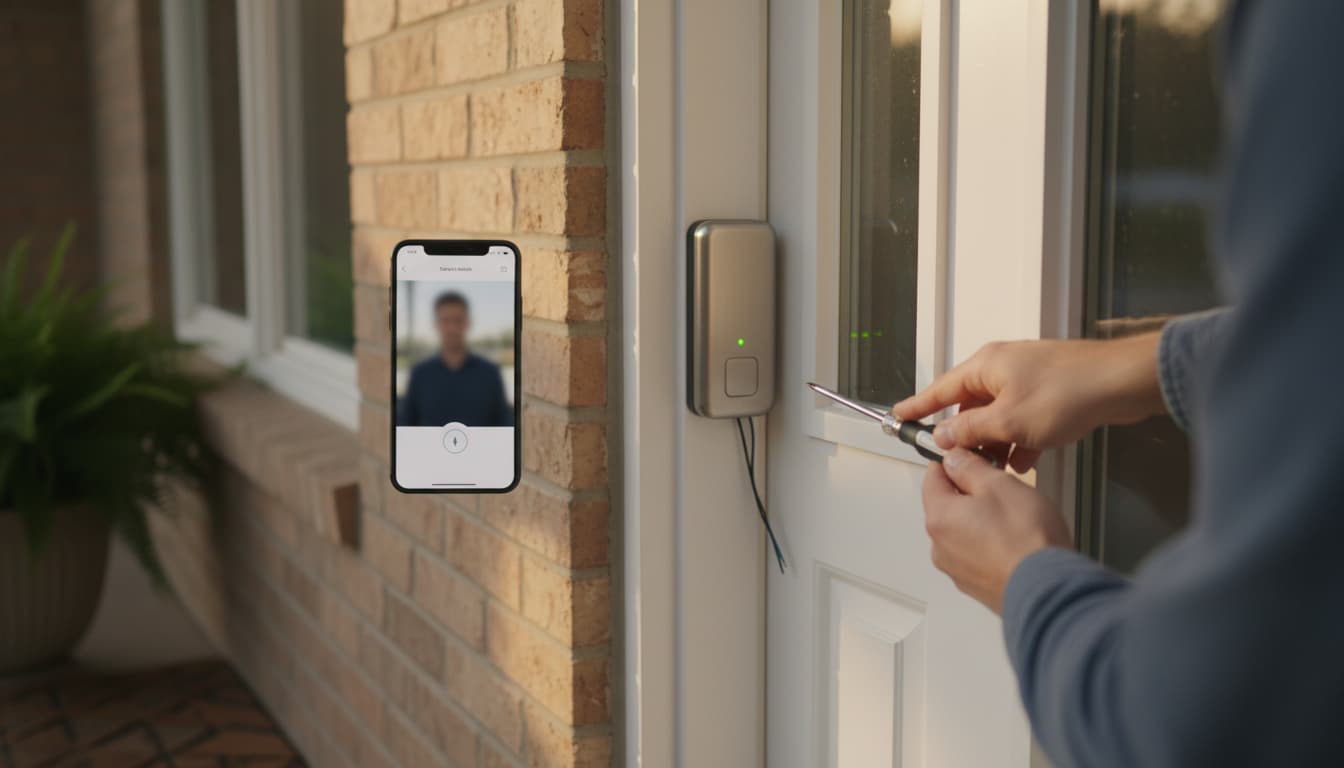
- Connect leads: Attach the two doorbell wires to the terminals (polarity typically doesn’t matter for AC).
- Restore power and pair: Turn the breaker back on, then use the app to connect to Wi‑Fi and test.
- Configure: Set motion zones, pre-roll, and notifications; test your mechanical/digital chime behavior.
Total time: 30–60 minutes, plus transformer upgrade time if needed.
Placement and Angle Tips
- Height: About 48–54 inches from the porch floor usually frames faces well.
- Wedges: Use vertical wedges to capture packages and horizontal wedges to minimize street movement.
- Lighting: Avoid pointing directly into intense backlight; add a porch light for cleaner night footage.
Reducing False Alerts
- Use activity zones to exclude street traffic.
- Lower motion sensitivity if you get too many alerts.
- Enable person/package/vehicle detection if available.
- Consider radar-based motion for better precision and fewer false positives.
Ongoing Maintenance
- Clean the lens monthly to remove dust, pollen, or salt spray.
- Update firmware and app promptly for security patches and new features.
- For battery models: Track battery health; extreme heat/cold can affect performance.
- Review storage plan annually to ensure it matches your needs and budget.
Troubleshooting Common Issues
- Weak Wi‑Fi: Switch to 2.4 GHz, relocate router, add a mesh node, or use a PoE-to-Wi‑Fi bridge if applicable.
- Chime not ringing: Recheck adapter wiring and chime compatibility; confirm in-app chime settings.
- Video lag or missed events: Improve Wi‑Fi, increase transformer capacity for wired models, or reduce simultaneous streaming on your network.
- Night glare: Adjust angle to avoid reflective surfaces; add a shield or reposition porch lights.
Future-Proofing Your Purchase
- Ecosystem alignment: If your home uses Alexa routines or Google automations, pick a doorbell that integrates deeply with your platform.
- Interoperability: Watch for Matter/Thread support where relevant in your smart home roadmap.
- Expandability: Consider whether you’ll add cameras, smart locks, or lighting that can create helpful automation (e.g., lights on when motion is detected at night).
Final Recommendation Framework
- Apartment/condo renters: Battery-powered, no-drill or adhesive mounts (if allowed), and cloud storage for simplicity.
- Suburban homeowners with existing chimes: Wired model with strong motion AI and pre-roll; confirm transformer specs.
- Privacy-focused buyers: Local storage with optional cloud, robust encryption, on-device processing, granular privacy controls.
With the right model matched to your wiring, Wi‑Fi, and smart home ecosystem, a smart doorbell can be a reliable first line of defense and a daily convenience upgrade for your front door.