
Best-Selling External Hard Drives and SSDs on Amazon: A Complete Buyer’s Guide
When you browse Amazon for external storage, you’ll see thousands of options with different capacities, speeds, and form factors. Choosing the best one can feel overwhelming. This guide explains what makes the best-selling external hard drives and SSDs on Amazon so popular, what you should look for before buying, and which type of drive (HDD vs SSD) is right for you. You’ll also find a product suggestion from Amazon at the end.
1. Why External Storage Is More Important Than Ever
Modern devices generate huge amounts of data. 4K videos, RAW photos, large game files, and project archives quickly fill up your laptop or desktop. Cloud storage helps, but it’s often slower, subscription-based, and not always ideal for massive files.
That’s why external hard drives and portable SSDs remain in the list of top-rated Amazon storage devices. They offer:
- Extra space for backups and archives
- Portability for work and travel
- One-time cost with no monthly fees
- Faster access to large files compared to many cloud solutions
When a drive becomes a best seller on Amazon, it usually means it balances price, reliability, performance, and user satisfaction.
2. External HDD vs SSD: Which One Should You Choose?
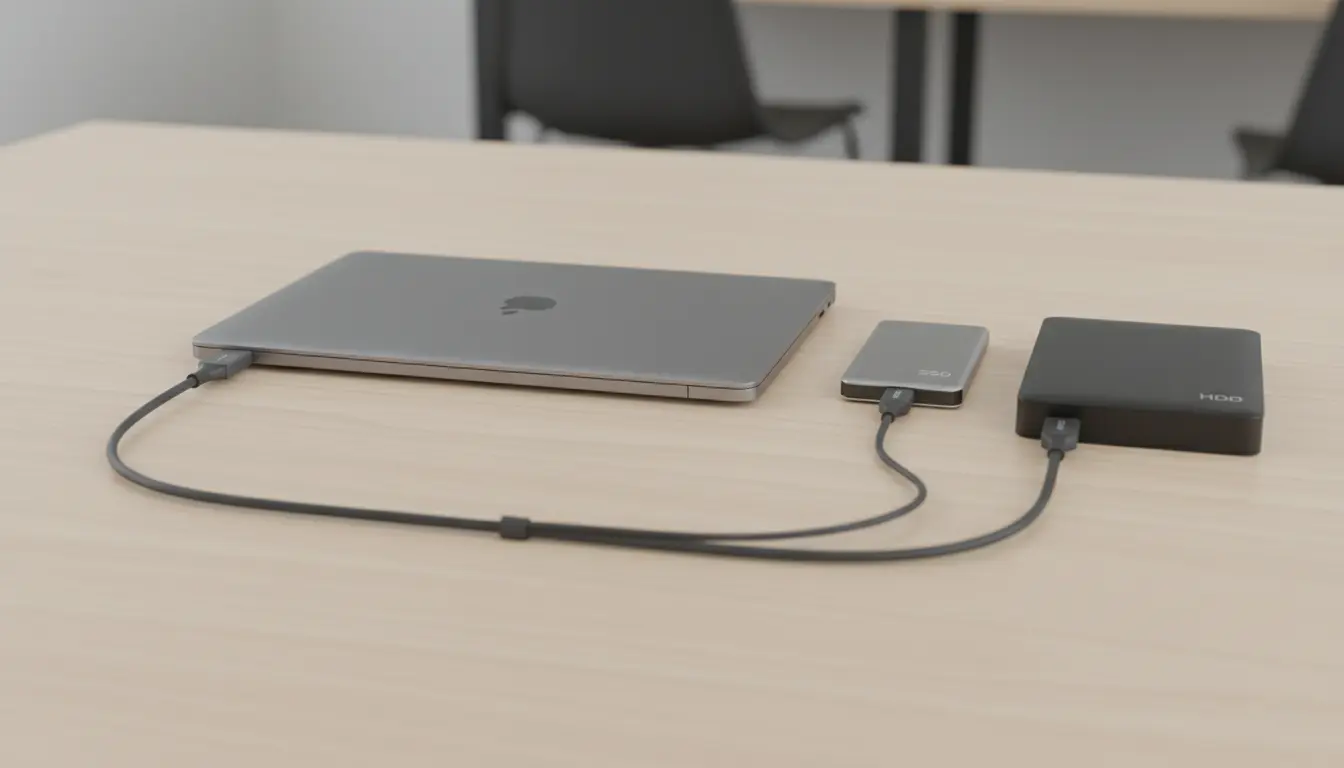
Before you pick a product from Amazon’s best seller list, you need to decide between a traditional external HDD and a portable SSD.
External Hard Drive (HDD)
- Uses spinning platters and a mechanical arm
- Slower than SSDs, but usually cheaper per terabyte
- Ideal for long-term backups, large media libraries, and archives
- More vulnerable to physical shock because of moving parts
Solid State Drive (SSD)
- Uses NAND flash memory with no moving parts
- Delivers much faster read/write speeds
- Better for video editing, gaming libraries, and frequent file transfers
- More durable and shock-resistant, but typically more expensive
In short, if you want maximum capacity at the lowest price, a high-capacity external hard drive is your best choice. If you care about speed, durability, and performance, go for a portable SSD.
3. Key Features That Make a Drive a Best Seller on Amazon
When you look at the best-selling external drives on Amazon, they share several core traits. Understanding these will help you find a drive that matches your needs:
- Capacity
- Common sizes include 1TB, 2TB, 4TB, and 5TB for HDDs, and 500GB to 4TB for SSDs.
- Creators and gamers often prefer at least 2TB external HDD or 1TB SSD.
- Speed and Interface
- Look for USB 3.2 or at least USB 3.0 for external HDDs.
- For SSDs, a USB-C portable SSD or NVMe SSD with USB 3.2 Gen 2 can deliver much higher speeds, ideal for video editing or large project files.
- Durability and Portability
- Rugged external SSDs with rubberized cases and drop protection are popular among travelers, photographers, and vloggers.
- Slim, lightweight designs fit easily in a laptop bag or pocket, making it simpler to carry your data everywhere.
- Compatibility and Plug-and-Play
- Most top sellers are plug-and-play external storage, working immediately on Windows, macOS, and often game consoles.
- Check if the drive is pre-formatted for your operating system and whether you need to reformat it for Time Machine, Linux, or other specific uses.
- Security and Backup Software
- Many external backup drives come with built-in encryption or optional password protection.
- Bundled backup tools can schedule automatic copies of your important folders, so you don’t have to remember to back up manually.
- Customer Reviews and Ratings
- Drives that stay on Amazon’s best seller lists usually have thousands of reviews and a high average rating.
- Look for comments about long-term reliability, transfer speed, and how the drive behaves under real-world workloads.
4. Use Cases: Matching the Drive to Your Needs
Everyone uses external storage differently. Here’s how to choose between the best-selling external HDD and SSD options depending on your primary use case:
- For Photographers and Videographers
- Use a fast portable SSD as your working drive for editing on the go.
- Keep a large-capacity external HDD at home or in the studio as your long-term archive.
- For Gamers
- Many console and PC gamers move their library to a USB 3.0 or USB 3.2 external hard drive.
- If you play titles with long load times, a portable SSD for gaming offers snappier performance and reduced loading screens.
- For Remote Workers and Students
- A slim USB-C portable SSD is perfect for carrying important documents, presentations, and course materials.
- You can plug it into modern laptops, tablets, and even some phones via adapters.
- For Small Businesses and Professionals
- Use external backup drives in a rotation for weekly or monthly backups.
- Consider multiple drives stored in different locations as part of a basic disaster recovery strategy.
5. How to Evaluate Best Sellers on Amazon Before You Buy
Not every best seller is right for everyone, so you should evaluate a few important factors:
- Check the detailed specs
- Confirm the interface (USB-A, USB-C, Thunderbolt) and make sure your devices support it.
- Verify the sustained transfer speed, not just the marketing numbers.
- Read recent customer reviews
- Focus on reviews from the last 3–6 months to see how the current batch of drives performs.
- Look for patterns: failures after a few months, cable quality issues, or heat concerns.
- Compare price per terabyte
- Especially for large media collections, compare how much you’re paying per TB for each Amazon external drive.
- For many users, a slightly slower drive with a much better price per TB is the smarter choice.
- Warranty and brand reputation
- Leading brands that dominate Amazon’s best seller charts often provide 2–3-year warranties.
- Reliable after-sales support is critical if the drive is storing irreplaceable data.
6. Maintaining and Protecting Your External Drive
Even the best external storage devices need proper care. To keep your HDD or SSD healthy:
- Always use the “Safely Remove Hardware” or eject option before unplugging.
- Avoid dropping or crushing the drive, especially in the case of HDDs.
- Store the drive in a protective case when traveling.
- Consider keeping two separate backups for mission-critical files, preferably on different drives or locations.
By treating your drive carefully, you increase the odds that it will stay reliable for years, just like the long-lasting models that earn top rankings on Amazon.
7. Recommended Product on Amazon
I recommend the Samsung T7 Shield Portable SSD. It is a top-rated Amazon best-seller because it combines lightning-fast read/write speeds (up to 1,050 MB/s) with a rugged, IP65-rated water and dust-resistant design, making it the most reliable choice for both professional video editing and everyday backups.