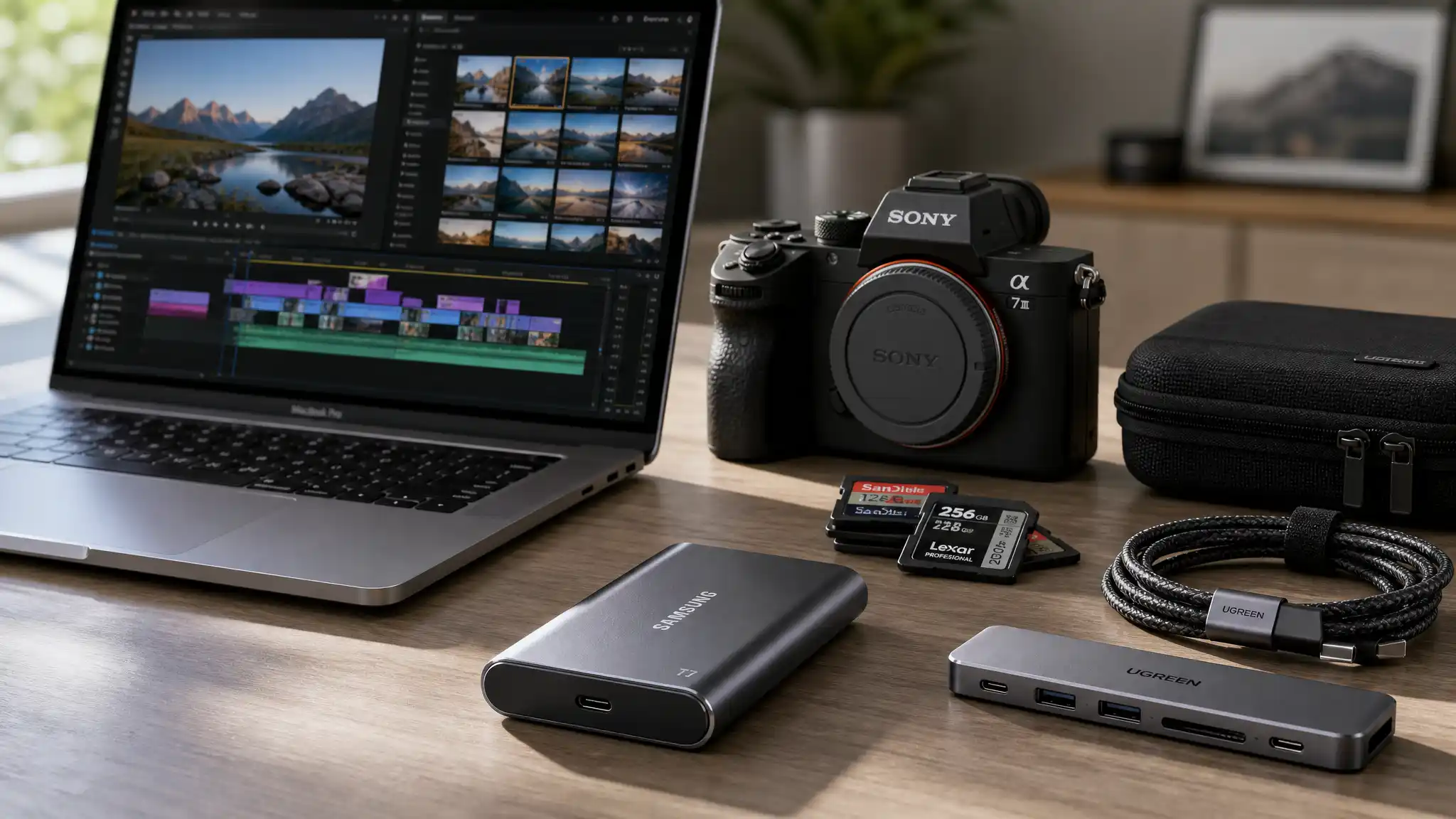

Best External SSDs for Video Editors and Photo Backup (USB-C)
Modern content creation moves fast. Whether you edit 4K footage, manage RAW photography libraries, or back up client projects, storage speed directly affects your workflow. Traditional hard drives still offer large capacities, but many professionals now prefer an external SSD because it delivers faster transfer speeds, greater durability, and a more portable design.
USB-C external SSDs have become the standard choice for video editors, photographers, YouTubers, filmmakers, and creative professionals who need reliable performance on the go. In this guide, we explore the best external SSD options for video editing and photo backup while explaining the features that matter most before you buy.
Why Video Editors Need an External SSD
Video files continue to grow in size. A single 4K project can easily consume hundreds of gigabytes, while 6K and 8K workflows demand even more storage bandwidth.



A high-performance external SSD helps creators:
- Transfer large files quickly
- Edit videos directly from external storage
- Reduce project loading times
- Improve backup efficiency
- Protect valuable client data
- Travel with compact and lightweight storage
Unlike traditional hard drives, SSDs contain no moving parts. This design makes them more resistant to drops, vibration, and everyday travel hazards.
What to Look for in a USB-C External SSD
Before selecting an SSD, consider several key factors that influence real-world performance.
1. Transfer Speed
Speed remains the most important specification for video editors.
Many USB-C SSDs offer read speeds between 1,000 MB/s and 2,000 MB/s. These speeds allow smooth editing of high-resolution footage and significantly faster file transfers.
If you regularly work with ProRes, Blackmagic RAW, or large DSLR video files, prioritize high-speed SSD storage.
2. Storage Capacity
Creative projects require substantial space.
Common capacity options include:
- 500GB
- 1TB
- 2TB
- 4TB
- 8TB
Professional photographers often find that a 2TB portable SSD provides a good balance between storage space and affordability. Video professionals handling large productions may benefit from 4TB or higher.
3. Durability
Field work introduces risks. Dust, moisture, and accidental drops can damage storage devices.
Many rugged external SSD models feature:
- Shock resistance
- Water resistance
- Dust protection
- Reinforced housings
Durability becomes especially important for travel photographers and outdoor filmmakers.
4. Compatibility
A quality USB-C SSD should work seamlessly with:
- MacBook Pro
- Mac Studio
- Windows laptops
- Desktop workstations
- iPad Pro
- Android devices
- Gaming consoles
Cross-platform compatibility simplifies collaboration and backup workflows.
5. Security Features
Client projects often contain confidential information.
Some SSDs include:
- AES 256-bit hardware encryption
- Password protection
- Secure access software
These features help protect sensitive content from unauthorized access.
Best Types of External SSDs for Video Editing
Portable SSDs
Portable SSDs are ideal for creators who frequently travel between locations.
Advantages include:
- Lightweight design
- Compact size
- Fast performance
- Easy transportation
Many content creators carry multiple portable SSDs to separate active projects from archived files.
Rugged SSDs
Outdoor professionals often prefer rugged SSD storage solutions.
These drives withstand harsh environments better than standard models and offer extra protection during travel.
A rugged SSD is particularly useful for:
- Wildlife photography
- Adventure filmmaking
- Event videography
- Documentary production
High-Speed NVMe SSDs
NVMe-based external SSDs deliver some of the fastest storage performance available through USB-C connections.
Benefits include:
- Faster rendering workflows
- Reduced transfer times
- Smooth multi-stream editing
- Better handling of large RAW video files
For professional video production, NVMe SSD technology often provides the best user experience.
How External SSDs Improve Photo Backup Workflows
Photographers face unique storage challenges. Modern cameras produce extremely large RAW files, and image libraries can grow rapidly.
A reliable external SSD helps photographers:
- Back up photos immediately after shoots
- Organize large image collections
- Transfer files faster to editing software
- Create redundant backup systems
- Improve Lightroom and Capture One workflows
Instead of waiting for hours to move thousands of images, photographers can complete backups in a fraction of the time.
USB-C SSD Benefits for Mac Users
Apple users increasingly rely on external SSDs because modern Mac devices often ship with limited internal storage.
USB-C SSDs integrate smoothly with:
- MacBook Air
- MacBook Pro
- Mac Studio
- Mac mini
- iMac
Fast SSD storage allows editors to work directly from external drives without sacrificing performance.
Many Final Cut Pro users maintain entire editing libraries on external SSDs to maximize workflow flexibility.
USB-C SSD Benefits for Windows Users
Windows-based creators also gain significant advantages from external SSD storage.
Popular applications such as:
- Adobe Premiere Pro
- DaVinci Resolve
- Adobe Lightroom
- Photoshop
- After Effects
benefit from faster file access and reduced loading times.
Editors can store active projects externally while preserving internal SSD space for operating systems and applications.
Best Backup Strategy for Creative Professionals
Storage is only one part of data protection.
Experts often recommend the 3-2-1 backup strategy:
- Keep 3 copies of your data
- Store data on 2 different media types
- Maintain 1 off-site backup
For example:
- Primary project files on your computer
- Secondary copy on an external SSD
- Cloud backup for disaster recovery
This approach significantly reduces the risk of permanent data loss.
Common Mistakes When Buying an External SSD
Many buyers focus solely on price and overlook important details.
Avoid these common mistakes:
Choosing Capacity That Is Too Small
Storage requirements usually grow faster than expected. Purchasing a larger SSD often saves money over time.
Ignoring Sustained Performance
Some SSDs maintain excellent burst speeds but slow down during large file transfers. Professional creators should evaluate sustained performance benchmarks.
Overlooking Build Quality
Cheap enclosures may fail under heavy use. A durable aluminum design typically provides better heat management and longevity.
Forgetting Backup Redundancy
Even premium SSDs can fail. Always maintain multiple copies of critical files.
Future Trends in Portable SSD Technology
The storage industry continues to evolve rapidly.
Emerging technologies include:
- USB4 connectivity
- Thunderbolt 5 support
- Higher-capacity portable SSDs
- Faster NVMe architectures
- Improved thermal management
These advancements will further improve workflows for video editors and photographers.
Choosing the Right SSD for Your Workflow
Different creators have different requirements.
For Photographers
Prioritize:
- Reliable backup performance
- Lightweight portability
- 1TB to 2TB capacity
- Strong durability
For YouTubers
Look for:
- Fast transfer speeds
- Portable design
- Affordable pricing
- Cross-platform compatibility
For Professional Video Editors
Focus on:
- NVMe SSD technology
- Sustained high-speed performance
- 2TB to 8TB capacity
- Rugged construction
For Travel Creators
Choose:
- Compact form factor
- Water resistance
- Shock protection
- USB-C compatibility
Matching the SSD to your workflow ensures better productivity and long-term value.
Final Thoughts
The best external SSD for video editing and photo backup combines speed, reliability, portability, and durability. USB-C connectivity has transformed modern storage workflows, allowing creators to move large files quickly and work efficiently from virtually anywhere.
Whether you manage a growing photography archive, edit 4K footage for clients, or create content while traveling, investing in a high-quality external SSD can dramatically improve productivity. Fast transfer speeds, rugged designs, and large storage capacities make modern SSDs an essential tool for today’s creative professionals.
When evaluating options, focus on real-world performance, storage needs, durability, and compatibility rather than simply choosing the cheapest drive available. A reliable SSD can protect valuable projects and streamline your workflow for years to come.
Recommended Product on Amazon.com
Samsung T7 Shield Portable SSD (USB-C)
The Samsung T7 Shield Portable SSD is one of the most trusted options for video editors and photographers. It offers fast transfer speeds up to 1,050 MB/s, rugged durability, water and dust resistance, and excellent compatibility with Mac, Windows, and mobile devices. Its balance of performance, reliability, and portability makes it a strong choice for professional creative workflows.









