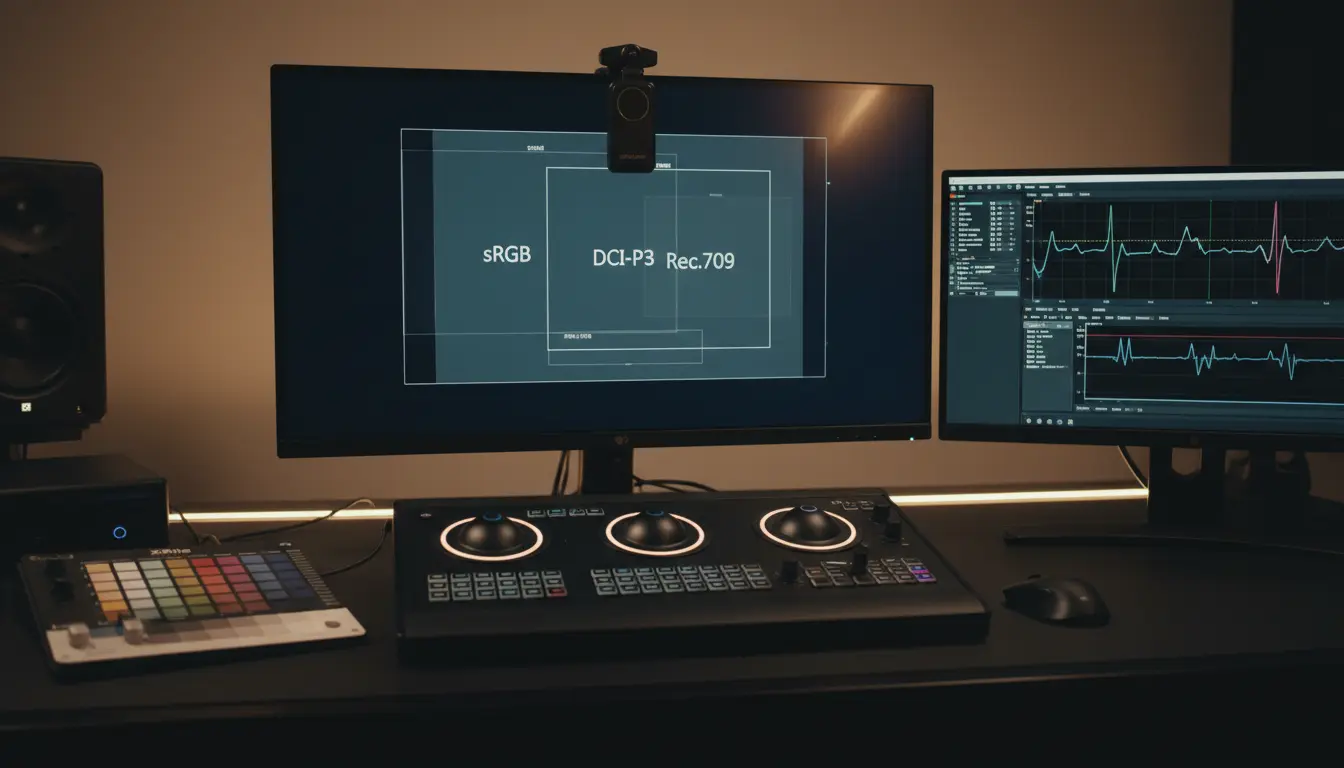

Understanding Color Profiles: sRGB, DCI‑P3, and Rec.709
Color accuracy is the foundation of great visual storytelling, whether you’re a photographer, filmmaker, designer, or display manufacturer. Three of the most important color profiles—sRGB, DCI‑P3, and Rec.709—shape how colors are captured, processed, and displayed across devices and platforms. Understanding their differences, use cases, and technical characteristics helps you choose the right workflow, maintain color consistency, and deliver premium visual quality. In this guide, we’ll unpack each color space, explain where it shines, and offer practical tips for calibration, content creation, and cross‑platform delivery.
What is a Color Profile (Color Space)?
A color profile, or color space, defines a specific range of colors (gamut) that can be represented in an image or video. It’s like a map indicating which hues and saturations are possible within a system. Different color spaces have different sizes and shapes:
- Smaller gamuts cover fewer colors but tend to be more universally compatible.
- Wider gamuts enable richer, more saturated colors but require compatible devices and proper color management to display accurately.
Color spaces also rely on standardized white points, transfer functions (gamma/encoding), and primaries (red, green, blue chromaticities), which collectively determine how colors are encoded and reproduced.
sRGB: The Universal Standard for the Web
sRGB (standard Red Green Blue), created by HP and Microsoft in the late 1990s, is the default color space for the internet and for most consumer devices. It’s supported by nearly all browsers, operating systems, and mainstream monitors.
Key characteristics:
- Gamut size: Relatively small compared to DCI‑P3 and Rec.2020, but highly predictable.
- Typical use: Web graphics, social media images, e‑commerce product photos, consumer printing, and general desktop workflows.
- White point: D65.
- Transfer characteristics: sRGB gamma (approx. 2.2 effective).
Why use sRGB?
- Maximum compatibility: If you’re delivering content to unknown devices or to the broadest possible audience online, sRGB is safest.
- Predictability: Most non‑calibrated displays are tuned close to sRGB, providing consistent viewing without special color management.
Best practices:
- Export web images in sRGB and embed the profile.
- Calibrate monitors to sRGB for web‑first workflows.
- Be cautious when converting from wide‑gamut sources to sRGB; clipping can occur in highly saturated regions.
DCI‑P3: The Cinematic and Modern Display Color Space
DCI‑P3 was developed by the Digital Cinema Initiatives for theatrical projection. Over the last decade, it has migrated to consumer tech—high‑end smartphones, tablets, laptops, and wide‑gamut monitors now commonly advertise P3 coverage.
Key characteristics:
- Gamut size: Approximately 25% wider than sRGB by area; richer reds and greens.
- Typical use: Digital cinema mastering (P3‑D65 for consumer displays), UHD/HDR content pipelines, premium streaming platforms, modern device ecosystems (Apple displays often default to P3).
- White point: Original DCI‑P3 (P3‑D60) for projection; P3‑D65 is common for consumer devices and web contexts.
Why use DCI‑P3?
- More vivid color: Ideal for premium visuals where saturation and nuance matter—cinematic footage, high‑end product imagery, and marketing visuals.
- Device alignment: Many flagship consumer devices meaningfully support P3, making it a practical middle ground between sRGB and extremely wide gamuts like Rec.2020.
Best practices:
- Author and grade in P3‑D65 when targeting modern displays; maintain a clear pipeline with proper ICC profiles.
- Soft‑proof sRGB deliverables to ensure graceful gamut mapping for web variants.
- Validate color using calibrated, P3‑capable monitors and consistent ambient lighting.
Rec.709: The HDTV Broadcasting Workhorse
Rec.709 is the long‑standing standard for HDTV. It defines primaries nearly identical to sRGB, but differs in transfer characteristics and intended broadcast environment.
Key characteristics:
- Gamut size: Essentially sRGB primaries.
- Typical use: SDR broadcast television, traditional video workflows, many legacy post‑production pipelines.
- White point: D65.
- Transfer characteristics: OETF/EOTF tied to the video signal; often approximated with gamma 2.4 in a dim viewing environment.
Why use Rec.709?
- Broadcast compliance: It remains foundational for SDR TV content worldwide.
- Interoperability in video ecosystems: Cameras, switchers, and NLE presets often default to Rec.709 for SDR.
Best practices:
- Grade in a controlled environment (dim surround) with a properly calibrated Rec.709 display and gamma ~2.4.
- Verify legal levels and broadcast‑safe color limits.
- When repurposing for the web, consider sRGB viewing conditions and soft‑proof accordingly.
sRGB vs. DCI‑P3 vs. Rec.709: How to Choose
- Target platform:
- Web and general desktop: sRGB.
- Cinema, premium streaming, modern device ecosystems: DCI‑P3 (P3‑D65).
- SDR broadcast TV: Rec.709.
- Visual intent:
- Maximum compatibility: sRGB/Rec.709.
- Enhanced saturation and richness: DCI‑P3.
- Device capabilities:
- If your audience uses wide‑gamut displays, DCI‑P3 can deliver a visible upgrade.
- If your audience is mixed or unknown, provide both P3 and sRGB versions.
Color Management and Conversion Tips
- Always embed ICC profiles in images so color‑managed applications can display them correctly.
- Use color‑managed software (e.g., Adobe apps, DaVinci Resolve) and confirm project settings match your target color space and gamma.
- When converting from P3 to sRGB:
- Use perceptual or relative colorimetric rendering intent with black point compensation to minimize clipping.
- Maintain consistent white points (typically D65) across your workflow to avoid hue shifts.
- Calibrate and profile your monitor regularly with a hardware colorimeter. Choose the correct target:
- sRGB or Rec.709, gamma 2.2–2.4, D65 for SDR.
- P3‑D65 for wide‑gamut SDR in modern device contexts.
HDR and the Broader Context
While this article focuses on SDR color spaces, HDR pipelines often involve Rec.2020 primaries with PQ (ST 2084) or HLG transfer functions. In many practical workflows, content is graded in a P3 gamut within a Rec.2020 container for HDR delivery. If you’re preparing both SDR and HDR versions:
- Grade HDR first in a controlled environment, then derive SDR trims.
- Validate tone mapping and gamut mapping for consistency across devices.
Practical Workflow Scenarios
- E‑commerce product photography:
- Master in sRGB to ensure accurate color on most consumer displays and browsers.
- Double‑check neutrals and skin tones under standard lighting profiles.
- Mobile‑first creative campaign:
- Master in P3‑D65 for richer saturation on modern smartphones.
- Export a fallback sRGB version for older devices and the web.
- TV commercial (SDR):
- Grade in Rec.709 (gamma ~2.4), verify broadcast legality, and simulate home viewing conditions.
- Cross‑platform video:
- Consider dual deliveries: Rec.709 for SDR broadcast and P3‑D65 for wide‑gamut streaming or device‑optimized playback.
Common Pitfalls to Avoid
- Ignoring embedded profiles: Stripping or failing to embed ICC profiles can lead to oversaturation or dull colors.
- Assuming all P3 displays behave identically: Calibration still matters—panel uniformity, peak luminance, and tone curves vary.
- Mixing working spaces mid‑project: Lock project settings early and maintain consistent transforms.
- Forgetting viewing conditions: Rec.709 grading assumes dim surroundings; web sRGB content assumes typical office lighting.
Quick Reference Summary
- sRGB: Web‑first, universal compatibility, smaller gamut, predictable.
- DCI‑P3: Wide‑gamut, cinematic look, ideal for premium visuals and modern devices.
- Rec.709: SDR broadcast standard, similar primaries to sRGB, different transfer intent and viewing environment.
By aligning your creative intent with the correct color space—and by enforcing disciplined color management—you’ll deliver images and videos that look as intended across platforms. Whether you need bulletproof consistency (sRGB/Rec.709) or richer, more immersive color (DCI‑P3), thoughtful choices and proper calibration make all the difference.