
The Ultimate Guide to the Best Budget 4K Monitors for Video Editing and Graphic Design Under $400
Finding the perfect balance between professional-grade color accuracy and a student-friendly budget often feels like searching for a needle in a haystack. If you work in visual arts, you know that your monitor acts as your window into your digital creation. A subpar screen can lead to color grading disasters or missed details in high-resolution photo editing. Fortunately, the display market has evolved rapidly, bringing high-end features like IPS panels and HDR support to the sub-$400 price bracket.
Why 4K Resolution is Non-Negotiable for Creatives
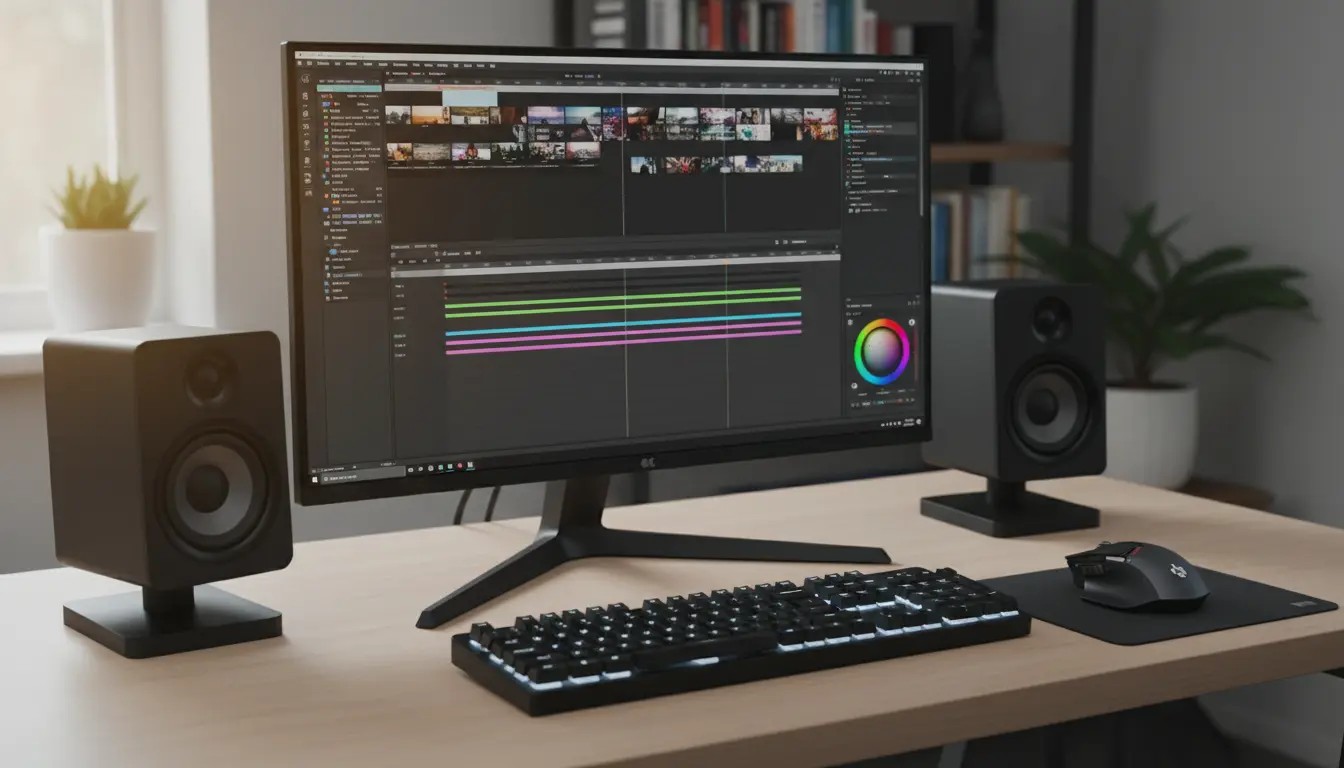
When you transition from 1080p or 1440p to a 4K UHD resolution, the difference in pixel density transforms your workflow. For graphic designers, this means seeing crisp vector lines without jagged edges. For video editors, a 4K display allows you to view your timeline and tools while still maintaining a nearly full-resolution preview of your 4K footage.
The increased screen real estate reduces the time you spend zooming in and out. You can keep your layers panel, color wheels, and effect controls open simultaneously without feeling cramped. This efficiency boost is why many professionals consider a 4K monitor the most significant hardware upgrade after a powerful GPU.


Color Accuracy: The Heart of Design
A monitor might look “pretty” to the average gamer, but for a designer, “accurate” is the only metric that matters. When shopping under $400, you must prioritize the sRGB color gamut. Most budget-friendly professional monitors now offer 99% to 100% sRGB coverage.
If your work involves print media, look for monitors that mention Rec.709 or DCI-P3 coverage. While you might not get 100% Adobe RGB at this price point, many modern IPS panels provide enough consistency for high-level freelance work. Factory calibration is another feature to watch for; it ensures that the monitor delivers “true” colors right out of the box, saving you the immediate need for an expensive hardware calibrator.
The Power of IPS Panel Technology
In the world of creative displays, In-Plane Switching (IPS) technology reigns supreme. Unlike TN panels, which suffer from color shifting when viewed from an angle, or VA panels, which can struggle with ghosting, IPS panels offer wide viewing angles and superior color reproduction.
When you edit a video or design a layout, you need to know that the red on the left side of the screen is the same red on the right. IPS panels maintain color integrity even if you lean back or shift in your chair. This consistency is vital for collaborative environments where multiple people might look at the screen at once.
Ergonomics and Connectivity: Beyond the Screen
A great monitor should adapt to your workspace, not the other way around. Look for stands that offer height, tilt, and pivot adjustments. Being able to turn your monitor 90 degrees into portrait mode is a game-changer for UI/UX designers and those working on long-form social media content.
Connectivity also plays a huge role in modern setups. Many budget 4K monitors now include USB-C ports with Power Delivery. This allows you to connect your laptop, transmit video data, and charge your device using a single cable. If you use a MacBook or a modern Windows ultrabook, this feature eliminates desk clutter and simplifies your workflow.
High Dynamic Range (HDR) on a Budget
While “True HDR” usually requires expensive OLED or Mini-LED backlighting, many monitors under $400 come with VESA DisplayHDR 400 certification. While this won’t give you the blinding highlights of a $2,000 reference monitor, it does provide better contrast and a wider color depth than standard displays. It helps video editors see more detail in the shadows and highlights of their LOG footage during the initial grading process.
Balancing Performance and Price
You don’t need to spend thousands to get a professional result. The key is identifying which features you can compromise on. For example, as a designer or editor, you don’t need a 144Hz refresh rate. A standard 60Hz refresh rate is perfectly adequate for visual arts. By skipping “gaming” features like ultra-low response times and high refresh rates, you can find monitors that put every cent of their manufacturing cost into color depth and panel uniformity.
Optimizing Your Workspace for 4K Editing
Once you secure your budget 4K monitor, your environment matters just as much as the hardware. Avoid placing your monitor directly opposite a window to prevent glare. Use a neutral gray desktop wallpaper to avoid “color contamination” in your vision. Most importantly, use a DisplayPort or high-speed HDMI cable to ensure you are actually outputting at 60Hz; many cheap cables limit 4K to 30Hz, which causes noticeable lag in your mouse movements and video playback.
The Verdict on Budget Professional Displays
The gap between “budget” and “professional” is closing. Today’s $350 monitor outperforms the $1,000 monitors of five years ago. By focusing on IPS technology, sRGB coverage, and 4K density, you can build a professional editing suite that doesn’t break the bank. Whether you are cutting a documentary or branding a startup, these tools provide the precision you need to compete in a visual-first world.
Recommended Product on Amazon.com
ASUS ProArt Display PA279CV 27” 4K UHD Monitor
This monitor is widely regarded as the gold standard for budget-conscious creatives. It comes factory-calibrated (Calman Verified) with a Delta E < 2 color accuracy, covers 100% sRGB, and features a versatile USB-C port with 65W power delivery. It fits perfectly under the $400 mark and offers the ergonomic flexibility every designer needs.









