
Best TVs for Watching Sports: Motion Clarity and Wide Viewing Angles
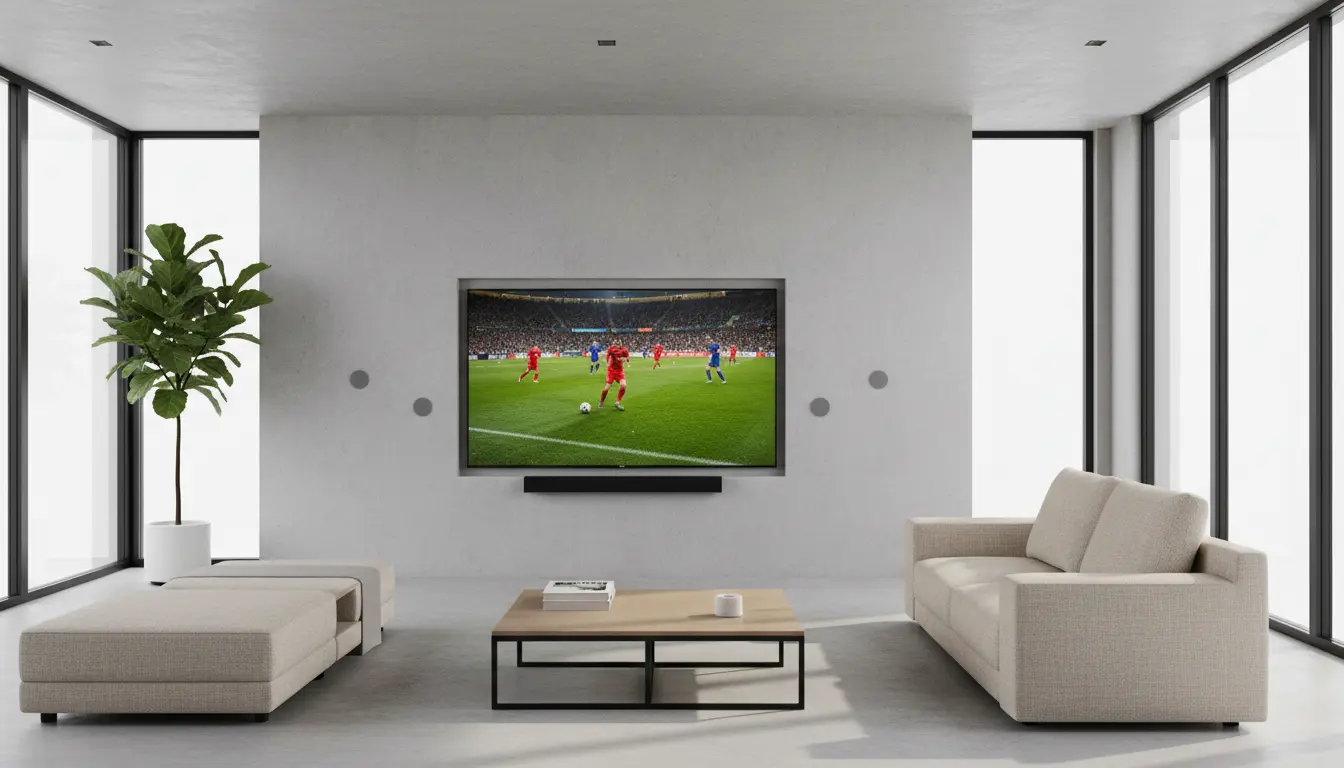
When you’re watching a big game, the last thing you want is motion blur, washed‑out colors, or a narrow sweet spot on the couch. The best TVs for watching sports combine exceptional motion clarity with wide viewing angles, so everyone sees crisp, vibrant action—no matter where they sit. This guide explains what to look for, which panel technologies perform best, and how to optimize your setup for an immersive, stadium‑like experience at home.
Why Motion Clarity Matters So Much for Sports
Sports are some of the most demanding content you can watch on a TV. Fast camera pans, quick passes, and constantly moving players can expose weaknesses in motion handling. Poor motion clarity results in:
- Motion blur: Players and the ball look smeared as they move.
- Judder: Fast pans look choppy or stuttery.
- Ghosting: Faint trails follow moving objects.
To avoid these issues, pay attention to:
- Native refresh rate
Look for TVs with a native 120Hz panel for the smoothest motion. This allows the screen to refresh the image 120 times per second, reducing blur and making fast action appear more fluid. - Response time
TVs with low response time can change pixels quickly, which keeps edges crisp during motion. This is crucial for tracking a ball or puck in high‑speed plays. - Motion interpolation and black frame insertion
Many TVs offer motion enhancement features such as MotionFlow, TruMotion, or Motion Xcelerator. Used in moderation, these reduce blur and judder. Some models also use black frame insertion (BFI) to improve perceived clarity, though it can slightly dim the image.
Why Wide Viewing Angles Are Crucial for Sports Fans
Sports are rarely watched alone. If your TV only looks great from dead center, guests on the side of the couch will see:
- Faded colors
- Reduced contrast
- Washed‑out grass and jerseys
To keep picture quality consistent for everyone:
- Aim for TVs with excellent off‑axis performance.
- Consider panel technologies known for wide viewing angles.
- Avoid displays that lose significant color saturation when viewed from the side.
Panel Technologies: OLED vs. QLED vs. IPS vs. VA
Understanding panel technology helps you choose the best sports TV for your room.
OLED: The All‑Round Champion for Sports
OLED TVs are widely regarded as some of the best displays for sports because they deliver:
- Near‑instant response time – superb motion clarity and minimal blur
- Perfect blacks and high contrast – the field, jerseys, and scoreboard pop
- Excellent viewing angles – colors and contrast stay accurate from almost any seat
If you want both motion clarity and wide viewing angles, a high‑quality OLED is one of the top choices for a sports‑focused home theater.
QLED and Mini‑LED: Bright and Punchy for Daytime Games
QLED and Mini‑LED TVs, often based on VA panels, offer:
- Very high brightness for bright living rooms
- Vibrant colors that work well for outdoor stadium shots
- Strong contrast ratios
VA‑based QLED TVs have narrower viewing angles, but some premium models use special optical layers to improve off‑axis performance. If you host watch parties during the day in a sun‑lit room, a bright QLED or Mini‑LED can be a strong contender.
IPS and Wide‑Angle LCD Panels: Built for Big Seating Areas
Some LCD TVs use IPS panels or specialized wide‑angle LCD technologies. These usually provide:
- Better viewing angles than standard VA panels
- More consistent color and contrast from side seats
The trade‑off is usually lower native contrast, which can make black levels look a bit gray in dark rooms. However, if your priority is that everyone around the room sees a similar picture, IPS or wide‑angle LCD TVs are worth considering.
Key Features to Look For in a Sports‑Optimized TV
When comparing models, go beyond just resolution and brand. Focus on these essential features:
1. 120Hz Native Refresh Rate
A 120Hz panel improves motion reproduction and reduces blur in fast sports. Many 4K TVs advertise “240 motion rate” or similar marketing terms, but always check that the native refresh rate is actually 120Hz—not just a software trick.
2. Motion Processing Controls
Look for TVs that give you fine‑grained control over motion settings:
- Customizable de‑judder and de‑blur sliders
- The option to enable or disable motion interpolation
- Black frame insertion modes for enhanced clarity
This lets you dial in the balance between smoothness and a natural look without creating a strong “soap‑opera effect.”
3. Wide Viewing Angle Support
If you frequently watch games with friends and family:
- Prioritize OLED, IPS, or LCD TVs that specifically advertise wide viewing angle technology.
- Check that color and contrast remain stable when you move off center.
4. Brightness and Anti‑Reflection for Daytime Viewing
Sports are often watched during the day, so:
- Choose a TV with good SDR brightness and effective anti‑reflection coating.
- Higher brightness helps the image remain clear in rooms with large windows or overhead lighting.
5. Color Accuracy and HDR Performance
While sports are typically broadcast in standard dynamic range, many modern TVs still use their HDR capabilities to enhance overall color volume:
- Look for accurate color profiles or a dedicated Sports mode that doesn’t oversaturate everything.
- A TV with strong HDR peak brightness will also make highlights like stadium lights and reflective gear appear more realistic in HDR sports streams.
6. Input Lag (Bonus for Sports Gaming)
If you also play sports games on consoles, low input lag matters:
- A dedicated Game Mode reduces lag for responsive gameplay.
- High refresh rates and fast response times benefit both live sports and sports gaming.
How to Optimize Your TV for Watching Sports
Even the best sports TV needs proper setup. A few quick tweaks can deliver a more natural, immersive experience:
- Select the right picture mode
- Start with Sports, Cinema, or Filmmaker mode instead of Vivid/Standard, which often exaggerate sharpness and color.
- Adjust motion settings
- Increase blur reduction to sharpen fast motion.
- Use de‑judder sparingly to avoid an overly artificial look.
- Turn off unnecessary processing
- Disable excessive noise reduction and edge enhancement, which can create halos and artifacts around players.
- Optimize viewing position
- Mount the TV so that the center of the screen is roughly at eye level when seated.
- If your seating is very wide, consider a slight swivel mount to aim the TV toward the main viewing area.
- Calibrate brightness and color
- In bright rooms, slightly raise backlight/brightness and contrast to fight glare.
- In darker rooms, lower brightness for deeper blacks and more comfortable long‑term viewing.
Choosing the Right Size for Immersive Sports
Bigger is often better for sports, but the ideal size depends on viewing distance:
- For a 4K TV, a common guideline is to sit about 1.5–2.5 times the screen diagonal away.
- Example: For a 65‑inch TV, ideal distance is roughly 2.5–4 meters.
Larger screens make it easier to follow the ball, read player names, and feel closer to the action, especially with high‑resolution 4K sports broadcasts.
Recommended Type of TV for Sports Fans
If your primary focus is sports, motion clarity, and wide viewing angles, the standout combination is:
- Large 4K OLED TV with a 120Hz panel
This setup offers:
- Superb motion handling
- Wide viewing angles for big groups
- Excellent contrast and color for both daytime and nighttime viewing
If you watch mainly in a very bright room, a high‑brightness QLED or Mini‑LED TV that includes wide‑angle technology can be a strong alternative.
Amazon
For a concrete example, one popular sports‑oriented choice on Amazon.com is a 65‑inch 4K OLED TV with a 120Hz refresh rate and advanced motion processing. Models in this class typically deliver:
- Extremely fast response times
- Wide viewing angles for group viewing
- Strong HDR and SDR performance for all types of sports content
You can search on Amazon for a “65 inch 4K OLED 120Hz TV for sports” to see current models and compare pricing, features, and reviews.