
1080p vs 4K Webcam Quality: How AI Framing and Lighting Transform Your Video Presence
High–quality video is no longer a nice‑to‑have; it is a requirement for professionals, streamers, and content creators. When you compare 1080p vs 4K webcam quality, the difference in sharpness, detail, and overall perception can directly affect how your audience trusts and engages with you. Add AI framing and automatic light correction into the mix, and you can dramatically upgrade your on‑screen presence without becoming a camera expert.
This article explains the real‑world differences between 1080p and 4K webcams, how AI framing and AI‑powered lighting adjustments work, and what you should look for when choosing your next webcam.
1080p vs 4K Webcam Quality: What Do These Resolutions Really Mean?
1080p (Full HD) and 4K (Ultra HD) refer to the number of pixels your webcam uses to create an image.
- 1080p typically means 1920 × 1080 pixels
- 4K usually means 3840 × 2160 pixels
A 4K frame contains roughly four times more pixels than 1080p. In practice, this delivers:
- Finer detail in hair, textures, and facial features
- Sharper text on screen when you share physical documents or whiteboards
- More flexibility for cropping your image without losing clarity
For most everyday video calls, 1080p webcams still provide enough quality. They are easier on bandwidth and compatible with almost every conferencing platform. However, if you record professional content, teach online, stream on platforms like Twitch or YouTube, or want future‑proof quality, a 4K webcam gives you a clear advantage.
Why Resolution Alone Is Not Enough
Many people assume that upgrading from 1080p to 4K automatically guarantees amazing image quality. In reality, resolution is only one factor. A webcam’s overall performance also depends on:
- Sensor size and quality – A larger, higher‑quality sensor captures more light and cleaner detail
- Lens quality – A better lens delivers sharper images and more accurate color
- Frame rate – 30 fps is standard, while 60 fps offers smoother motion
- Image processing and AI features – Smart algorithms can correct exposure, color, and focus in real time
A well‑engineered 1080p webcam with strong optics and AI enhancement can outperform a poorly designed 4K webcam in real‑world use. This is where AI framing and lighting adjustment become essential.
What Is AI Framing and Why Does It Matter?
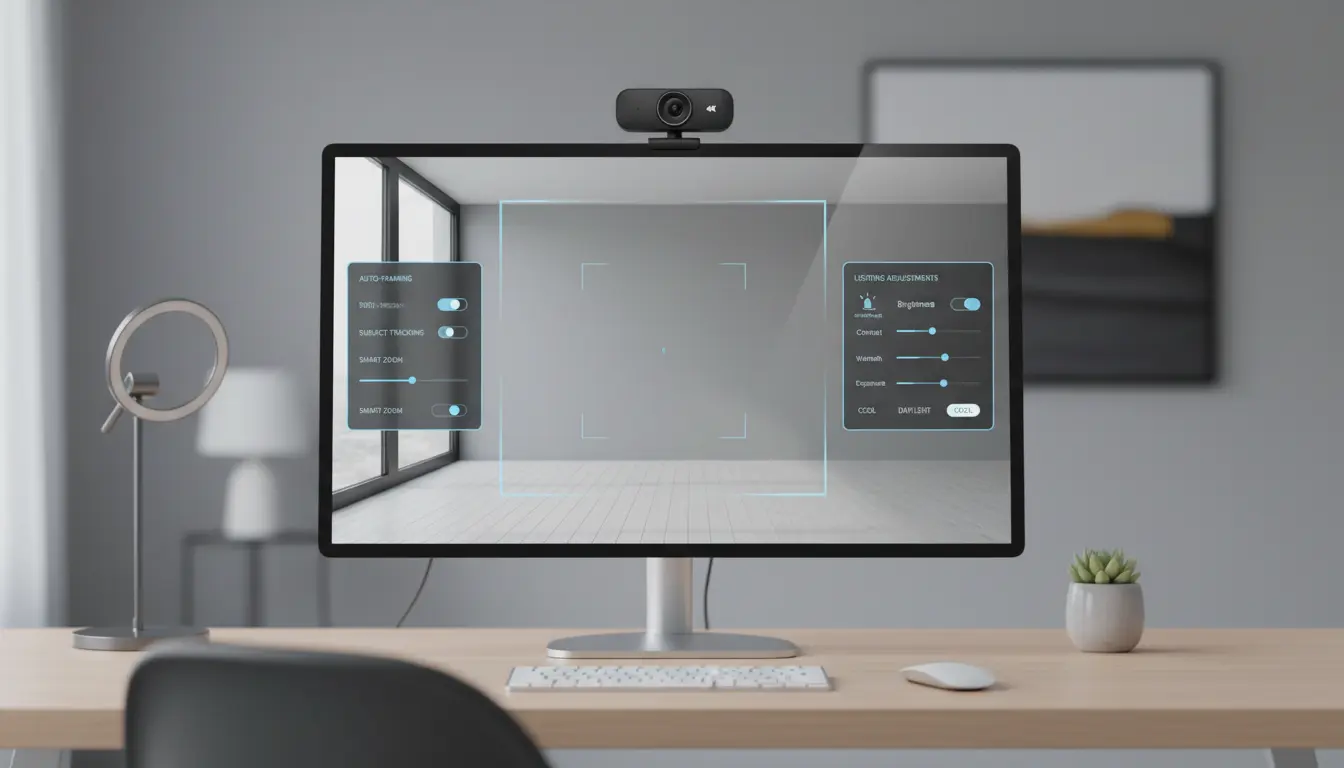
AI framing (also called auto‑framing or auto‑composition) uses face and body detection to keep you centered and properly framed within the image. Instead of manually adjusting your webcam every time you move, AI actively tracks you.
With AI framing enabled, the webcam can:
- Detect your face and upper body in real time
- Crop and recompose the image automatically
- Follow your movement left or right, closer or farther
- Adjust zoom so you remain the focal point of the shot
This is especially powerful on 4K webcams, because they can crop into the 4K image to output a clean 1080p or 720p frame while preserving sharpness. Essentially, you get a virtual camera operator that keeps you framed professionally during presentations, whiteboard sessions, or product demos.
For remote workers, teachers, and live streamers, AI framing creates a more dynamic, polished viewing experience without complicated gear.
How AI Lighting and Exposure Boost Your Image
Even with a 4K webcam, poor lighting can ruin the picture. Harsh backlight, dim rooms, or mixed color temperatures often make you look washed out, noisy, or simply unprofessional.
Modern webcams with AI‑based light correction analyze your scene and adjust in real time to produce a balanced, natural look. They can:
- Brighten your face in dark environments without introducing too much grain
- Reduce overexposed areas from windows or bright lamps
- Automatically adjust white balance so skin tones look accurate
- Maintain consistent exposure as you move or lighting changes
Combined with a good sensor and lens, these AI enhancements help your 1080p or 4K webcam deliver a cleaner, more cinematic image, even if your room is far from studio‑perfect.
Choosing Between a 1080p and 4K Webcam with AI Features
When deciding between 1080p and 4K, consider how you actually use your camera:
Choose a 1080p AI‑enhanced webcam if you:
- Primarily join video meetings and webinars
- Have limited internet bandwidth or an older computer
- Want a budget‑friendly upgrade that still looks professional
- Prefer plug‑and‑play simplicity
With strong AI framing and light correction, a Full HD camera can significantly elevate your presence on Zoom, Teams, or Google Meet.
Choose a 4K AI webcam if you:
- Record or stream content for YouTube, Twitch, or online courses
- Need flexibility for cropping and digital zoom while retaining clarity
- Share detailed visuals like physical documents, artwork, or product demos
- Want the sharpest, most future‑proof image quality available
For creators and professionals who value image fidelity, a 4K webcam with AI framing and lighting delivers more control and more impressive results.
Practical Tips to Get the Most from Your AI Webcam
Whether you use a 1080p or 4K webcam, a few simple practices help you maximize quality:
- Position your light source in front of you
Place a window, ring light, or desk lamp behind your webcam so light falls on your face, not from behind. - Raise the webcam to eye level
Use a monitor mount, tripod, or a stack of books to place the camera slightly above eye level for a flattering angle. - Turn on AI framing and tune the crop
Enable auto‑framing in the webcam software. Adjust how tight or wide the framing should be so it feels natural, not claustrophobic. - Fine‑tune exposure and color
If your webcam app allows manual tweaks, start with auto mode and then gently adjust brightness, contrast, and saturation. - Optimize your background
A simple, tidy background with good depth makes AI framing and AI bokeh (background blur) look more natural and professional.
By combining these habits with an AI‑powered webcam, you create an image that looks intentional and polished, not accidental.
Why AI‑Driven Webcams Are Ideal for Remote Work and Streaming
Remote work, live streaming, and online education all rely heavily on how you appear on camera. AI‑driven 1080p and 4K webcams provide three major advantages:
- Consistency – AI framing and lighting keep you looking similar from call to call, even when conditions change.
- Professionalism – A clear, well‑lit, well‑framed image makes you appear more competent and trustworthy.
- Efficiency – You spend less time adjusting tripods, settings, and lights, and more time focusing on your content or conversation.
In a world where first impressions increasingly happen online, investing in a high‑quality AI‑enhanced webcam is one of the simplest ways to elevate your digital presence.
Recommended 4K AI Webcam on Amazon
For a reliable, widely used option, consider the Logitech Brio 4K Ultra HD Webcam on Amazon.com. It offers:
- 4K Ultra HD resolution with excellent detail
- HDR and automatic light correction for challenging environments
- Adjustable field of view with digital zoom and framing features
- Broad compatibility with major video conferencing and streaming platforms
This type of webcam combines 4K image quality, strong optics, and AI‑assisted processing, making it a solid choice for professionals and creators who want a noticeable upgrade over built‑in laptop cameras.









