
Best 98 Inch TVs: The Ultimate Guide to Giant-Screen Home Cinema
Transforming your living room into a true home theater has never been easier. Thanks to advances in display technology and falling prices, 98‑inch TVs are now a realistic option for movie lovers, gamers, and sports fans who want a cinema‑like experience at home. In this guide, you’ll learn what to look for when choosing the best 98‑inch TV, which features actually matter, and how to pick the right model for your budget and room.
Why Choose a 98‑Inch TV?
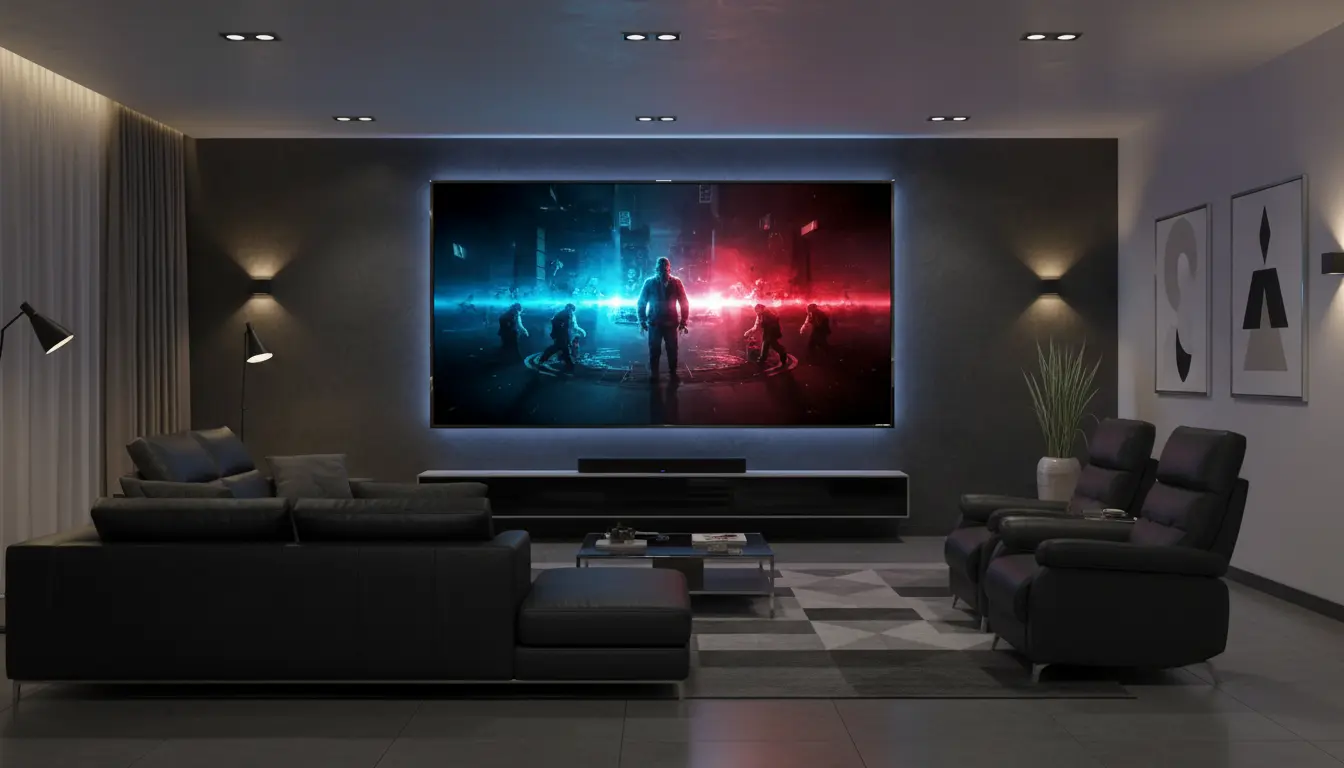
A 98‑inch TV offers an immersive viewing experience that smaller screens simply cannot match. At this size, movies fill your field of vision, sports feel like you’re in the stadium, and games become more intense and engaging.
You should consider a 98‑inch TV if:


- You sit at least 10–13 feet (about 3–4 meters) from the screen.
- You want a more cinematic experience without installing a projector.
- You often watch 4K or high‑quality streaming content.
- You are building a dedicated media room or premium living room setup.
Because these massive screens deliver such a large image, they also reveal more detail. That’s why resolution, processing, and HDR performance matter even more at 98 inches than they do on smaller TVs.
Key Features to Look for in the Best 98‑Inch TVs
1. Resolution and HDR Support
Most of the best 98‑inch TVs are 4K UHD models, offering 3840 x 2160 pixels. On a screen this large, 4K is essential for sharp text, clear details, and reduced visible pixel structure. When you pair 4K resolution with high‑quality HDR support, the picture becomes much more lifelike.
Look for:
- 4K UHD resolution as a baseline
- HDR10 and Dolby Vision support for richer contrast and color
- High peak brightness (especially important for HDR highlights)
A 98‑inch TV with strong HDR performance will show brighter highlights, deeper shadows, and more nuanced colors, especially in high‑quality streaming and UHD Blu‑ray content.
2. Panel Type and Picture Quality
At 98 inches, you will mostly find LED or QLED panels, sometimes marketed with mini‑LED backlighting. While OLED in this size is rare and extremely expensive, modern FALD (full‑array local dimming) and mini‑LED TVs can still deliver impressive black levels and contrast.
Pay attention to:
- Local dimming zones: More zones usually mean better control of blooming and deeper blacks.
- Color volume and wide color gamut: Essential for vivid HDR and realistic skin tones.
- Viewing angles: Important if you have a wide seating area. Some VA panels lose color and contrast off‑axis, while certain QLED and IPS variants maintain better consistency.
A high‑quality 98‑inch QLED with full‑array local dimming can get very bright and deliver vibrant images even in rooms with some ambient light.
3. Refresh Rate and Gaming Features
If you’re a gamer or you love fast‑action sports, motion handling is critical. The best 98‑inch TVs include high refresh rates and modern gaming features that reduce blur and improve responsiveness.
Look for:
- Native 120 Hz refresh rate for smoother motion.
- HDMI 2.1 ports with support for 4K/120 Hz.
- Variable Refresh Rate (VRR) and AMD FreeSync or NVIDIA G‑SYNC Compatible (depending on brand).
- Auto Low Latency Mode (ALLM) for reduced input lag when you connect a console or PC.
These features keep motion sharp, minimize tearing, and make fast‑paced games feel responsive even on such a massive screen.
4. Smart TV Platform and Streaming Apps
A 98‑inch TV will likely be the center of your home entertainment system, so the smart platform matters. You want a smooth, intuitive interface with all major streaming apps and voice control.
Popular platforms include:
- Google TV / Android TV: Strong app selection, Google Assistant integration, Chromecast built‑in.
- Tizen (Samsung): Clean interface, major apps, and smart home integration.
- webOS (LG): Simple navigation, good app support, and voice control.
Whichever platform you choose, make sure it supports the streaming services you actually use (Netflix, Prime Video, Disney+, YouTube, etc.) and can handle 4K HDR playback.
5. Sound Quality and Audio Options
While some 98‑inch TVs include better‑than‑average speakers, a screen this large deserves a proper audio solution. Thin TV cabinets limit how powerful the built‑in sound can be, especially in the bass range.
For the best experience:
- Consider a high‑quality soundbar with subwoofer or a full AV receiver and speaker setup.
- Look for Dolby Atmos and DTS:X support on both the TV and your sound system.
- Prefer TVs with eARC (Enhanced Audio Return Channel) over HDMI for lossless audio to your receiver or soundbar.
Good audio will help match the cinematic scale of your 98‑inch picture.
Room Size, Seating Distance, and Installation
A 98‑inch TV is physically huge, so planning is essential. Before you buy, measure your wall and your viewing distance carefully.
Room and Seating Tips
- Ideal distance: For a 98‑inch 4K TV, a 10–13 foot (3–4 meter) viewing distance usually feels immersive without being overwhelming.
- Wall space: Check width and height, including space for a stand or wall mount and any soundbar.
- Lighting: While bright TVs can handle moderate daylight, a room with controllable lighting will dramatically improve perceived contrast and HDR performance.
Mounting and Support
A 98‑inch TV can weigh significantly more than smaller models. Make sure you:
- Use a VESA‑compatible heavy‑duty wall mount designed for very large screens.
- Mount into studs or solid masonry, not just drywall.
- Consider professional installation if you’re not comfortable handling such a large, heavy display.
If you use a stand instead of wall mounting, check that your TV console can safely support both the width and weight of the TV.
Choosing the Right 98‑Inch TV for Your Needs
Because 98‑inch TVs are still premium products, it’s important to match the model to how you actually use it.
For Movies and Streaming
If your priority is films and series:
- Focus on deep blacks, strong local dimming, and HDR performance.
- Ensure support for Dolby Vision and HDR10+ if you use services that offer these formats.
- Prioritize accurate color and good processing for upscaling HD content to 4K.
For Sports
If you watch a lot of live sports:
- Look for high brightness to overcome ambient light.
- Make sure the TV has excellent motion handling and 120 Hz processing.
- Wide viewing angles help when multiple people watch from different positions.
For Gaming
For console or PC gaming:
- Check for HDMI 2.1, 4K/120 Hz, VRR, and ALLM.
- Low input lag is essential for competitive games.
- A robust game mode that optimizes picture and latency will improve your experience.
Example 98‑Inch TV Recommendation (Amazon.com)
On Amazon.com, a popular and well‑reviewed option in the 98‑inch category is the TCL 98‑inch Class QLED 4K Smart TV (model names vary by year, often within the QM8 or related series). It typically offers:
- 4K QLED panel with excellent brightness and color
- Full‑array local dimming or mini‑LED backlighting (depending on exact model)
- 120 Hz native refresh rate and HDMI 2.1 gaming features
- Google TV or Roku TV smart platform with all major streaming apps
This kind of model delivers strong value for its size, balancing picture quality, gaming performance, and smart features at a more attainable price point than some flagship alternatives.
Be sure to check current listings, user reviews, and the latest model year specifications on Amazon before purchasing, as available models and features change frequently.