
Dolby Vision Cinema Experience TVs: Bring the Movie Theater Home
If you want to turn your living room into a mini cinema, Dolby Vision cinema experience TVs should be at the top of your list. These TVs combine advanced HDR (High Dynamic Range) technology, powerful processors, and premium panels to deliver a picture that looks closer to what directors see in professional mastering studios. In this guide, you’ll learn what makes Dolby Vision special, how it compares to other HDR formats, what to look for when buying a TV, and how to get the most from your home cinema setup.
What Is Dolby Vision?
Dolby Vision is an advanced HDR format developed by Dolby Laboratories. Unlike standard HDR10, which uses static metadata, Dolby Vision uses dynamic metadata. This means your TV receives scene‑by‑scene or even frame‑by‑frame instructions about brightness, color, and contrast.
As a result, a Dolby Vision cinema experience TV can:



- Preserve details in bright highlights and dark shadows
- Render a wider color gamut with more saturated, realistic tones
- Adjust performance based on the specific capabilities of your TV
This adaptive approach helps you see movies and series the way creators intended, even in challenging scenes such as dark night shots, explosions, or high‑contrast cityscapes.
Dolby Vision vs Other HDR Formats
When evaluating Dolby Vision cinema experience TVs, it helps to understand how Dolby Vision compares to competing HDR technologies:
HDR10
HDR10 is the most common HDR format and is supported by almost all modern TVs. However, HDR10 uses static metadata: it applies a single tone‑mapping profile across the entire movie or episode. Dolby Vision, by contrast, tailors tone‑mapping to each scene.
- Dolby Vision advantage: More precise brightness control, better detail retention, fewer crushed blacks or blown‑out highlights.
HDR10+
HDR10+ introduces dynamic metadata, similar to Dolby Vision. However, Dolby Vision still has some key advantages:
- Wider ecosystem across TVs, streaming services, and UHD Blu‑ray
- Support for up to 12‑bit color (even if consumer TVs are mostly 10‑bit)
- More mature mastering tools used in professional post‑production
For a home cinema enthusiast, a Dolby Vision TV offers broader content support and often more consistent performance across different titles and platforms.
Why Dolby Vision Matters for a Cinema‑Like Experience
If your goal is to recreate a theater‑style atmosphere, image accuracy and contrast are crucial. Dolby Vision cinema experience TVs excel in several areas that directly impact immersion:
- Deeper Contrast and Black Levels
With precise control over local dimming zones or per‑pixel lighting (on OLED and micro‑LED sets), Dolby Vision helps your TV display true blacks and bright highlights in the same frame. This contrast range is essential for cinematic depth. - Richer, More Accurate Colors
Many Dolby Vision–capable TVs cover a large percentage of the DCI‑P3 and even Rec.2020 color spaces used in digital cinema. This delivers more lifelike skin tones, realistic landscapes, and vivid visual effects. - Director’s Intent Preserved
Because Dolby Vision is used extensively in professional color grading suites, the HDR master is designed with Dolby’s ecosystem in mind. When you watch it on a Dolby Vision TV, you see an image that is much closer to how it looked in the studio. - Consistent Quality Across Content Types
Key Features to Look For in a Dolby Vision Cinema Experience TV
Not all Dolby Vision TVs are equal. To get a truly cinematic experience, focus on these specifications:
1. Panel Type
- OLED: Offers perfect black levels and outstanding contrast, ideal for dark home theaters.
- Mini‑LED / QLED: Reaches higher peak brightness, which is excellent for HDR highlights and bright rooms.
- Full‑Array Local Dimming (FALD): Prefer TVs with many local dimming zones for more precise light control.
2. Peak Brightness
Dolby Vision content often targets higher peak brightness than standard SDR. For a strong HDR impact:
- Aim for at least 700–1000 nits of peak brightness on real‑world content.
- Higher brightness is especially important in well‑lit rooms.
3. Color Gamut and Bit Depth
Look for:
- Coverage of at least 90–95% of DCI‑P3 color space
- A 10‑bit panel for smoother gradients and fewer banding artifacts
These specs ensure the TV can display the extended colors used in modern Dolby Vision masters.
4. Processor and Upscaling
A powerful image processor enhances:
- Upscaling of HD or SDR content to 4K
- Noise reduction
- Motion handling and dynamic tone‑mapping in Dolby Vision
Premium chipsets from major brands provide a more refined and stable Dolby Vision performance, especially in fast‑moving scenes.
5. Gaming and Next‑Gen Features
If you plan to use your Dolby Vision TV for gaming:
- Check for HDMI 2.1 with features like VRR (Variable Refresh Rate) and ALLM (Auto Low Latency Mode)
- Confirm support for Dolby Vision for gaming on compatible consoles
This combination gives you a more vibrant, low‑latency, HDR gaming experience.
Optimizing Your Dolby Vision Home Cinema Setup
Once you own a Dolby Vision cinema experience TV, you can take a few practical steps to maximize its potential.
1. Use High‑Quality Sources
To benefit from Dolby Vision, your content also needs to support it:
- Streaming platforms: Many titles on Netflix, Disney+, Apple TV+, and Paramount+ offer Dolby Vision streams.
- UHD Blu‑ray: Look for discs labeled with the Dolby Vision logo.
- Set‑top boxes and players: Use devices that support Dolby Vision output where possible.
Always enable Dolby Vision or “Match Dynamic Range” in the device’s settings.
2. Correct Picture Mode
Most TVs provide a dedicated Dolby Vision picture mode, sometimes with variations such as:
- Dolby Vision Cinema
- Dolby Vision Dark
- Dolby Vision Bright
For a dark, theater‑style room, choose Dolby Vision Cinema/Dark. For a brighter living room, Dolby Vision Bright may be more appropriate.
3. Ambient Light Control
Even the best Dolby Vision TV can lose impact in a bright environment:
- Dim your room lights when watching movies.
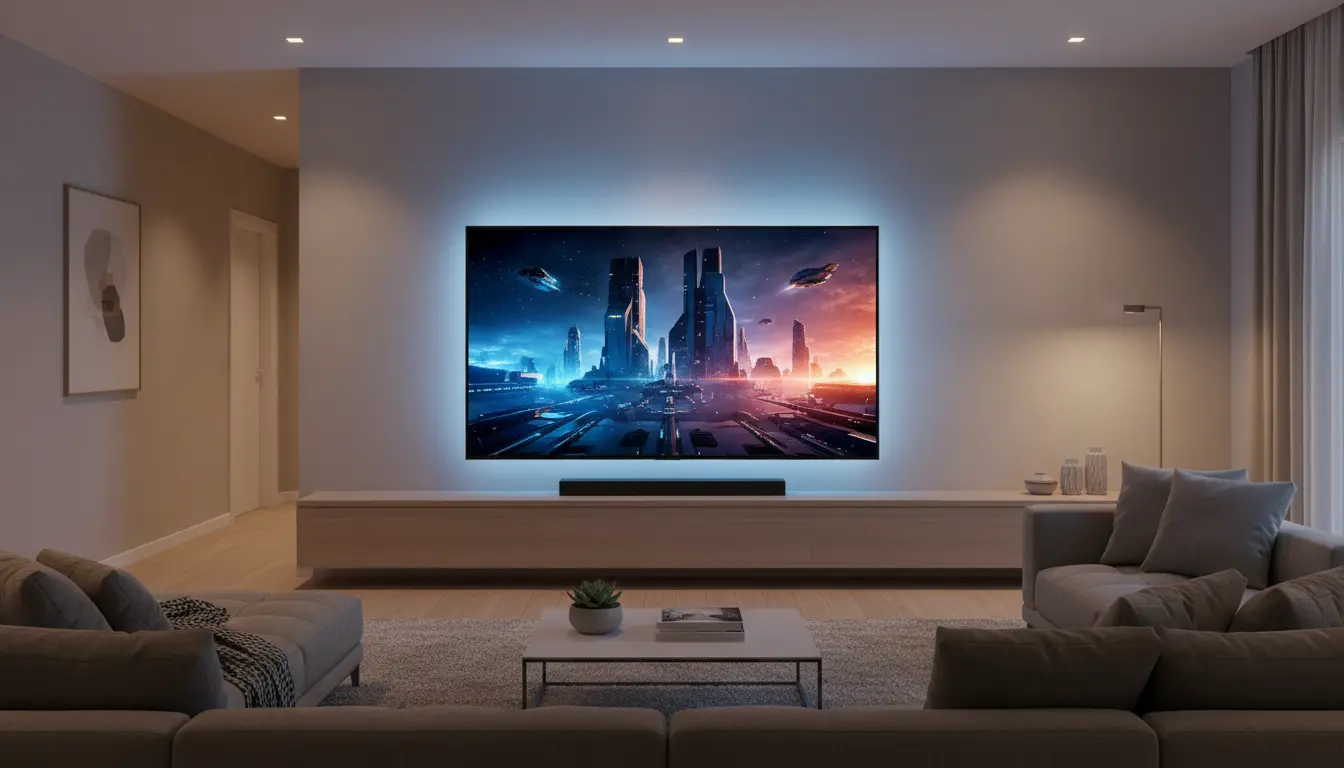
- Use bias lighting behind the TV to reduce eye strain without washing out the image.
- Avoid direct sunlight or strong reflections on the screen.
4. Audio Matters Too
A cinema experience is not just about picture quality. Pair your Dolby Vision TV with:
- A Dolby Atmos soundbar or
- A full AV receiver + speaker system
This combination delivers immersive surround sound that complements the HDR visuals.
Future‑Proofing Your Dolby Vision TV Purchase
HDR standards continue to evolve, but Dolby Vision remains one of the most widely adopted premium formats. To keep your setup relevant for years:
- Choose a TV model with regular firmware updates.
- Verify support for upcoming codecs and app platforms.
- Make sure the HDMI ports support modern features for both movies and gaming.
This way, your Dolby Vision cinema experience TV can handle new streaming services, next‑gen consoles, and higher‑quality master files as they become available.
Recommended Dolby Vision TV on Amazon
As of now, a highly regarded option on Amazon is the LG C-Series OLED 4K TV with Dolby Vision and Dolby Atmos support (for example, the LG C3 or C4 series). It offers:
- Deep OLED black levels for excellent contrast
- Strong Dolby Vision performance in both movies and games
- HDMI 2.1 ports with advanced gaming features
- Wide app support for major streaming platforms with Dolby Vision content
You can search on Amazon for “LG C Series OLED Dolby Vision 55 inch” to find the latest model and size that matches your room and budget.