
Best Racket Sensors and Performance Trackers for Tennis Players (Complete 2026 Guide)
Tennis is a sport of tiny margins. A few degrees of racket face angle, a slightly late contact point, or an inconsistent swing path can turn a solid rally ball into an unforced error. That’s why racket sensors and tennis performance trackers have become popular among players who want objective feedback—not guesses. Whether you’re a beginner learning clean contact, a club player chasing consistency, or a competitive athlete optimizing serve and topspin, the right sensor can translate your strokes into data you can actually use.
In this guide, you’ll learn what tennis racket sensors do, which features matter most, how to choose one based on your goals, and how to use the numbers to improve. I’ll also share a practical product recommendation available on Amazon at the end.
What Are Tennis Racket Sensors and What Do They Measure?
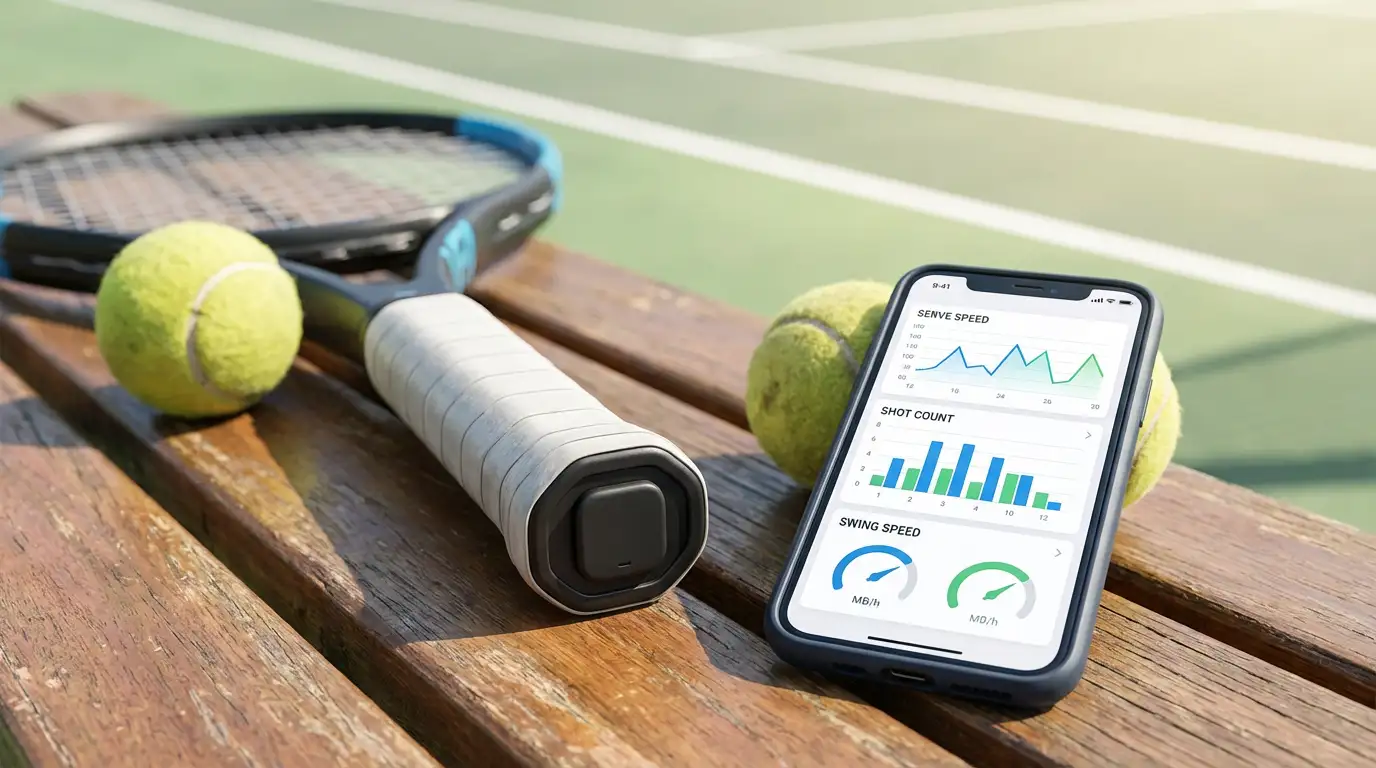
A tennis racket sensor is a small device that attaches to your racket—often in the butt cap, at the base of the handle, or as a small module on the frame. Using accelerometers, gyroscopes, and sometimes additional motion tracking components, it captures swing events and turns them into metrics you can review on your phone.
Most tennis swing analyzers track a mix of:
- Shot count & stroke type detection (forehand, backhand, serve, volley)
- Swing speed and sometimes estimated ball speed
- Spin potential (often calculated from racket movement patterns)
- Sweet spot consistency or “impact quality” estimation
- Stroke timing and rhythm trends over a session
- Session stats (duration, intensity, workload)
Some systems go beyond pure racket analytics and include wearables—like a smart tennis wearable on the wrist—to improve shot recognition or measure player load.
Why Data Helps: The Real Value of Performance Tracking
The biggest benefit of a tennis performance tracker isn’t just seeing numbers; it’s learning what causes your good days and bad days. Players often feel like they’re “swinging the same,” but the sensor shows differences in tempo, swing length, or serve speed that your memory misses.
Used well, a sensor supports:
- Consistency training: compare your “best rally forehand” to your average forehand
- Serve improvement: monitor serve speed trends and fatigue drop-offs
- Skill development: confirm whether technique drills actually change motion patterns
- Training accountability: track volume and intensity across weeks
- Injury prevention mindset: avoid sudden spikes in workload when you get motivated
If you’re already working with a coach, tennis sensors add structure. If you train solo, they offer a feedback loop that would otherwise be missing.
Key Features to Look For in the Best Racket Sensors
Not every device suits every player. Before you buy, evaluate these factors.
1) Accuracy and shot recognition
The best systems reliably separate forehands from backhands and detect serves without mislabeling. Look for devices known for stable stroke tracking and low “ghost shot” counts.
2) App quality and coaching insights
Hardware is only half the story. A great app turns raw data into advice. Some apps provide real-time feedback after a point or game; others focus on deep post-session analysis. Ideally, the app highlights trends and suggests what to work on next.
3) Compatibility and mounting
Many modern sensors mount in the butt cap, which is clean and doesn’t change feel much. Others clip externally. Choose what fits your racket type and grip preferences. Convenience matters: if mounting is annoying, you won’t use it.
4) Battery life and charging
If you play 3–5 times per week, you’ll want a sensor that lasts multiple sessions and charges easily. Nothing kills habit-building like a dead device at the courts.
5) Ecosystem: camera, wearables, and integrations
Some players want more than racket motion. If you’re serious about improvement, a system that can combine match analytics with video or wearable data can be powerful. Camera-based tools can validate what the sensor estimates—especially for spin and contact.
Racket Sensor vs Smartwatch vs Camera: Which One Is Best?
A racket sensor is best when you want stroke-level stats and you want it tied to the racket itself. A smartwatch is convenient, but it can struggle with precise racket motion because it sits on the wrist. Camera tools can be extremely informative, but they require setup and space, and you may not always be allowed to record.
For most players, the best workflow looks like this:
- Use a racket sensor for every practice (high volume, easy habit)
- Add video once or twice a week to confirm technique changes
- Use a wearable if you also want conditioning data (heart rate, steps, load)
That blend gives you consistent numbers without turning every session into a production.
How to Choose the Right Tennis Sensor for Your Level
Beginners
Beginners should prioritize simple insights: shot count, basic swing speed trends, and consistency. Avoid overly complex dashboards that create confusion. A straightforward tennis training aid that encourages frequent use will help more than advanced metrics you don’t understand yet.
Intermediate club players
This group benefits most from identifying patterns. For example: “My backhand speed drops after 30 minutes,” or “My serve speed improves when I shorten my toss routine.” Look for an app that supports session comparisons and has clear charts.
Competitive players
Competitive athletes should look for advanced analytics, better calibration, and tools that support planning. If you’re tracking performance weekly, you want reliable data storage, export options if available, and strong performance monitoring features.
How to Use Sensor Data to Actually Improve (Not Just Collect Stats)
Data becomes useful when you connect it to an action plan. Here’s a practical method:
- Pick one metric for two weeks
Examples: serve speed, forehand swing speed consistency, shot volume per session. - Define your baseline
Play normally for 2–3 sessions and record the average. - Add one drill and one constraint
If serve speed is the focus, add 30 serves with a clear cue (e.g., “reach up,” “accelerate late,” or “smooth rhythm”). Keep one constraint like “only first-serve motion” so comparisons stay fair. - Review trends after each session
Don’t overreact to one day. Watch for consistent direction across a week. - Confirm with video occasionally
Sensors estimate impact quality and spin based on motion, so video helps validate real technique progress.
This approach keeps your training organic and prevents “stat chasing.”
Common Mistakes Players Make With Racket Sensors
- Comparing numbers across different rackets or strings without noting the change
- Obsessing over max speed instead of consistency and repeatability
- Ignoring context: wind, fatigue, court surface, and match pressure affect metrics
- Using the sensor once and abandoning it: improvement requires repeated sessions
- Treating the app like a judge: use it as a guide, not a verdict
When you keep expectations realistic, the tech becomes motivating rather than stressful.
Are Racket Sensors Worth It?
For players who practice regularly, yes—especially if you don’t have a coach at every session. A solid sensor helps you train with purpose. It won’t replace fundamentals, footwork, or match experience, but it can speed up learning by making your habits visible.
If you play only a few times per month, you might benefit more from a one-time lesson package or a simple video setup. But if you’re on court weekly, a sensor often pays off in better practice quality.
Amazon.com Product Recommendation (1 Item)
If you want a widely recognized option that many players use as a tennis swing analyzer and racket sensor, consider:
- Sony Smart Tennis Sensor (SSE-TN1)