
Best Drones for Kids: Safe, Easy‑to‑Fly and Educational Models
Drones are no longer just high‑tech gadgets for adults. Today, there are many kid‑friendly drones designed to be safe, easy to use, and even educational. For parents, this is great news—but it can also make choosing the right model confusing. Which features really matter for children? How do you make sure the drone is safe? And can a toy drone actually help your child learn important skills?
This guide explains everything you need to know about the best drones for kids: which features to look for, how to keep flying safe and fun, and why drones can be powerful learning tools. You’ll also find a practical product suggestion from Amazon at the end.
Why Parents Are Choosing Drones for Kids
Drones give children a unique way to explore the world from above. Unlike many passive toys, flying a drone is an active, hands‑on experience. Kids must:
- Use both hands and coordinate movements
- Pay attention to their surroundings
- Make quick decisions while flying
These activities support hand‑eye coordination, spatial awareness, and problem‑solving. At the same time, drones feel exciting and modern, which keeps kids engaged longer than typical toys.
Well‑designed kids’ drones also expose children to early concepts in STEM (Science, Technology, Engineering, and Mathematics). As they learn how a drone stabilizes itself, responds to commands, or follows a programmed path, they develop curiosity about how technology works behind the scenes.
Key Safety Features to Look For
When buying a drone for a child, safety should be your first priority. Not every drone on the market is appropriate for younger pilots. Focus on models that include the following features:
1. Propeller Guards
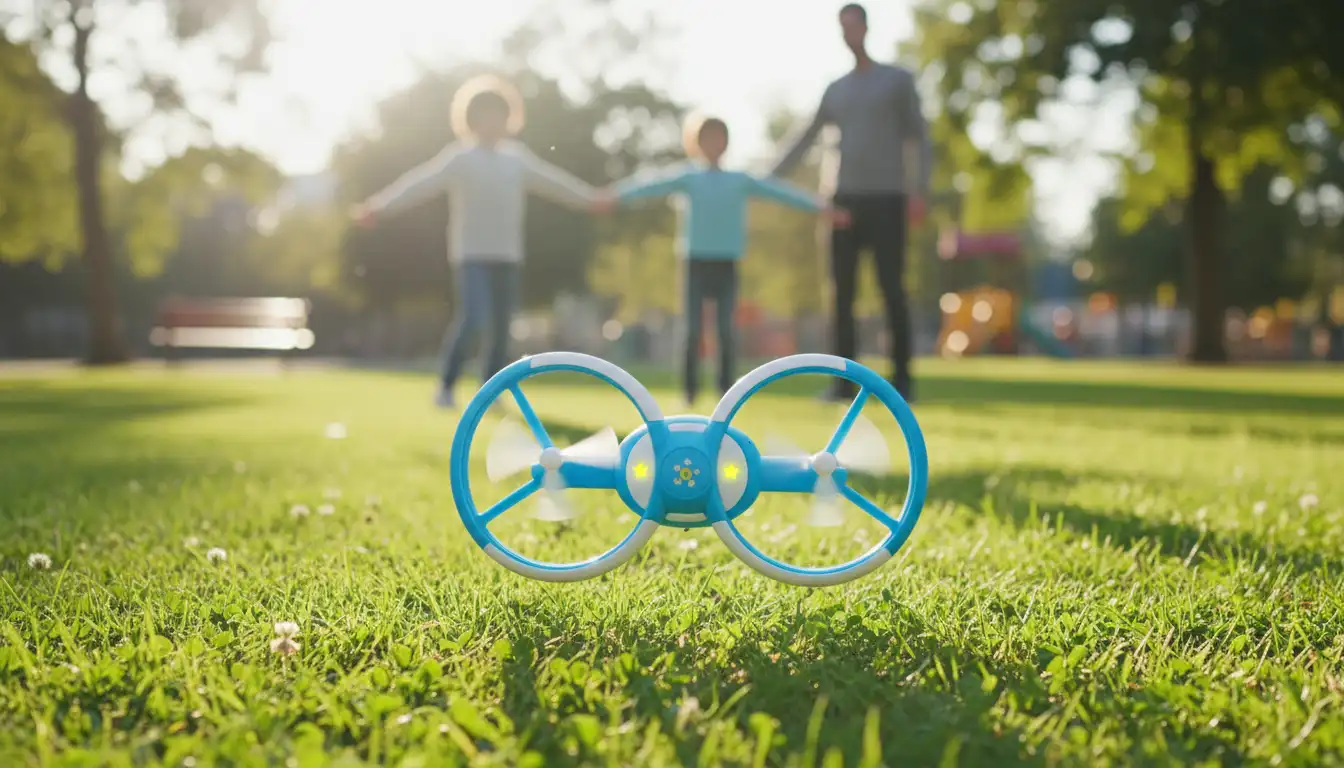
Full propeller guards or enclosed propellers are essential for kids. They:
- Prevent accidental finger injuries
- Reduce the risk of damaging furniture or walls indoors
- Help protect the drone itself during minor crashes
Look for a design where the propellers are either fully enclosed or surrounded by a strong, flexible frame.
2. Durable and Lightweight Design
Kids will crash. A lot. A good children’s drone should be:
- Built from flexible plastic that absorbs impact
- Light enough to minimize damage if it falls
- Easy and inexpensive to repair (or replace propellers)
A durable, crash‑resistant frame makes the learning process less stressful for both kids and parents.
3. One‑Key Takeoff and Landing
For young beginners, the most challenging part of flying is often the first few seconds. A one‑key takeoff/landing button allows the drone to:
- Lift off and hover automatically
- Land smoothly with a single press
This feature reduces frustration and helps kids gain confidence quickly.
4. Altitude Hold and Headless Mode
Two beginner‑friendly modes you should look for are:
- Altitude Hold – The drone maintains a stable height automatically, so the child only needs to focus on direction.
- Headless Mode – The drone’s “front” aligns with the remote’s direction, so kids don’t have to worry about the actual orientation of the drone in the air.
These modes simplify control and make it easier for children to enjoy flying right away.
5. Low‑Speed Modes
Many drones include several speed settings. For children, a low‑speed mode is very important because it:
- Gives them more time to react
- Reduces the chance of hard crashes
- Helps them learn smooth, controlled movements
You can always allow higher speeds later as your child’s skills improve.
Educational Benefits of Drones for Kids
A well‑chosen drone can be much more than a toy. It can be a gateway into science, technology, and creativity.
1. Introducing STEM Concepts
When kids fly and experiment with drones, they naturally encounter concepts such as:
- Gravity, lift, and thrust
- Battery life and energy management
- Sensors and stabilization systems
With simple explanations, you can turn each flight session into a small science lesson. For older children, you can even connect flying to basic physics or engineering projects.
2. Early Coding and Programming
Some kid‑friendly drones integrate with beginner coding platforms or dedicated apps. Children can:
- Create simple flight paths
- Program flips or patterns
- Learn sequence, logic, and cause‑and‑effect
This makes drones an excellent tool for early coding education and problem‑solving.
3. Creativity and Storytelling
Drones with built‑in cameras open the door to creative projects:
- Recording short videos
- Creating aerial photos of parks or backyards
- Telling simple stories through clips and editing
Kids learn to think visually, plan shots, and express ideas, which supports both creativity and digital literacy.
How to Choose the Right Drone for Your Child’s Age
The best drone for a 6‑year‑old is not the same as the best drone for a 12‑year‑old. Age‑appropriate design keeps drones fun, not frustrating.
For Ages 6–8: Simple and Safe
For younger children, prioritize:
- Very simple controls
- Full propeller protection
- No sharp edges
- Shorter flight times (to prevent fatigue)
At this age, the goal is fun, safety, and basic motor skills, not advanced features. Small indoor mini drones or palm‑sized quadcopters are usually ideal.
For Ages 9–12: Feature‑Rich but Beginner‑Friendly
For pre‑teens, you can look for:
- Basic cameras for photos and video
- Mobile app control
- Simple stunt functions (like flips)
- Beginner coding or waypoint flight modes
These drones should still include safety features but can offer more capabilities to keep older kids challenged and interested.
For Teens: Advanced Starter Drones
Teenagers who are serious about drones can move toward more advanced models that resemble adult drones but still maintain:
- Clear beginner modes
- Reliable GPS and return‑to‑home functions
- Reasonable price in case of mistakes
At this level, they can start exploring aerial photography, more complex coding, and even entry‑level racing.
Practical Safety Tips for Parents
Even the best kids’ drone requires responsible use. Before your child flies, set some clear rules.
1. Always Supervise Early Flights
Stay nearby for the first several sessions. Help your child:
- Understand the controls
- Practice in an open, obstacle‑free area
- Learn how to land calmly when something goes wrong
Supervision reduces accidents and builds good habits.
2. Choose the Right Environment
For beginners, avoid:
- Crowded parks
- Busy streets
- Areas near roads, power lines, or bodies of water
A quiet backyard, open field, or empty gym is usually best. Indoor mini drones should be flown away from fragile objects and screens.
3. Teach Basic Drone Etiquette
Explain simple rules:
- Don’t fly over people or animals
- Respect neighbors’ privacy
- Keep the drone within sight at all times
These habits encourage respectful and responsible use, which is crucial as kids grow older and possibly move on to more advanced drones.
Recommended Kid‑Friendly Drone on Amazon
For a balanced mix of safety, ease of use, and fun features, many parents choose a compact beginner drone like the Holy Stone HS210 Mini Drone for Kids, available on Amazon.com.
Typical features of this type of kids’ drone include:
- Fully protected propellers and sturdy frame
- One‑key takeoff and landing
- Altitude hold and headless mode
- Multiple speed options for gradual learning
- Simple stunt features like 3D flips
Models in this category are designed specifically with children in mind, making them great first drones for safe, enjoyable learning.