
External Microphone and Line‑In Enabled Cameras: The Ultimate Guide for Clear, Professional Audio
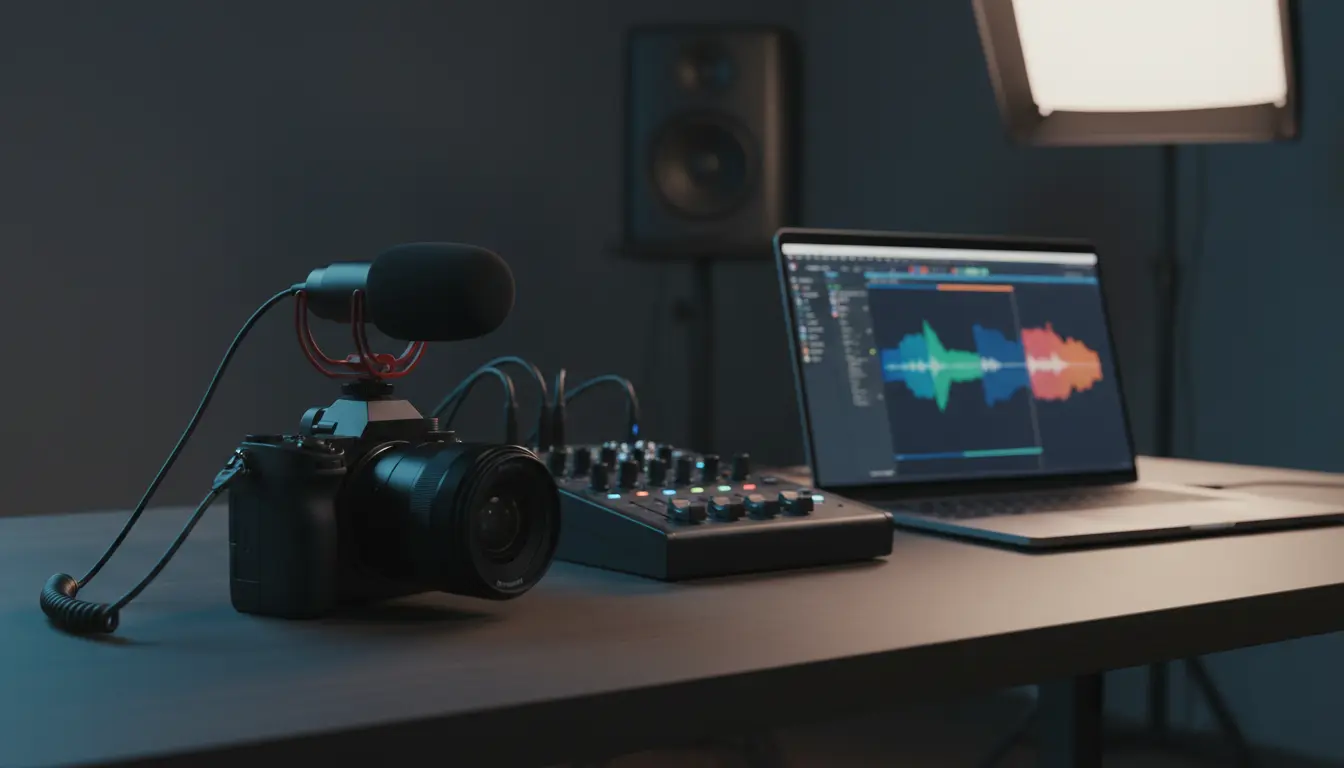
Capturing crisp video is no longer enough. Viewers expect professional‑grade sound, whether you’re streaming on Twitch, recording YouTube tutorials, or hosting remote meetings. That’s where cameras with external microphone and line‑in support come in. They let you move beyond noisy built‑in mics and unlock studio‑like audio quality with the right gear and settings.
In this guide, you’ll learn what external mic/line‑in capable cameras are, why they matter, how to choose the right model, and how to set them up for clean, natural, and organic‑sounding audio.
What Are Cameras With External Microphone / Line‑In Support?
A camera with external microphone or line‑in support is any camera that offers an audio input port beyond its internal mic. This usually appears as:
- A 3.5 mm mic‑in jack
- A 3.5 mm line‑in jack
- A shared 3.5 mm TRS/TRRS port switchable between mic and line
- Less often, a pro‑level XLR input via an adapter or module
With these inputs, you can plug in:
- Shotgun microphones
- Lavalier (lapel) microphones
- Wireless mic systems
- External audio mixers and field recorders via line‑out
Instead of being stuck with the camera’s tiny internal mic, you gain the flexibility to tailor your audio to your recording environment and content type.
Why External Mic and Line‑In Support Matters
1. Massive Improvement in Sound Quality
Built‑in camera microphones are close to fans, buttons, and image processors, and they pick up everything. By contrast, an external microphone can be placed closer to your mouth or the sound source, dramatically increasing:
- Vocal clarity
- Signal‑to‑noise ratio
- Perceived professionalism
Even an entry‑level shotgun or lav plugged into a mic‑in port will usually sound miles better than the built‑in mic.
2. Flexible Audio Workflows via Line‑In
Line‑in support takes things further. Instead of connecting a single mic directly, you can feed the camera:
- The stereo output from an audio mixer
- The line‑out from a field recorder
- The balanced signal from wireless receiver stations
This lets you mix multiple sources—presenter mic, guest mic, music bed, ambience—before they ever hit the camera, giving you a polished, broadcast‑style audio track straight into your footage.
3. Better Viewer Experience and Retention
On platforms like YouTube and TikTok, most people abandon videos with bad audio within seconds. Cameras with mic/line‑in support help you:
- Reduce background hiss
- Minimize echo and room reflections
- Deliver consistent levels across different scenes
Higher audio quality translates into longer watch times, better engagement, and higher perceived authority.
Key Features to Look For in a Camera With External Mic / Line‑In
When shopping for a camera that supports external microphones and line‑in, pay attention to more than just the presence of a 3.5 mm jack. These details matter for real‑world usability:
1. Dedicated Mic‑In and Line‑In Options
Ideally, the camera provides:
- A clearly labeled mic input with plug‑in power for small condenser mics
- A separate or switchable line‑in mode that accepts stronger line‑level signals without distortion
Some models share one port for both functions, accessible via the audio menu. Make sure the settings are easy to access, especially if you adjust them often.
2. Clean Preamps and Adjustable Gain
The internal preamps should be quiet and adjustable. Look for:
- Manual gain control (not just auto)
- Fine increments for level adjustment
- The option to lower camera gain and feed a stronger, cleaner signal from your external gear
Poor preamps will introduce hiss, even with good external microphones, so clean gain is a must.
3. Real‑Time Audio Monitoring
A headphone jack is extremely important. With it, you can:
- Listen for hum, buzz, clipping, or interference
- Catch cable or connection issues before they ruin a take
- Confirm stereo/mono routing from mixers and wireless systems
If the camera lacks a headphone output, consider a separate audio recorder or monitor that includes a headphone jack in your workflow.
4. On‑Screen Audio Meters and Safety Tracks
Accurate audio level meters on the display allow you to:
- Keep peaks around ‑12 dB to ‑6 dB
- Avoid clipping while maintaining strong levels
Some advanced cameras also support dual‑level recording or a safety track (e.g., one channel recorded 6–12 dB lower), which can save you from unexpected loud moments.
External Microphone Types for Camera Use
To get the most from your external mic/line‑in enabled camera, choose the right microphone type for your use case:
Shotgun Microphones
Best for: Vlogs, run‑and‑gun shooting, outdoor interviews
- Highly directional; reject most side and rear noise
- Mount on the camera’s hot shoe or a boom pole
- Perfect when you want clear speech and moderate mobility
Lavalier (Lapel) Microphones
Best for: Interviews, presentations, tutorials
- Clip to clothing near the mouth
- Can be wired directly to the camera or used with wireless systems
- Provide consistent volume even if the subject moves or turns away
Wireless Microphone Systems
Best for: Talking head content, walking presentations, field reporting
- Transmitter and receiver pair
- Allow full freedom of movement
- Ideal when the camera is far from the presenter but you still need clean, close‑mic audio
Using Line‑In for Professional Audio Setups
If your camera offers line‑in, you can elevate your audio pipeline:
Example Workflow
- Connect multiple mics (host, guest, instrument) to a small audio mixer.
- Set gain, EQ, and compression on the mixer for each channel.
- Send the mixer’s stereo line‑out to the camera’s line‑in port.
- Adjust the camera’s input level so peaks sit safely below 0 dB.
This gives you a ready‑to‑use mixed track on your footage, saving time in post‑production and ensuring stable audio across the entire recording.
Setup Tips for Clean and Organic Sound
To achieve natural, organic audio and maintain high originality in how your recordings sound and feel, use these practical tips:
- Position the mic close to the sound source (15–30 cm from the mouth for speech).
- Reduce room noise: close windows, turn off loud fans, and hang soft materials to dampen reflections.
- Set the camera’s audio input to manual and avoid excessive gain boosts.
- Use low‑cut (high‑pass) filters on the mic or mixer to reduce rumble.
- Always do a short test recording and listen with headphones before filming the main content.
The goal is to create sound that is clear, natural, and pleasant, without over‑processing or artificial effects.
Who Benefits Most From External Mic / Line‑In Enabled Cameras?
These cameras are especially valuable for:
- Content creators: vloggers, streamers, podcasters who also shoot video
- Educators and trainers: online course creators needing clear voice‑over
- Event videographers: weddings, conferences, live performances
- Corporate teams: webinars, virtual events, interviews
- Documentary and indie filmmakers: when budgets are tight but audio still matters
In each case, the ability to plug in a dedicated mic or a full audio mix helps deliver professional, consistent sound that supports your story instead of distracting from it.
Recommended Camera on Amazon
For a practical, widely used option available on Amazon, consider the Sony ZV‑E10. It offers:
- A dedicated 3.5 mm microphone input
- Support for external shotgun, lavalier, and wireless systems
- Good audio controls and real‑time level monitoring via on‑screen meters