
Best Communication Wall Screen TVs (Info Displays): A Complete Guide
Communication wall screen TVs—often called info displays or digital signage displays—have become essential tools for businesses, schools, hospitals, and public spaces. They share timely information, guide visitors, and highlight products or services in a visually engaging way. Choosing the best info display TV is not just about size and resolution; it’s about reliability, brightness, connectivity, and content control.
In this guide, you’ll learn which features matter most, where these screens work best, and how to select the right model for long‑term, trouble‑free operation.
What Makes a Great Info Display TV?
A TV designed for home use is different from a commercial display TV built for continuous communication. When you compare models, focus on these critical factors:
1. Commercial-Grade Reliability
Info displays often run for many hours each day, sometimes non‑stop:
- Look for panels rated for 24/7 operation or at least 16/7.
- Commercial models use components designed for heat management and long‑term durability.
- A robust warranty and on‑site service options can reduce downtime and protect your investment.
A 24/7 operation panel ensures your screen can handle continuous use in lobbies, corridors, and control rooms.
2. High Resolution and Readability
Sharp images and crisp text are essential:
- 4K UHD info screens deliver clear, detailed visuals, even at close viewing distances.
- For dashboards or small text, 4K improves readability over Full HD.
- Anti‑glare coatings and wide viewing angles help content remain clear from different positions in the room.
If you plan to show fine text or complex data, invest in a high‑quality digital signage display with 4K resolution.
3. Brightness and Contrast for Any Environment
Brightness is a key differentiator between consumer TVs and professional info displays:
- Indoor office spaces often do well with 300–400 nits.
- Sunlit atriums, shop windows, or glass-fronted lobbies may need a high brightness display with 500–700+ nits.
- Consistent brightness and strong contrast ratios keep content visible in challenging lighting conditions.
For areas with large windows or strong overhead lighting, choose a display explicitly marketed as high brightness.
4. Flexible Orientation: Landscape and Portrait
Many communication layouts work better vertically:
- A display that supports landscape and portrait orientation lets you rotate the screen for tall content such as directories, social feeds, or vertical ads.
- Be sure the panel is rated for the orientation you plan to use; some consumer TVs can suffer panel damage when mounted vertically.
Portrait-friendly, wall mount compatible TVs give you more creative options for layout and design.
5. Connectivity and Content Distribution
Modern info displays need to interface seamlessly with players, PCs, and networks:
- HDMI and DisplayPort remain standard, but HDMI daisy chain support allows you to connect multiple screens without extra hardware.
- Many smart signage platforms run apps directly on the display, reducing the need for external media players.
- Network connectivity (Ethernet or Wi‑Fi) allows remote content management from a central dashboard.
For multi-screen installations, features like video wall display support and daisy chaining can significantly reduce cabling complexity.
Types of Communication Wall Screen TVs
Not all info displays serve the same purpose. Understanding the main categories helps you decide what you truly need.
1. Standard Commercial Info Displays
These are the most common choice for:
- Reception and lobby areas
- Hallways and waiting rooms
- Simple menu boards or announcement screens
They offer long runtimes, high reliability, and basic scheduling features. For many businesses, a single commercial display TV of this type is the easiest starting point.
2. Video Wall and Multi-Screen Solutions
For larger spaces or dramatic visual impact, a video wall display is ideal:
- Multiple narrow‑bezel screens combine to form one seamless large image.
- Content can be split across panels or mirrored depending on your layout.
- Advanced models support built‑in video wall controllers and HDMI daisy chain features, minimizing extra hardware.
Video walls are common in control rooms, malls, airports, and large conference centers.
3. Interactive Wall Displays
When you need engagement rather than one-way communication, an interactive wall display is a powerful option:
- Touch-enabled screens allow users to navigate maps, catalogs, or self‑service check‑in flows.
- Ideal for wayfinding in large campuses, malls, or hospitals.
- They can act as a meeting room display for collaboration and digital whiteboarding.
Interactive displays turn a static info screen into an intuitive digital kiosk.
Where to Use Info Display TVs Effectively
Well‑chosen info displays can transform the experience of visitors, customers, and employees.
Corporate Offices and Campuses
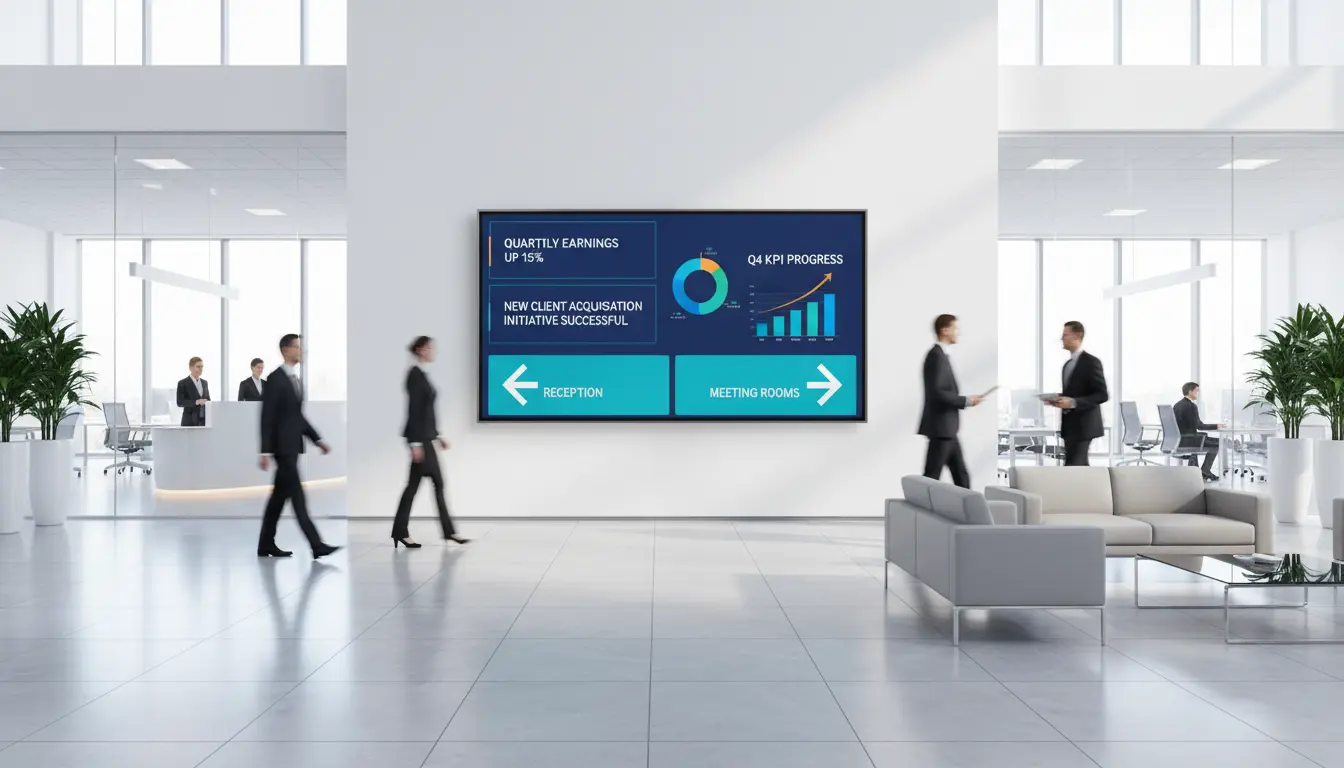
In a corporate environment, corporate communication screens keep employees up to date:
- Display KPIs, announcements, and internal news.
- Use a meeting room display outside each room for schedules and availability.
- Show safety reminders and emergency alerts in common areas.
Strategically placed screens create a transparent and informed workplace culture.
Retail and Hospitality
In stores and hotels, a retail signage screen can:
- Promote new products and special offers.
- Highlight reviews, social proof, and seasonal campaigns.
- Help guests or shoppers navigate large spaces using wayfinding content.
Dynamic visuals attract more attention than printed posters and are easier to update.
Healthcare and Public Spaces
Hospitals, clinics, and public buildings rely heavily on info displays:
- Share waiting times, queue numbers, and health guidance.
- Use digital signage displays to guide visitors to the right department.
- Communicate policy changes quickly, without printing new materials.
Clear, real‑time communication reduces confusion and improves overall experience.
Key Buying Checklist for the Best Info Display TV
Before you commit to any model, review this checklist to ensure it fits your long‑term needs:
- Purpose and environment
- Is it for indoor lobby use, a bright storefront, or a control room?
- Do you need a single commercial display TV or a complete video wall?
- Size and viewing distance
- Larger spaces often need 55–75 inches or more.
- Match screen size to how far viewers stand from the display.
- Resolution and content type
- For detailed dashboards or tiny text, select a 4K UHD info screen.
- For simple, large‑font announcements, Full HD may be sufficient.
- Brightness and orientation
- Choose a high brightness display for sunlit areas.
- Confirm support for landscape and portrait orientation if you plan to rotate the screen.
- Smart features and software
- A robust smart signage platform can schedule playlists and run apps.
- Check compatibility with your existing CMS or media player.
- Connectivity and control
- Ensure enough HDMI ports and network options.
- For multi-screen setups, HDMI daisy chain and video wall display support simplify deployment.
- Verify support for remote content management tools.
- Mounting and physical installation
- Confirm VESA patterns and that it’s a wall mount compatible TV.
- Consider cable management and ventilation for 24/7 usage.
Optimizing Content for Organic Engagement
Hardware alone will not guarantee results. Your content strategy must be clear, consistent, and organic:
- Use simple, readable typography with strong contrast.
- Stick to a consistent visual style that matches your brand.
- Keep messages concise; rotate slides rather than crowding the screen.
- Update content regularly to maintain credibility and viewer attention.
- Tailor content to each location: a lobby screen should show different information than a cafeteria or warehouse display.
When content feels timely, relevant, and helpful, people naturally pay attention and trust what they see.
Example Product Suggestion on Amazon.com
For a real‑world reference, you can search on Amazon.com for commercial-grade signage models such as:
“Samsung 55-Inch 4K UHD Commercial Signage Display (QM Series)”
This type of screen typically offers:
- 4K resolution for sharp text and graphics
- 24/7 operation rating
- High brightness for demanding environments
- Portrait and landscape mounting support
- Network connectivity for remote content updates
Compare similar models from other major brands as well, and always verify the most recent specifications and reviews on Amazon.com before purchasing.