
Best Laptop Bags for Florida Coastal Commuters
Florida’s coastline offers sunshine, salt air, sudden showers, and busy commutes. For professionals traveling between Miami, Fort Lauderdale, West Palm Beach, Tampa, Sarasota, or Jacksonville, an ordinary computer bag may not provide enough protection or comfort. The best laptop bags for Florida coastal commuters should resist moisture, protect electronics, stay comfortable in heat, and organize everything needed for a productive workday. This guide explains what to look for before choosing a reliable daily carry.
Why Coastal Commuting Requires a Specialized Laptop Bag
Coastal Florida creates challenges that inland commuters may overlook. Humid air can make fabric feel damp, while heavy rain can arrive with little warning. Salt particles, sunscreen, sand, and perspiration can also affect zippers, straps, and laptop surfaces. A dependable commuter laptop backpack or messenger bag should therefore combine practical weather resistance with durable construction.
A water-resistant laptop backpack helps shield your computer from light rain and accidental spills, but it does not make every bag fully waterproof. Check the product description carefully and use an additional laptop sleeve during storms. Sealed or covered zippers, tightly woven nylon, and coated polyester generally offer useful everyday protection without adding excessive weight.
Choose the Right Bag Style for Your Commute
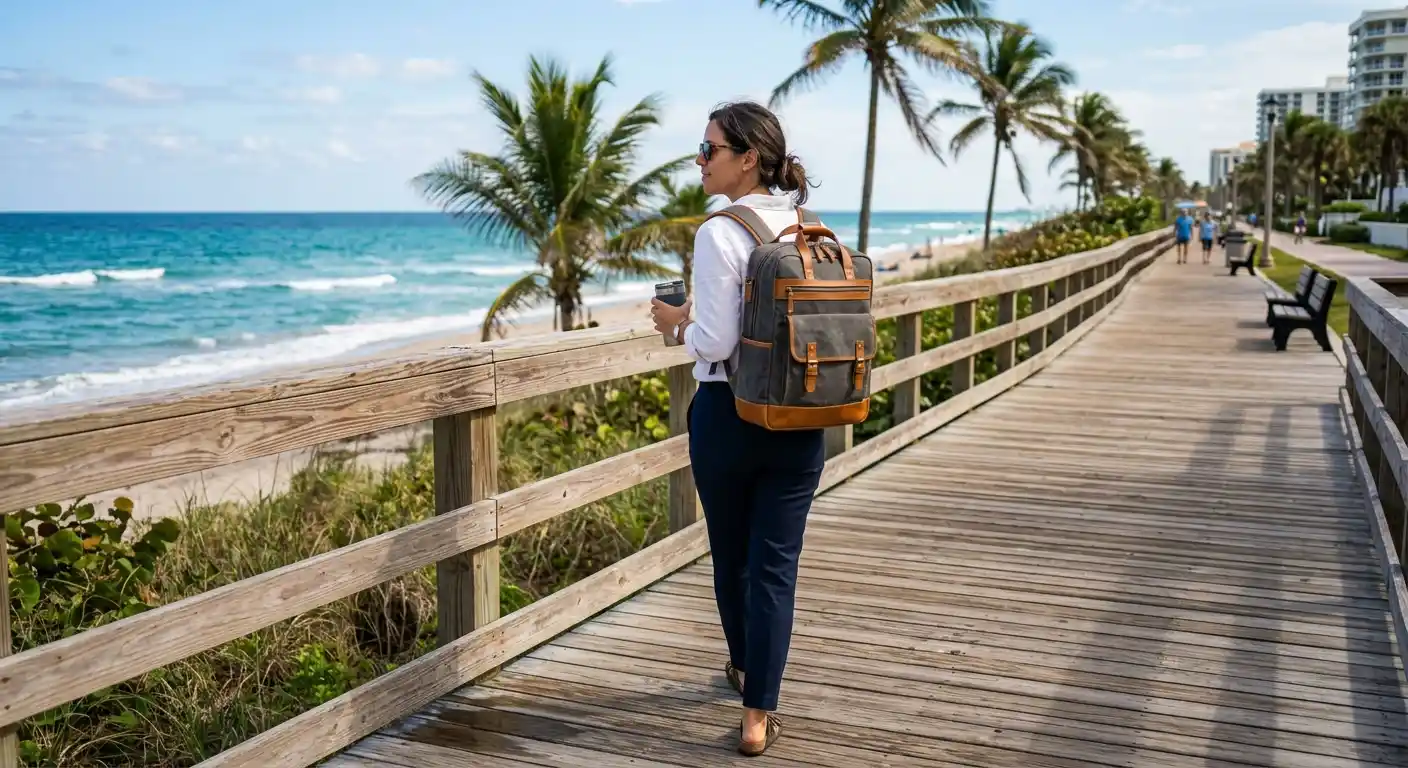
A laptop backpack usually gives the best balance for people who walk, cycle, use public transportation, or carry equipment over longer distances. Two padded shoulder straps distribute weight more evenly than a single strap. Look for breathable shoulder straps and adjustable sternum straps because Florida heat can make an overloaded backpack uncomfortable quickly. This style also works well as practical coastal commuting gear for workers who move between offices, parking areas, and transit stops.
A messenger bag suits office workers who need fast access to a computer, notebook, or charger. Its crossbody design can feel convenient when entering a building or moving between meetings. However, one-sided weight may strain the shoulder during long walks. Select a padded, adjustable strap and keep the load light.
A slim laptop briefcase works well for drivers who move from a parking lot to an office. It presents a polished professional appearance and fits easily beside a car seat. The trade-off is limited capacity and less comfortable hands-free carrying. Convertible bags that function as briefcases and backpacks can provide greater flexibility for changing travel conditions.
Essential Protection Features
Start with a padded laptop compartment. Measure your device, including its protective case, instead of relying only on a label such as “15.6-inch.” The compartment should hold the computer securely without excessive pressure. Raised padding beneath the laptop can reduce damage if the bag touches the ground.
Tablet sleeves, fleece-lined pockets, and reinforced seams add useful protection. Separate compartments prevent chargers, keys, and water bottles from pressing against the computer. A water bottle pocket should sit outside the electronics compartment and close securely. An elevated laptop section also helps protect the device from shallow puddles.
For frequent airport or business travel, a trolley sleeve lets the bag slide over rolling luggage. A TSA-friendly laptop bag may simplify security screening, while an RFID-blocking pocket can organize cards and passports. An anti-theft laptop backpack may also provide additional peace of mind in crowded stations, airports, and downtown areas.
Organization and Everyday Capacity
The ideal bag holds more than a laptop without becoming bulky. Count the items you carry every day: charger, mouse, phone, badge, notebook, sunglasses, lunch, headphones, and perhaps a change of clothes. Multiple compartments help distribute these essentials and prevent a deep main cavity from becoming disorganized.
Choose quick-access pockets for keys and transit cards. A padded accessory pocket protects a phone or portable hard drive. Interior cable organizers reduce tangles, while an expandable section gives you flexibility on days when you carry documents or gym clothing. Avoid selecting a large bag simply because it has more space; unused capacity often encourages unnecessary weight.
A professional laptop bag for work should also match your daily clothing and workplace environment. Neutral colors such as black, navy, gray, or dark green often transition easily from a commute to a meeting. If you work in a creative office, a canvas or modern minimalist design can offer personality without sacrificing functionality.
Comfort, Materials, and Durability
Comfort matters as much as protection during a warm commute. Padded handles, contoured shoulder straps, and breathable mesh can reduce pressure and heat buildup. Try adjusting the straps so the bag sits close to your back without restricting movement. A balanced load feels lighter and helps you maintain better posture.
Durable 600-denier nylon, coated polyester, and quality canvas can withstand regular use. Inspect stitching around handles, corners, and shoulder-strap anchors because these areas receive the most stress. Smooth, corrosion-resistant zipper hardware is particularly useful near salty coastal air. Light-colored interiors make cables and small accessories easier to find, while darker exteriors conceal everyday marks.
How to Maintain a Coastal Commuter Bag
Good maintenance extends the life of any laptop bag. Empty sand and debris regularly instead of allowing particles to grind into the fabric or zipper teeth. Wipe salt residue with a slightly damp cloth, then let the bag air-dry completely. Never store a wet bag with a laptop inside it.
Follow the manufacturer’s cleaning instructions and avoid harsh chemicals that may damage water-repellent coatings. Inspect seams, buckles, and padding every few weeks. During severe weather, place electronics inside a separate protective sleeve and avoid assuming that “water-resistant” means stormproof. These simple habits improve long-term Florida weather protection.
Best Buying Strategy
Compare protection, comfort, capacity, and price together rather than choosing by appearance alone. Read recent customer feedback for comments about strap comfort, zipper quality, rain performance, and actual device fit. Confirm return conditions and available sizes before ordering, since laptop dimensions vary between brands.
A practical Florida commuter bag should support your routine without drawing unnecessary attention or creating extra weight. For most people, a lightweight, water-resistant laptop backpack with padded compartments, breathable straps, and organized storage offers the strongest all-around solution. Drivers may prefer a briefcase, while cyclists and transit users may benefit from a backpack with reflective details.
Amazon Product Recommendation
One practical option listed on Amazon.com is the Lenovo Laptop Backpack B210. The Amazon listing describes a 15.6-inch laptop and tablet compartment, water-repellent fabric, lightweight construction, and a design suited to travel, business, or college use. Because listings, prices, colors, and availability can change, verify the current specifications before purchasing. For a Florida coastal commute, pair it with a protective sleeve and keep electronics away from exposed rain whenever possible.
The best laptop bags for Florida coastal commuters combine weather awareness, device protection, thoughtful organization, and comfortable carrying. Prioritize a secure padded compartment, water-resistant materials, reliable zippers, breathable support, and a size that matches your routine. With the right design and regular maintenance, your bag can help keep work essentials protected from humid air, sudden showers, sand, and demanding travel.