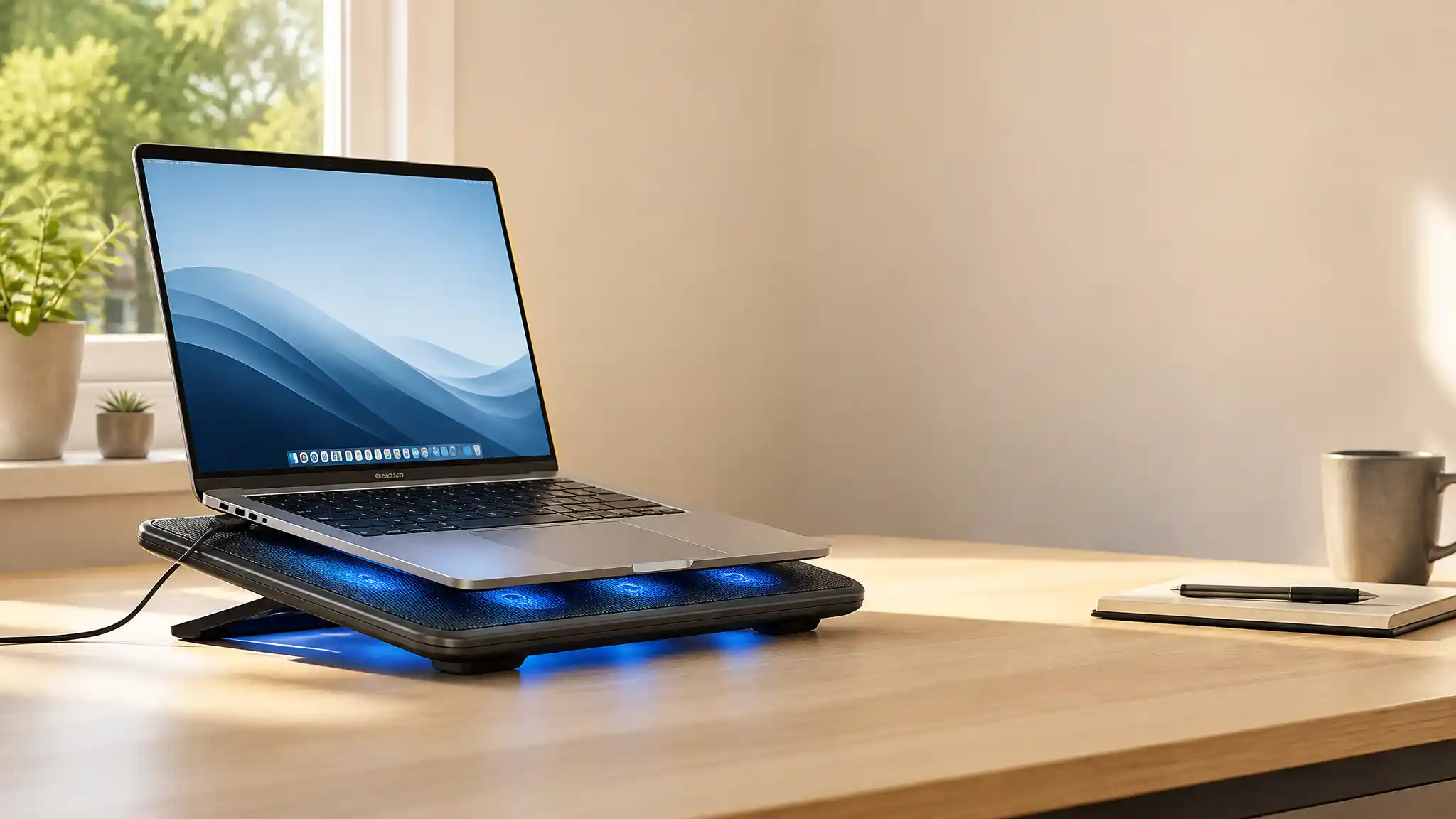

Ohio Summer Heat: Choosing the Best Laptop Cooling Pads for Reliable Performance
Ohio summers can turn a comfortable workspace into a heat trap. Whether you work from a Columbus apartment, study in Cleveland, travel through Cincinnati, or game near Lake Erie, rising room temperatures make your laptop work harder. A laptop cooling pad cannot replace internal maintenance or good ventilation, but it can improve airflow beneath compatible machines and make desk sessions more comfortable. The right laptop cooler also lifts the device, encourages a healthier viewing angle, and helps prevent the bottom panel from resting on a blanket, couch, or warm tabletop.
Why Ohio Heat Changes the Equation
When ambient temperature rises, the air entering a laptop carries less cooling potential than it does in a cool room. Intensive tasks such as video editing, online classes, coding, and PC gaming add sustained load. Your fans may become louder, the keyboard deck may feel warm, and performance can dip if the system reaches its thermal limits. A well-matched laptop cooling pad supports air intake instead of blocking it. It works best when your laptop has underside vents and you use it on a firm, open surface.
Match the Pad to Your Laptop Size and Vent Layout
Measure your laptop rather than relying only on the screen size printed on its box. A 15.6 inch laptop can have a wider footprint than another model with the same display. Choose a cooling pad that supports the full base without covering essential ventilation openings. A pad designed for 12 to 17 inch laptops suits many users, while extra-large gaming systems may require a wider platform.
Next, look underneath the laptop. Most cooling pads push air upward through mesh, so they help most when fans align reasonably well with the laptop intake vents. A sealed, high-pressure design can deliver forceful cooling for some gaming laptops, but it may create more noise and cost more. A multi-fan cooling pad spreads airflow across a larger area and offers a practical middle ground for general use. Do not expect an external pad to solve a clogged heatsink, dried thermal paste, failing internal fan, or software issue. Clean internal vents safely and follow the manufacturer’s service guidance when overheating persists.
Prioritize Airflow, Noise, and Control
The best laptop cooling pads balance cooling performance with everyday usability. Large fans can move air at lower speeds, while several smaller fans can target more of the laptop base. Check for adjustable fan speed because flexible control lets you reduce noise during writing and increase airflow during a demanding game or rendering task. A whisper-quiet laptop cooler matters in shared offices, libraries, and late-night study spaces.
Pay attention to the frame as well. A metal mesh laptop stand helps air circulate and gives the computer a stable surface. Rubber feet should keep the pad from sliding across a desk, while front retaining tabs should stop the laptop from creeping forward at an angle. If you use your computer on your lap, choose a model with a solid lower shell that directs warm exhaust away from your legs. An ergonomic cooling stand with several height settings can reduce neck strain by bringing the display closer to eye level, although you may still want an external keyboard and mouse for long sessions.
Consider Power, Ports, and Portability
Most laptop cooling pads run from USB power, which makes setup simple but uses one of your laptop’s ports. A model with a pass-through USB port can soften that tradeoff, yet it does not always replace a full powered hub. Confirm the connector type and cable length before you buy, especially if your device mainly uses USB-C.
A slim laptop cooling pad fits more naturally in a messenger bag and works well for a campus library or coworking space. Spend your budget first on fit, airflow control, build quality, and a usable angle.
Use Your Cooling Pad Correctly
Even the best cooling accessory needs sensible use. Place the laptop cooling stand on a hard, level surface and keep curtains, papers, and cables away from its air path. Avoid direct afternoon sunlight when possible; moving a desk a few feet from a sunny window can reduce heat exposure. Close unneeded browser tabs and background apps during demanding work, and select an appropriate power mode in your operating system. These small changes can reduce heat production before the cooling pad needs to compensate.
How to Make a Smart Ohio Summer Purchase
Choose the pad that solves a defined problem.1. For ordinary browsing and office work, select a quiet, adjustable laptop fan cooling pad with stable feet and basic elevation. For gaming or creative workloads, favor a larger mesh platform, variable fan control, and construction that supports your machine’s weight. 2.For travel, prioritize a lightweight portable laptop cooler that fits your bag and does not add unnecessary bulk.
Read current specifications and user feedback, but judge reviews in context. A buyer with a thin ultrabook, a buyer with a 17-inch gaming computer, and a buyer using a laptop on bedding will report very different outcomes. Focus on reviewers whose machine size, vent placement, and workload resemble yours. Product listings and availability can change, so verify dimensions, connector compatibility, and delivery details before ordering.
Amazon Product Recommendation
For a straightforward option, consider the havit HV-F2056 Laptop Cooler Cooling Pad. Its listing describes three quiet USB-powered fans, two height settings, a metal mesh surface, and support for 15.6 to 17 inch laptops. That combination can suit many Ohio users who want added airflow and a more ergonomic desk position without choosing a bulky model. Confirm that its size and USB connection fit your specific laptop before purchasing.