
Best Large-Screen Smartphones for Seniors Living in Massachusetts
Choosing the right smartphone can make daily life easier, safer, and more connected for older adults in Massachusetts. A large-screen smartphone helps seniors read messages, view photos, use video calls, manage appointments, and contact family members without straining their eyes. However, the largest display is not always the best choice. Seniors should also consider accessibility settings, sound quality, battery performance, emergency features, carrier compatibility, and ease of use.
This guide explains what to look for when choosing the best large-screen smartphones for seniors in Massachusetts.
Why a Large Screen Matters for Older Adults
A larger display gives seniors more space to read text, recognize app icons, and interact with touch controls. This can help people who experience reduced vision, arthritis, hand tremors, or difficulty tapping small buttons.
Many modern smartphones allow users to enlarge text, increase icon size, activate bold lettering, and turn on high-contrast modes. These features can make reading emails, checking weather updates, or using navigation apps more comfortable.
A large screen also improves video calling. Seniors can see family members more clearly during FaceTime, Google Meet, or other video chat sessions. This can be especially helpful for older adults living alone or staying in touch with relatives across Massachusetts.
Apple iPhone 16 Plus for Full Accessibility
The Apple iPhone 16 Plus is a strong option for seniors who want a full-featured smartphone with a spacious display. It offers a large screen, dependable battery life, high-quality cameras, and many built-in accessibility tools.
Apple’s accessibility features can enlarge text, magnify parts of the screen, improve contrast, reduce motion, and support voice control. Siri can help users make calls, send messages, set reminders, and check information without typing.
The iPhone 16 Plus also provides useful safety features, including emergency communication options and health-related tools. Seniors who already use Apple products may find the iPhone especially convenient because it works smoothly with other Apple devices.
Its main disadvantage is the price. It can also feel large or heavy for someone with limited grip strength. A protective case with a secure grip may make it easier to hold.
Google Pixel 9 for Simple Android Use
The Google Pixel 9 is a practical choice for seniors who prefer Android. Its bright display, clear software design, voice commands, and strong camera system make it useful for everyday communication and photography.
Google Assistant can help users call contacts, send texts, create reminders, and search for information. Seniors can also adjust font size, display size, color settings, and magnification through Android accessibility controls.
The Pixel 9 may suit older adults who want a modern smartphone without unnecessary complexity. Family members can help organize the home screen by placing only essential apps, such as Phone, Messages, Camera, Weather, Maps, and Emergency Contacts.
The phone may not be the best choice for someone who wants physical buttons or an extremely simplified interface. A caregiver should complete the initial setup and remove confusing notifications before giving it to a senior user.
Samsung Galaxy A-Series for Value and Battery Life
Samsung Galaxy A-series smartphones offer a large display, straightforward Android controls, and a generally lower price than premium phones. They can be a good fit for Massachusetts seniors who want texting, video calls, web browsing, photography, and basic health apps.
Samsung’s accessibility settings allow users to enlarge text, increase touch sensitivity, activate hearing enhancements, and use voice assistance. The large display also makes medication reminders, digital calendars, and telehealth applications easier to view.
Battery life is another important benefit. Seniors may not want to charge their phone several times a day, especially when traveling between home, medical appointments, and community activities. A Samsung Galaxy A-series model with a strong battery can provide practical convenience.
Before purchasing, check whether the exact model is unlocked and compatible with the preferred carrier. Some versions are sold for a specific network, while unlocked versions may work with more providers.
Lively Jitterbug Smart4 for a Senior-Friendly Interface
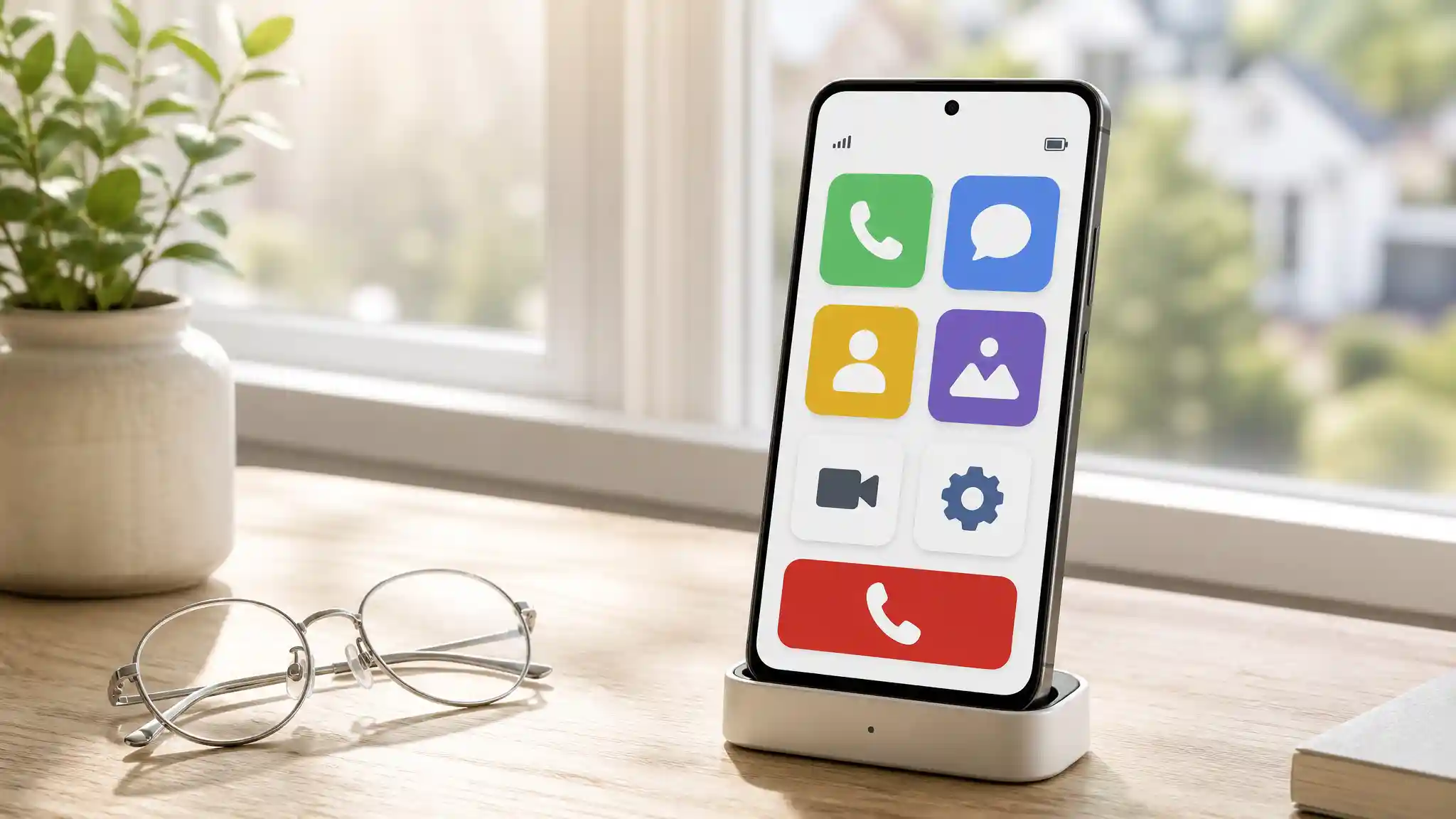
The Lively Jitterbug Smart4 is designed specifically for older adults who want a simpler smartphone experience. It includes a large display, a simplified menu, large on-screen options, and senior-focused support features.
Its interface can reduce the confusion that some seniors experience when using a standard smartphone. Instead of presenting dozens of small icons, it focuses on essential actions such as calling, texting, checking contacts, and accessing help.
The Jitterbug Smart4 may be suitable for seniors who want smartphone functions but do not feel comfortable with complicated settings. It can also be useful for family members who want a phone that is easier to explain and manage.
One important consideration is carrier compatibility. Amazon listings indicate that the Jitterbug Smart4 requires an activated Lively plan and is not compatible with other carriers. Buyers should confirm current requirements before ordering.
What Massachusetts Seniors Should Check Before Buying
Massachusetts includes dense urban areas, coastal communities, suburbs, and rural regions in the western part of the state. Cellular performance can vary by neighborhood, building type, and carrier. Before selecting a phone, check coverage at the senior’s home, workplace, medical office, and most frequently visited locations.
Wi-Fi calling can help when indoor cellular reception is weak. This feature allows calls and messages to travel through a home internet connection. It may be particularly useful in older buildings, basement apartments, or homes with thick walls.
Seniors should also consider hearing aid compatibility, loud speaker volume, Bluetooth support, and voice-to-text features. A phone with clear audio can make conversations more comfortable for people with hearing difficulties.
Emergency access matters as well. Choose a device that makes it easy to contact 911 and trusted family members. Keep emergency contacts visible and teach the user how to use the phone’s emergency function.
The Importance of Setup and Personalization
Even the best senior-friendly smartphone can feel difficult when it is not configured properly. A family member or caregiver should complete the setup, install required updates, enlarge the text, organize the home screen, and add important contacts.
Use a strong but memorable passcode and enable automatic backups for photos and contacts. Remove unnecessary applications and disable distracting notifications. Add shortcuts for family members, healthcare providers, transportation services, and local emergency contacts.
A simple printed instruction sheet can also help. Include steps for making a call, charging the phone, adjusting the volume, opening messages, and contacting emergency services.
Recommended Amazon Product
For seniors who want a simple large-screen smartphone, consider the LIVELY Jitterbug Smart4. It is listed on Amazon.com’s large-button phones for seniors page. Check the current listing, availability, pricing, and Lively plan requirements before purchasing.