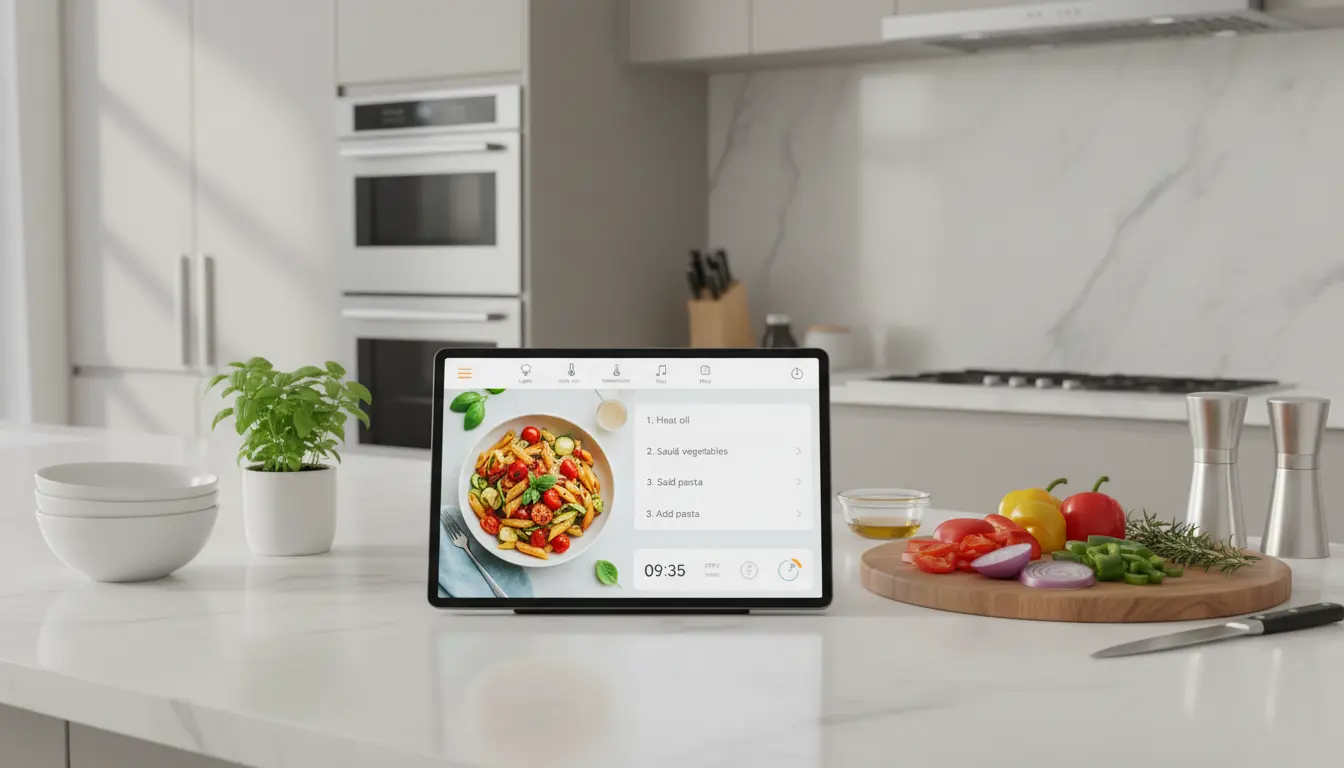

Best Smart Displays for Your Kitchen: A Complete 1300-Word Guide
Smart displays have become the new heart of modern kitchens. They combine the power of a smart speaker with a touchscreen, giving you hands‑free help while you cook, clean, or relax at the table. From following video recipes to managing your shopping list, the best smart displays for your kitchen can transform the way you use this space every day.
In this guide, you’ll learn what to look for in a kitchen smart display, how different models compare, and which features really matter in a busy home. By the end, you’ll be ready to choose the perfect smart screen for your kitchen counter.
Why Your Kitchen Needs a Smart Display
The kitchen is often the most active room in the house. You prepare meals, plan your week, chat with family, and sometimes even work here. A smart display supports all of these tasks and keeps your hands free.
You can:
- Follow step‑by‑step cooking videos without touching your phone.
- Set multiple timers and alarms with simple voice commands.
- Ask for conversions like “How many cups are in 200 grams of flour?”
- Make video calls while you cook.
- View your calendar and reminders while you eat breakfast.
- Control other smart home devices using only your voice or a quick tap.
Instead of juggling a phone, a tablet, and a speaker, one central screen handles it all.
Key Features to Look for in a Kitchen Smart Display
Not every smart display works well in a kitchen environment. When you compare models, pay special attention to the following features.
1. Screen Size and Resolution
A kitchen smart screen should be large enough to be readable from a distance, but compact enough to fit on a countertop.
- 7–8 inches: Great for small kitchens, coffee corners, and compact counters.
- 10–13 inches: Ideal for open‑plan kitchens and family spaces where you stand farther away.
Choose a model with at least HD resolution, so recipe text and cooking videos stay sharp and easy to read.
2. Voice Assistant and Ecosystem
Most smart displays run either Amazon Alexa or Google Assistant. Your choice should match the devices and services you already use.
- If you use Alexa speakers, Ring doorbells, or Fire TV, an Alexa smart display will integrate more smoothly.
- If you rely on Google services like YouTube, Google Calendar, Google Photos, and Nest devices, a Google Assistant display is often simpler.
Pick an ecosystem and build around it for the best smart home experience.
3. Audio Quality
Even in the kitchen, sound matters. You may want to listen to music, podcasts, or news briefings while you cook.
Look for:
- Front‑facing speakers for clearer sound.
- Enough volume to hear over running water and range hoods.
- Balanced audio so spoken instructions are easy to understand.
You don’t need audiophile‑grade sound, but you do want clear and loud enough audio for a noisy cooking environment.
4. Durable, Kitchen‑Friendly Design
The best smart displays for kitchens are designed to survive splashes, steam, and frequent cleaning.
Helpful design elements include:
- A wipeable, matte screen that hides fingerprints.
- A sturdy stand or base that won’t tip easily.
- Physical buttons to mute the microphone or lower volume quickly.
- Sometimes even water‑resistant materials or finishes.
Because kitchens can get messy, a model that cleans easily will last longer and look better.
5. Smart Home Control and Connectivity
A smart display often becomes the central control hub for your smart home.
Check that your display can:
- Control key devices like smart lights, plugs, thermostats, and cameras.
- Show live feeds from security or baby cams.
- Connect to dual‑band Wi‑Fi for a stable video streaming experience.
- Support Bluetooth so you can pair your phone if necessary.
Kitchen routines are smoother when you can say, “Turn on the dining room lights,” or “Show me the front door camera,” without leaving your cutting board.
How Smart Displays Improve Everyday Cooking
A smart display goes far beyond playing music. It actively makes cooking easier and more enjoyable.
Guided Recipes and Cooking Videos
You can search thousands of recipes by saying simple commands like:
- “Show me healthy dinner recipes under 30 minutes.”
- “Find vegetarian pasta recipes with tomatoes.”
Once you pick a recipe, many smart displays walk you through each step. You can ask the assistant to go back, repeat an instruction, or skip ahead—all hands‑free. When your fingers are covered in dough or oil, this is incredibly useful.
Timers, Conversions, and Substitutions
In real kitchens, timing and measurements matter. A smart display can:
- Set multiple timers with labels like “pasta,” “oven,” or “marinade.”
- Perform quick conversions such as cups to grams or Fahrenheit to Celsius.
- Suggest ingredient substitutions if you run out of something.
These small tasks add up to smoother meal prep and fewer mistakes.
Meal Planning and Shopping Lists
Smart displays help you plan and stay organized:
- Add missing ingredients to your shopping list while you cook.
- Sync lists with your phone before you go to the store.
- View weekly meal plans on the screen each morning.
- Check your family’s shared calendar while packing school lunches.
This kind of kitchen organization reduces stress and saves time during busy weeks.
Privacy and Security Considerations
Because smart displays include microphones and often cameras, privacy is crucial.
Look for models that provide:
- A physical camera shutter or slider you can close.
- A dedicated microphone mute button with a clear visual indicator.
- Easy access to privacy settings in the companion app.
You should also review how long your voice recordings are stored and whether you can delete them. A secure smart home starts with informed choices about your data.
Ideal Placement Tips for Kitchen Smart Displays
Where you place your smart display shapes how useful it becomes.
- Keep it away from direct splashes from the sink and stovetop.
- Place it at eye level or slightly below when you stand at your main prep area.
- Ensure there is a power outlet nearby so you can avoid dangling cables.
- Leave enough open space in front of the screen so gestures and taps are easy.
Many users like to keep their smart display in a corner that’s visible from most of the kitchen. This way, you can glance at timers, weather, or recipes from multiple angles.
Who Benefits Most from a Kitchen Smart Display?
A kitchen smart display can help almost anyone, but it is especially valuable for:
- Busy families managing school, work, and activities from one central space.
- Home cooks and bakers who regularly try new recipes and techniques.
- Remote workers who use the kitchen as a part‑time office and need video calls.
- Elderly users who prefer voice commands and large, clear text.
- Smart home enthusiasts wanting a visual control center for their devices.
If your kitchen is already a social and functional hub, a smart display naturally fits into your daily routine.
Recommended Smart Display on Amazon
One popular and well‑rounded option available on Amazon is the Amazon Echo Show 8 (latest generation). It balances size, performance, and price in a way that works extremely well for kitchens.
Key reasons it works well in the kitchen:
- An 8‑inch HD screen is easy to read from across the room.
- Alexa integration supports recipes, timers, smart home control, and video calls.
- Front‑facing speakers provide clear sound for music and cooking videos.
- A built‑in camera with a privacy shutter adds peace of mind.
- It connects smoothly with other Alexa‑enabled devices in your home.