
Best Stable Printers for Supply Chain and Inventory Management
Managing a modern supply chain requires more than good software and optimized processes. You also need reliable, stable printers that can handle labels, barcodes, packing slips, and inventory documents without constant breakdowns. Choosing the right printer series can reduce errors, speed up operations, and cut long‑term costs.
This article explains what makes a printer stable for supply chain use, compares the best series on the market, and helps you pick the right model for your warehouse or distribution center.
What Makes a Printer “Stable” in Supply Chain Operations?
In the context of logistics and inventory management, a stable printer is one that delivers consistent performance under heavy use. Instead of focusing only on print resolution or design, supply chain teams look at:
- Duty cycle and durability
A printer series used in warehouses must handle thousands of labels and documents each day. Robust mechanisms, industrial‑grade components, and reinforced frames make a huge difference in uptime. - Media flexibility
Stable printers support many types of media: barcode labels, RFID tags, packing lists, shipping labels, and shelf labels. This flexibility allows logistics managers to run multiple workflows on the same device. - Connectivity and integration
Supply chain systems rely on WMS, ERP, and barcode scanners. The best inventory printers offer USB, Ethernet, Wi‑Fi, and often Bluetooth, plus emulations and drivers for major business systems. Easy integration reduces IT overhead. - Consistent print quality
Poorly printed barcodes or smudged labels slow down picking and shipping. A stable inventory printer keeps sharp output even in dusty or high‑volume environments. - Low total cost of ownership (TCO)
It is not enough for the device to be cheap. A truly stable printer series offers affordable consumables, easy maintenance, and long service intervals, which lowers TCO over the printer’s lifetime.
Thermal vs. Laser: Which Is Better for Inventory Printing?
Most supply chain and stock printers fall into two main categories:
1. Direct thermal and thermal transfer printers
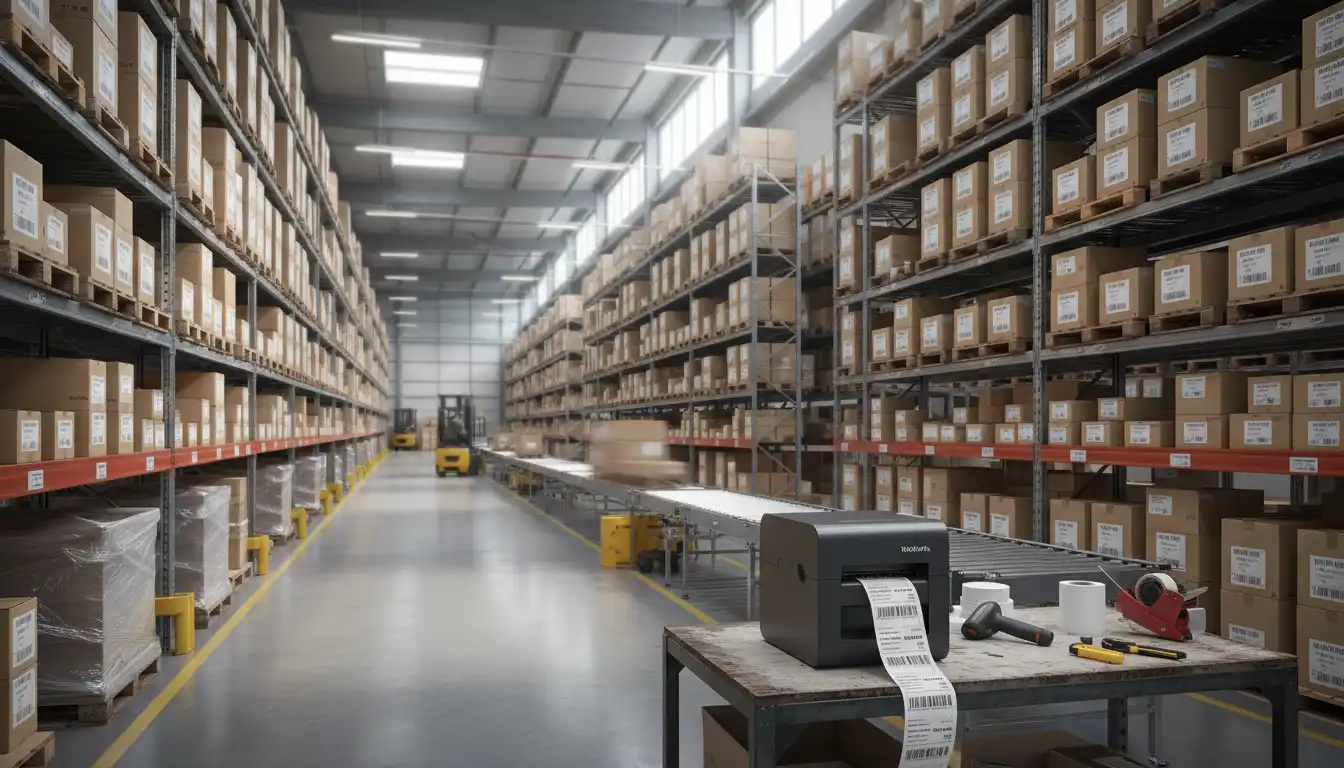
These are the workhorses of barcode and label printing. They are ideal for:
- Shipping labels and pallet labels
- Rack and bin labels
- Product identification labels
Advantages:
- Fast, quiet operation
- Excellent barcode quality
- Rugged designs for warehouses and production floors
- Low maintenance (fewer moving parts than laser printers)
Considerations:
- Direct thermal labels can fade with heat or sunlight
- Thermal transfer ribbons add a consumable cost but offer very durable print
2. Laser printers for documents and reports
Laser printers are still important for:
- Invoices and packing slips
- Pick lists and consolidated shipment reports
- Internal documentation
Advantages:
- Very fast text printing
- Good for multi‑page documents
- Widely supported by ERP and office software
Considerations:
- Not as good as thermal for heavy barcode label workloads
- More sensitive to dust and harsh environments
Most organizations end up using a mix of thermal label printers and laser document printers to build a stable and scalable printing infrastructure.
Key Features of the Best Supply Chain Printer Series
When evaluating the best printer series for stock stability, look for the following features:
Industrial‑grade construction
Metal or reinforced plastic housings protect the printer in busy loading docks and production lines. Hinges, gears, and feed mechanisms should be tested for high duty cycles.
Easy loading and minimal downtime
Quick‑change label rolls and ribbons keep operators productive. Color‑coded guides, simple levers, and clear on‑screen instructions save time, especially in multi‑shift warehouses.
Advanced connectivity
Stable supply chain printers usually offer:
- Ethernet and Wi‑Fi for networked environments
- USB for direct connections
- Optional Bluetooth for mobile carts or handheld devices
Support for ZPL, EPL, ESC/POS, and other command languages helps with seamless integration into existing logistics software.
Management and monitoring tools
Centralized management tools allow IT teams to:
- Monitor printer health
- Push firmware updates
- Configure print profiles remotely
This is especially valuable in enterprises with multiple warehouses or cross‑border operations.
How Stable Printers Improve Inventory Management
A carefully chosen printer series can transform the way your supply chain runs:
- Fewer errors in picking and shipping
Clear, scannable barcodes reduce mis‑picks and shipping mistakes. Scanners read labels the first time, which keeps conveyor belts and picking carts moving. - Faster receiving and stock updates
As pallets arrive, receiving teams print and apply labels immediately. Inventory systems update in real time, and stock levels stay accurate. - Better traceability and compliance
Many industries demand detailed product tracking and regulatory labels. Reliable printers make it easier to comply with regulations and recall requirements. - Improved worker productivity
Workers trust printers that simply work. Less time spent fixing jams or reprinting labels means more time for value‑adding tasks.
Choosing the Right Printer Series for Your Operation
Your ideal supply chain printer series depends on the size and complexity of your operation:
- Small warehouses or retail backrooms
Desktop thermal printers with USB and Wi‑Fi are often enough. Look for compact models that support common label widths and integrate with your POS or WMS. - Medium‑size distribution centers
Mid‑range or light industrial printers with Ethernet connectivity and higher duty cycles are a better fit. Support for multiple media types is important for growing operations. - Large warehouses and 3PL providers
Rugged industrial printers with metal frames, RFID options, and central management tools offer the stability required for 24/7 operations.
Be sure to check print speed (inches per second), supported label size, maximum duty cycle, and the availability of consumables in your region. Stable supply chains depend on a continuous flow of labels and documents.
Best Practices to Maximize Printer Stability
Even the best printer series needs proper handling to stay stable over time:
- Scheduled cleaning and maintenance
Dust, label residue, and ribbon particles can degrade printheads and cause feed issues. Regular cleaning extends the life of your printer and preserves print quality. - Use high‑quality labels and ribbons
Cheap consumables may jam, smear, or damage components. Matching label and ribbon quality to your operating environment is critical, especially where extreme temperatures or chemicals are present. - Standardize print profiles
Consistent DPI, darkness, and speed settings across devices make labels uniform and reduce scanner problems in different zones of the warehouse. - Train staff on loading and error handling
Short, focused training sessions on how to change rolls, clear jams, and run test prints help keep downtime to a minimum.