
The Best TVs for Continuous Art/Ambience Mode
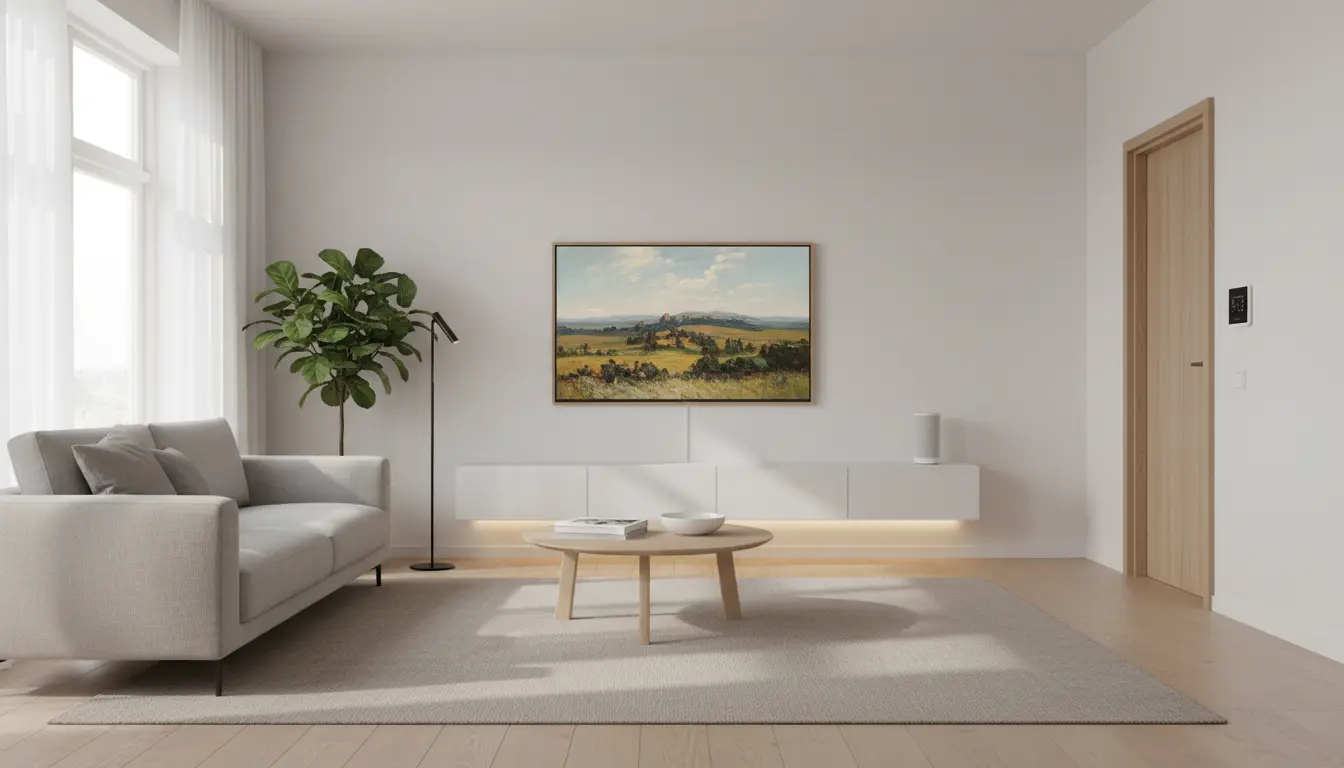
If you want your TV to disappear into your décor, double as digital art, or create a tranquil ambience when you’re not actively watching content, choosing the right model makes all the difference. Continuous art and ambience modes demand more than a pretty screensaver. You’ll want exceptional panel technology for lifelike artwork, smart power management for long sessions, robust anti-burn-in strategies, and a curated content platform that keeps your walls feeling fresh and elevated. This guide breaks down what matters most, highlights standout models, and helps you pick the best TV for always-on art and ambient experiences.
What Makes a Great Art/Ambience Mode TV?
- Panel Technology and Aesthetics
- OLED: Delivers perfect blacks and infinite contrast, making art look like actual framed prints. Colors are rich, gradients are smooth, and details pop. However, static images require burn-in protection and smart usage patterns.
- QLED/Mini-LED: Excellent brightness and color volume with minimal burn-in risk, great for bright rooms and long ambient sessions. Blacks aren’t OLED-deep, but modern local dimming narrows the gap.
- E Ink/Low-Power Displays (rare in TVs): Fantastic for static art with ultra-low power draw, but limited refresh rates and color depth compared to premium TVs.
- Anti Burn-In and Screen Care
If you plan to display static art for extended periods, look for:
- Pixel Shift: Subtle movement of the image to avoid prolonged stress on individual pixels.
- Screen Saver/Logo Dimming: Automatic dimming of static elements.
- Panel Refresh or Pixel Cleaning: Maintenance cycles to preserve panel health.
- Ambient Slideshow/Rotation: Automatically rotates artworks to reduce static exposure.
- Power Efficiency and Smart Sensing
- Ambient Light Sensors: Adjust brightness based on room lighting to reduce power use and maintain a realistic framed look.
- Motion Sensors: Sleep or low-power modes when no one is in the room; wake on presence.
- Eco Modes and Low-Brightness Presets: Crucial for long art sessions without eye strain or energy waste.
Other
- Content Ecosystem and Curation
- Art Stores and Libraries: Access to premium galleries, photography, and curated collections matters more than you think. Regularly refreshed content keeps your ambience fresh.
- Custom Uploads: Ability to upload your own images in high resolution (ideally with matting and framing options).
- Dynamic Scenes: Ambient animations like slow landscapes, gentle gradients, or meditative videos can be stunning on OLED or Mini-LED.
- Design and Mounting
- Slim Profile and Flush Mounting: When the TV sits close to the wall, it truly becomes “art.”
- Magnetic Bezels/Frames: Swappable frames enhance the illusion of a real picture frame.
- Cable Management: A clean single-cable or remote connection box keeps the look uncluttered.
Top Picks for Continuous Art and Ambience Mode
- Samsung The Frame (QLED)
The Frame is synonymous with “TV as art.”
- Why it excels:
- Matte, anti-glare display makes artworks look like prints rather than screens.
- Customizable magnetic frames and a flush wall mount sell the illusion.
- Art Mode with ambient light sensors adjusts brightness to the room.
- Samsung Art Store offers an expansive curated library; you can also upload your own art.
- Considerations:
- QLED backlight avoids typical OLED burn-in concerns, ideal for long static display.
- While blacks aren’t OLED-deep, the matte finish and art-specific tuning make it a standout for static art.
- LG OLED G-Series (e.g., G3/G4)
LG’s Gallery OLEDs are designed to sit flush against the wall and look stunning.
- Why it excels:
- OLED’s perfect blacks give paintings and photography an incredible sense of depth and realism.
- Gallery design is sleek, with wall-friendly mounts.
- Always Ready/Art Gallery modes, pixel shifting, and panel care tools help mitigate static risks.
- Considerations:
- For continuous static art, use low-to-medium brightness, rotate images, and allow panel refresh cycles.
- Ideal if you also want a reference-grade home cinema experience alongside art mode.
Other
- Samsung S95 Series (QD-OLED)
Samsung’s QD-OLED blends OLED contrast with quantum dot color volume.
- Why it excels:
- Exceptional color vibrancy and near-ink blacks.
- Ambient Mode and Art Mode options with pixel shift and logo dimming.
- Considerations:
- Treat like other OLEDs: rotate images, moderate brightness, leverage screen care features.
- Sony A80/A90 Series (OLED)
Sony’s processing is beloved for natural color and detail handling.
- Why it excels:
- Cognitive Processor XR delivers lifelike tonality, especially for high-quality photography.
- Panel care features to reduce static wear.
- Google TV ecosystem offers ambient experiences and personal photo slideshows.
- Considerations:
- As with OLED, follow best practices for long static sessions.
- High-End Mini-LED/QLED Options (Samsung Neo QLED, TCL QM8, Hisense U8 Series)
Value-packed choices for bright spaces and extended ambient display.
- Why they excel:
- High brightness and robust local dimming; great for daylight galleries.
- Minimal concern about static image wear versus OLED.
- Ambient modes vary by brand; look for slideshow rotation and app support.
- Considerations:
- Blacks and shadow detail may not match OLED in dim rooms, but they are excellent for long, worry-free ambience.
Setup Tips for a Realistic and Energy-Efficient Art Display
- Calibrate for “Art,” Not “Showroom”:
- Use Warm color temperature and reduce sharpness for a natural look.
- Lower peak brightness; art rarely needs HDR glare.
- Disable aggressive motion processing for stills.
- Enable All Screen Care:
- Turn on pixel shift, logo dimming, and automatic panel care.
- Set a timer to rotate artworks every 5–15 minutes.
- Leverage Sensors:
- Ambient light sensor keeps the image subtle and paper-like in dim rooms.
- Motion sensor sleep saves energy when the room is empty.
- Use High-Resolution Files:
- Upload 4K-resolution images or higher, ideally matching the TV’s resolution and aspect ratio.
- Consider using a white or neutral “mat” border for photography to mimic a framed piece.
- Curate Seasonal Collections:
- Rotate themes—minimalist abstracts, nature photography, classic paintings—to prevent visual fatigue and reduce static stress.
Burn-In and Longevity: Practical Guidance
If you choose OLED for its unparalleled art quality:
- Rotate content regularly; avoid leaving one image up for many hours daily.
- Keep brightness conservative for static art; reserve high brightness for movies/TV.
- Allow panel maintenance cycles to run when prompted.
- Use ambient slideshows or gentle animations to vary pixel usage.
If you prefer set-and-forget safety:
- QLED/Mini-LED is the safer bet for continuous static art with fewer precautions.
- Paired with matte finishes and smart modes, they can look remarkably convincing.
Ambience Beyond Static Art
- Dynamic Art and Slow TV: Use built-in ambient apps or platforms like YouTube slow cinema (e.g., ocean waves, forests, space visuals) for living ambience that reduces static risk.
- Soundscapes: Pair visual ambience with soft audio—rain, piano, or lofi—to transform room mood.
- Smart Home Integration: Sync ambient scenes with lighting presets for cohesive atmosphere.
Buying Checklist
- Does it have a dedicated Art/Ambient Mode with light and motion sensing?
- What panel tech aligns with your risk tolerance and room brightness?
- Are there comprehensive screen care features?
- How strong is the content library, and can you upload your own art easily?
- Can it mount flush with clean cable management and optional frames?
- Power consumption at low brightness in ambient mode?
Verdict
- Best for authentic “framed art” look and curated content: Samsung The Frame.
- Best for cinematic art quality and deep blacks (with care): LG OLED G-Series, Samsung QD-OLED, Sony OLED.
- Best for worry-free, long-duration ambience in bright rooms: Premium Mini-LED/QLED models like Samsung Neo QLED, TCL QM8, Hisense U8 series.
Choose based on your balance of aesthetics, content ecosystem, burn-in tolerance, and room conditions. With a thoughtful setup, your TV can be a living canvas—elevating your space with minimal effort and maximum style.
1) Samsung The Frame QLED 4K Smart TV
Why it’s great:
The Frame is the gold standard for art and ambience mode. It features a matte, anti‑glare screen that looks like a real framed print, customizable magnetic bezels, and a flush wall mount design. Samsung’s Art Mode automatically adjusts brightness according to the room’s lighting, and the QLED panel prevents burn‑in even with static images. The Art Store subscription offers thousands of curated artworks, or you can upload your own.
Best features:
- Matte Display for realistic prints
- Ambient light sensor & motion detection
- One Invisible Connection with external One Connect Box
- Huge Art Store library + personal image upload
2) LG OLED evo G-Series (G3 or G4) Gallery Design TV
Why it’s great:
LG’s G‑Series is designed for wall art lovers. The OLED evo panel delivers perfect blacks and ultra‑realistic color depth, making photos and digital art look like real canvases. Its Always Ready and Art Gallery modes transform your screen into a premium digital frame. With pixel shift, logo dimming, and panel refresh features, it’s also safe for longer display sessions.
Best features:
- OLED evo panel with perfect contrast and vivid color
- Sleek Gallery Design (flush wall mount)
- Art Gallery and Always Ready mode for art displays
- Comprehensive burn‑in prevention tools