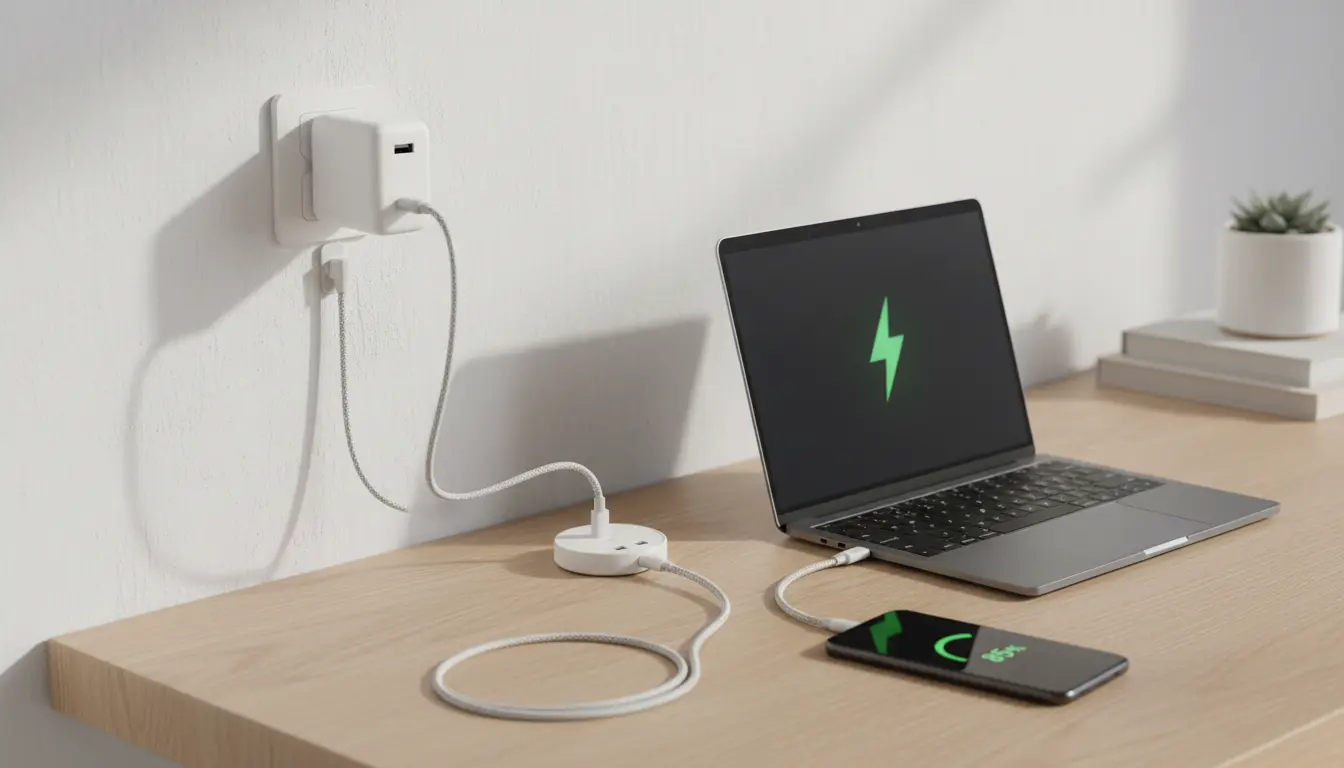

The Complete Guide to the Phone Charging Ecosystem: GaN Chargers, PD Profiles, and Cable Selection
The phone charging ecosystem has evolved dramatically over the last few years. Faster charging speeds, higher power delivery, and smarter components now shape how we power our devices every day. At the center of this transformation are GaN chargers, USB Power Delivery (PD) profiles, and the often-overlooked but critical charging cable. Understanding how these elements work together helps you charge safer, faster, and more efficiently.
In this guide, you’ll learn what GaN technology is, how PD profiles affect charging speed, and how to choose the right cable for your smartphone, tablet, or laptop.
What Is GaN and Why Are GaN Chargers Better?
Gallium Nitride (GaN) is a next‑generation semiconductor material that replaces traditional silicon in modern power adapters. GaN allows manufacturers to design smaller, cooler, and more efficient chargers without sacrificing power output.

Key advantages of GaN chargers
- Higher efficiency
GaN components switch electricity at higher frequencies with less energy loss. This means more of the power from the wall outlet is converted into usable charging power for your device, instead of being wasted as heat. - Smaller size, more power
Because GaN is more efficient, it needs less space for heat dissipation and supporting components. A compact 65W GaN charger can often replace a bulky laptop brick and still fast‑charge your phone, tablet, and ultrabook. - Lower heat generation
GaN chargers typically run cooler than similar‑wattage silicon chargers. Lower heat improves long‑term reliability and contributes to safer charging. - Multiple device support
Many GaN adapters include multiple USB‑C (and sometimes USB‑A) ports. Combined with intelligent power distribution, one GaN charger can replace several separate adapters in your bag.
Understanding USB Power Delivery (PD) Profiles
USB Power Delivery (USB‑PD) is an open fast‑charging standard used by many modern smartphones, tablets, and laptops. Instead of delivering a fixed voltage, PD allows the charger and device to negotiate power dynamically using predefined power profiles.
How PD negotiation works
- You plug your device into a PD‑compatible charger with a USB‑C cable.
- The charger announces its supported PD profiles (for example, 5V/3A, 9V/3A, 15V/3A, 20V/3.25A).
- Your device requests the most suitable profile based on its battery level, temperature, and maximum charging capability.
- The charger adjusts its output to match that request.
This smart negotiation ensures the device never pulls more power than it can safely handle, while still maximizing charging speed.
Common PD power levels
- 18W–20W PD: Entry‑level fast charging for many smartphones.
- 30W–45W PD: Ideal for tablets, larger phones, and some compact laptops.
- 60W–65W PD: Common for ultrabooks and powerful tablets; also excellent for multi‑device fast charging.
- 100W+ PD (USB‑PD 3.1): Designed for high‑performance laptops and multi‑port desktop chargers.
Your phone might only use, for example, 27W or 30W, even if the charger supports 65W or 100W. The maximum PD profile your device supports becomes the limiting factor, not the total wattage of the charger.
The Role of USB‑C Cables in Charging Performance
Many people focus on the charger and ignore the cable, but the cable is a crucial part of the charging chain. The wrong cable can:
- Limit the maximum current
- Prevent fast‑charging protocols from activating
- Cause more voltage drop and heat
Power rating and wire gauge
Cables are rated for specific power levels, usually expressed in amps and watts. For example:
- 3A cables: Typically up to 60W (20V × 3A)
- 5A cables: Up to 100W or more with proper e‑marking
Higher‑quality cables use thicker wires (lower gauge numbers) to reduce resistance and maintain stable voltage under higher loads. If you plan to charge laptops or multiple devices from a high‑power GaN charger, use a certified 5A USB‑C cable.
Data vs. charging capabilities
Not all USB‑C cables are equal:
- Some support only USB 2.0 data speeds but still handle high charging power.
- Others support USB 3.x or Thunderbolt data speeds and high‑power PD.
For pure phone charging, you do not always need a premium high‑bandwidth cable. However, you do need a cable with the right PD power rating and e‑marker for safe high‑wattage charging.
Matching Your GaN Charger, PD Profiles, and Cables
To build an efficient and safe charging ecosystem, you must match three things:
- Charger wattage and PD support
- Check the label or spec sheet for supported PD profiles (e.g., 5V 3A, 9V 3A, 15V 3A, 20V 3.25A).
- Choose a wattage that covers your most demanding device plus some headroom.
- Device charging capability
- Look up the maximum PD wattage for your smartphone, tablet, or laptop.
- Ensure your charger’s PD profiles include that wattage or higher.
- Cable rating
- For phones and tablets, a 60W‑rated cable is usually enough.
- For laptops and high‑power multi‑port use, invest in 100W or 240W‑rated cables with proper e‑mark chips.
When all three align, you unlock optimal fast charging with minimal heat, higher reliability, and longer device battery life.
Safety Tips for Modern Fast Charging
Fast charging pushes more power through your phone in a shorter time, so safety is critical. Follow these guidelines for safer, long‑term use:
- Avoid ultra‑cheap, unbranded chargers
They may lack proper protection circuits, leading to overheating, voltage spikes, or even fire hazards. Stick to reputable brands with third‑party safety certifications. - Use certified cables
Especially for 60W+ power levels, choose cables marked for USB‑IF certification or from trusted manufacturers. Avoid old or visibly damaged cables. - Keep devices ventilated while fast charging
Do not cover your phone with pillows or blankets when charging. Extra heat slows down charging and ages the battery faster. - Unplug when not in use
Modern GaN chargers are efficient at idle, but unplugging them when not needed can reduce phantom power draw and wear. - Update your charging setup as devices evolve
If you upgrade to a new phone or laptop with higher charging demands, revisit your adapter and cable choices to keep everything efficient and future‑proof.
Building a Minimal but Powerful Charging Setup
Instead of owning separate chargers for every device, consider a single high‑quality multi‑port GaN charger plus a few properly rated cables. For most users:
- A 65W–100W GaN charger with at least two USB‑C ports covers phones, tablets, and lightweight laptops.
- A set of 2–3 USB‑C cables rated for 100W gives you flexibility at home, in the office, and during travel.
- If you still need USB‑A for older devices, choose a hybrid GaN charger that includes at least one legacy port.
This streamlined setup reduces clutter, saves money over time, and ensures every device in your ecosystem charges at its best possible speed.
Recommended GaN Charger on Amazon
On Amazon.com, a popular option that fits many of the principles above is the Anker 735 Charger (GaNPrime 65W). It offers:
- Up to 65W USB‑C Power Delivery
- Multiple ports (USB‑C + USB‑A) for phones, tablets, and laptops
- Compact GaN design with high efficiency and robust safety features
Always check the latest model name, wattage, and compatibility details on the product page before buying, as manufacturers frequently update their GaN charger lineups.









