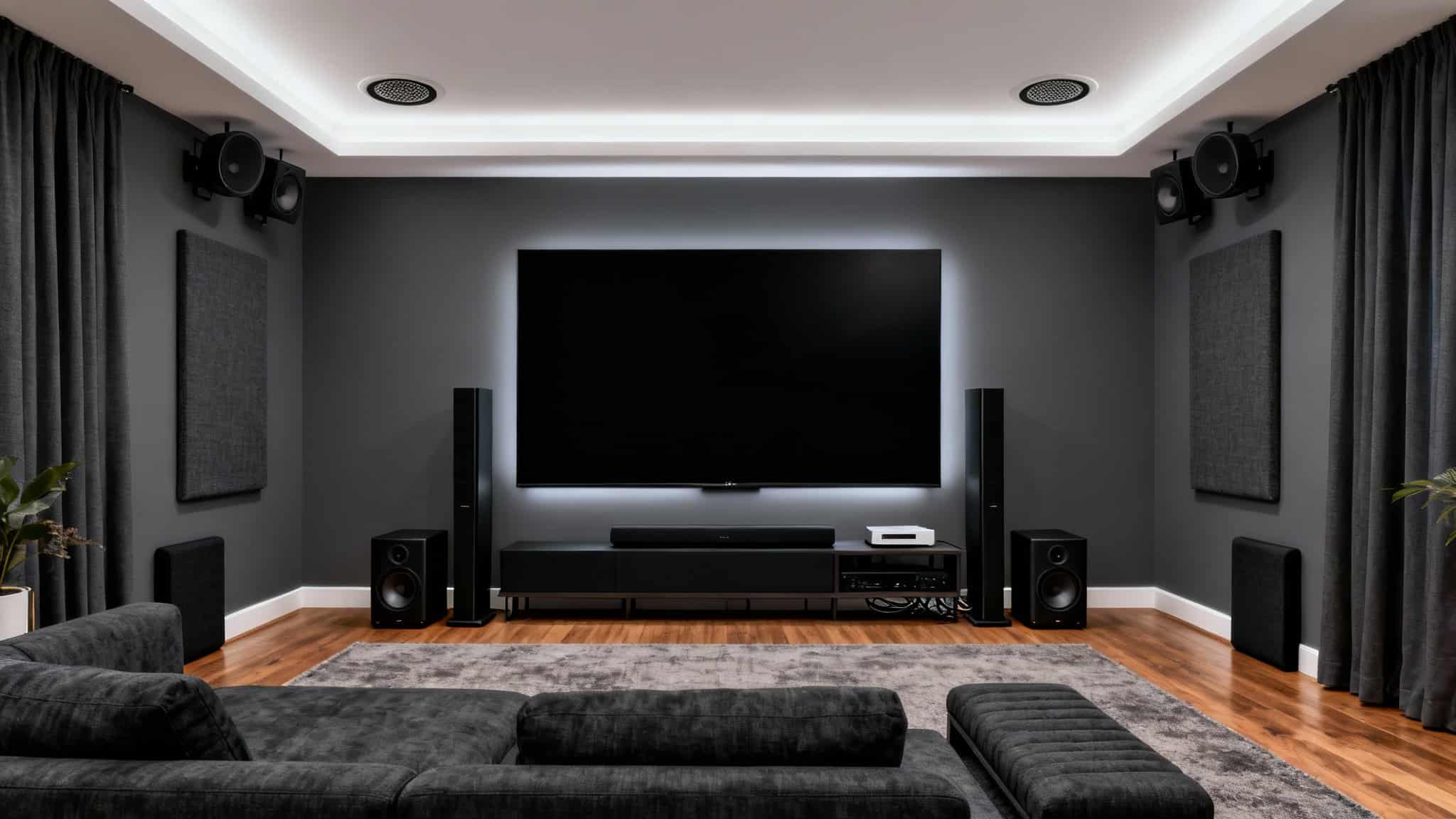

Transforming your living room into a cinematic sanctuary is easier than ever—if you follow a clear, well-structured plan. A thoughtfully designed home theater system elevates movies, sports, gaming, and music with immersive audio, crisp visuals, and effortless control. In this comprehensive guide, you’ll learn exactly how to plan, select, install, and optimize a home theater setup that fits your space, budget, and lifestyle. Whether you’re mounting a 4K TV or installing a projector, choosing between a soundbar and an AV receiver with separate speakers, or integrating smart home control, this article will walk you through the decisions that matter. Along the way, we’ll highlight best practices for cable management, room acoustics, and calibration so your system not only looks clean but performs at its peak.
1) Plan Your Space and Budget
Start with the room. Measure dimensions (length, width, height), note wall materials, window placement, and available power outlets. Decide on seating positions first; the optimal viewing distance for a 4K TV is roughly 1 to 1.5 times the screen’s diagonal, while for projectors, consider throw distance and ceiling height. Establish a realistic budget that includes the display, audio components, mounts or screens, cables, surge protection, furniture, and acoustic treatment. A balanced budget might allocate roughly 40% to the display, 40% to audio, and 20% to accessories and installation.
Pro tip: Prioritize audio. Viewers often notice sound quality improvements more than incremental screen upgrades. Investing in proper speakers and placement yields a dramatic jump in immersion.
2) Choose Your Display: 4K TV vs. Projector
- 4K/8K TV: Ideal for rooms with ambient light and daily use. Look for OLED or Mini-LED for deep blacks and high contrast, HDMI 2.1 for 4K/120Hz gaming, and HDR formats like Dolby Vision or HDR10+.
- Projector + Screen: Best for cinema-scale images (100–150 inches). Pair a high-lumen, 4K (native or pixel-shift) projector with an ALR (ambient light rejecting) screen if your room isn’t fully dark. Consider short-throw projectors for small rooms, and ensure proper ventilation and cable routing.
Mounting tips: Use a robust wall mount for TVs with built-in cable channels. For projectors, confirm the throw distance and lens shift compatibility before ceiling mounting. Always anchor to studs or use rated anchors.
3) Build the Audio Foundation
- Soundbar: The easiest step-up from TV speakers. Choose a model with discrete center channels for dialogue clarity, wireless subwoofers for bass, and up-firing drivers if you want virtual Dolby Atmos. Great for apartments or minimalist setups.
- AV Receiver + Speakers: The gold standard for a true theater experience. A 5.1 or 7.1.2 Dolby Atmos setup with in-ceiling or height speakers provides exceptional immersion. Look for an AV receiver with enough HDMI 2.1 inputs, eARC, room correction (Dirac, Audyssey, YPAO), and power headroom.
Speaker basics:- Front L/R: Ear-height when seated, angled slightly toward the main listening position.
- Center: Directly under or above the display, aligned with the screen’s midpoint.
- Surrounds: At or slightly above ear-height, to the sides or slightly behind seating.
- Height/Atmos: In-ceiling above the listening position or upward-firing modules.
- Subwoofer(s): Corner placement increases output; two subs can even out bass response.
Cable considerations: Use 12–16 AWG speaker wire for runs, banana plugs for clean terminations, and certified Ultra High-Speed HDMI cables for 4K/120 or 8K.
4) Optimize Room Acoustics
Great gear underperforms in a reflective room. Reduce echo and flutter with:
- Soft furnishings: Rugs, curtains, and upholstered seating absorb reflections.
- Acoustic panels: Place at first reflection points on side walls and ceiling.
- Bass traps: Corner bass traps smooth low-frequency resonance and tighten subwoofer performance.
If you can’t add permanent treatments, consider decorative panels or bookshelves for diffusion. Even small changes significantly improve dialog clarity and surround precision.
5) Source Devices and Streaming
Choose sources that match your viewing habits:
- Streaming sticks/boxes: Ensure Dolby Vision, HDR10+, Dolby Atmos support, and robust Wi‑Fi or Ethernet.
- Blu‑ray/4K players: Highest-quality video and lossless audio for cinephiles.
- Game consoles/PC: Look for VRR, ALLM, and 4K/120Hz support. Route directly to the AV receiver or TV, then use eARC to return audio to simplify switching.
Network tip: Use wired Ethernet for 4K HDR streaming stability. If Wi‑Fi is required, a modern Wi‑Fi 6/6E router reduces buffering and latency.
6) Smart Control and Voice Integration
Unify your system with a smart remote or hub. Many AVRs work with Alexa, Google Assistant, or Apple Home. Set up Activities (“Movie Night,” “Game Time”) that power devices, set inputs, adjust lighting, and lower motorized shades with one command. Consider a dedicated tablet running a control app for guest-friendly operation.
7) Clean Power, Surge Protection, and Ventilation
Protect your investment with a quality surge protector or power conditioner. Ensure AV components and game consoles have proper ventilation—overheating shortens component lifespan and degrades performance. Rack shelves, ventilated cabinets, and cable ducts keep equipment organized and cool.
8) Cable Management and Aesthetics
Neat cable runs improve airflow and serviceability. Use labeled Velcro ties, cable raceways, and wall plates with keystone jacks. For wall-mounted TVs, run in-wall rated cables or use a recessed power/AV box. Conceal subwoofer and surround speaker cables along baseboards or under rugs for a clean, professional look.
9) Setup, Calibration, and Fine-Tuning
- Display calibration: Select the most accurate picture preset (Cinema/Filmmaker Mode), disable overly aggressive motion smoothing, and set brightness/contrast for your environment. For projectors, align focus, lens shift, and keystone minimally.
- Audio calibration: Run your AVR’s room correction. Measure at multiple seating positions for balanced results. After calibration, fine-tune the center channel level for dialogue clarity and adjust subwoofer output to taste.
- Lip-sync: If you notice audio delay, enable eARC/Auto Lip Sync or manually adjust A/V sync.
Test with reference scenes and demo tracks you know well. Small tweaks to speaker angles, crossover settings (typically 80 Hz), and seating placement can deliver dramatic gains.
10) Future-Proofing and Upgrades
Plan for growth with extra HDMI inputs, conduit for future cable runs, and modular speaker additions (e.g., upgrading from 5.1 to 5.1.2 Atmos). Keep firmware updated on TVs, projectors, AVRs, and streaming devices for the latest features and bug fixes. As formats evolve, you’ll be ready to adopt new standards without rebuilding from scratch.
11) Why Buy from a Specialist Retailer
A reputable home theater dealer offers tailored recommendations, accurate room assessments, pre-configuration, professional installation, and post-purchase support—all of which save time and ensure you get peak performance from day one. Bundle pricing, extended warranties, and calibration services can add value that big-box deals often can’t match.
12) Quick Purchase Checklist
- Room and seating plan finalized
- Display selected (size, HDR, HDMI 2.1)
- Audio path chosen (soundbar vs. AVR + speakers)
- Speaker layout planned (including subwoofer placement)
- Source devices verified (Dolby Vision/Atmos compatibility)
- Smart control strategy defined
- Surge protection and ventilation addressed
- Cables, mounts, and cable management in cart
- Calibration steps scheduled
With the right plan and components, your home theater will deliver cinematic thrills, lifelike gaming, and concert-grade audio—every night, without leaving home.