
Low Pixel Burn-In Risk Managed OLED TVs: A Complete Guide
OLED (Organic Light-Emitting Diode) technology has transformed the TV and display market with its perfect blacks, infinite contrast, and vivid colors. However, one concern has always shadowed OLED panels: pixel burn‑in. In recent years, manufacturers have introduced low pixel burn-in risk managed OLED solutions that use both hardware and software strategies to minimize permanent image retention.
This article explains how these systems work, why they’re safer for everyday users, and what you should look for if you’re planning to buy a modern OLED TV.
What Is Pixel Burn-In on OLED Panels?
Pixel burn-in happens when static images stay on the screen for long periods. On traditional OLED panels, individual pixels can age unevenly. Over time, this can leave faint “ghost” images such as channel logos, news tickers, or game HUDs.
While burn-in is less common in real-world use than many fear, it is still a valid concern for heavy users who watch the same channels every day or leave static UIs on screen for hours.
With risk-managed OLED TVs, manufacturers actively monitor and protect the panel to reduce the chance of such permanent artifacts.
How Low Pixel Burn-In Risk Management Works
Modern OLED TVs use a combination of intelligent features to keep the panel healthy. These do not eliminate burn-in completely, but they dramatically reduce the risk under normal consumer usage.
1. Pixel Shifting and Logo Detection
Low burn‑in risk OLED TVs implement small, nearly invisible pixel shifts. The entire image subtly moves over time so that static elements do not stress the same pixels constantly.
In parallel, logo detection algorithms identify bright static areas, such as:
- Channel logos
- Scoreboards in sports
- Streaming app UI elements
The TV then slightly dims or smooths these areas, especially during long viewing sessions, helping to extend panel life.
2. Screen Saver and Auto-Dimming Functions
Risk-managed OLED models include aggressive screen saver and auto-dimming policies. When the TV detects static content or a paused image, it:
- Gradually lowers brightness
- Triggers a screensaver after a set period
- Darkens banners and menus that remain on the screen
These actions reduce prolonged stress on any single region of the panel while keeping the user experience comfortable and unobtrusive.
3. Panel Refresh and Compensation Cycles
OLED TVs now run regular panel refresh or compensation cycles. These are maintenance routines designed to:
- Even out pixel wear across the entire panel
- Correct minor image retention before it becomes permanent
- Optimize brightness and uniformity after many hours of use
Some cycles run quickly when you turn the TV off, while deeper cycles may happen periodically after a set number of viewing hours.
Why Low Burn‑In Risk Managed OLED Is Safer for Everyday Use
For most users, modern OLED TVs with burn-in management are highly reliable. You can watch news channels, play console games, or use streaming apps daily without obsessing over static images.
Key benefits for typical viewers include:
- Longer panel life thanks to proactive pixel management
- Lower maintenance anxiety; you don’t need to manually run tools or change picture modes constantly
- Improved resale value, because well-managed panels maintain uniform brightness and fewer artifacts
- Confidence for mixed use, including movies, sports, gaming, and smart TV apps
While no OLED technology can guarantee zero burn-in in every scenario, low risk OLED designs significantly narrow the gap between OLED and traditional LCD/mini‑LED in terms of long‑term durability.
Best Practices to Further Reduce Burn-In Risk
Even with advanced risk management, your viewing habits still matter. Following a few simple guidelines can keep your OLED panel performing at its best for years:
1. Avoid Leaving Static Content for Many Hours
Try not to leave news channels, dashboards, or game menus paused for 8–10 hours straight. If you step away:
- Enable the TV’s auto power off setting
- Activate energy or eco mode
- Use a screensaver on external devices (like streaming sticks or game consoles)
2. Use Reasonable Brightness Levels
Running the TV at maximum brightness all the time stresses the panel. For most rooms:
- Choose a calibrated or cinema mode with moderate brightness
- Increase brightness only when needed (e.g., bright daytime environment)
This improves both image quality and panel longevity.
3. Keep Software Updated
Manufacturers constantly improve their burn-in protection algorithms via firmware updates. Make sure your TV:
- Has automatic updates turned on, or
- Is checked manually for updates every few months
New firmware can enhance logo detection, optimize pixel refresh cycles, and refine power management.
Are Low Burn-In Risk OLED TVs Good for Gaming?
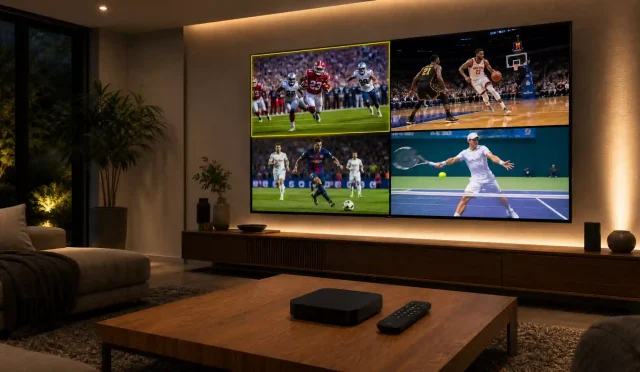
Many gamers worry about HUD elements, static mini-maps, and health bars. On older OLED generations, long gaming sessions with the same UI could theoretically increase burn‑in risk.
Today, gaming on low pixel burn-in risk managed OLED TVs is far safer because:
- Pixel shifting is active, even in game mode
- Static UI elements may be dynamically dimmed
- High refresh rates (120 Hz and beyond) and VRR (Variable Refresh Rate) are supported alongside protection features
For heavy gamers, it is still wise to:
- Vary the games you play
- Use in‑game settings to hide HUDs when possible
- Avoid leaving the console on a static pause screen for many hours
Overall, risk-managed OLEDs have become one of the best display choices for console and PC gaming, combining stunning image quality with mature protective technologies.
OLED vs. QLED/Mini-LED: Burn-In Perspective
Compared to QLED or mini‑LED LCDs, OLED remains more susceptible to differential pixel wear because every pixel is self‑emissive. However, the gap is shrinking thanks to:
- Smarter image retention control
- More efficient organic materials
- Better heat management and power distribution
If you prioritize contrast, viewing angles, and cinematic image quality, a low pixel burn-in risk managed OLED TV is now a strong, practical option, even for daily mixed usage.
Recommended Product: SAMSUNG 83-Inch Class OLED S90F on Amazon
If you want a premium large-screen OLED with robust burn-in control, consider the SAMSUNG 83-Inch Class OLED S90F available on Amazon.
This model offers:
- A huge 83‑inch OLED panel with exceptional contrast and deep blacks
- Advanced Samsung burn-in mitigation technologies such as pixel shifting and logo protection
- Excellent gaming performance with low input lag, 4K 120 Hz support, and modern HDMI standards
- Strong HDR performance and wide color coverage for movies and streaming
For users seeking a high‑end OLED TV with well‑designed risk management features, the SAMSUNG S90F is a compelling option.