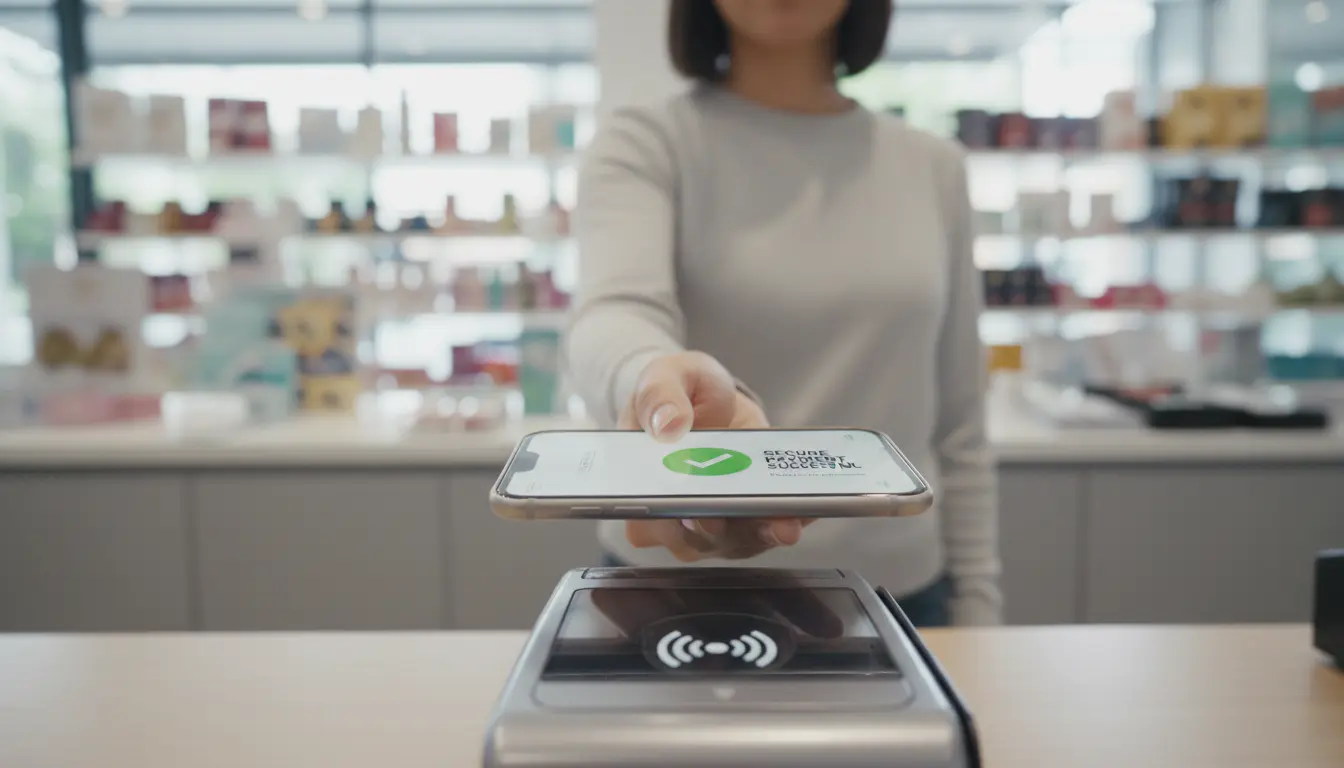

How Mobile Wallets Improve NFC Payment Security: Practical Tips
Consumers are rapidly shifting from physical cards to mobile wallets for everyday payments. Near Field Communication (NFC) technology sits at the heart of this transformation, enabling fast, contactless transactions with a simple tap. However, as adoption grows, so does concern about security. The good news: when used correctly, mobile wallets can be more secure than traditional card payments.
This article explains how mobile wallets enhance NFC payment security, outlines practical steps you can take to protect yourself, and highlights the most important settings to enable on your smartphone.
How NFC Mobile Wallet Payments Work
NFC allows two devices placed very close together—typically within 4 centimeters—to exchange encrypted data. When you pay with a mobile wallet:

- You unlock your phone or authenticate (PIN, fingerprint, or face).
- You hold your phone near the NFC-enabled terminal.
- The wallet sends a token instead of your real card number.
- The bank or payment network verifies the token and approves the transaction.
Because your actual card details are never exposed to the merchant or stored in plain text on the device, NFC transactions through mobile wallets already offer a strong baseline of security.
Key Security Features of Mobile Wallets
1. Tokenization Instead of Card Numbers
Mobile wallets use tokenization to replace your card number with a unique, single-use token. During a transaction:
- The terminal receives this token, not your real card details.
- Even if an attacker intercepts the data, the token is usually useless elsewhere.
- This approach dramatically reduces the risk of card cloning and data leaks.
2. Strong Device-Level Authentication
Your phone is your first layer of defense. Modern smartphones include:
- Biometric authentication (fingerprint, Face ID, or facial recognition)
- Secure lock screens (PIN, password, or pattern)
- Encrypted storage tied to hardware security modules
When you secure your device properly, you force any attacker to bypass multiple layers before they can access your mobile wallet.
3. Encrypted Communication Channels
NFC transactions happen over short distances, but they are also:
- Encrypted end-to-end between your device, the terminal, and the payment processor.
- Protected against basic eavesdropping and data tampering attempts.
Combined with tokenization and authentication, this encryption makes NFC payments extremely difficult to exploit in practice.
4. Limited Use and Remote Management
If you lose a physical card, anyone can try to use it until you block it. With mobile wallets:
- You can remotely lock or erase your device via “Find My Device” or similar tools.
- Banks and providers can instantly revoke tokens associated with that device.
- Some wallets require biometric confirmation for every transaction, not just unlocking the phone.
These capabilities drastically reduce the window of opportunity for fraud.
Practical Tips to Increase NFC Payment Security
Understanding the built-in protections is important, but your own habits make a big difference. Follow these best practices to further strengthen your mobile wallet security.
1. Enable Strong Screen Lock and Biometrics
Do this before anything else:
- Set a strong PIN or password instead of simple patterns like “1234” or “0000.”
- Turn on biometric authentication (fingerprint or face recognition) if available.
- Require authentication for every payment, not just large ones, if your wallet supports it.
This way, even if someone gets hold of your phone, they can’t easily authorize transactions.
2. Keep Your Operating System and Apps Updated
Security updates fix newly discovered vulnerabilities. To stay protected:
- Turn on automatic updates for your operating system.
- Regularly update your mobile wallet app and banking apps.
- Remove old or unused payment apps that you no longer trust.
Outdated software is one of the most common entry points for attackers.
3. Use Only Official Wallets and Trusted Apps
Stick to major, well-supported mobile payment providers and official app stores:
- Download wallet apps only from Google Play, Apple App Store, or your device manufacturer’s store.
- Avoid sideloading payment apps from unknown sources or third-party websites.
- Check the developer name, reviews, and permissions before installing any finance-related app.
This minimizes the risk of installing malware or phishing apps that imitate real wallets.
4. Turn NFC On Only When Needed
While NFC is generally safe, you reduce risk further by controlling when it’s active:
- Disable NFC when you’re not using contactless payments, especially in crowded areas.
- Turn it on briefly for a transaction and off again afterward if convenient.
- Avoid tapping your phone on random NFC tags or devices you don’t recognize.
Limiting NFC exposure makes it harder for anyone to attempt unauthorized proximity attacks.
5. Monitor Your Bank Statements and Alerts
Even with strong security, no system is 100% immune. Early detection is critical:
- Enable real-time transaction alerts via SMS, email, or app notifications.
- Review your statements weekly to catch suspicious charges quickly.
- Report any unauthorized transaction to your bank immediately; most card networks offer zero-liability policies if you act fast.
The combination of automated alerts and manual checks gives you the best chance to spot fraud early.
6. Avoid Public Wi-Fi for Sensitive Actions
NFC payments at terminals generally do not depend on the Wi-Fi you’re connected to, but many people also manage cards and passwords on the go:
- Avoid logging in to banking apps or managing wallet settings over unsecured public Wi-Fi.
- Use your mobile data or a trusted VPN connection when performing sensitive actions.
- Never enter wallet credentials on shared or unfamiliar devices.
A secure network environment helps protect your broader financial footprint.
Common Myths About NFC Payment Security
“Anyone Can Steal My Card Data by Standing Near Me”
In reality:
- NFC works only at very short range (a few centimeters).
- Your device usually must be awake and authenticated to allow a payment.
- Tokenization means there’s no static card number to steal in transit.
While theoretical relay attacks exist, they are difficult, rare, and typically not a real-world risk for most users when basic settings are enabled.
“Mobile Wallets Are Less Safe Than Physical Cards”
In many ways, the opposite is true:
- Phones can lock, encrypt, and require biometrics; plastic cards cannot.
- Mobile wallets hide your real card number through tokenization.
- You can remotely disable your wallet much faster than cancelling a physical card in some cases.
With good habits, mobile wallet security can surpass that of traditional card-based payments.
Best Practices for Businesses Accepting NFC Wallet Payments
If you run a store or online business, you also play a role in NFC payment security:
- Use PCI DSS–compliant payment terminals and regularly update their firmware.
- Train staff to recognize suspicious behaviour at the payment terminal.
- Never store full card numbers or sensitive authentication data.
- Provide visible signage that you accept secure contactless payments, helping build customer trust.
A secure payment environment protects both your customers and your brand reputation.
Recommended NFC-Enabled Accessory on Amazon
For users who frequently pay with their phones, a high-quality protective case that doesn’t interfere with NFC is useful. On Amazon.com, you can look for a slim, NFC-friendly protective case compatible with your smartphone model. Choose a case that:
- Clearly states NFC compatibility in the description
- Offers good drop protection while remaining thin
- Has positive reviews mentioning successful contactless payments
Such a case keeps your device secure from physical damage without blocking NFC signals.









