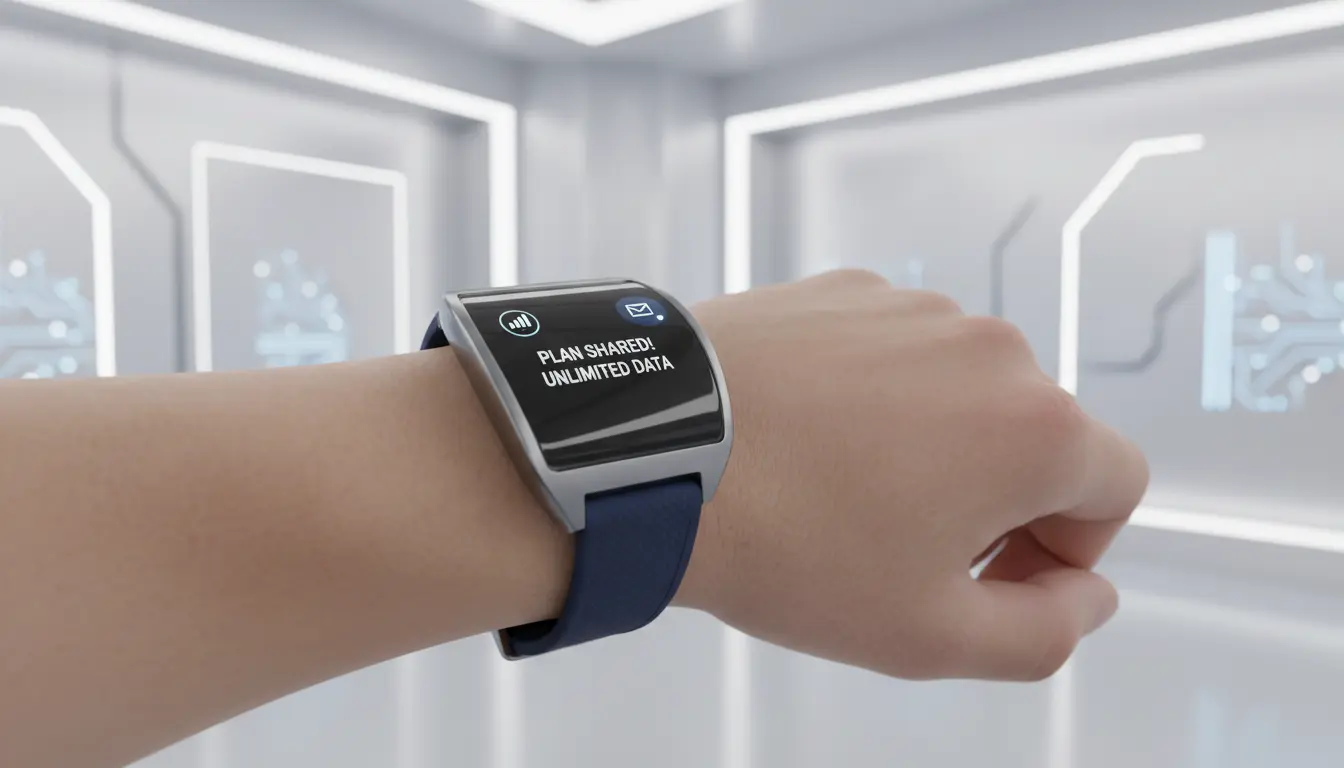

LTE-enabled smartwatches have transformed from simple notification hubs into independent, always-connected companions. With built-in cellular modems and eSIM support, these wearables can call, text, stream music, navigate, and even track fitness without being tethered to a smartphone. One of the most practical ways to unlock their full potential is via plan sharing (often called number sharing or family sharing), which allows a watch to borrow your phone’s number or share your existing data plan for seamless connectivity. This guide explains how LTE smartwatches work, how plan sharing is set up, what carriers support it, costs to expect, privacy implications, and how to choose the right watch and plan in 2025—all with SEO-friendly clarity.
What Is an LTE Smartwatch?
An LTE smartwatch includes an integrated cellular radio and SIM technology (typically eSIM) that connects directly to 4G/LTE networks. Unlike Bluetooth-only models, LTE watches can:
- Place and receive calls independently
- Send/receive SMS and messaging app notifications
- Stream music or podcasts without a phone
- Use GPS for maps and fitness tracking in real time
- Trigger emergency SOS and fall detection with location sharing
While 5G smartwatches are emerging, LTE remains the sweet spot for battery life, coverage, and cost-effectiveness. Most modern LTE wearables dynamically switch between Bluetooth, Wi‑Fi, and LTE to optimize power and reduce latency.
How Plan Sharing (Number Sharing) Works
Plan sharing links your smartwatch to your phone line, typically using the same number across both devices. Carriers implement this via:
- eSIM activation: You scan a QR code or use your carrier app to provision the watch.
- Shared allowances: The watch draws from your phone plan’s minutes and data, or it gets a small dedicated bucket.
- Unified caller ID: Calls from the watch show your existing number, preserving continuity for contacts.
Common terms include “Number Share,” “OneNumber,” “Digits,” or “Family Setup,” depending on carrier and region. Some carriers also offer standalone watch lines with a unique number, but number sharing is usually simpler for day‑to‑day use.
Benefits of LTE + Plan Sharing
- True phone‑free freedom: Run, cycle, or swim without your phone and still stay reachable.
- Safety features: SOS, fall detection, and location sharing work even when your phone is offline.
- Continuity: Same number, continuity of calls and texts, and synced contacts.
- Parental controls: Family setups let you give kids connectivity on a watch without a full smartphone.
Setup Steps (Typical Flow)
- Confirm compatibility: Check that your carrier supports your exact watch model and your plan tier includes wearable lines.
- Update devices: Ensure your watch and phone have the latest OS and carrier settings.
- Open your carrier app: Locate the wearable or number sharing section and add a line for a smartwatch.
- Activate eSIM: Scan the QR or follow on‑device prompts to provision the watch line.
- Verify services: Test calls, texts, data, and SOS features. Enable Wi‑Fi calling if available for better indoor reliability.
- Configure permissions: Set call routing, notification preferences, and battery optimizations.
Note: Some ecosystems (e.g., Apple Family Setup) allow a watch to be paired to a caregiver’s iPhone, even if the wearer doesn’t own a phone.
Costs and Ongoing Fees
Expect a monthly add‑on fee per watch line. Pricing varies by carrier and region but is typically more affordable than a full smartphone line. Watch for:
- Activation or eSIM fees
- International roaming charges (often limited or disabled by default)
- Priority data differences vs. phone lines
- Promotional bundles with new watches
If you plan to stream music or maps frequently, consider a plan with sufficient shared data or a dedicated wearable data bucket.
Battery Life Considerations
LTE radios draw more power than Bluetooth. To maximize longevity:
- Prefer Bluetooth when the phone is nearby; let the watch auto-switch to LTE only when needed.
- Use Wi‑Fi where available; it’s often more power-efficient than LTE.
- Enable Low Power or workout‑optimized modes for long runs.
- Reduce background sync for nonessential apps while on cellular.
Real-world endurance depends on screen brightness, GPS use, music streaming, and call time. A mixed day with periodic LTE use is common; heavy cellular usage may require daily charging.
Privacy and Security
- eSIM provisioning: Ensure you activate only through official carrier apps or QR codes. Avoid sharing your activation QR.
- Data handling: Location, health metrics, and messages may sync via cloud services. Review privacy settings for your wearable platform.
- Lost watch controls: Enable remote lock, find‑my‑device, and activation lock to deter theft and misuse.
- SOS and location sharing: Understand who can see your location (family members, emergency services) and how to disable sharing when not needed.
LTE vs. Bluetooth‑Only vs. Wi‑Fi
- Bluetooth‑Only: Longest battery, lowest cost, but no independence.
- Wi‑Fi: Great for indoor connectivity; still dependent on known networks and hotspots.
- LTE: Anywhere connectivity, highest flexibility, more cost and battery draw. For athletes, parents, and on‑call professionals, LTE is often worth it.
Choosing the Right LTE Smartwatch in 2025
- Ecosystem lock‑in: Stick with your phone’s ecosystem for best compatibility (e.g., Apple Watch for iPhone, Wear OS/Galaxy Watch for Android).
- Health sensors: ECG, SpO2, body composition, temperature tracking, and fall detection vary by model.
- Durability: Look for water resistance ratings (e.g., 5 ATM), MIL‑STD testing, and sapphire/crystal options if you’re active.
- Navigation: Standalone GPS/GLONASS/Galileo, offline maps, and turn‑by‑turn guidance can be crucial for outdoor use.
- Payment and ID: NFC payments, transit cards, and digital IDs increase independence from your phone.
- Carrier support: Verify your carrier and country support LTE bands and eSIM for your model.
Troubleshooting Common Issues
- Activation fails: Update firmware, restart both devices, confirm plan eligibility, and retry eSIM provisioning.
- Calls not ringing on the watch: Check number sharing toggle, call forwarding rules, and do‑not‑disturb profiles across devices.
- Data slow on LTE: Confirm signal strength, disable battery saver temporarily, and test with a different APN if your carrier provides one.
- Excessive battery drain: Limit LTE background sync, reduce always‑on display brightness, and rely on Bluetooth when in range of your phone.
Future Trends
- Smarter network switching: More granular AI‑driven handoffs between Bluetooth, Wi‑Fi, and cellular to save power.
- eSIM portability: Easier transfers between watches and carriers, improving resale and upgrades.
- Emergency services integration: Enhanced precise location routing and satellite messaging for off‑grid safety.
- Health‑grade sensors: More clinical‑grade metrics could boost the need for always‑connected uploads and alerts.
Bottom Line
LTE smartwatches unlock true independence with reliable calling, messaging, and data on the go. Plan sharing makes it simple and cost‑effective by extending your primary number to your wrist. If staying reachable without carrying a phone matters—during workouts, commutes, parenting, or field work—LTE plus number sharing is the most practical setup in 2025.