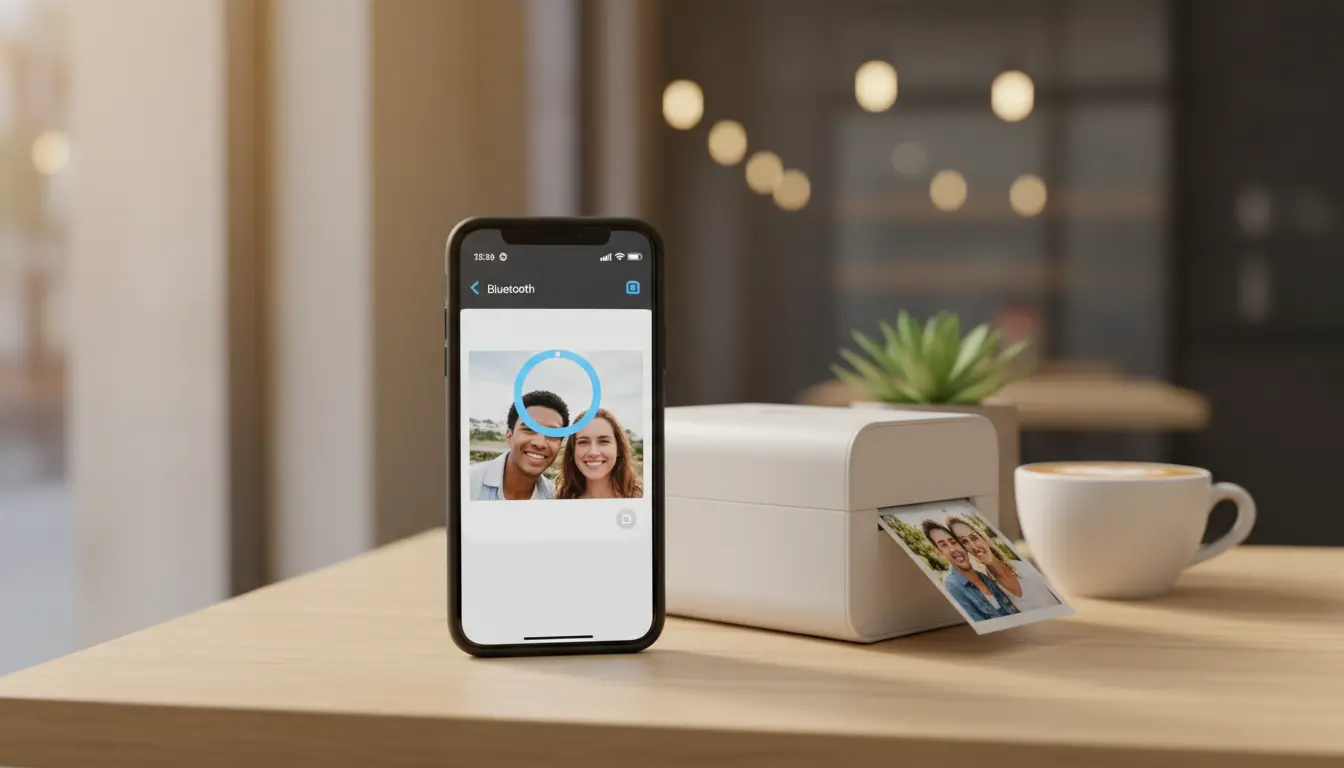

Portable photo printers and seamless smartphone integration
Portable photo printers have transformed how we preserve memories, turning digital snapshots into tangible keepsakes in seconds. As smartphone cameras keep improving, the demand for fast, high-quality, on-the-go printing has surged. In this guide, we’ll explore how portable photo printers integrate with phones, what features matter most, how to optimize print quality, and how to choose the right device for your needs. Whether you’re a casual shooter, a content creator, or a small business owner, understanding phone-to-printer workflows can save you time, money, and frustration.
What is a portable photo printer?
A portable photo printer is a compact, battery-powered device designed to print small-format photos—typically 2×3, 3×3, 3×4, or 4×6 inches—directly from your smartphone or tablet. Unlike traditional desktop printers, these devices prioritize mobility, instant output, and simple connectivity (usually via Bluetooth or Wi‑Fi Direct). Many models use app-driven workflows that let you edit, collage, add filters, or insert AR elements before printing.
How smartphone integration works
- Bluetooth pairing: Most entry-level models use Bluetooth for quick, low-power connections. You open the brand’s mobile app, pair once, and print in seconds. Bluetooth is stable and great for single-user scenarios.
- Wi‑Fi Direct: Some printers create a direct Wi‑Fi link for faster transfer speeds and multi-user access at events or gatherings.
- Companion apps: The real magic happens in the app—crop tools, border options, templates for mini albums, and color correction presets. Many apps support printing from your camera roll, cloud storage, and social apps.
- OS-level support: iOS AirPrint and Android system-sharing make it simple to send images from any app to the printer’s app, preserving your editing pipeline.
- Cloud and workflow integrations: Some printers integrate with cloud drives for backups and with social platforms for pulling captions, stickers, or layouts.
Print technologies: ZINK vs. dye-sublimation vs. inkjet
- ZINK (Zero Ink): Uses heat-activated, dye-embedded paper—no liquid ink cartridges. Pros: truly portable, less mess, smudge-resistant, sticky-back paper. Cons: color gamut and sharpness can be less vibrant than dye-sub.
- Dye-sublimation (dye-sub): Heats dye onto special paper in multiple passes (yellow, magenta, cyan, sometimes overlay). Pros: better color depth, smoother gradients, more archival quality. Cons: slightly larger hardware, consumable ribbons and paper packs.
- Mini inkjet: Less common for ultra-portables, but where available, offers strong detail with standard ink systems. Cons: more maintenance, potential clogging, and less travel-friendly.
If your priority is effortless portability and fun stickers, ZINK is compelling. For premium color accuracy and skin tones, dye-sub usually wins.
Key features to evaluate
- Print size and aspect ratio: Match your typical photo framing. If you shoot 4:3 or 3:2, pick a printer and paper size that minimizes cropping.
- Print quality (dpi and processing): Dots per inch matter, but so does the brand’s image pipeline. Look for printers with robust in-app color management and skin-tone enhancement.
- Speed and battery life: Check pages per charge and time per print. For events, you’ll want quicker throughput and USB-C charging.
- Media cost: Calculate cost per print (paper + ribbon, if applicable). A seemingly cheap printer can become pricey if refills are expensive.
- App experience: Look for batch printing, templates, borderless options, collage tools, and social sharing. An intuitive app is crucial for a smooth workflow.
- Durability and finish: Consider water resistance, fingerprint resistance, and whether you want glossy or semi-matte finishes.
- Connectivity options: If multiple phones will print to one unit, Wi‑Fi Direct can be more convenient than Bluetooth.
- Extras: AR effects, QR codes printed on photos (linking to videos or albums), and sticker paper for scrapbooking.
Achieving the best print quality from your phone
- Start with high-resolution images: Avoid heavy cropping. Use your camera’s highest quality settings and RAW when possible, then export to high-quality JPEG before printing.
- Calibrate in the app: Many companion apps have color profiles or sliders. Test a few prints and create a repeatable preset for skin tones and shadows.
- Proper lighting and exposure: Correct underexposed photos to avoid muddy blacks. Slightly reducing highlights can protect skin detail.
- Sharpen cautiously: Light sharpening can enhance perceived detail, but over-sharpening introduces halos. Use subtle settings.
- Avoid extreme filters: Trendy filters can crush shadows or shift skin tones. If you love a look, test a small batch first.
- Clean the printer path: Keep rollers and print heads clean per the manufacturer’s guide. Dust can cause banding or streaks.
- Use official media: Third-party paper may be cheaper but can produce inconsistent colors. For important prints, stick to the recommended media.
Seamless workflows for events and businesses
- Batch mode: Pre-select a set of edited photos and print in one go. This helps at weddings, pop-ups, and brand activations.
- Shared album workflow: Use a shared cloud album or AirDrop to collect guests’ photos, then print from a single device to reduce pairing friction.
- Branded templates: Create reusable templates with your logo, event name, date, or QR code to a gallery or sign-up form.
- On-site sales: Creators can sell mini prints on the spot. Track per-print costs and set a margin. A dye-sub printer often provides the “premium” look clients expect.
- Scrapbooking stations: Provide sticker-backed paper and themed frames. It turns printing into an interactive, memorable experience.
Privacy and security considerations
- Local-only mode: Prefer printers that work without accounts or cloud upload for sensitive events.
- App permissions: Limit app permissions to photos and Bluetooth/Wi‑Fi. Disable location if not needed.
- Clear history: Periodically clear the print queue and cached images in the app, especially for shared devices.
Sustainability and total cost of ownership
- Media and waste: ZINK reduces cartridge waste but uses specialized paper. Dye-sub uses ribbon cartridges; some brands offer recycling programs.
- Print only keepers: Curate before printing. This lowers costs and waste while keeping your collection meaningful.
- Battery health: Avoid deep discharges and store at moderate temperatures for longer battery lifespan.
Choosing the right portable photo printer
- For casual, social use: ZINK printers with 2×3 sticker paper deliver fun, fast prints with minimal fuss.
- For color-critical output: A portable dye-sub model that supports 4×6 (or 3×4) and offers fine color control is best.
- For collaborative events: A Wi‑Fi Direct model with quick setup, multi-user support, and a robust app.
- For creators and small businesses: Consider media cost per print, color accuracy, and brandable templates. Reliability under continuous use matters more than the smallest size.
Setup checklist for smooth phone integration
- Update firmware and app: Performance and color accuracy often improve with updates.
- Pair once, test twice: Print two or three calibration photos (portrait, landscape, and a high-contrast scene).
- Save presets: Create a “standard” and a “portrait” color preset in the app for quick, consistent results.
- Carry essentials: Extra paper packs, a power bank, a microfiber cloth, and a short USB-C cable.
Future trends to watch
- Smarter color profiling: More printers will auto-detect scene type and adjust color curves for skin tones and skies.
- Larger portable formats: Expect compact units that handle true 4×6 borderless with faster output.
- Social-native layouts: One-tap prints that mirror Instagram or TikTok crop ratios, captions, and overlays.
- Eco-forward materials: Recyclable or bio-based photo paper and ribbon cartridges.
By focusing on the right connectivity method, print technology, and app features—even small-format prints can look professional and last. With a thoughtful workflow, you can turn your smartphone gallery into a curated collection of tangible memories that feel as good as they look.
1. Canon IVY 2 Mini Photo Printer
The Canon IVY 2 Mini Photo Printer is a fantastic choice for those who prioritize ultra-portability, ease of use, and fun, sticker-backed prints. It’s a ZINK (Zero Ink) printer, meaning it uses special paper with embedded dye crystals that are activated by heat, so you never need to worry about ink cartridges.
Key Features:
- Ultra-Compact Design: It’s small enough to fit in your pocket or a small bag, making it perfect for on-the-go printing.
- ZINK Technology: Prints smudge-proof, water-resistant, and tear-resistant 2×3-inch photos without ink. The paper often comes with a peel-and-stick backing, great for scrapbooking or decorating.
- Bluetooth Connectivity: Connects seamlessly to your smartphone via Bluetooth, ensuring a quick and stable connection.
- Canon Mini Print App: The dedicated app (available for iOS and Android) is intuitive and feature-rich. It allows you to edit photos, add frames, text, filters, and even create collages before printing. It also supports tile printing (making a larger image from multiple 2×3 prints) and AR effects.
- Fast Printing: Prints a photo in approximately 50 seconds.
- Rechargeable Battery: Offers decent battery life for printing multiple photos on a single charge.
2. Kodak Dock Plus 4×6 Instant Photo Printer
If you’re looking for larger, higher-quality prints with a more traditional feel, the Kodak Dock Plus is an excellent dye-sublimation option. This printer offers 4×6-inch prints, which are a more standard photo size, and uses a dye-sublimation process for vibrant, long-lasting results.
Key Features:
- Dye-Sublimation Technology: Produces beautiful, full-color 4×6-inch prints with a protective layer that makes them fingerprint-proof and water-resistant. The colors are generally more accurate and vibrant than ZINK prints.
- 4×6-inch Prints: Offers a larger print size, which is great for framing or sharing more detailed photos.
- Bluetooth & Docking: Connects wirelessly via Bluetooth to both iOS and Android devices. It also features a USB-C docking port, allowing you to charge your phone while printing (though wireless printing is often more convenient).
- Kodak Photo Printer App: The companion app provides editing tools, filters, frames, and collage options, similar to other portable printers.
- Cost-Effective Media: While the printer itself might be a bit more expensive than ZINK models, the cost per print for 4×6 dye-sub paper and ribbon packs can be quite competitive, especially when bought in bulk.
- Reliable Performance: Known for consistent print quality and durability.









