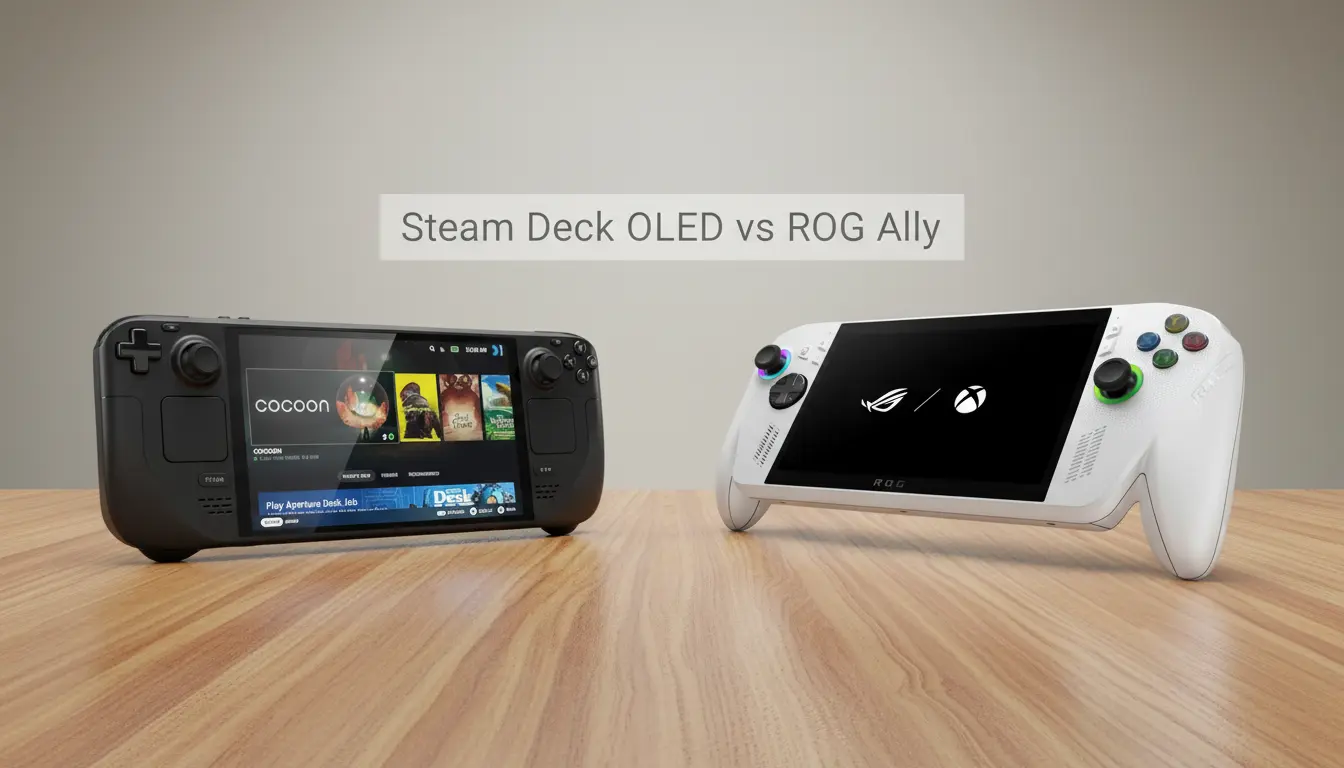

Portable PC gaming has exploded in popularity, and two devices consistently top the conversation: Valve’s Steam Deck OLED and ASUS’s ROG Ally. Both promise console-quality experiences in the palm of your hand, but they take distinctly different approaches to performance, display, battery life, thermals, and ecosystem. If you’re deciding which handheld suits your needs, this comprehensive guide breaks down real-world differences so you can choose confidently.
Design and Build Quality
- Steam Deck OLED: The updated model refines the original Deck’s ergonomic, controller-first design with improved grips, responsive touchpads, and tactile buttons. Despite its larger footprint, it feels balanced in long sessions. The OLED version also shaves weight thanks to a lighter display panel.
- ROG Ally: More compact and sleeker, the Ally resembles a traditional gaming controller with a screen in the center. It’s lighter than the Deck and fits smaller hands well. The face buttons are clicky, the sticks are smooth, and the RGB accents add flair without being overbearing.
Verdict: If comfort over hours of play matters most, Steam Deck OLED’s ergonomics lead. If you want a slimmer, lighter shell, ROG Ally appeals.
Display: OLED Brilliance vs Fast IPS
- Steam Deck OLED: The headline feature is its 7.4-inch HDR OLED display with deep blacks, wide color, and excellent contrast. It supports variable refresh up to 90 Hz and boasts reduced latency and improved outdoor visibility. Colors pop in indies and cinematic AAA experiences.
- ROG Ally: A 7-inch 1080p IPS panel at 120 Hz, with solid brightness and sharpness. Motion clarity is superb for fast-paced shooters, and the higher resolution provides crisp UI and text. Though not OLED, the panel is vibrant and responsive.
Verdict: For HDR, contrast, and immersion, Steam Deck OLED wins. For higher resolution and 120 Hz smoothness, ROG Ally edges ahead.
Performance: Real-World Gaming Power
- Steam Deck OLED: Powered by a custom AMD APU optimized for efficiency. At 800p–900p, it handles most modern titles on medium settings with smart FSR scaling. Valve’s tuning and SteamOS performance profiles deliver consistent results and low overhead.
- ROG Ally: Equipped with AMD Ryzen Z1 Extreme (or Z1), it packs more raw horsepower than the Deck. At 1080p, many games run well on medium settings, with options to scale down resolution or use RSR/FSR to boost FPS. Windows overhead exists, but the GPU and CPU punch above their size.
Verdict: ROG Ally offers higher peak performance. Steam Deck OLED delivers more predictable performance-per-watt and smoother consistency thanks to SteamOS optimizations.
Battery Life and Power Efficiency
- Steam Deck OLED: The OLED panel and refreshed silicon improve efficiency significantly over the original Deck. At 45–60 FPS targets with sensible TDP caps, expect noticeably longer playtime. Per-game profiles, half-rate shading, and aggressive frame limiting extend battery life.
- ROG Ally: Powerful hardware can drain quickly at high TDPs. With careful tuning (15W or lower, capping FPS to 45/60), the Ally can achieve respectable battery life, but it’s generally shorter than the Deck at comparable visual targets.
Verdict: Steam Deck OLED leads in battery efficiency and sustained unplugged play.
Thermals and Noise
- Steam Deck OLED: Improved vapor chamber cooling and fan curve result in quieter operation under common loads. The device stays comfortable to hold and rarely ramps aggressively unless you push higher TDPs.
- ROG Ally: Capable cooling, but under heavy loads at 25–30W, fan noise can be more noticeable. Thermals are managed competently, yet the smaller body and higher performance envelope create more frequent audible fan moments.
Verdict: Steam Deck OLED is usually quieter and cooler under typical settings; Ally gets louder when chasing higher frames.
Operating System and Game Library
- Steam Deck OLED (SteamOS): A Linux-based OS purpose-built for handheld gaming. The UI is fluid, suspend/resume is rock-solid, and Verified/Playable labels help expectations. Proton compatibility is excellent and improves constantly. You can still install Windows if you want full native support, but most users thrive on SteamOS alone.
- ROG Ally (Windows 11): True Windows PC in handheld form. You can run Steam, Epic, Game Pass, GOG, Battle.net, mods, and utilities with native compatibility. ASUS Armoury Crate SE helps with game launching and profiles, but Windows can be clunky for handheld UX, and updates may interrupt flow.
Verdict: If you want console-like simplicity and stability, Steam Deck OLED is ideal. If you need Windows-native flexibility, ROG Ally wins.
Storage, Upgrades, and Accessories
- Both devices use replaceable M.2 2230 SSDs, enabling storage upgrades. MicroSD expansion works well on both; Valve’s card performance is notably stable under SteamOS.
- Docking: Steam Deck integrates beautifully with docks and big-screen play through SteamOS. ROG Ally supports USB-C display out and USB hubs. The Ally additionally supports external GPUs (eGPU) via USB4/Thunderbolt-alikes, unlocking desktop-class performance when docked.
Verdict: Tie on storage. Ally’s eGPU option is a strong differentiator for hybrid desktop/handheld setups.
Controls and Haptics
- Steam Deck OLED: Dual trackpads enable mouse-like precision for strategy and indie titles, gyro aiming is excellent, and there’s deep input remapping through Steam Input. This is a major advantage for genres that benefit from cursor control.
- ROG Ally: Traditional gamepad inputs with responsive sticks and triggers. Gyro support exists via software, but the lack of trackpads makes certain PC-first genres less convenient.
Verdict: For versatility across PC genres, Steam Deck OLED’s trackpads and Steam Input system are unmatched.
Software Features and Quality of Life
- Steam Deck OLED: Quick suspend/resume, per-game TDP/FPS controls, fan curves, and native overlay tools feel integrated and polished. The storefront, library management, cloud saves, and community configs make setup painless.
- ROG Ally: Armoury Crate SE continues to improve with profiles, button mapping, and quick settings. Still, Windows pop-ups, background services, and occasional driver friction can break immersion.
Verdict: Steam Deck OLED offers a more cohesive “console-like” experience, while Ally offers true PC flexibility with more user maintenance.
Price and Value
- Steam Deck OLED: Priced competitively with excellent build and screen upgrades for the cost. The value proposition is strong if your library is primarily Steam and you value battery life and UX polish.
- ROG Ally: Often discounted, especially the Z1 model, and the Z1 Extreme brings premium performance for the money. If you rely on Game Pass, multi-store libraries, or want eGPU options, value can swing to Ally.
Verdict: Both can be great value depending on your use case. Deck OLED for plug-and-play polish; Ally for Windows versatility and raw performance.
Who Should Buy Which?
- Choose Steam Deck OLED if you want:
- Best-in-class handheld UX with console-like simplicity
- Gorgeous HDR OLED with deep blacks
- Longer battery life and quieter operation
- Trackpads and Steam Input flexibility for PC-centric genres
- Choose ROG Ally if you want:
- Higher peak performance and 120 Hz at 1080p
- Windows-native access to all launchers and Game Pass
- eGPU expansion for desktop-class docked gaming
- A lighter, more compact chassis
Bottom Line
Steam Deck OLED and ROG Ally represent two philosophies. The Deck OLED optimizes for immersion, efficiency, and ease of use, delivering a cohesive handheld-first experience that feels seamless. The ROG Ally prioritizes power and openness, giving you a full Windows PC in your hands with broader app support and higher performance ceilings. Your ideal pick depends on whether you value console-like simplicity and battery life (Steam Deck OLED) or peak performance and Windows flexibility (ROG Ally).