
The Easiest Tablets for Non‑Tech‑Savvy Users
Finding the right tablet can be overwhelming for people who are not comfortable with technology. Complicated settings, confusing menus, and too many apps often make new users give up quickly. However, not all tablets are complex. Some models are designed specifically to be simple, intuitive, and friendly for beginners, seniors, and anyone who just wants things to “work” without stress.
In this guide, we explore the easiest tablets for non‑tech‑savvy users, what features make them simple, and how you can choose a device that feels natural even if you are not good with technology.
Why a Simple Tablet Matters for Non‑Tech‑Savvy Users
A tablet should make life easier, not harder. For users who are not familiar with technology, a simple tablet offers:
- Less confusion – Clear icons and limited menus reduce the chance of pressing the wrong button.
- Reduced frustration – Easy navigation and guided setup help users feel confident.
- Greater independence – Seniors or beginners can make video calls, read news, and watch videos without constant help.
- Safer use – Built‑in parental controls or simplified modes prevent accidental purchases and changes to important settings.
When a device is too complex, non‑tech‑savvy users often stop using it altogether. Choosing an easy tablet can turn technology into a helpful companion instead of a daily struggle.
Key Features of an Easy‑to‑Use Tablet
Not all tablets are equal when it comes to simplicity. When you shop for a tablet for beginners or older adults, focus on the following features:
1. Simple and Clean Interface
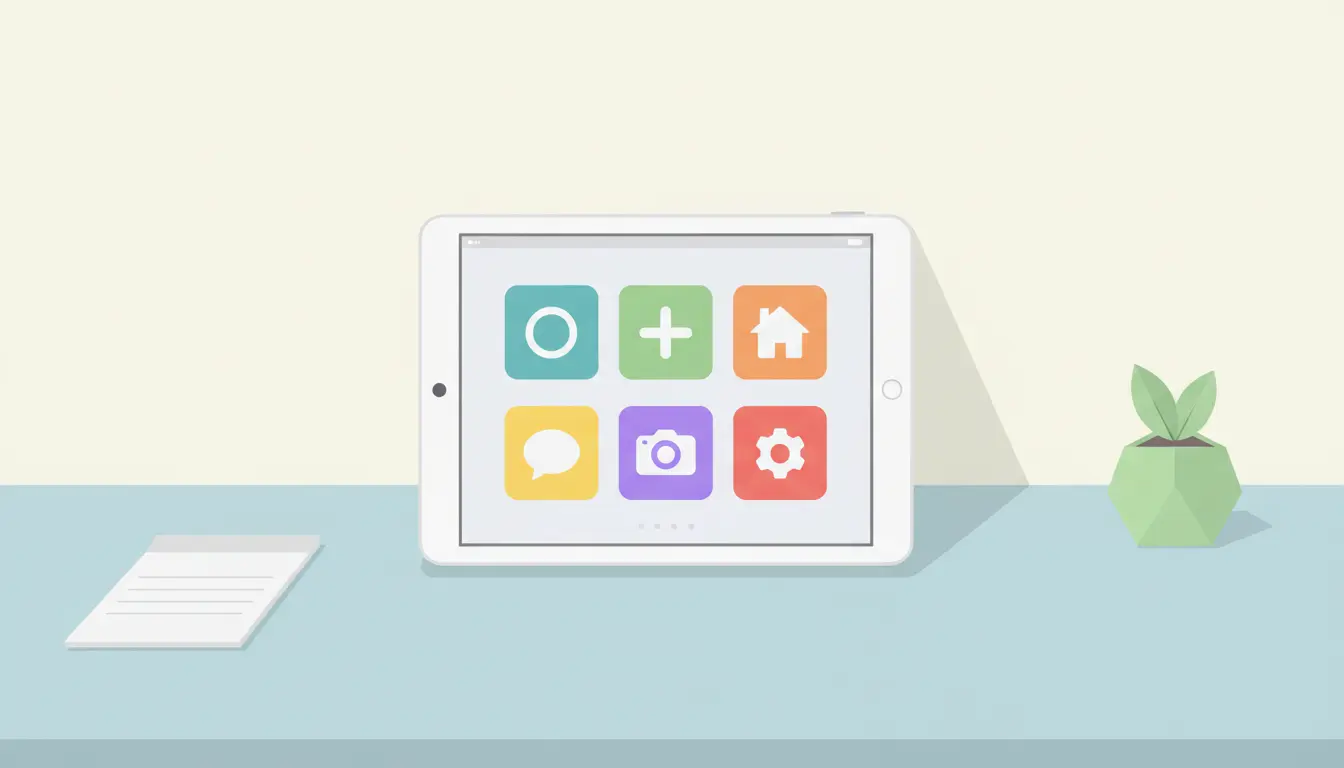
A user‑friendly tablet has a clean home screen with:
- Large icons
- Clear labels
- Minimal clutter
Some tablets even offer “simple mode” or “easy mode”, which removes complicated options and focuses on core functions like calling, messaging, browsing, and media.
2. Bright, Readable Display
A bright screen with adjustable font size is essential. Non‑tech‑savvy users often struggle with small text or low contrast. A good beginner tablet lets you:
- Increase text size
- Adjust brightness easily
- Use dark mode or high‑contrast mode
3. Long Battery Life
Constant charging can confuse or annoy users. A tablet with long battery life reduces the number of steps needed to keep the device running and makes it more reliable for daily use.
4. Strong Wi‑Fi and Stable Performance
Slow or unstable performance makes people think they are doing something wrong, even when the problem is the device itself. For beginners, a tablet should:
- Open apps quickly
- Handle video calls smoothly
- Browse the internet without frequent crashes
5. Simple Setup and Clear Instructions
The first experience with a tablet is critical. Look for devices that offer:
- Step‑by‑step guided setup
- Visual instructions
- Voice prompts where available
You can also prepare the device in advance by installing essential apps and removing unnecessary shortcuts before handing it to the user.
6. Access to Essential Apps Only
Non‑tech‑savvy users rarely need dozens of apps. Focus on:
- Video calling (Zoom, Skype, WhatsApp)
- Browser
- YouTube or streaming services
- E‑book or news apps
Organize these apps on the home screen so they are easy to find with one tap.
Types of Simple Tablets for Non‑Tech‑Savvy Users
Different ecosystems offer different advantages. The best option depends on what the user is already familiar with and whether family members can offer support.
1. iPad: Intuitive and Consistent
Apple’s iPad is widely known for its simple, consistent interface. For non‑tech‑savvy users, iPadOS offers:
- A clean home screen with large icons
- Long‑term software support
- Simple settings and reliable performance
Because many people already use iPhones, helping a family member with an iPad is often easier. Even if the user has little experience, the gestures are straightforward, and Apple’s ecosystem is stable and well‑documented.
2. Android Tablets with Easy Mode
Many Android tablets from brands like Samsung or Lenovo include an “easy mode” or “simple home screen” feature. This mode:
- Enlarges icons
- Reduces the number of visible options
- Adds quick access to contacts and core apps
3. Amazon Fire Tablets: Budget‑Friendly and Straightforward
Amazon Fire tablets are among the most affordable simple tablets. Their interface focuses on media and reading, which is ideal for users who primarily want to:
- Watch videos
- Read books or news
- Browse the web
- Make simple video calls
The home screen is clear and content‑oriented, and Amazon’s ecosystem keeps options limited enough not to overwhelm absolute beginners.
How to Make Any Tablet Easier for Non‑Tech‑Savvy Users
Even if the tablet itself is not perfect out of the box, you can customize it to make it much simpler.
1. Clean the Home Screen
- Remove extra apps from the first screen.
- Place only the 5–8 most important apps (Calls, Messages, Browser, YouTube, Email).
- Use folders sparingly or not at all, as they can confuse beginners.
2. Increase Accessibility
Use built‑in accessibility options to improve comfort:
- Larger text and icons
- Voice assistant (Siri, Google Assistant, Alexa)
- Screen reader or talk‑back if needed
3. Enable Voice Commands
Many non‑tech‑savvy users feel more comfortable talking to their tablet than navigating menus. You can enable:
- “Hey Siri” on iPad
- “Hey Google” on Android
- “Alexa” on Amazon Fire
This allows them to say commands like “Call John”, “Open YouTube”, or “What is the weather today?” without touching multiple buttons.
4. Set Up Automatic Updates and Backups
To keep the device safe and smooth without user intervention:
- Turn on automatic system and app updates.
- Enable cloud backup for photos and contacts.
This prevents data loss and reduces the need for manual maintenance, which can be stressful for beginners.
Recommended Amazon Tablet for Non‑Tech‑Savvy Users
One popular and beginner‑friendly option available on Amazon.com is the Amazon Fire HD 10 Tablet. It offers:
- A 10‑inch screen with clear, bright visuals
- Simple, content‑first interface
- Integration with Alexa for easy voice control
- Affordable price compared with many other tablets
For non‑tech‑savvy users who mainly want to watch videos, read, browse, and occasionally make video calls, the Fire HD 10 provides a straightforward experience with minimal complexity.