
Action Camera Snorkeling and Diving Shooting Guide
Capturing the underwater world with an action camera is one of the most rewarding ways to remember your time at sea. Clear blue water, colorful fish, and dramatic light rays all look stunning on video when you prepare correctly. This guide explains, step by step, how to use an action camera for snorkeling and shallow diving so you get sharp, stable, and vibrant footage that looks professional and natural.
Choosing the Right Action Camera for the Sea
Key Features to Look For
When you film in the sea, not every action camera performs the same. Look for:
- High-resolution video: At least 4K for detailed underwater footage.
- Good low-light performance: A larger sensor handles darker underwater scenes better.
- Wide dynamic range: This helps balance bright surface light and darker depths.
- Strong image stabilization: Essential to reduce shake caused by waves and fin movements.
- Waterproofing and durability: Either native waterproofing or a reliable underwater housing.
A camera with a square sensor or flexible aspect ratios gives you options for vertical social media content and horizontal YouTube videos from the same recording.
Why Battery and Heat Matter
Underwater, you cannot easily change batteries or fix overheating. Choose a camera that:
- Delivers long battery life (3–4 hours with power-saving settings).
- Handles cold water without serious performance drops.
- Allows quick preset switching so you do not waste time adjusting menus in the sun.
Preparing Your Gear Before Entering the Water
Essential Accessories
To get smooth, usable footage while snorkeling or diving, add these accessories to your setup:
- Floating hand grip or pole: Helps keep your camera steady and prevents sinking.
- Wrist or chest mount: Frees your hands for swimming while still recording.
- Anti-fog inserts: Reduce condensation inside the housing, especially in humid or cold conditions.
- Extra batteries and fast memory cards: Underwater 4K video needs high write speeds and plenty of storage.
If you plan to dive deeper than basic snorkeling, use a dedicated waterproof housing rated for the maximum depth you expect to reach.
Cleaning and Safety Checks
Before you go into the sea:
- Inspect all seals and O-rings on the housing for dust, sand, or hair.
- Rinse the housing with fresh water if it has been exposed to salt previously.
- Close the door or housing in a dry, clean environment and double-check it is fully locked.
- Test-record a short clip on land to confirm focus, exposure, and audio are working.
This preparation significantly reduces the chance of leaks and ruined footage.
Best Action Camera Settings for Snorkeling and Shallow Dives
Resolution, Frame Rate, and Field of View
For most snorkeling and recreational diving scenarios:
- Resolution: Use 4K for the sharpest detail. You can downscale later for smoother editing.
- Frame rate:
- 60 fps for fast-moving scenes, fish, or when you may want slow motion.
- 30 fps for more cinematic motion and slightly better low-light performance.
- Field of View (FOV): Choose wide or ultra-wide to capture more of the scene and reduce the feeling of shakiness.
Shutter Speed, Aperture, and ISO
Many action cameras offer automatic exposure, but if you have manual or pro controls:
- Aim for a shutter speed roughly double your frame rate (e.g., 1/120 for 60 fps).
- Use a lower aperture number (f/2.0) in low light and a higher f-stop (e.g., f/4.0) in bright shallow water to control exposure.
- Keep ISO as low as possible (100–400) to avoid grainy underwater footage.
Set image stabilization ON for most snorkeling sessions. It will smooth out small movements and make your clips more pleasant to watch.
White Balance and Color
Water absorbs red and warm tones, especially as you go deeper. To keep your colors natural:
- Use a custom white balance tuned for underwater, if available.
- In clear tropical water, try a “Daylight” or “Underwater” preset.
- Consider a red filter when diving deeper than a few meters to restore skin tones and coral colors.
Shooting in a flat or log color profile (if supported) gives you more flexibility to correct colors later during editing.
Techniques for Better Underwater Shots
Stabilizing Your Body and Camera
The way you move in the water directly affects your video quality:
- Keep your elbows close to your body and hold the camera with two hands or use a grip.
- Kick gently and avoid sudden direction changes while recording.
- When possible, exhale slowly to reduce body movement and buoyancy changes.
If you use a chest or head mount, try a few test shots to see if your natural swimming style produces stable footage. Adjust your posture and pace accordingly.
Composition and Storytelling
Great underwater videos are not just random clips of fish; they tell a story:
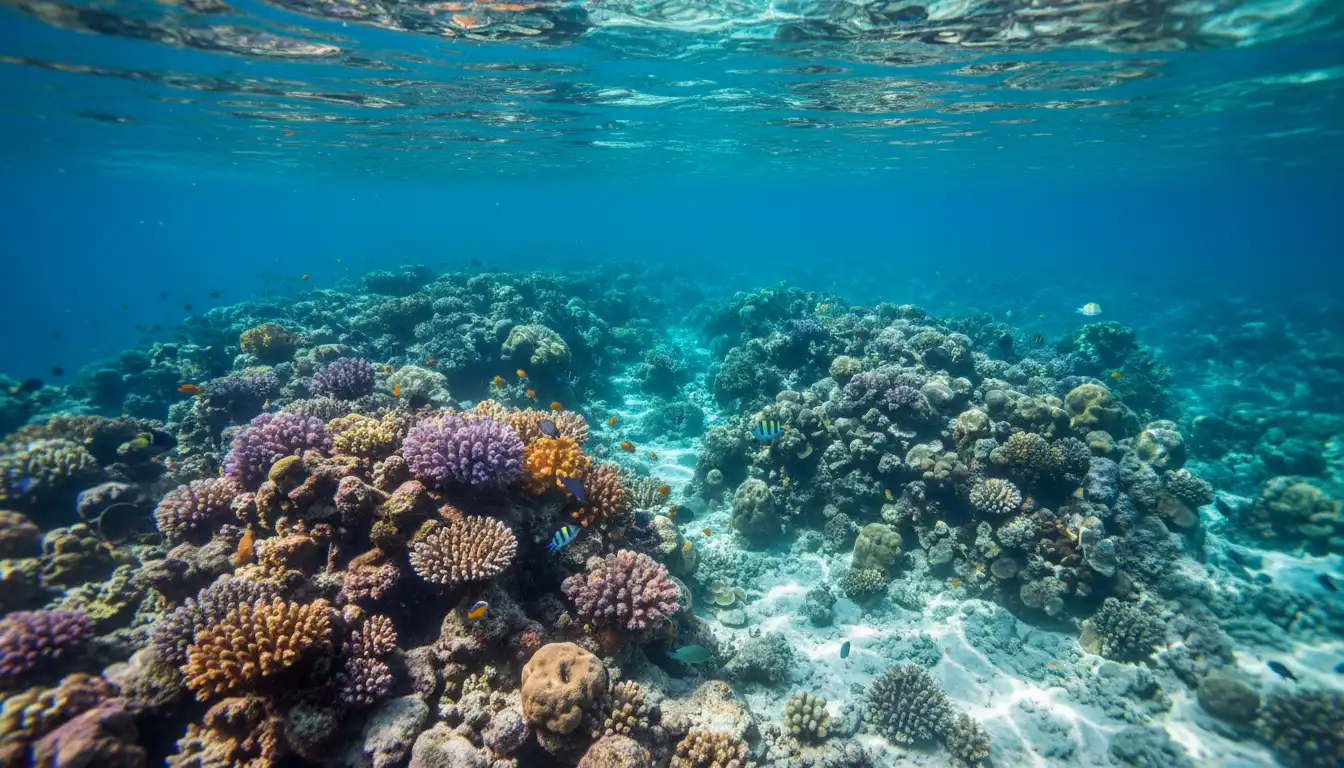
- Start with a wide establishing shot of the reef, rocks, or surface to set the scene.
- Cut to closer shots of specific fish, corals, or your snorkel partner.
- Use leading lines like reef edges or sun rays to guide the viewer’s eye.
- Record short 5–10 second clips for each angle; this makes editing much easier.
Avoid chasing marine life aggressively. Instead, stay calm and still. Many fish will come closer if they do not feel threatened, giving you better close-ups.
Safety, Care, and Post-Dive Maintenance
Safety in the Water
No footage is worth risking your safety:
- Check currents and weather before entering the sea.
- Always snorkel or dive with a buddy and stay within your comfort zone.
- Do not focus on the screen for too long—look around regularly to maintain orientation.
- Respect marine life and keep a safe distance from corals and protected species.
Cleaning and Storing Your Action Camera
After each session:
- Rinse the camera and housing thoroughly in fresh water to remove salt and sand.
- Gently press all buttons while underwater in the rinse bucket to wash salt from gaps.
- Dry the exterior completely before opening the housing to avoid dripping water inside.
- Store your gear in a cool, dry place, and remove the battery if you will not use it soon.
Proper care extends the life of your equipment and ensures consistent performance from trip to trip.
Recommended Action Camera for Snorkeling and Diving
For snorkelers and casual divers who want a powerful, versatile setup, the DJI Osmo Action 6 Essential Combo is a strong choice:
- It features a 1/1.1″ square sensor, which captures detailed, low-noise footage and allows flexible framing for both vertical and horizontal content.
- The variable aperture from f/2.0 to f/4.0 helps you adapt to bright surface light or slightly darker underwater scenes without constant manual adjustments.
- Robust cold-resistant design keeps it reliable in a wide range of water temperatures.
- Up to 4 hours of battery life (with power-saving settings) means you can shoot multiple snorkel sessions on a single charge.
- Its 4K action camera capabilities and strong electronic stabilization make it ideal for smooth, sharp underwater videos and daily use on land.
If you want an all-around action camera that transitions seamlessly from travel vlogs on the beach to vibrant underwater clips in the sea, the DJI Osmo Action 6 Essential Combo is an excellent option to consider on Amazon.com.