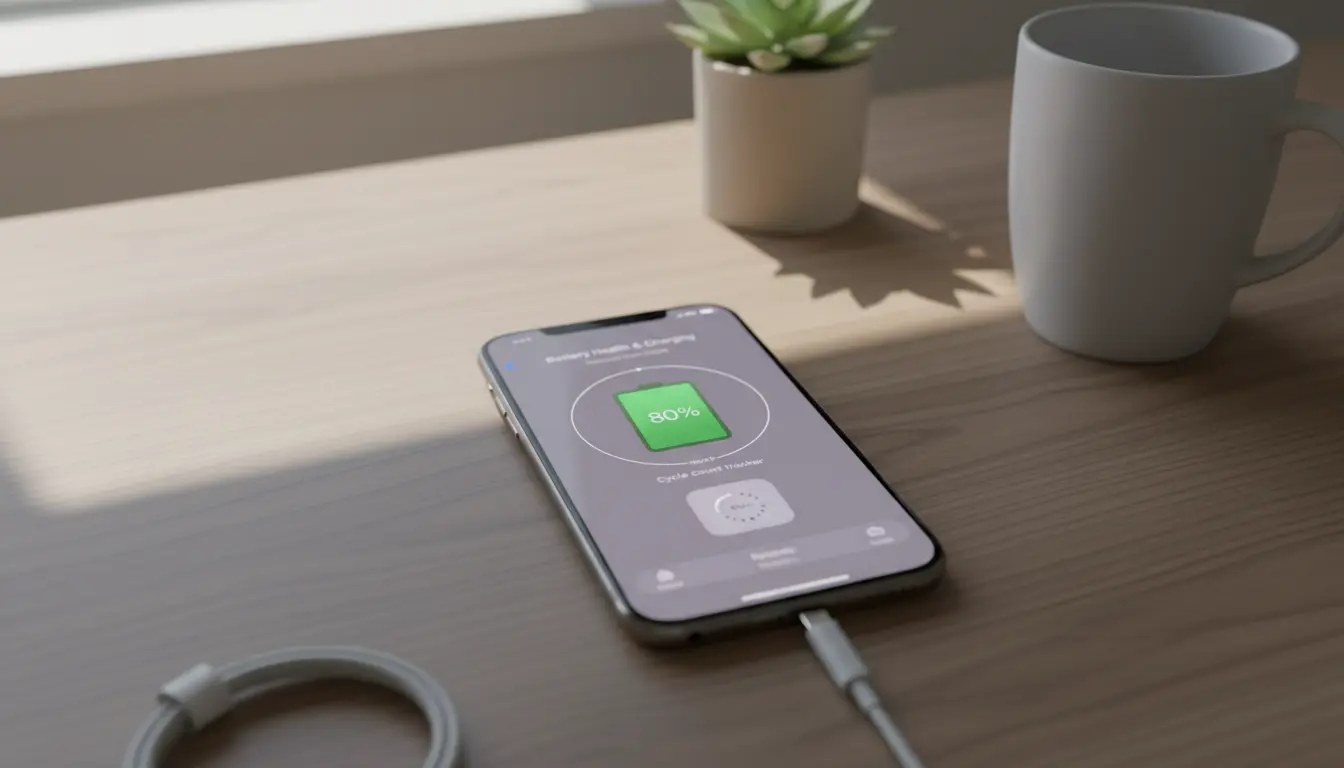

iPhone Battery Cycle Count Tracking and Charge Limiting
Keeping your iPhone’s battery healthy is about more than just plugging in at night. Two practices make the biggest difference over the long term: tracking your battery cycle count and using smart charge limiting strategies. In this comprehensive guide, you’ll learn what a battery cycle is, how to view or estimate your cycle count on iPhone, why cycle count matters for lithium‑ion health, and practical methods to limit charging to extend lifespan. You’ll also find actionable tips for different use cases—heavy users, gamers, travelers, and desk workers—so you can apply the right strategy for your routine.
What is a battery cycle, and why does it matter?
A battery cycle is one full 100% discharge and recharge, not necessarily in one go. For example, using 40% of your battery one day and 60% the next equals one cycle. Apple designs iPhone batteries to retain up to about 80% of their original capacity at 500 complete charge cycles under normal conditions. As cycles accumulate, chemical aging increases internal resistance, reduces peak performance potential, and gradually lowers maximum capacity.
In practical terms, fewer cycles and gentler charging habits preserve capacity, sustain all‑day battery life longer, and delay the day you consider a battery replacement.


How to check battery cycle count on iPhone
- iOS built-in views: Apple shows battery health percentage and “Maximum Capacity” in Settings > Battery > Battery Health & Charging. iOS doesn’t always display cycle count directly in the Battery section for all models/regions, but you can:
- Check iOS Battery Health for capacity and “Peak Performance Capability.”
- Review “Optimized Battery Charging” status.
- Analytics workaround: You can enable analytics in Settings > Privacy & Security > Analytics & Improvements > Share iPhone Analytics. After about 24–48 hours, you can look for “log-aggregated” files in Analytics Data and search for “CycleCount” using a text editor if you export them. This method varies by iOS version and may be technical.
- Third-party hardware diagnostics: Apple Stores and authorized service providers can read exact cycle counts. This is the most reliable method if you need official numbers, for example before a battery replacement.
- Practical proxy: Even without the exact count, you can infer battery wear from Maximum Capacity (e.g., 90–95% after two years suggests moderate cycle accumulation or heat exposure). Sudden shutdowns or throttling may indicate elevated internal resistance rather than just cycles alone.
Why charge limiting helps battery longevity
Lithium‑ion cells prefer:
- Moderate states of charge (SoC), generally 20–80%,
- Cool temperatures (avoid prolonged heat, especially above 35°C/95°F),
- Gentle charging rates when possible.
Keeping a battery near 100% for extended periods, combined with heat (like under a pillow or in a hot car), accelerates chemical aging. Therefore, keeping daily charging within a narrower band—such as 20–80%—can reduce stress and improve long‑term health.
Built-in iPhone features that help
- Optimized Battery Charging: When enabled (Settings > Battery > Battery Health & Charging), iPhone learns your routine and pauses charging at ~80% overnight, completing to 100% close to your wake time. This reduces time spent at 100% SoC.
- Clean Energy Charging (in supported regions): Schedules charging when lower-carbon electricity is available. While good for the environment, it can also spread charging over cooler periods.
- Battery Health management: iOS dynamically manages peak performance to prevent unexpected shutdowns on older batteries.
Although iOS doesn’t let you set a hard stop at 80% for all scenarios, “Optimized Battery Charging” is a significant step toward limiting high-SoC exposure.
Practical charge limiting strategies you can actually use
- Manual unplug at ~80–90%: If convenient, unplug when you hit 80–90% for daily use. Go to 100% only before long trips.
- Scheduled charging window: Use a smart plug or a timer to power the charger only during a set window (e.g., 1–2 hours before your wake time). With Optimized Charging on, this can further minimize time at 100%.
- Lower-power chargers: A standard 5W/10W charger generates less heat compared to high‑wattage fast charging. Use fast charging only when needed; otherwise, slower charging can be gentler.
- Avoid top-ups in hot environments: If your phone is warm from gaming, navigation, or sun exposure, let it cool before charging. Heat + high SoC is a compounding stressor.
- MagSafe and cases: Magnetic alignment is convenient, but if your phone gets noticeably warm on a stand, consider removing the case or switching to a cooler method.
- Wireless vs. wired: Wireless charging can introduce more heat. Prefer wired charging for routine, especially overnight.
- Car charging: Navigation can heat the phone. If you must charge in the car, aim for short top-ups rather than prolonged high‑SoC charging in heat.
- Battery-saving mode: Using Low Power Mode extends time between charges, reducing daily cycles and helping you stay in the 20–80% window more naturally.
Usage profiles and tailored advice
- Power users/gamers: Heat is your main enemy. Use a cooler, avoid charging while gaming, and keep charge between 30–85% during long sessions. Consider a lower‑wattage brick for routine top‑ups.
- Desk workers: Plug into a computer port or a lower‑power adapter during work hours, toggling Optimized Charging. Unplug once you’re above 80–90% if you don’t plan to be mobile.
- Travelers: Before flights or long days, charge to 100%—this is where flexibility beats strict limiting. Once back to routine, return to the 20–80% approach.
- Light users: You may only need a full charge every other day. Don’t charge “just because”; charging less often reduces cumulative cycles.
Understanding battery health metrics
- Maximum Capacity (%): A snapshot of remaining capacity compared to new. Dropping from 100% to 95% is normal in the first year with typical use.
- Peak Performance Capability: If iOS detects instability, it may manage performance to prevent unexpected shutdowns. This is separate from capacity but related to internal resistance and aging.
- Cycle Count (if available): Useful trend data; reaching 500 cycles with >80% capacity is a solid outcome.
Myths vs. realities
- Myth: You must always fully discharge before charging. Reality: Deep discharges are harder on lithium‑ion. Shallow charges are healthier.
- Myth: Overnight charging ruins batteries. Reality: Heat and staying at 100% constantly accelerate aging. With Optimized Battery Charging and a cool environment, overnight charging is usually fine.
- Myth: Fast charging always kills batteries fast. Reality: Heat is the main culprit. Occasional fast charging is fine; avoid making it the default.
When to replace your battery
If your Maximum Capacity is below ~80%, you notice unexpected shutdowns, or your daily routine is disrupted by very short battery life, a replacement can refresh your device. Apple’s genuine replacements restore performance management headroom and improve daily usability.
Action plan checklist
- Enable Optimized Battery Charging.
- Keep daily SoC roughly between 20–80% when convenient.
- Minimize heat: remove thick cases while charging, avoid charging in hot cars, let the phone cool after heavy use.
- Use slower charging by default; reserve fast charging for when you’re in a hurry.
- Consider a smart plug schedule to reduce time at 100%.
- Periodically review Battery Health to monitor trends.
By combining cycle count awareness with sensible charge limiting, you can make your iPhone battery last longer, maintain better day‑to‑day stamina, and delay replacement—while keeping the phone ready when you truly need maximum charge.









