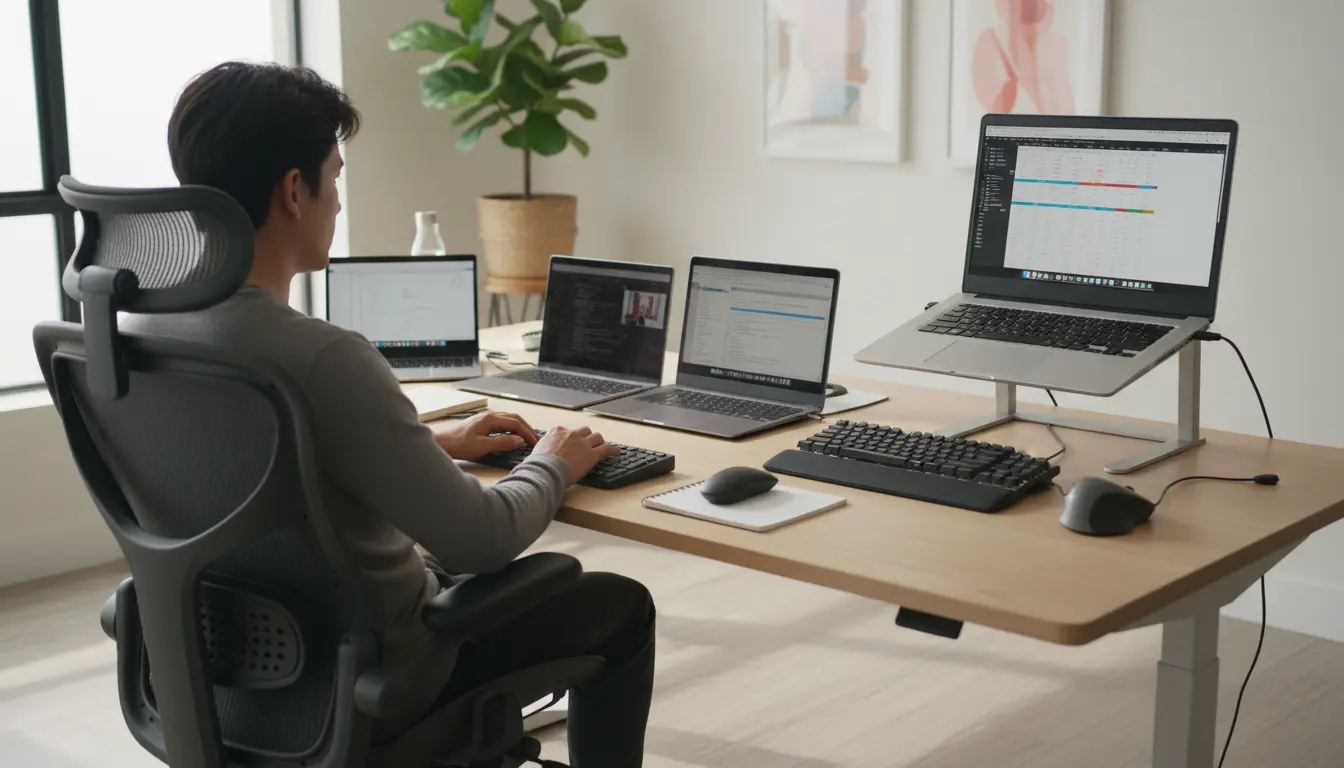

13”, 14”, 15”, 16” Screen Size Selection: Ergonomics and Productivity
Choosing the right laptop screen size is more important than many people realize. The difference between a 13”, 14”, 15” and 16” display can significantly affect your ergonomics, posture, eye health and overall productivity. Whether you are a student, a remote worker, a designer or a frequent traveler, selecting the ideal screen size can help you work more comfortably and efficiently for longer periods of time.
In this article, we will explore how each of these common laptop sizes performs in real‑world use, what type of user each is best suited for, and which ergonomic factors you should consider before buying.
Why Screen Size Matters for Ergonomics
Ergonomics focuses on designing tools and environments that fit the human body, reducing strain and improving comfort. For laptops, screen size plays a central role in:
- Viewing distance and posture
- Neck and shoulder alignment
- Eye strain and visual fatigue
- Typing comfort and hand positioning
A screen that is too small can make you hunch forward, squint at tiny text and constantly zoom in and out. A screen that is too large, especially on a heavy laptop, may discourage you from adjusting your setup or carrying it with you, leading to awkward working positions.
The key is to find the right balance between portability, visual comfort and productivity.
13” Laptops: Maximum Portability, Moderate Workspace
A 13‑inch laptop is often the first choice for people who value mobility above everything else. It typically offers:
- Lightweight design, easier to carry every day
- Smaller footprint, ideal for working in tight spaces such as airplanes, cafés or classrooms
- Longer battery life in many ultrabook models
From an ergonomic perspective, a 13” screen can be comfortable if:
- You maintain an appropriate viewing distance (around 50–70 cm)
- You increase scaling or font size so you are not straining to read text
- You use a laptop stand and external keyboard when working for long hours
However, the limited screen real estate can be a disadvantage for professionals who work with multiple windows, large spreadsheets, or creative applications that require more visual space. For these users, a 13” display may reduce efficiency and increase eye fatigue over time.
Best for: frequent travelers, students, writers, and users who prioritize portability and basic productivity tasks.
14” Laptops: The Sweet Spot Between Mobility and Comfort
The 14‑inch screen size has become increasingly popular because it strikes a strong balance between portability and usability. Compared to a 13” model, a 14” laptop usually offers:
- Slightly larger display area without a major increase in weight
- More comfortable multitasking with side‑by‑side windows
- Better viewing comfort for text, images and video
From an ergonomics standpoint, a 14” laptop can be an excellent “one-device” solution:
- The screen is large enough to reduce excessive leaning forward
- Text can be viewed comfortably at normal scaling settings
- The laptop remains compact enough to use in small workspaces
For many users, 14” represents the optimal compromise. It is especially appealing for remote workers and professionals who move between the office and home but still need a device that fits into a backpack easily.
Best for: remote workers, business users, coders and multitaskers who need a versatile everyday machine.
15” Laptops: Larger Workspace, Higher Productivity
Stepping up to a 15‑inch display dramatically changes the way you interact with your laptop. The extra screen real estate is immediately noticeable and offers:
- More vertical and horizontal space for complex workflows
- Easier side‑by‑side document comparison and multitasking
- Enhanced comfort for graphic design, spreadsheet work and editing tasks
From an ergonomic perspective, 15” laptops often feel closer to a desktop setup, especially when combined with a stand and external peripherals. Users can keep a healthier posture because:
- Text and interface elements are naturally larger and easier to read
- There is less need to lean forward or constantly zoom
- The bigger chassis frequently accommodates a more spacious keyboard and palm rest
The trade‑off is reduced portability. A 15” device can be heavier and bulkier, making it less ideal for frequent travel. However, if you spend most of your time working at a desk and only occasionally carry your laptop, the comfort and productivity benefits may outweigh the extra weight.
Best for: power users, data analysts, content creators and professionals who prioritize screen space and performance over extreme mobility.
16” Laptops: Desktop‑Level Experience on the Go
A 16‑inch laptop delivers an almost desktop‑like viewing experience in a portable form factor. It is designed for demanding workflows and offers:
- Expansive workspace for video editing, 3D modeling and advanced multitasking
- Increased resolution and color accuracy in many premium models
- More room for powerful components and advanced cooling systems
In terms of ergonomics, a 16” screen allows:
- Comfortable viewing of complex interfaces without shrinking elements
- Reduced eye strain during long editing or coding sessions
- A more natural head and neck position when properly elevated to eye level
However, the larger size and weight can make it less practical to carry daily. Users must be more intentional about their setup, often using a dedicated backpack and stable surfaces. In cramped environments, such as small tables or airplane trays, a 16” laptop may feel too large.
Best for: creative professionals, engineers, developers and users who want a near‑desktop experience with occasional portability.
Ergonomic Tips for Any Screen Size
Regardless of whether you choose a 13”, 14”, 15” or 16” laptop, good ergonomic practices are essential to protect your health and maintain productivity:
- Use a laptop stand or riser
Raise the top of the screen to roughly eye level so your neck stays in a neutral position. This is especially important for larger displays, which can otherwise sit too low. - Add an external keyboard and mouse
Separating the screen from the input devices allows you to maintain a relaxed shoulder posture and keep your wrists in a neutral position. - Adjust brightness and scaling
Match screen brightness to your environment and increase scaling so text is easy to read without squinting. Different screen sizes and resolutions may require different settings. - Maintain proper viewing distance
Sit at a comfortable distance where you can see the entire screen without moving your head excessively. For most laptop sizes, this is typically between 50 and 70 cm. - Take regular breaks
Apply the 20‑20‑20 rule: every 20 minutes, look at something 20 feet away for 20 seconds. This helps reduce digital eye strain, regardless of screen size.
How to Choose the Right Screen Size for You
To decide between 13”, 14”, 15” and 16”, consider the following questions:
- How often do you travel with your laptop?
If you carry it daily, a 13” or 14” model is usually more practical. - How complex are your typical tasks?
Heavy multitasking, creative work and data‑intensive tasks benefit from 15” or 16” screens. - How much desk space do you have?
Smaller desks and shared environments may favor 13” or 14” devices. - Will you use an external monitor?
If you plan to dock your laptop to a larger display at home or in the office, a 13” or 14” screen can be sufficient on the go. - Do you experience eye strain or discomfort now?
If you already struggle with small text, stepping up to a 14”, 15” or 16” laptop could significantly improve comfort.
Ultimately, there is no single “best” screen size for everyone. The ideal choice depends on your work style, mobility needs and personal comfort. However, by prioritizing ergonomics and productivity, you can choose a laptop that supports both your health and your performance.









