
Best Smart Speakers with Voice Assistants: Alexa, Google Assistant, and Siri Compared
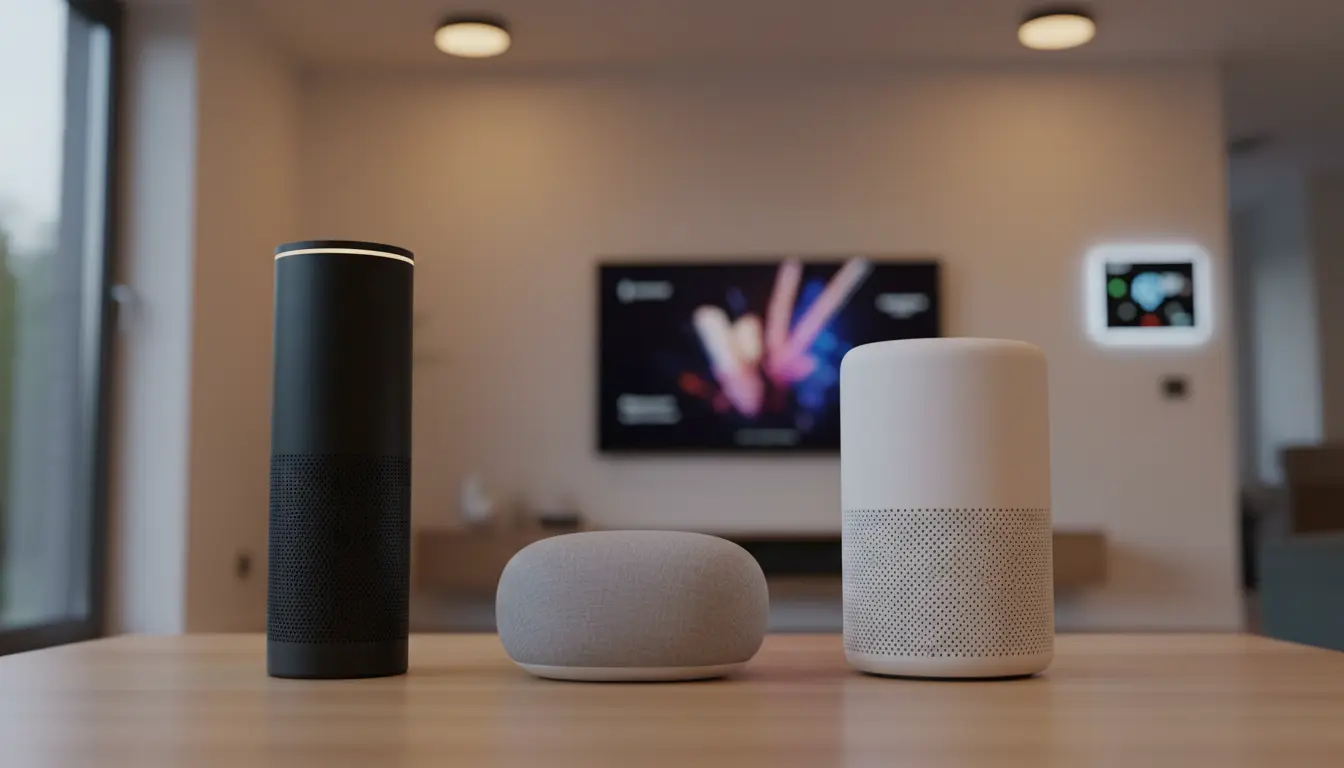
Smart speakers with built‑in voice assistants have transformed how we listen to music, manage our homes, and search for information. Today, three major ecosystems dominate this space: Amazon’s Alexa, Google Assistant, and Apple’s Siri. Each platform offers its own strengths, unique devices, and ideal use cases. Understanding these differences will help you choose the best smart speaker for your lifestyle, budget, and existing devices.
In this guide, you will learn how each assistant works, what type of user it suits best, and which specific speaker models stand out in 2025. The explanations use clear, active language so you can make a confident purchase decision.
Why Smart Speakers Matter in a Modern Home
Smart speakers are no longer just Bluetooth devices with better sound. They are the central hub of the modern connected home. A single smart speaker can control lights, thermostats, locks, TVs, robot vacuums, and more.



You can:
- Play music from Spotify, Apple Music, Amazon Music, and other services with just your voice.
- Set timers, alarms, and reminders in seconds while cooking or working.
- Ask general knowledge questions, translations, or weather forecasts without touching your phone.
- Control compatible smart home devices using simple voice commands.
By choosing the right assistant and speaker, you create a seamless experience across your phone, TV, laptop, and smart home gadgets.
Amazon Alexa Smart Speakers: The Most Versatile Ecosystem
Amazon Alexa is often seen as the most flexible and feature‑rich assistant for smart home enthusiasts. Alexa supports a wide range of brands, skills, and integrations, making it a powerful choice if you own multiple smart devices from different manufacturers.
Strengths of Alexa Speakers
- Huge Smart Home Compatibility
Alexa integrates with thousands of devices, including smart bulbs, switches, cameras, and security systems. You can create routines that trigger multiple actions with one command, such as dimming lights and turning on a movie. - Extensive “Skills” Library
Alexa Skills function like apps. You can add skills for meditation, workouts, productivity tools, games, and even smart appliances. This makes Alexa one of the most customizable voice assistants. - Wide Range of Devices and Price Points
Amazon offers everything from affordable Echo Dot models to premium Echo Studio speakers. You can place smaller Echo devices in multiple rooms and coordinate them into a whole‑home audio system.
Best Use Cases for Alexa
Choose Alexa if:
- You want the broadest smart home compatibility.
- You own Amazon Fire TV or frequently shop on Amazon.
- You prefer flexible routines and many third‑party integrations.
Google Assistant Speakers: The Best for Search and Natural Answers
Google Assistant stands out for its ability to understand complex questions and provide highly accurate answers. If you rely heavily on Google services like Gmail, Google Calendar, YouTube, and Google Photos, a Google Assistant speaker feels instantly familiar.
Strengths of Google Assistant Speakers
- Superior Search and Contextual Understanding
Google Assistant uses the power of Google Search to answer follow‑up questions naturally. You can ask, “Who directed Inception?” and then say, “What other movies has he made?” without repeating the name. - Deep Integration with Google Services
Google Assistant reads your calendar, sends messages, and manages reminders directly through your Google Account. This makes productivity tasks simple and efficient. - Great for Multi‑Room Audio and Chromecast
Many Google‑powered speakers support Chromecast. You can cast music, podcasts, and YouTube audio from your phone or browser, then control playback with your voice.
Best Use Cases for Google Assistant
Choose Google Assistant if:
- You live inside the Google ecosystem (Android, Gmail, Google Calendar, YouTube).
- You want the most natural, accurate answers to complex questions.
- You often cast content to TVs or speakers using Chromecast.
Apple Siri and HomePod: Best for Apple Users and Premium Sound
Apple’s HomePod and HomePod mini bring Siri into your living room with tight integration across iPhone, iPad, Mac, Apple TV, and Apple Music. Siri may not offer as many third‑party integrations as Alexa, but it delivers a polished experience for Apple users.
Strengths of Siri Smart Speakers
- Deep Integration with the Apple Ecosystem
HomePod works seamlessly with Apple Music, Messages, Reminders, Calendar, and HomeKit. You can hand off audio from your iPhone to the HomePod just by bringing the phone close to the speaker, depending on model and features. - Strong Privacy and Security Focus
Apple is known for strong privacy policies. Much of the processing happens on‑device, and Apple minimizes how much data is stored or shared, which appeals to privacy‑conscious users. - Premium Audio Quality
Apple prioritizes sound quality. HomePod models deliver rich, immersive audio with clear highs, deep bass, and smart room‑tuning. They are very attractive if you want a high‑fidelity speaker that also acts as a smart assistant.
Best Use Cases for Siri
Choose Siri and HomePod if:
- You own multiple Apple devices and use Apple Music or HomeKit.
- You value privacy and security in your smart home setup.
- You want excellent audio quality without needing a separate hi‑fi system.
How to Choose the Right Smart Speaker for Your Needs
When deciding between Alexa, Google Assistant, and Siri, consider several factors beyond just the voice assistant name.
1. Ecosystem and Devices You Already Own
- If you primarily use Android and Google services, Google Assistant is usually the best match.
- If you are heavily invested in Apple products, Siri and HomePod make the most sense.
- If you have a mix of devices and want the widest smart home compatibility, Alexa is a strong choice.
2. Smart Home Devices and Automations
Check which assistant supports your current smart home devices. Many brands now support multiple ecosystems, but some features may work better with one assistant. If you plan to expand your smart home, choose the platform with the broadest support for future devices.
3. Audio Quality and Room Size
- Small rooms or desks: Compact speakers (like mini models) can be enough.
- Living rooms or open spaces: Larger speakers with better drivers and bass perform much better.
- Audiophiles: Look for premium models or speakers that support multi‑speaker stereo setups and hi‑res audio.
4. Privacy, Security, and Parental Controls
All three assistants offer ways to manage voice recordings, mute microphones, and control what is stored. If privacy is a major concern, review the settings and policies for each ecosystem. Also check how parental controls work if children will use the speaker.
Practical Tips for Getting the Most from Your Smart Speaker
Once you choose the best smart speaker with a voice assistant, you can optimize the experience with these practical tips:
- Customize Routines and Automations
Set up morning and evening routines that adjust lights, provide weather updates, and start your favorite playlist with one command. - Use Multi‑Room Audio
Place smaller speakers in different rooms and group them. You can play the same music throughout your home or different audio in each room. - Explore Compatible Apps and Services
Add music, podcast, and productivity services to your assistant and experiment with different voice commands to discover hidden features. - Review Privacy Settings Regularly
Periodically delete old voice recordings, adjust data permissions, and mute microphones when you do not want the device listening for wake words.
Recommended Smart Speaker on Amazon
If you want a powerful, well‑balanced option that works in most homes and supports a wide variety of smart devices, a great starting point is:
Amazon Echo (latest generation) – This Alexa‑powered smart speaker offers very good sound quality for its size, strong smart home compatibility, and a reasonable price. You can usually find it on Amazon.com by searching for “Amazon Echo smart speaker”.