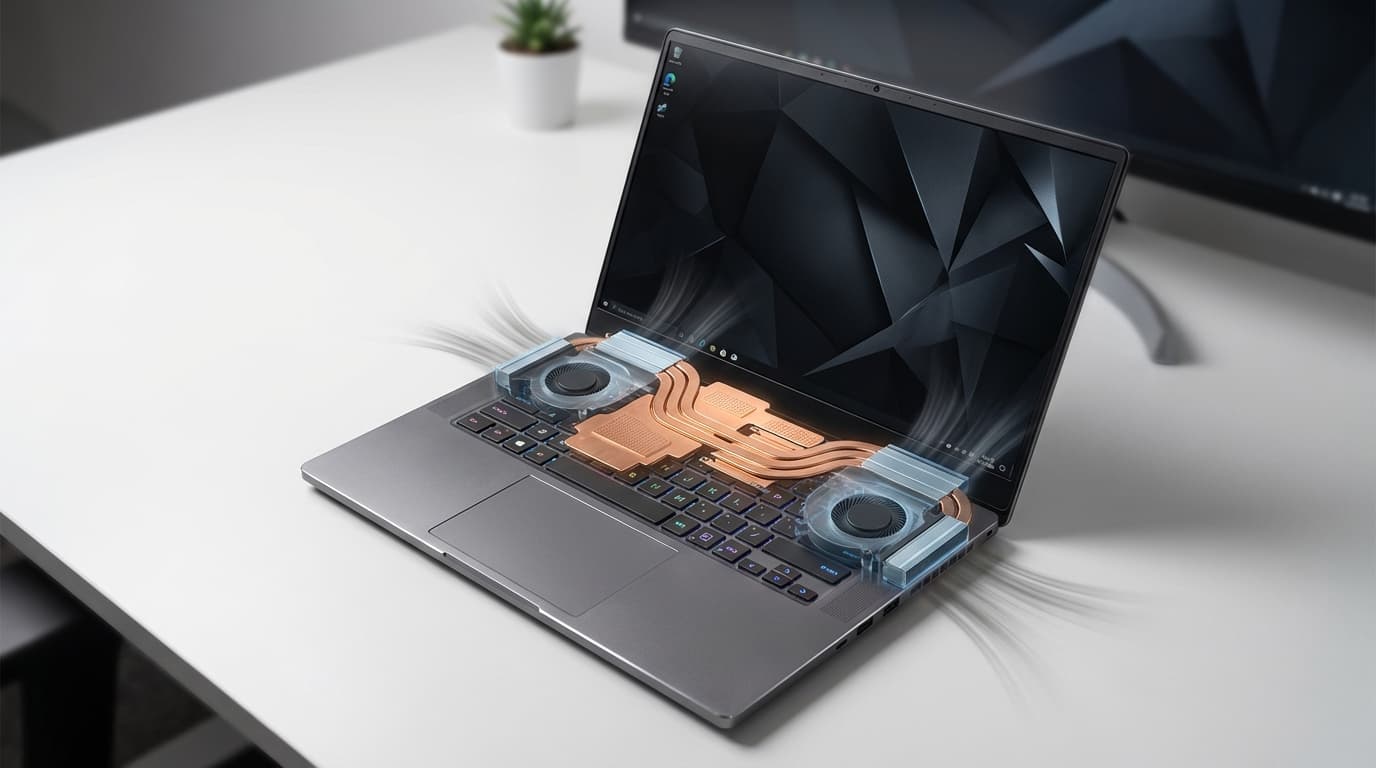

Laptop Thermal Design: Vapor Chamber vs Heat Pipe
Modern laptops pack powerful CPUs and GPUs into increasingly thin chassis. Without an efficient thermal design, these components quickly overheat, causing thermal throttling, fan noise, and even long‑term reliability issues. Two of the most important passive cooling technologies you see in today’s notebooks are heat pipes and vapor chambers.
Understanding how they work and how they differ helps you choose the right laptop for gaming, content creation, or professional workloads.
How Laptop Thermal Design Works
Laptop thermal design focuses on moving heat away from hot components (CPU, GPU, VRMs) to cooler areas where fans and heatsinks can dissipate it.



At a high level, cooling systems in laptops usually include:
- A heat spreader (often a heat pipe or vapor chamber)
- One or more fin stacks (heatsinks)
- One or more fans
- Thermal interface materials (TIMs, pads, or liquid metal)
The passive part of this system (heat pipes or vapor chamber) determines how quickly and evenly heat moves away from the chip. If this link is weak or inefficient, even strong fans cannot prevent high temperatures.
What Is a Heat Pipe?
Basic Principle
A heat pipe is a sealed metal tube—usually copper—containing a small amount of working fluid (often water) under partial vacuum. Inside, a wick structure lines the inner walls.
The process works like this:
- The hot end (evaporator) sits on the CPU or GPU.
- Heat causes the liquid inside to evaporate into vapor.
- Vapor travels along the pipe to the cooler end (condenser), usually under a fin stack.
- The vapor releases heat, condenses back into liquid, and the wick returns it to the hot end via capillary action.
This cycle repeats continuously and passively, without moving parts.
Advantages of Heat Pipes
- Mature and cost‑effective: Heat pipes are well‑understood and relatively cheap to manufacture.
- Flexible routing: Engineers can bend and flatten pipes to move heat around obstacles.
- Good for localized hot spots: They work well when you only need to cool a few concentrated heat sources.
Limitations of Heat Pipes
- Limited area coverage: Each pipe covers only a narrow path. Multiple pipes are needed for large chips or combined CPU+GPU modules.
- Performance drops with high heat density: As power density rises (e.g., high‑end gaming GPUs), individual heat pipes can approach their transport limit.
- Uneven temperature distribution: Areas directly under the heat pipe cool more effectively than surrounding zones.
What Is a Vapor Chamber?
Basic Principle
A vapor chamber is like a flattened, 2D version of a heat pipe. It is a sealed, shallow metal plate with an internal cavity, wick structure, and working fluid.
The process is similar:
- The entire plate base contacts the CPU, GPU, or sometimes both together.
- Heat causes the working fluid inside to evaporate at hot spots.
- Vapor spreads quickly across the entire chamber to cooler regions.
- It condenses on cooler areas, releasing heat to the attached fin stacks.
- The wick structure returns liquid to hot zones.
Because the vapor moves freely in two dimensions, a vapor chamber can spread heat across a large surface much more evenly than a few individual pipes.
Advantages of Vapor Chambers
- Excellent heat spreading: They distribute heat across a wide area, reducing hot spots and improving contact with the heatsink fins.
- Ideal for high power density: Powerful GPUs and combined CPU+GPU modules benefit from more uniform cooling.
- Helps with slim designs: They are thin and flat, making them attractive in premium ultrabooks and flagship gaming laptops.
Limitations of Vapor Chambers
- Higher cost: Manufacturing vapor chambers is generally more expensive than simple heat pipes.
- More complex engineering: They require careful internal design and quality control to avoid dry‑out or reduced performance.
- Not always necessary: For lower‑power or budget systems, the benefits may not justify the extra cost.
Vapor Chamber vs Heat Pipe: Key Differences
1. Heat Spreading Capability
- Heat pipes move heat effectively along a line between two key zones but don’t spread it widely without using many pipes.
- Vapor chambers spread heat across a large, flat surface, which is ideal for big dies or combined chips (e.g., CPU + GPU on the same plate).
Result: Vapor chambers usually deliver more uniform temperatures and better use of the full heatsink area.
2. Performance Under High Load
Under heavy gaming, rendering, or AI workloads:
- Laptops with multiple heat pipes can cool well, but some areas on the chip may still hit higher temperatures, leading to earlier thermal throttling.
- Laptops with a vapor chamber often maintain more stable clocks because they manage hot spots more effectively and delay the onset of throttling.
This doesn’t mean every vapor‑chamber laptop runs cooler, but at the same design quality level, vapor chambers generally scale better with higher power limits.
3. Thickness and Form Factor
- Heat pipes can be bent and stacked but become harder to manage in very thin machines.
- Vapor chambers sit flat and thin, which fits slim, premium designs where every millimeter matters.
Manufacturers often use vapor chambers in top‑tier gaming laptops or ultra‑thin performance notebooks to balance thickness, noise, and thermals.
4. Cost and Market Positioning
Because vapor chambers cost more, you usually find them in:
- High‑end gaming laptops
- Creator laptops and mobile workstations
- Flagship ultrabooks with strong CPUs/GPUs
Mid‑range and budget machines mostly rely on traditional heat pipes to hit price targets.
Which Cooling Solution Is Better for You?
For Gamers
If you play AAA titles or competitive esports:
- A vapor chamber design can help sustain turbo clocks longer and keep GPU temps more consistent.
- You may also see more even keyboard temperatures, since heat spreads across a broader area instead of creating a massive hot spot.
Look for product pages or reviews that mention “vapor chamber cooling,” “advanced chamber cooling,” or “full coverage vapor plate.”
For Content Creators and Power Users
For video editing, 3D rendering, or heavy multitasking:
- Sustained performance matters more than short bursts.
- Vapor chambers tend to improve long‑duration workloads by delaying thermal limits and smoothing temperature spikes.
However, a well‑designed multi‑heat‑pipe system can still perform excellently. Always check independent thermal benchmarks.
For Everyday and Office Users
If your workload is mostly web browsing, office apps, and light media consumption:
- A properly designed heat pipe system is generally more than enough.
- You might value silence and price over the last few degrees of cooling performance.
In this segment, paying extra for a vapor chamber may not deliver noticeable real‑world benefits.
Other Factors That Matter Beyond Vapor Chamber vs Heat Pipe
Even the best heat spreader fails if the rest of the thermal design is poor. When choosing a laptop, consider:
Fan and Heatsink Design
- Number and size of fans
- Fin density and surface area
- Air intake and exhaust path (bottom, sides, rear)
Good airflow can make as much difference as using a vapor chamber.
Power Limits and Tuning
Manufacturers set specific CPU and GPU power limits (TDP/PL1/PL2, etc.). A laptop with heat pipes but conservative power limits can run cooler and quieter than a poorly tuned vapor‑chamber design that pushes components too hard.
Thermal Interface Materials
- Standard thermal paste vs high‑end paste
- Liquid metal (often used in enthusiast gaming models)
- Quality and placement of thermal pads
Better TIMs improve contact between the chip and the heat spreader, whether it’s a heat pipe block or vapor chamber base.
Practical Buying Tips
When comparing laptops:
- Check the spec sheet and marketing material
Look for whether the brand explicitly states “vapor chamber cooling.” If it doesn’t, the system likely uses traditional heat pipes. - Read independent reviews and thermal tests
Focus on:- Sustained clock speeds under load
- CPU/GPU temperatures after 20–30 minutes of gaming or rendering
- Surface temperatures and fan noise
- Match cooling to your workload
- Heavy gaming / creation: prioritize vapor chambers or very robust multi‑pipe designs.
- Mixed use: either solution can be fine; rely more on reviews.
- Light office: a simpler heat pipe system is usually enough and more affordable.
Example Amazon Product Suggestion
On amazon.com, you can look for gaming laptops that specifically advertise vapor chamber cooling. A good example is the ASUS ROG Strix G16 (2024) Gaming Laptop series, which in many configurations uses advanced cooling with a large vapor chamber and multiple fans. Models like this demonstrate how a well‑engineered vapor chamber can keep high‑power CPUs and GPUs performing consistently under long gaming or rendering sessions.









