
Best Home Office Printers: A Complete 1300-Word Guide for Remote Workers
Creating an efficient home office starts with choosing the right printer. Modern remote work often requires printing contracts, invoices, school assignments, or creative projects. A reliable home office printer helps you work faster, reduce stress, and avoid last‑minute trips to the copy shop. In this guide, you’ll learn what to look for in the best home office printers, which features really matter, and how to pick a model that fits your workflow and budget.
1. Inkjet vs. Laser: Which Printer Type Is Better for Home Offices?
The first big decision is choosing between an inkjet and a laser printer. Both have strengths, but the best option depends on the way you work.
Inkjet printers
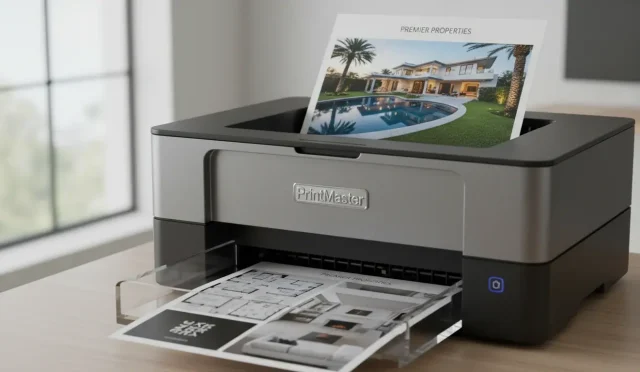
Inkjet printers are ideal if you:

- Print photos, graphics, and marketing materials
- Need vivid colors and smooth gradients
- Print occasionally rather than in very high volumes
Modern inkjet models often support wireless printing, mobile printing apps, and automatic duplex (two‑sided) printing. They are usually more affordable up front, but ink cartridges can become expensive if you print a lot. To control long‑term costs, many people choose high‑yield ink cartridges or ink tank printers that use refillable reservoirs.
Laser printers
Laser printers shine if you:
- Print a high volume of documents every month
- Mostly print text, spreadsheets, and PDFs
- Need sharp, professional quality black‑and‑white pages
Monochrome laser printers have a higher initial price but a lower cost per page. Toner cartridges last longer than ink, and pages come out quickly without smudging. If you still need color occasionally, color laser printers are available, but they’re usually more expensive than comparable inkjet models.
2. Key Features to Look for in a Home Office Printer
To find the best home office printer, focus on features that actually support your daily tasks. Avoid paying extra for functions you won’t use.
Print quality and resolution
For standard office documents, 600 x 600 dpi is usually enough. If you print photos, marketing flyers, or presentations with charts and graphics, look for higher resolution and good color accuracy. Reviews and user ratings can give clues about real‑world print quality beyond the technical specs.
Printing speed (Pages Per Minute – PPM)
If you regularly print long documents, speed matters. A good home office printer should handle:
- At least 20 ppm for monochrome documents
- Around 10–15 ppm for color prints
While manufacturers often list ideal conditions, real speeds can be lower, especially when printing mixed text and graphics. Still, faster models reduce bottlenecks when you’re on a deadline.
Connectivity and ease of use
Modern home offices rely on flexible connectivity. Look for:
- Wi‑Fi and Wi‑Fi Direct for cable‑free printing
- Mobile printing support via AirPrint, Mopria, or dedicated apps
- USB ports and sometimes Ethernet for stable wired connections
- Cloud printing features that let you send jobs from anywhere
An intuitive control panel or touchscreen also helps you manage settings and maintenance quickly.
3. All‑in‑One Home Office Printers: Why They’re Worth It
For most people working from home, an all‑in‑one printer (also called a multifunction printer) is the best value. These devices combine:
- Printing
- Scanning
- Copying
- Sometimes faxing
Having a scanner matters for contracts, tax documents, and signed forms. A flatbed scanner lets you digitize notebooks and receipts, while an automatic document feeder (ADF) can handle multi‑page scans without manual page flipping. If you regularly process paperwork, choose a printer with a fast ADF and duplex scanning to save time.
4. Managing Printing Costs: Cartridges, Toner, and Long‑Term Value
The best home office printers aren’t just affordable to buy; they are also economical to operate. Evaluating the total cost of ownership helps you avoid expensive surprises.
Ink cartridges and toner yields
Check the page yield of cartridges and toner:
- Standard cartridges are cheaper to buy but need frequent replacement.
- High‑yield or XL cartridges offer more pages and a lower cost per page.
- Toner for laser printers typically lasts much longer than ink cartridges.
Some brands offer ink subscription services or refillable ink tank systems, which can be cost‑effective if you print frequently.
Duplex printing and eco‑friendly settings
Automatic duplex printing reduces paper use. Many printers also include eco modes that lower ink consumption. Small changes in settings—like choosing draft mode for internal documents—can significantly reduce long‑term costs without hurting readability.
5. Home Office Printer Reliability and Maintenance
Reliability is crucial when your income depends on a smooth workflow. Reputable brands focus on durable hardware and simple maintenance processes.
Key factors to consider:
- Duty cycle: The maximum number of pages a printer can handle per month
- Recommended monthly volume: A realistic range for long‑term reliability
- Automatic cleaning cycles: Especially important for inkjets to reduce clogs
- Easy access to support and firmware updates
If multiple people use the same home printer—such as a family or small team—reliability becomes even more important. Reading recent customer reviews can reveal patterns around paper jams, connectivity issues, or printhead problems.
6. Choosing the Right Printer for Different Home Office Setups
Not every home office is the same. Consider your personal setup and choose a printer that complements it.
For freelancers and remote professionals
Freelancers often need a compact, quiet printer that fits in a corner or on a shelf. An all‑in‑one inkjet or monochrome laser printer with wireless connectivity is usually enough. Prioritize:
- Low noise levels
- Strong mobile app support
- Good text clarity for invoices and reports
For home‑based small businesses
If you run a small business from home, such as an online store or consulting service, you may need more advanced features:
- Higher print speeds
- Large paper trays to reduce refills
- Robust scanning with an ADF
- Secure printing options if you handle sensitive data
Spending a bit more on a business‑class home office printer can improve productivity and reduce downtime.
For families with kids and students
A family home office often doubles as a schoolwork and creative space. In this case, a color inkjet all‑in‑one is usually the most flexible option. It can handle:
- Essays and assignments
- Photos and craft projects
- Forms and official documents
Look for user‑friendly interfaces and affordable ink or subscription options to handle unpredictable printing needs.
7. Final Tips Before You Buy
To make a confident decision:
- Estimate your monthly page volume for both black‑and‑white and color.
- Compare the cost per page based on high‑yield ink or toner options.
- Check compatibility with your operating systems, phones, and tablets.
- Read recent customer reviews for reliability, noise, and setup experience.
- Measure your available space to ensure the printer fits comfortably.
By focusing on these practical details, you can choose a printer that supports your productivity, keeps costs under control, and delivers professional results at home.
Example Product Recommendation (Amazon)
A popular option on Amazon.com that fits many home office needs is the HP OfficeJet Pro 9015e All‑in‑One Printer. It offers fast print speeds, automatic duplex printing, strong wireless connectivity, and reliable scanning with an automatic document feeder, making it a well‑rounded choice for modern home offices.