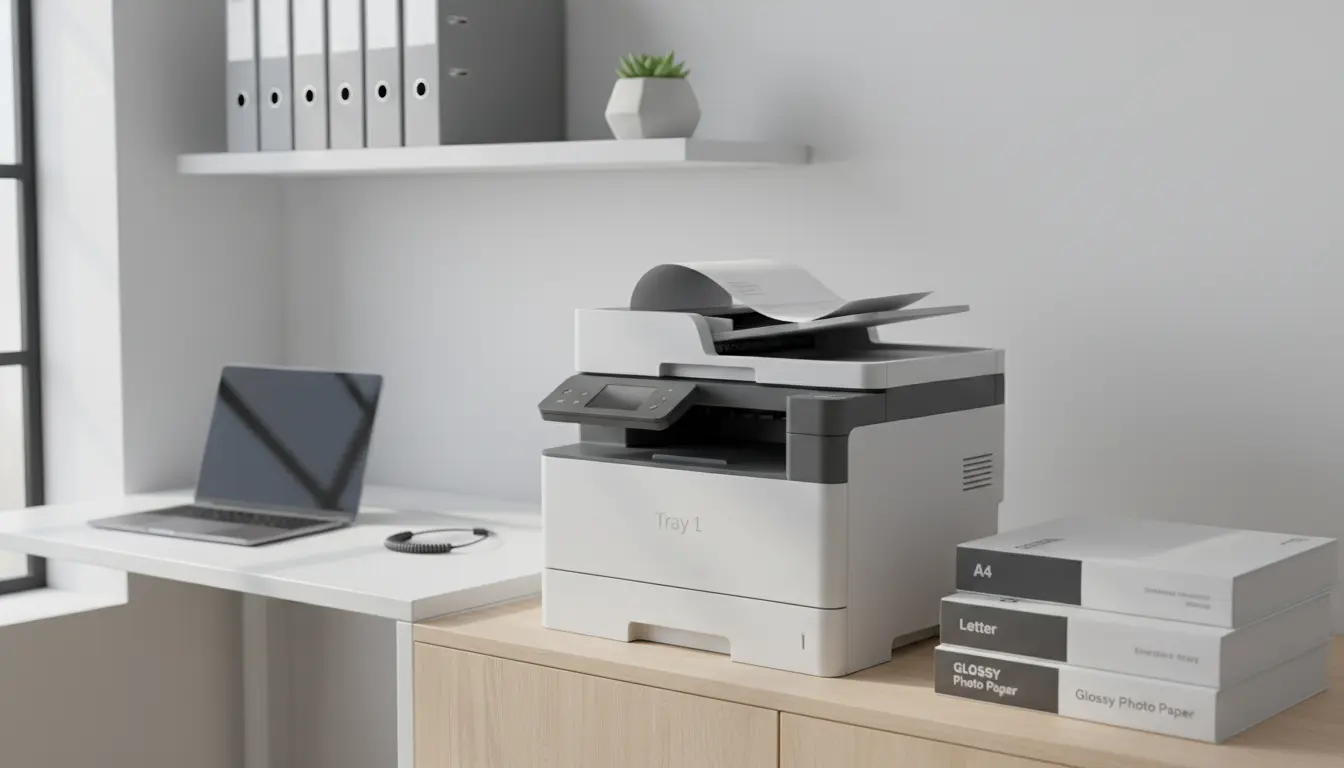

If you manage a busy home office or a small-to-medium business, upgrading to a printer with two or more paper trays can dramatically streamline your workflow. Multi-tray printers let you load different paper sizes and types simultaneously—think A4 in one tray, letter in another, and glossy photo paper in a third—so you can print diverse documents without manual swaps. In this comprehensive guide, we’ll explain why printers with 2+ paper trays are a smart investment, what to look for when buying, and which features matter most for reliability, cost control, and long-term performance. We’ll also touch on popular brands and use cases, and share optimization tips to keep your device running smoothly and economically.
Why Multiple Paper Trays Matter
For teams that frequently switch between document types—contracts, shipping labels, presentations, envelopes—every tray change costs time and breaks focus. Two or more paper drawers eliminate that friction. You can:
- Keep standard and premium paper ready at all times
- Separate plain sheets from letterhead or pre-printed forms
- Assign high-capacity trays to long print runs
- Load specialty media like card stock or labels without removing everyday paper
This flexibility translates into fewer errors (like accidentally printing on the wrong paper), less downtime, and cleaner handoffs between employees.


Key Benefits of 2+ Tray Printers
- Efficiency and speed: Print more without reloading paper mid-job. The printer can auto-select the correct tray based on job settings.
- Professional output: Maintain consistent branding by dedicating a tray to letterhead or pre-printed templates.
- Reduced paper handling: Minimize jams and misfeeds caused by constant tray swaps.
- Cost control: Assign cheaper paper to internal drafts and higher-quality paper to client-facing documents.
- Scalability: As your print needs grow, extra trays and feeders can often be added.
Laser vs. Inkjet for Multi-Tray Setups
- Laser printers: Best for heavy text documents, fast print speeds, and lower cost per page on monochrome workloads. Color laser models are excellent for charts and marketing handouts but have higher upfront costs.
- Inkjet printers: Strong for vibrant color, photos, and mixed media. Business inkjets with pigment inks can rival color lasers for crisp text and offer lower color CPP (cost per page) in some cases.
If your workload is 80%+ text, a monochrome laser with two or more trays and a high-capacity toner is hard to beat. If you produce rich color documents, a business-class inkjet or color laser with multiple drawers is ideal.
Must-Have Features to Look For
- Automatic duplex printing: Save paper and present polished, double-sided documents.
- Tray capacity and expandability: Look for at least 250–500 sheets per tray, with the option to add more drawers or a high-capacity feeder.
- Supported media types: Ensure compatibility with envelopes, labels, cardstock, and glossy paper if needed.
- Print speed and duty cycle: Aim for 20–40 ppm for small offices; higher for larger teams. Match duty cycle to your monthly page volume.
- Network and mobile printing: Ethernet and dual-band Wi-Fi are essential; support for AirPrint, Mopria, and native apps improves convenience.
- Security and admin tools: PIN printing, user-level quotas, and usage tracking help manage costs and protect sensitive data.
- ADF and scanning (for MFPs): If you need scanning/copying, choose a multifunction model with a robust ADF and duplex scan.
- Driver intelligence: Good drivers auto-detect tray contents and allow tray locking by paper type to reduce mistakes.
Cost Considerations: TCO Over Time
Don’t judge by sticker price alone. Total cost of ownership includes:
- Toner or ink cost per page (CPP)
- Drum and maintenance kits (for lasers)
- Replacement printheads or maintenance boxes (for inkjets)
- Energy consumption (lasers often enter deep sleep modes)
- Downtime and service availability
High-yield cartridges significantly reduce CPP. If your print volume is predictable, consider subscription ink/toner services for stable monthly costs.
Popular Brands and Model Families to Explore
While exact models evolve, these families are known for flexible multi-tray configurations:
- HP LaserJet Pro and LaserJet Enterprise series: Excellent admin tools, tray expandability, and strong security features.
- Brother Business laser line (HL/ MFC series): Cost-efficient, reliable, with add-on trays and great CPP for monochrome.
- Canon imageCLASS and MAXIFY (business inkjet): Strong text quality and fast first-page-out; tray add-ons available on select models.
- Epson WorkForce Pro: Business inkjet with DURABrite pigment inks; good for color-heavy offices and lower energy use.
When comparing, confirm the exact tray options and maximum number of add-on drawers compatible with the specific model variant.
Ideal Use Cases
- Legal and finance: Keep letterhead in one tray, plain paper in another, envelopes or checks in a third.
- Sales and marketing: Load premium glossy or heavy stock for brochures while maintaining a standard tray for drafts.
- Shipping and operations: Dedicate a tray to labels and another to invoices to streamline fulfillment.
- Education and nonprofits: Alternate between worksheets, certificates, and mailers without reconfiguration.
Setup Tips for Seamless Workflows
- Name trays by paper type in the driver (e.g., “Tray 1 – Letterhead,” “Tray 2 – Plain A4”) so users select correctly.
- Lock trays for specific media to prevent accidental misuse.
- Create print presets (e.g., “Client Letterhead Duplex,” “Internal Draft Mono”) for one-click accuracy.
- Calibrate color and set default grayscale for internal documents to lower color costs.
- Enable secure pull printing if you handle confidential information.
Maintenance and Reliability
- Keep trays clean and fan paper reams before loading to prevent sticking and multi-feeds.
- Replace rollers and pads on schedule if your print volume is high; it’s inexpensive and prevents jams.
- Update firmware and drivers regularly for security and tray logic improvements.
- Store specialty media in a dry environment; humidity can cause curl and jams.
Environmental Impact
- Duplex defaults can cut paper usage nearly in half.
- Choose models with Energy Star certification and strong sleep-mode efficiency.
- Opt for high-yield cartridges to reduce waste and shipping frequency.
- Recycle spent cartridges through manufacturer programs.
Final Buying Checklist
- Do you need 2 trays now or 3+ with expansion later?
- What paper sizes and types will each tray hold most of the time?
- Are print speeds, duty cycle, and CPP aligned with your monthly volume?
- Is mobile, cloud, and secure printing supported out of the box?
- Can you easily monitor usage and control costs with admin tools?
Choosing a printer with 2+ paper drawers isn’t just about convenience—it’s a strategic move that boosts productivity, reduces errors, and delivers consistent, professional results across every document you produce.
- Brother MFC-L8905CDW Color Laser All-in-One + Optional Trays
- Why it’s a great pick: Enterprise-level reliability, fast color laser output, strong admin/security, and expandable paper capacity. Perfect for multi-tray setups in busy offices.
- Highlights:
- Color laser, up to ~33 ppm
- Automatic duplex printing
- Gigabit Ethernet, Wi‑Fi, mobile printing (AirPrint/Mopria)
- High-yield toner options for low CPP
- Supports additional lower trays for 2+ paper drawers
- HP OfficeJet Pro 9025e (Business Inkjet) + Second Paper Tray
- Why it’s a great pick: Business-class inkjet with excellent color documents, duplex print/scan, and energy-efficient performance. Easy to configure as a dual-tray setup.
- Highlights:
- Vibrant color inkjet, fast first-page-out
- Automatic duplex printing and scanning (MFP)
- Ethernet/Wi‑Fi, AirPrint/Mopria support
- High-capacity cartridges and subscription options









