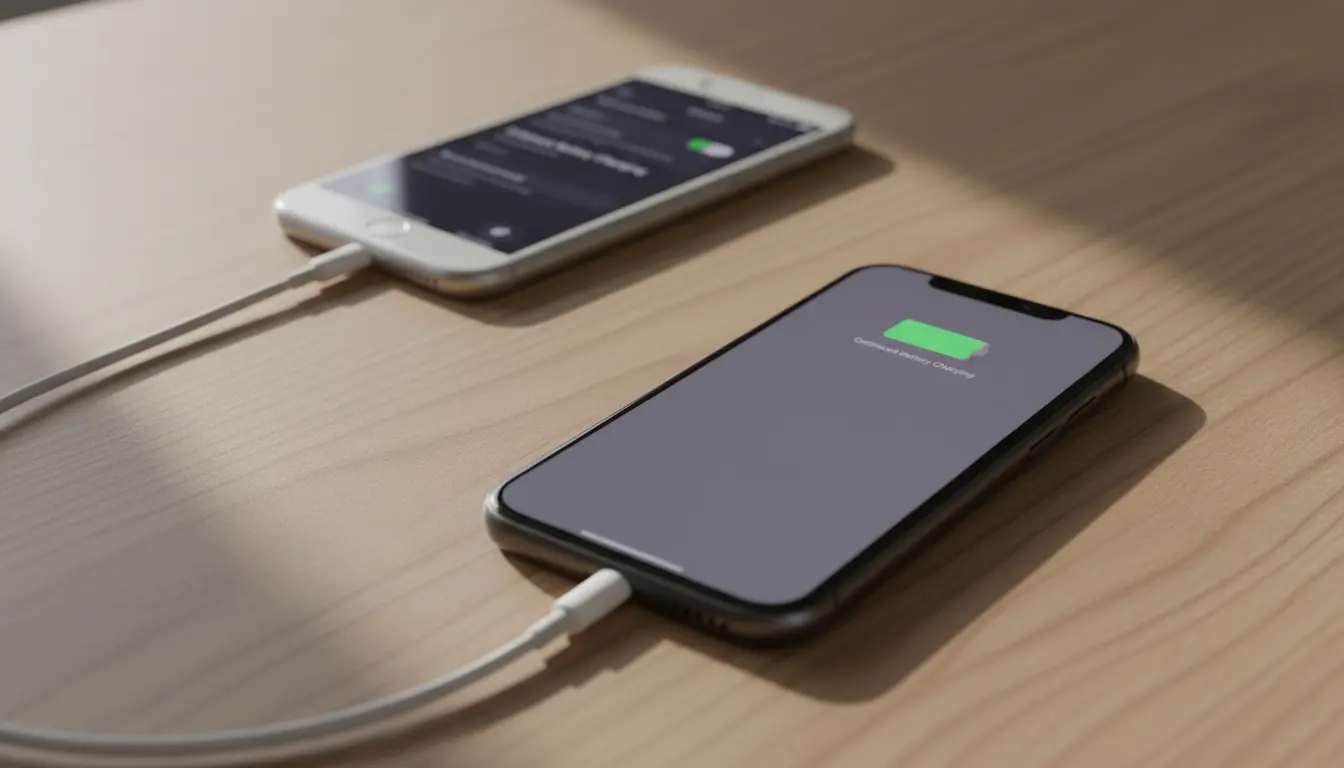

Optimized Battery Charging vs 80% Limit on iPhone: Which Is Really Better?
iPhone users who care about battery health often face the same question: Should you rely on Apple’s Optimized Battery Charging feature or try to keep your iPhone battery at 80% with a manual limit? While both approaches aim to slow down battery aging, they work in very different ways and are not equally practical for every user.
In this guide, you’ll learn how each option works, their pros and cons, and which one is better for most iPhone owners who want long‑term battery health and performance.
How iPhone Batteries Age (and Why 100% Isn’t Always Ideal)
iPhones use lithium‑ion batteries, which naturally degrade over time. Every charge cycle slightly wears down the battery, but two factors accelerate this aging:

- High charge levels for long periods (especially close to 100%)
- High temperatures (for example, charging under a pillow, in a hot car, or while gaming)
Keeping an iPhone battery at 100% for many hours, especially overnight, can put extra stress on the cells. This is exactly the problem Apple is trying to reduce with Optimized Battery Charging, and the logic behind the popular 80% charge limit strategy.
What Is Optimized Battery Charging on iPhone?
Optimized Battery Charging is a built‑in iOS feature designed to reduce battery aging by learning your daily charging habits. When it’s enabled, your iPhone typically:
- Charges quickly up to 80%
- Then slows or pauses the charge and holds around 80–90%
- Finishes charging to 100% shortly before you usually unplug it
For example, if you plug in every night at 11 PM and normally unplug around 7 AM, your iPhone may stay around 80% for hours and only go to 100% closer to 6–7 AM. This means it doesn’t sit at full charge all night, which is better for long‑term health.
How to Enable Optimized Battery Charging
You can find it here:
Settings > Battery > Battery Health & Charging > Optimized Battery Charging
For most users, simply turning this on is enough to get some automatic protection without changing habits.
What Does an 80% Charge Limit Mean?
An 80% charge limit is a more aggressive battery‑care strategy. Instead of going up to 100%, you aim to keep your iPhone charged to a maximum of about 80%. This can be done by:
- Manually unplugging the phone when it reaches ~80%
- Using a smart plug or third‑party charger app that cuts power at a set level (more common on other platforms, not officially supported on iOS)
- Being disciplined with shorter charging sessions during the day
The idea is simple: batteries are less stressed when they stay in the mid‑range (around 20–80%) instead of constantly living at 90–100%. This can further slow down battery wear—but at a cost.
Pros and Cons of Optimized Battery Charging
Advantages
- Fully automatic and built in
No extra apps, accessories, or micromanagement. Once you enable it, iOS does the work for you. - Still gives you 100% when you need it
You wake up with a full battery most mornings. It’s more convenient for users who need maximum daily battery life. - Good balance of convenience and health
It reduces the time spent at 100% charge without forcing you to change your routine dramatically. - Integrated with Apple’s ecosystem
It uses on‑device learning of your habits (like sleep patterns and charging times) to make smarter decisions over time.
Disadvantages
- Not as protective as a hard 80% limit
You still regularly reach 100%, especially before you unplug. For absolutely minimal battery wear, this isn’t “perfect”. - Depends on routine
If your schedule is irregular (shift work, travel, inconsistent wake times), the algorithm may not always predict correctly. - Less control
You can’t directly set a custom limit like “Never charge over 80%”. You must trust the system.
Pros and Cons of an 80% Charge Limit
Advantages
- Better for maximum long‑term battery health
Staying under 80% most of the time is widely considered better for battery longevity. Over years, you may retain higher maximum capacity. - More consistent stress reduction
Unlike Optimized Battery Charging, which still allows frequent 100% charges, an 80% limit keeps the battery in a safer state most of the time. - Ideal for light or moderate users
If you don’t use your iPhone heavily, an 80% limit might still give you plenty of battery for the day, while extending lifespan.
Disadvantages
- Not officially supported as a hard limit in iOS
There’s no native “stop at 80%” toggle. You must manage it yourself or rely on less convenient workarounds. - Less daily battery life
You sacrifice 20% of your potential capacity. For heavy users, this might mean recharging mid‑day or dealing with battery anxiety. - More effort and discipline
You need to monitor charge levels and unplug at the right time, which many users simply won’t maintain long‑term.
Which Is Better for Most iPhone Users?
If your goal is practical, everyday battery care without stress, Optimized Battery Charging is the better choice for most people.
- It’s automatic
- It doesn’t require changing your habits
- You still start the day at or near 100%
- It meaningfully cuts down the time your battery sits at full charge
On the other hand, if your priority is maximum long‑term battery health, and you’re fine with less daily battery and more effort, an 80% charge limit strategy can be superior—at least in theory. By rarely crossing 80%, you reduce the chemical stress on the cells.
In short:
- Everyday users → Use Optimized Battery Charging and avoid extreme temperatures.
- Power users who care deeply about longevity and don’t mind compromise → Try to keep your iPhone around 20–80% when possible, while still using Optimized Battery Charging in the background.
Practical Tips to Protect iPhone Battery Health
Regardless of which option you choose, these habits can make a noticeable difference:
- Avoid heat while charging
Don’t leave your iPhone charging under pillows, in a hot car, or on thick blankets. Heat accelerates aging more than almost anything else. - Use quality chargers and cables
Stick with original or certified accessories to avoid unstable charging and overheating. - Avoid running to 0% too often
Deep discharges put extra strain on the battery. Try to plug in before you drop below 10–15%. - Enable Optimized Battery Charging anyway
Even if you aim for 80%, letting the system manage overnight charging still helps reduce unnecessary stress. - Monitor battery health in settings
From time to time, checkSettings > Battery > Battery Health & Chargingto see your Maximum Capacity and whether a service warning appears.
Final Verdict: Optimized Charging vs 80% Limit
- If you want the best mix of convenience and protection, choose Optimized Battery Charging and keep using your iPhone normally.
- If you are willing to sacrifice convenience and some battery runtime for maximum lifespan, combine good habits (shorter charges, avoiding 100%, keeping between 20–80%) with Optimized Battery Charging turned on.
Most users will be happier and less stressed by letting iOS manage charging intelligently, rather than obsessively watching the battery percentage.
Suggested Amazon Product for Smarter Charging
If you’d like more control over your charging habits, a smart plug can help you avoid leaving your iPhone plugged in all night. A popular option available on Amazon is:
Smart Plug Mini by TP-Link – a compact Wi‑Fi smart plug that lets you schedule when power turns on or off. You can, for example, set it to turn off after a couple of hours so your iPhone doesn’t stay charging all night.









