
Best Photo Printers for Home & Hobbyists: A Practical, High-Quality Guide (2026)
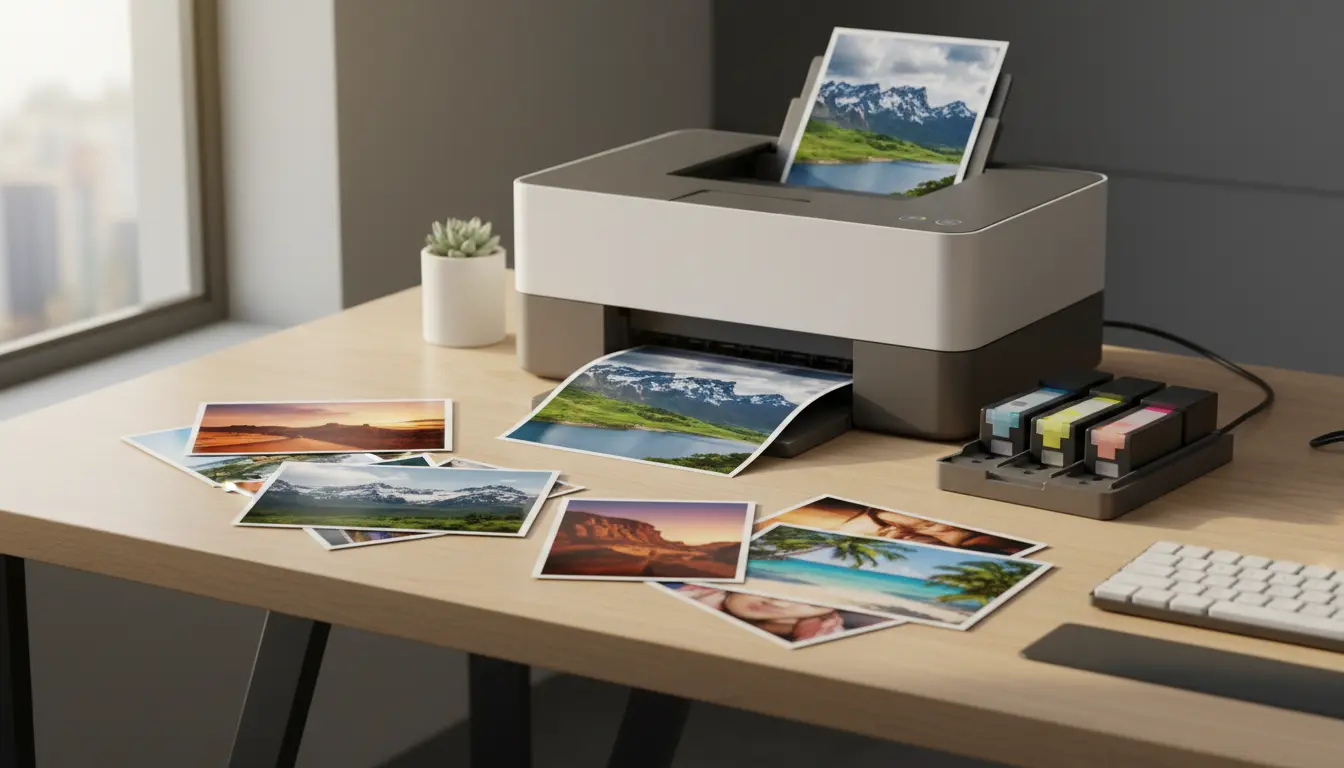
Printing photos at home has become one of the most satisfying parts of hobby photography. You shoot, edit, and—within minutes—hold a finished print that actually looks like your vision. But choosing the best photo printer for home use isn’t just about picking a popular brand. You need to match print technology, ink type, paper handling, running costs, and color accuracy to how you really print.
This guide explains what matters, which printer types suit home and amateur photographers, and how to avoid the most common buying mistakes—while keeping the reading natural and search-friendly.
1) What “Best” Means for a Home Photo Printer
A home photo printer becomes “best” when it consistently produces prints you enjoy without turning into a maintenance project. For hobbyists, that usually means:
- Reliable everyday operation (no constant clogs or wasted ink)
- Beautiful color reproduction and pleasing skin tones
- Support for the paper sizes you use (4×6, 5×7, A4/Letter, sometimes A3+)
- Reasonable long-term ink costs, not just a low upfront price
- Easy wireless printing from phone/tablet, plus simple driver software
If you mainly print family photos and occasional landscapes, you don’t need the same machine a studio uses for gallery exhibitions. But you do want strong results with minimal friction.
2) Inkjet vs. Dye-Sublimation: Which Is Better for Photos?
Most “best photo printers” lists focus on inkjet models—and for good reason. Inkjet gives you more flexibility in paper choice, sizes, and image styles. Still, it’s worth understanding both options:
Inkjet photo printers
- Excellent detail, smooth gradients, and strong dynamic range
- Wide choice of photo paper types (glossy, luster, matte, fine art)
- Great for hobbyists who want creative control
- Can be prone to nozzle clogs if unused for long periods
Dye-sublimation printers
- Very consistent 4×6 (and sometimes 5×7) prints
- Typically simple “cartridge + paper pack” workflow
- Limited paper variety and usually limited sizes
- Often great for parties/events, less ideal for large prints or fine art texture
For most home and amateur photographers, a quality inkjet photo printer wins because it supports better paper selection, larger formats, and more nuanced color management.
3) The Real Decision: Dye Ink vs. Pigment Ink
Within inkjet, the ink type is a huge deal.
Dye ink
- Vibrant colors and strong glossy performance
- Often ideal for everyday photo printing
- Can be less archival on some paper types (varies widely by system)
Pigment ink
- Excellent longevity and smudge resistance
- Often preferred for fine art and matte papers
- Some systems may look slightly less “punchy” on glossy compared to dye (again: depends)
If you print mainly glossy family photos, dye systems can look stunning. If you care about longevity and fine art textures, pigment-based printers often feel more “serious” and gallery-ready.
4) Print Size and Paper Handling: Don’t Ignore This
Many buyers regret not thinking about paper size support. Ask yourself:
- Do you only print 4×6 and 5×7?
- Do you want borderless A4/Letter?
- Do you want A3+ for impressive wall prints?
Also check:
- Rear tray vs. front feed for thicker paper
- Support for borderless printing on your preferred sizes
- Maximum paper weight and whether it handles specialty papers without head strikes
Home photographers often upgrade their ambitions over time—so choosing a printer that can grow with you is smart.
5) Color Accuracy: How to Get Prints That Match Your Screen
Color accuracy is not magic—it’s workflow.
To get prints that match your monitor:
- Use a decent display and, ideally, calibrate it
- Use the correct paper setting in the driver
- Use ICC profiles for your paper when available
- Avoid “double color management” mistakes (app + driver both adjusting color)
Even the best home photo printer can produce disappointing results if your settings fight each other. The good news: once you dial in a workflow, you’ll get repeatable, satisfying prints.
6) Running Costs: Ink Efficiency Matters More Than You Think
The upfront price is only part of the story. Many home users print in bursts—then stop for weeks—then print again. That pattern can increase wasted ink due to cleaning cycles.
Consider:
- Ink cartridge capacity and price
- Whether the printer is known for heavy maintenance cycles
- How often you realistically print
- Whether you prefer a refillable tank system or cartridges
If you print frequently, ink efficiency becomes a major quality-of-life factor. If you print rarely, reliability and clog resistance become even more important.
7) Connectivity and Ease of Use
A “best” printer for a hobbyist is often the one you actually enjoy using.
Look for:
- Stable Wi‑Fi (not just “supports wireless”)
- A solid mobile app for printing from phone
- A driver that makes paper settings clear
- A decent display screen for quick checks
Wireless photo printing should feel smooth, not like troubleshooting a router every weekend.
8) Features That Actually Help Hobbyists
Ignore gimmicks; focus on practical features:
- Borderless printing for clean-looking photo output
- High resolution printing (important, but not everything)
- A wider ink set (more inks can improve gradients and skin tones)
- Good black-and-white performance if you like monochrome
- Paper-specific profiles for consistent results
For many amateur photographers, the “wow” factor comes from clean gradients, accurate skin tones, and prints that don’t look overly saturated or dull.
9) Common Mistakes to Avoid
- Buying only by DPI numbers
DPI matters, but paper choice, ink set, and driver quality often matter more. - Using cheap paper and blaming the printer
A strong photo printer with poor paper can look worse than a mid printer with excellent paper. - Printing rarely and letting the printer sit
If you won’t print often, schedule a small print every week or two to keep ink flowing. - Ignoring paper settings
Wrong paper type settings can destroy detail, contrast, and drying behavior. - Over-editing for screen brightness
Screens are backlit; prints are reflective. You may need slightly brighter midtones for prints.
10) A Simple Buying Framework (Fast and Effective)
Use this quick checklist:
- Main use: family photos / travel / portraits / fine art
- Typical size: 4×6 only or A4/Letter + larger
- Paper preference: glossy/luster vs. matte/fine art
- Print frequency: weekly or seasonal bursts
- Goal: convenience vs. maximum quality and control
When you answer these honestly, you’ll narrow the options fast and choose a printer that fits your real workflow.
Amazon.com Product Recommendation (1)
If you want a widely trusted, home-friendly photo printer that balances quality, size support, and enthusiast features, consider:
- Canon PIXMA PRO-200 Wireless Professional Inkjet Photo Printer
It’s often recommended by hobbyists for vibrant color output, strong borderless photo printing, and support for larger prints—making it a great “serious amateur” step without jumping straight into ultra-pro, high-maintenance territory.