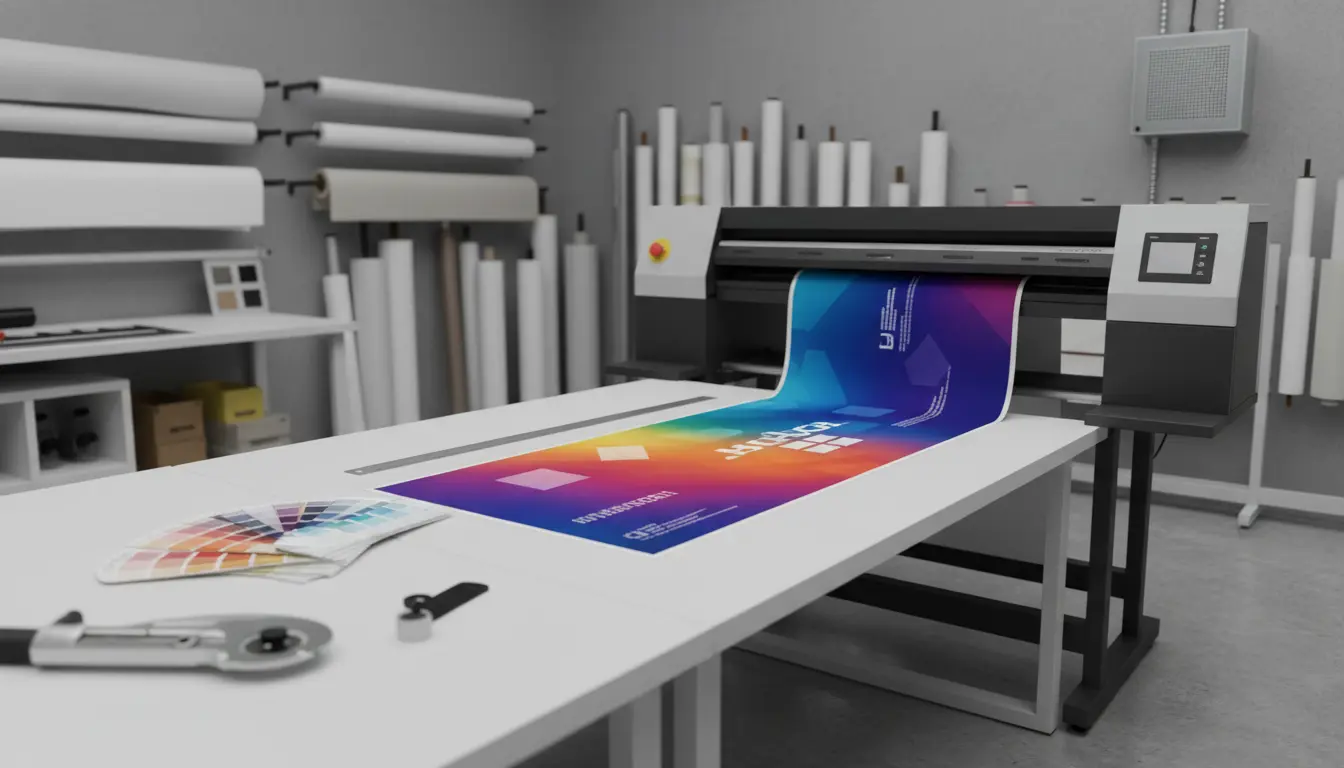

If you regularly produce banners, architectural plans, panoramic photos, event signage, or retail posters, choosing the best wide-format printer (also called a roll-fed or long paper print printer) can transform your workflow. These machines handle media that far exceeds standard A4/Letter sizes, delivering crisp output on long sheets or continuous rolls with impressive color accuracy, durability, and speed. In this guide, we’ll break down the key factors to consider—print technologies, ink types, resolution, media handling, maintenance costs, and connectivity—then highlight standout models and practical buying tips. By the end, you’ll know exactly what to look for to match your print volume, quality demands, and budget.
What Makes a Great Wide-Format/Long Paper Printer?
- Print technology and ink system
- Dye vs. pigment: Dye inks are vibrant and great for indoor posters and photos, but can fade faster in sunlight. Pigment inks resist UV and moisture better, making them ideal for outdoor banners and signage.
- Eco-solvent/latex/UV-curable: For signage professionals, these ink chemistries offer excellent durability on coated and uncoated media. Latex and UV-curable inks often dry quickly and can be handled immediately, boosting throughput.
- Resolution and color accuracy
- True photographic output starts around 2400 dpi with advanced screening. Look for multiple ink channels (e.g., CMYK + light cyan/light magenta, gray, or orange/green) for smoother gradients, better skin tones, and expanded gamut.
- Media width and roll handling
- Consider the maximum media width you need. Common ranges include 24″, 36″, 44″, 54″, and 64″. For long paper/continuous banner jobs, reliable roll feeding, auto take-up reels, and accurate tracking are essential.
- Speed vs. quality modes
- Draft modes are perfect for quick proofs, while high-quality modes slow down but deliver precise detail and color. Check rated square feet per hour (or m²/h) across quality settings to estimate real-world throughput.
- ICC profiles and color management
- Built-in color calibration and broad ICC profile support ensure predictable colors across different substrates. This is critical for brand consistency in retail and corporate environments.
- Total cost of ownership (TCO)
- Ink consumption, printhead replacement intervals, maintenance cartridges, and service plans can dwarf the purchase price over time. Ask vendors for ink cost per square foot estimates for your target media and quality mode.
- Workflow and connectivity
- Look for native PDF support, onboard RIP features, or seamless integration with popular RIPs (e.g., ONYX, Caldera). Wi-Fi/Ethernet, robust drivers, and cloud print options reduce friction in busy shops.
Recommended Wide-Format Printers for Long Paper and Banners
Note: Availability and exact SKUs vary by region; always confirm the latest model numbers and specs before purchasing.
- Epson SureColor P-Series (e.g., P7000/P9000 successors)
- Best for: Photographers, fine art, proofing, and high-gamut posters.
- Why it’s great: UltraChrome pigment inks deliver superb color accuracy and longevity. Excellent black density for rich monochrome prints, and advanced screening minimizes grain.
- Consider: Primarily indoor use unless media and lamination add protection.
- Canon imagePROGRAF PRO Series (e.g., PRO-2100/4100/6100)
- Best for: Color-critical photo, fine art, and corporate posters.
- Why it’s great: Lucia PRO inks offer smooth gradations and high color fidelity. Canon’s built-in color calibration and media handling are user-friendly.
- Consider: Focused on pigment photo/signage; outdoor durability improves with proper media/lamination.
- HP DesignJet Z and T Series (e.g., Z6/Z9+, T1700)
- Best for: Mixed workloads—GIS, CAD, maps, posters, and graphics.
- Why it’s great: Smart color management, dual-roll options, and high-speed output. Z-series emphasizes color and image quality; T-series leans toward technical drawings with crisp lines.
- Consider: Choose Z-series for premium graphics; T-series for line accuracy and productivity.
Other
- Mimaki CJV/JV Series (eco-solvent/UV)
- Best for: Professional sign and display makers who need reliability and flexible inksets.
- Why it’s great: Reliable tracking for long banners, solid color stability, and optional white/clear inks on specific UV models for layered effects and specialty applications.
- Consider: Initial learning curve; ensure local service coverage.
Key Buying Considerations
- Your primary application
- Photos/fine art: Prioritize pigment ink models (Epson/Canon PRO) with high resolution and expanded gamut.
- Technical drawings/CAD: HP DesignJet T-series excels for line sharpness and speed.
- Outdoor signage/banners: HP Latex, Roland, or Mimaki eco-solvent/UV for durability and media range.
- Maximum media width and length
- For panoramic or long banner projects, confirm roll capacity, take-up system, skew correction, and maximum printable length. Precision tracking prevents panel mismatches in large installations.
- Substrate compatibility
- If you plan to print on textiles, backlit films, canvas, or specialty synthetics, verify substrate support and drying/curing requirements.
- Space, power, and environment
- Some printers require dedicated power circuits, ventilation, and room for media handling. Latex and solvent units may have heaters/dryers that impact energy use and ambient conditions.
- Service and support
- Downtime is costly. Choose brands with strong local support, rapid parts availability, and predictable maintenance cycles.
- Finishing workflow
- Consider laminators, trimmers, and grommeting tools to complete banner jobs. Faster drying/curing (e.g., latex/UV) shortens the time to lamination and installation.
Workflow Tips for Consistent, High-Quality Long Prints
- Calibrate regularly
- Use built-in color calibration and create or apply ICC profiles for each media. Standardize lighting when evaluating proofs.
- Choose the right RIP settings
- Balance ink limits, passes, and screening to match quality needs with deadlines. Save presets for common media to streamline jobs.
- Prevent banding and skew
- Keep rollers clean, align printheads, and store media in controlled environments to reduce curl. Use high-quality cores and ensure even tension.
- Cost tracking
- Log ink and media usage per job. This helps optimize settings, quote accurately, and choose the most economical modes without sacrificing quality.
Budget Ranges and Who They Fit
- Entry-to-mid pigment photo/poster printers (24–36 inch): Suitable for studios, small print shops, and marketing teams producing limited volumes with premium quality.
- Mid-to-high signage printers (54–64 inch, latex/eco-solvent/UV): Ideal for sign shops and in-house print departments managing frequent, durable banner work and diverse materials.
- Enterprise solutions: Multi-roll systems, high-capacity take-up, integrated cutters, and industrial RIPs for continuous production and multi-shift environments.
Final Thoughts
The “best” wide-format long paper printer depends on what you print, where it will live (indoor vs. outdoor), and how fast you need it. If color-critical posters and photos dominate, Epson SureColor P or Canon imagePROGRAF PRO deliver stunning detail and longevity. If you need rugged, quickly finished signage on a broad range of media, HP Latex, Roland, or Mimaki will pay off in versatility and throughput. Factor in TCO, local service, and finishing tools to build a reliable, scalable print operation.