
Best TVs with Invisible Cable and One Connect–Style Solutions
Modern living rooms are getting cleaner, smarter, and more minimal every year. Nothing ruins that premium look faster than a messy bundle of HDMI, power, and Ethernet cables dangling from your wall‑mounted TV. That’s where TVs with invisible cable and One Connect–style solutions come in. These models move most of the ports and processing hardware into a separate box and connect to the screen with a single, ultra‑thin cable. The result is a sleek, gallery‑like setup that suits design‑focused homes and demanding home theater fans alike.
In this guide, you’ll learn how these systems work, why they’re worth considering, which features to compare, and what to watch out for before you buy.
What Is an Invisible Cable / One Connect–Style TV?
A One Connect–style TV separates the display from the main electronics. Instead of plugging all your devices directly into the back of the TV, you plug them into a compact external hub. A single, nearly transparent cable runs from this box to the TV panel.


This invisible connection typically carries:
- Video and audio signals
- Smart TV controls and data
- Power for the display itself
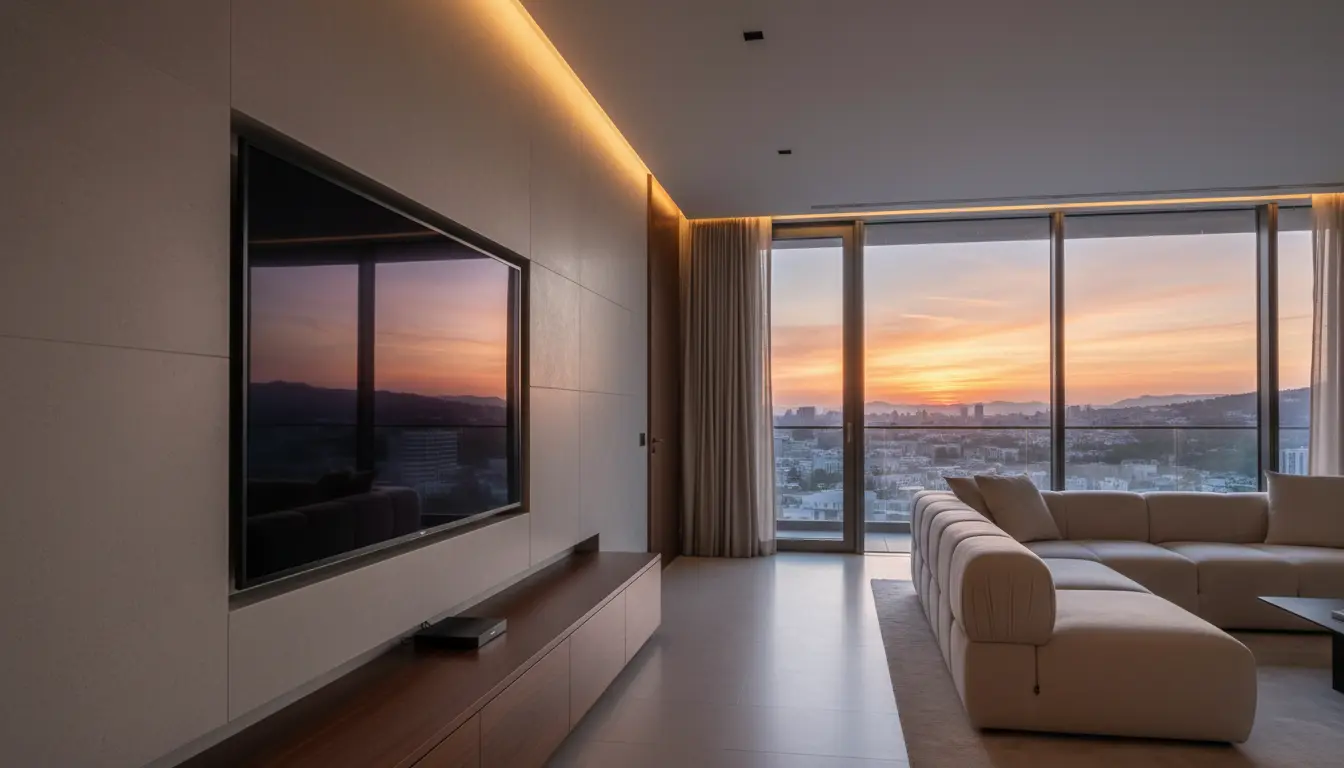
Because of this design, you can mount the TV flush to the wall with almost no visible wires. The cable can be routed through a cable channel, behind a wall, or along a baseboard to keep your installation clean and discreet.
Key Benefits of Invisible Cable and One Connect–Style TVs
1. Ultra‑Clean Aesthetics
The main appeal is visual. A TV with a One Connect–type box looks more like a piece of art than a piece of tech. By hiding the wiring and using a slim One Connect cable, you avoid bulky bundles of cords hanging below the screen.
- Perfect for minimalist or luxury interiors
- Looks great over a fireplace or in a media wall
- Ideal for open‑concept living rooms where every detail is visible
2. Easier Wall Mounting and Cable Management
Running several HDMI and power cables through a wall is tedious and often requires a professional installer. With invisible cable TV solutions, you only need to manage one line:
- Drill fewer holes and make smaller cutouts in your wall
- Keep power, network, and sources near the floor in a cabinet
- Reduce the risk of damaging cables during installation
You can upgrade or rearrange your connected devices later without touching the wall‑mounted screen.
3. Flexible Placement of Source Devices
The external connection box typically offers multiple HDMI inputs, USB ports, and an Ethernet jack. You can place this hub inside a media console, sideboard, or nearby cabinet and still keep your TV installation perfectly clean.
This makes it easy to connect:
- Streaming boxes and media players
- Game consoles
- Blu‑ray players and set‑top boxes
- Soundbars and AV receivers (via eARC)
Because the box is accessible, swapping or upgrading devices becomes quick and hassle‑free.
4. Future‑Ready and Easier to Upgrade
Invisible connection systems can extend the useful life of your TV. If manufacturers release updated external boxes in the future, you may be able to gain new connectivity standards (for example, upgraded HDMI specs) without replacing the panel.
Even if the box isn’t user‑upgradeable, you still benefit from:
- Cleaner, safer cable routing
- Less wear and tear on ports at the back of the screen
- Simpler troubleshooting and maintenance
Important Features to Compare Before Buying
1. Cable Length and Routing Options
One of the first specs to check is the length of the included invisible connection cable. Longer cables give you more flexibility to place the box across the room or in a different cabinet.
- Verify that the cable is long enough for your wall mount height and furniture layout
- Check if optional longer cables are available for purchase
- Plan a discreet cable path before installing the TV
2. HDMI Ports and Gaming Features
If you’re a gamer or have multiple sources, the external box becomes your central hub. Make sure it has:
- Enough HDMI ports for all devices
- At least one HDMI 2.1 port if you use next‑gen consoles
- Support for 4K 120Hz, VRR, and ALLM if you care about gaming performance
A future proof connectivity box ensures your invisible cable TV can keep up with evolving content and hardware.
3. Picture Quality: OLED vs. QLED vs. LED
The invisible wiring solution is only part of the story; you still need excellent picture quality. Look for:
- OLED or QLED panels for deeper blacks and vivid colors
- High peak brightness for daytime viewing
- Wide color gamut and HDR support (HDR10, Dolby Vision, or similar)
A premium connection system paired with a mediocre panel won’t deliver the cinematic experience you want.
4. Smart TV Platform and Apps
Because the external box often houses the TV’s processors, Wi‑Fi, and operating system, your overall experience depends on the smart platform it runs:
- Ensure your favorite streaming apps are supported
- Check for fast navigation and responsive remote controls
- Look for voice assistants or integration with smart home ecosystems
The best invisible cable TVs feel just as polished in software as they look on your wall.
Installation Tips for a Clean, Organic Look
To get a truly “invisible” setup that still feels natural and organic, plan the entire system, not just the TV:
- Decide on the viewing height before drilling into the wall. Aim for eye level when seated.
- Sketch the cable route between the panel and the connection box. Use in‑wall rated channels or surface‑mounted raceways for safety and aesthetics.
- Position your media cabinet so that the One Connect–style box has airflow and easy access. Avoid cramming it behind other equipment.
- Label cables and ports on the external box. This makes it simpler to add or replace devices later.
- Test everything before final mounting. Connect your sources, confirm picture and sound, and verify the smart TV features before fully securing the bracket.
With a little planning, you’ll achieve a setup that looks as if the screen simply floats on the wall with no technology clutter in sight.
Potential Drawbacks and How to Avoid Them
No solution is perfect, and invisible cable TVs have a few trade‑offs:
- Dependence on a proprietary cable: Replacements can be more expensive than standard HDMI or power cords, so handle and route the cable carefully.
- Limited placement if cable is short: Measure your room and furniture before buying; ensure the included length fits your layout.
- Extra cost vs. standard TVs: These models usually sit at the premium end of the market. Balance your budget between design features and core display quality.
By understanding these limitations up front, you can choose a model that fits your needs without unpleasant surprises.
Who Should Choose a TV with an Invisible Cable Solution?
You benefit most from a One Connect–style or invisible cable TV if:
- You plan to wall‑mount the TV in a visible location (living room, dining area, office reception).
- You care deeply about interior design and want a minimalist aesthetic.
- You own multiple streaming devices or consoles and want them hidden.
- You move devices around frequently and don’t want to reach behind a mounted display.
If your TV will sit on a basic stand in a secondary room, these advanced cable management systems may be overkill. But for a main entertainment space or design‑driven home, they can transform the room.
Recommended Amazon Product to Consider
If you’re looking for a premium TV with an ultra‑clean installation and an external connection box on Amazon, consider the Samsung QN90 Series Neo QLED 4K Smart TV with Slim One Connect Box. It combines a bright, high‑contrast QLED panel with a discreet One Connect cable and a compact external hub that handles all your HDMI inputs and smart features. This setup delivers outstanding picture quality, flexible device management, and a refined, cable‑free look on your wall.