
5 Best 65-Inch OLED TVs for Gaming (Low Input Lag Picks)
If you take gaming seriously, your TV has to do more than look good. It must react fast, keep motion clean, and maintain stable performance in real gameplay—not just in demo clips. A 65-inch OLED TV can deliver that “instant” feel because OLED pixels switch quickly, blacks stay deep, and modern gaming features reduce delay from controller to screen.
In this guide, I’ll walk you through five standout 65-inch OLED options that gamers consistently shortlist for low input lag, smooth motion, and full-spec console/PC support. I’ll also explain what specs matter (and which marketing terms you can ignore), plus the settings that help you actually get the low-latency performance you paid for.
Why low input lag matters more than you think
Input lag is the time between your action (button press or mouse movement) and the TV showing the result. In shooters, fighters, and competitive racing, even small delays can make the controls feel “soft.” You might still win casually, but the game stops feeling precise.
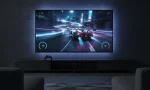
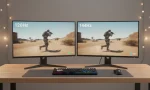
OLED TVs often pair fast pixel response with dedicated gaming modes that cut processing. When you combine that with modern features like ALLM and VRR support, you get responsiveness that feels closer to a monitor—while still enjoying a huge screen.
The gaming checklist: what to prioritize (and what to skip)
Before you pick a model, focus on these real-world gaming requirements:
- 4K 120Hz (or higher)
This is the baseline for current-gen consoles and high-end PC gaming. Some TVs go beyond 120Hz, but 120Hz already transforms motion clarity and controller feel. - HDMI 2.1 ports (plural)
You want more than one if you own multiple devices (PS5 + Xbox + PC). Look for TVs marketed with multiple HDMI 2.1 ports so you don’t play musical chairs with cables. - VRR support
Variable Refresh Rate reduces screen tearing and smooths frame pacing when your FPS fluctuates. It matters a lot in open-world games and performance modes. - ALLM (Auto Low Latency Mode)
ALLM switches the TV into low-latency mode automatically when your console boots a game. You can still toggle manually, but ALLM removes friction. - Game Mode that actually works
Some TVs label a mode “Game,” but still apply heavy processing. A good Game Mode noticeably tightens response and keeps motion stable. - OLED response time
OLED’s pixel-level switching is a big reason motion looks crisp. Fast OLED response time helps reduce blur, especially at 120Hz.
What to treat as secondary:
- “AI upscaling” marketing (nice for movies, less important for gaming)
- Ultra-high peak brightness claims (helpful in bright rooms, but not the only factor)
- Built-in speakers (you’ll likely use headphones or a soundbar anyway)
How I chose these 5 picks
I built the list around models that gamers commonly choose because they combine:
- consistent low-latency performance in an input lag test environment (varies by settings and firmware),
- modern gaming features (4K120, VRR, ALLM),
- strong HDR tone mapping for HDR gaming,
- and practical ownership details (ports, usability, reliability, and real availability in 65″).
Now, the picks.
1) LG C4 (65″) — Best all-around gaming OLED
If you want a single recommendation that balances performance, features, and value, LG’s C-series is the default answer for many gamers. The C4 line typically includes multiple HDMI 2.1 inputs and robust gaming tools that are easy to access.
Why gamers pick it
- Delivers a “snappy” feel in Game Mode with low latency for competitive play
- Handles 4K 120Hz cleanly and supports VRR-style features for smoother gameplay
- Works well as a PS5 gaming TV and also as an Xbox Series X TV thanks to broad compatibility
What to consider
- Like any OLED, it benefits from sensible HUD management in games you grind for hundreds of hours (sports games, MMOs, ranked shooters).
- The best experience comes from correct setup—especially enabling ALLM/VRR and using the right HDMI port settings.
Best for: most gamers who want a reliable, fast, full-featured 65-inch OLED.
2) Samsung S95D (65″) — Best QD-OLED choice for punchy color + gaming
Samsung’s QD-OLED models often stand out with vibrant color volume and strong highlights that make HDR pop. If you love bright, saturated visuals in games—especially sci-fi, racing, and stylized titles—this category is hard to ignore.
Why gamers pick it
- Excellent “wow factor” in HDR gaming with rich colors and bright specular highlights
- Competitive-feeling responsiveness when configured correctly
- Often pairs well with both FreeSync Premium ecosystems and high-refresh gameplay styles
What to consider
- Some Samsung models prioritize certain HDR formats differently than other brands; make sure the HDR format mix fits your devices and preferences.
- You still need to confirm how many HDMI 2.1 ports are full-bandwidth on the exact unit you’re buying (specs can vary by region/year).
Best for: gamers who want premium QD-OLED color and modern gaming features in 65″.
3) LG G4 (65″) — Best premium OLED for serious setups
If you’re building a high-end gaming + home theater room, the LG G-series targets that buyer. It typically offers a more premium chassis and stronger overall performance headroom.
Why gamers pick it
- Extremely capable Game Mode experience with a “direct” control feel
- Great motion handling for fast shooters and fighting games
- Usually offers multiple high-spec inputs, which helps when you run PS5 + Xbox + PC together
What to consider
- You pay extra for the premium tier. If you don’t care about design, mounting, or incremental upgrades, the C-series often delivers most of the gaming experience for less.
Best for: enthusiasts who want a top-tier OLED without compromises in features or responsiveness.
4) Samsung S90D (65″) — Best value-friendly QD-OLED-style gaming experience
If you want a Samsung OLED gaming experience but don’t want to stretch to the flagship price, the S90 line often lands in the sweet spot. Many gamers choose it because it delivers a lot of the “OLED magic” while remaining relatively approachable.
Why gamers pick it
- Strong performance-per-dollar in the OLED gaming space
- Smooth variable refresh behavior when VRR is enabled
- Excellent as PC gaming on TV if you want a couch setup that still feels responsive
What to consider
- Picture tuning matters. Spend 10 minutes with settings to get accurate color and stable HDR.
- Confirm port specs before purchase so you get the connectivity you need.
Best for: gamers who want big OLED impact at a more reasonable price.
5) Sony A95L (65″) — Best for cinematic single-player gaming (with excellent processing)
Sony TVs often win fans with polished image processing and natural tone mapping that makes story-driven games look “filmic.” While Sony isn’t always the absolute top for pure competitive latency, it still delivers a premium gaming experience—especially if you care about cinematic presentation.
Why gamers pick it
- Beautiful presentation for single-player titles and HDR-heavy games
- Great motion and upscaling for mixed content (games + streaming + sports)
- Strong choice if you split time between gaming and movies
What to consider
- Some models in this category include fewer full-spec HDMI 2.1 inputs than LG/Samsung equivalents. If you run multiple consoles plus a PC, check connectivity carefully.
- If you mainly play competitive shooters, you may prefer the most latency-optimized ecosystems.
Best for: gamers who value cinematic quality and premium processing as much as raw competitive responsiveness.
Setup tips: how to actually get low input lag at home
Buying the right TV is only half the job. Use these steps to unlock the low-latency performance:
- Enable Game Mode
- Turn on Game Mode (or equivalent) for the HDMI input your console/PC uses.
- This disables extra processing that adds delay.
- Turn on ALLM and VRR
- Enable ALLM so the TV switches automatically.
- Enable VRR support to reduce tearing and improve frame pacing.
- Use a proper HDMI cable
- Use a certified high-speed cable appropriate for 4K120. Cable quality can cause dropouts, black screens, or reduced features.
- Disable motion smoothing
- Turn off frame interpolation features (often called MotionFlow, TruMotion, etc.). They can add lag and artifacts in games.
- Optimize HDR settings per game
- Run each game’s HDR calibration. Proper HDR setup helps highlights and shadow detail in HDR gaming without crushing blacks.
- PC gamers: label the input correctly
- Many TVs improve chroma clarity and reduce processing when you set the input to PC. This can improve text readability and overall sharpness for PC gaming on TV.
Burn-in, HUDs, and reality: what gamers should know
OLED burn-in concerns mostly come from static elements displayed for long periods—like minimaps, scoreboards, and health bars. In real use, most players manage this risk with simple habits:
- vary the games you play,
- lower HUD opacity when possible,
- avoid leaving pause menus up for hours,
- let the TV run its built-in pixel refresh routines.
OLED is still one of the best displays for gaming because of its contrast, motion, and responsiveness—just treat it like a premium device and it will reward you.
Final recommendation: which one should you choose?
- Want the safest “do-it-all” pick? Choose LG C4 (65″).
- Want vivid QD-OLED color and big HDR punch? Choose Samsung S95D (65″).
- Want premium everything and a no-compromise setup? Choose LG G4 (65″).
- Want strong value with modern gaming features? Choose Samsung S90D (65″).
- Want cinematic single-player visuals and premium processing? Choose Sony A95L (65″).