
Best Android Tablets for Multitasking: Split‑Screen and Multi‑Window Performance
In today’s fast‑paced digital world, multitasking is no longer a luxury—it’s a necessity. Whether you’re a student switching between research tabs, a professional juggling emails and video calls, or a creative user editing documents while streaming music, having a tablet that handles multiple tasks smoothly is essential. Thankfully, Android tablets have evolved dramatically, offering powerful hardware, optimized software, and advanced features like split‑screen and multi‑window modes. This guide explores the best Android tablets for multitasking and highlights what makes them stand out for productivity.
Why Multitasking Matters on Android Tablets
Android’s open ecosystem and customizable interface make it ideal for users who rely on multitasking. With tools like split‑screen mode, floating windows, and drag‑and‑drop functionality, a good Android tablet can replace even a traditional laptop for many tasks. What users should look for is a device that pairs strong performance with thoughtful software optimization. Factors like RAM, processor type, display size, and battery life all directly affect multitasking efficiency.
Key Features to Look for in a Multitasking Tablet
1. Large, High‑Resolution Display
A bigger screen allows users to run multiple apps side by side without feeling cramped. Displays above 11 inches provide ample room for productivity apps, browsers, and media players.

2. Powerful Processor
Modern multitasking requires a processor capable of handling simultaneous workloads. Tablets with Qualcomm Snapdragon 8‑series, Google Tensor chips, or flagship‑level MediaTek Dimensity processors offer smooth responsiveness.
3. Ample RAM
RAM determines how many apps can stay active without refreshing. For heavy multitasking, 8GB RAM or higher is ideal.
4. Optimized Multi‑Window Features
Android tablets vary in how they implement multi‑window modes. Premium models may offer advanced window resizing, app pairing, or pop‑up views.
5. Stylus and Keyboard Support
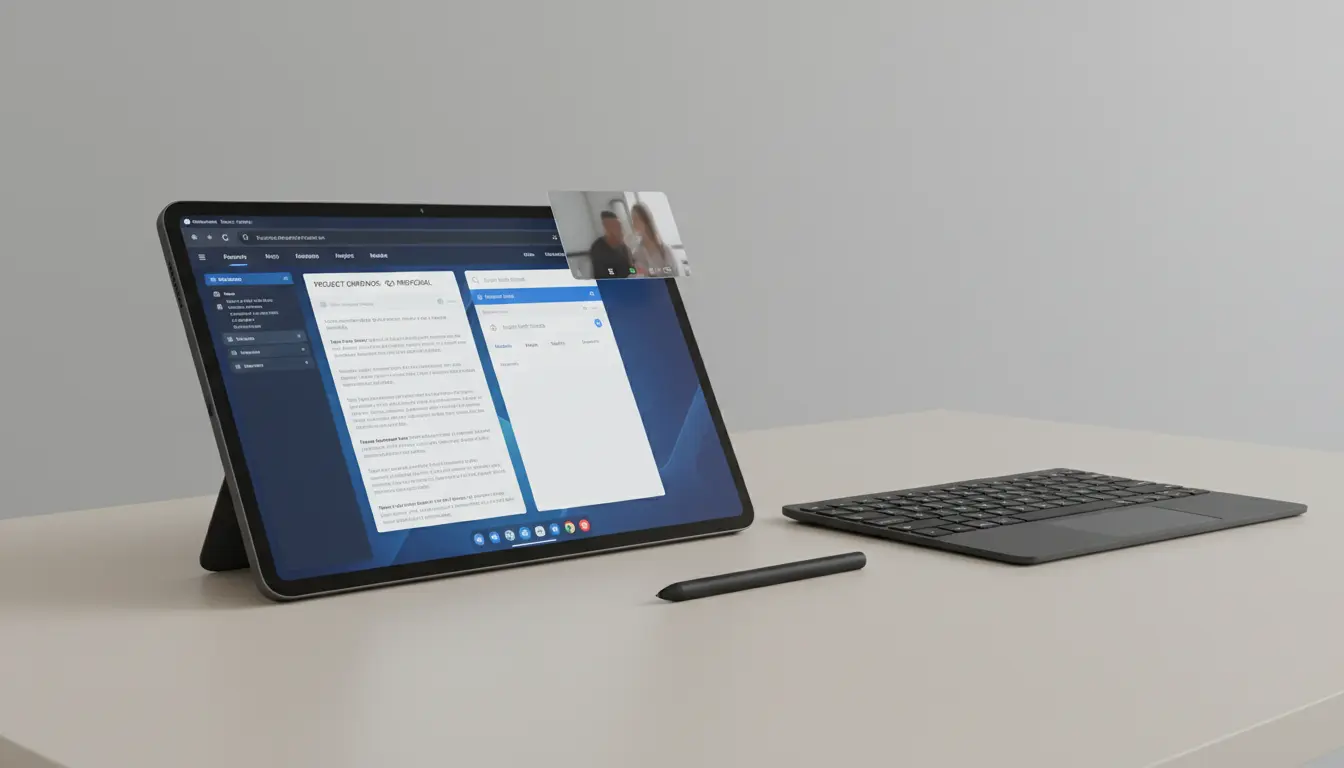
Accessories like styluses and detachable keyboards enhance productivity and ease of multitasking across work and creative applications.
Top Android Tablets for Multitasking in 2026
Samsung Galaxy Tab S9 Ultra
The Galaxy Tab S9 Ultra is arguably the most powerful multitasking Android tablet on the market. Its massive 14.6‑inch AMOLED display creates laptop‑like workspace flexibility. Samsung DeX mode transforms the interface into a desktop-style environment where users can open multiple resizable windows simultaneously. With up to 16GB RAM and the Snapdragon 8 Gen 3 chip, switching between apps feels instant and fluid.
Key multitasking advantages:
- DeX desktop mode
- Advanced split‑screen and pop‑up views
- S Pen for seamless multi‑app usage
Lenovo Tab Extreme
Lenovo’s productivity‑focused design makes the Tab Extreme a strong choice for students and professionals. Its 14.5‑inch OLED display and keyboard accessory make it excellent for document editing and multitasking. Lenovo’s multi‑window software allows users to open up to four apps on screen at the same time, making it a powerhouse for parallel workflows.
Highlights:
- 12GB RAM for intensive workloads
- Desktop‑style interface
- Excellent multitasking layout options
Google Pixel Tablet (2nd Gen)
The renewed Pixel Tablet emphasizes simplicity and efficiency. While not as large as others, its 11‑inch display and Tensor G3 processor offer smooth multitasking performance. Google’s optimized Android interface ensures that split‑screen transitions are intuitive. For users who prioritize Google’s ecosystem—from Drive to Meet—this tablet delivers smooth productivity.
Benefits:
- Fluid split‑screen functionality
- Smart home dock doubles as a workstation
- Great for seamless app switching
Xiaomi Pad 7 Pro
For users seeking high performance at a reasonable cost, the Xiaomi Pad 7 Pro combines flagship power with user‑friendly multitasking features. Its 12.4‑inch LCD display and Snapdragon performance allow fluid app pairing. MIUI for Pad includes enhanced multitasking tools like floating windows, making it ideal for productivity and entertainment.
Advantages:
- Affordable yet powerful
- Multi‑window customization
- Excellent battery life
Amazon Fire Max 11
While more budget‑friendly, the Fire Max 11 offers good multitasking capabilities for everyday use. With split‑screen support and Amazon’s productivity apps, it’s a practical choice for casual multitaskers, students, or office users who don’t need extreme performance.
Best for:
- Light multitasking
- Media consumption + productivity mix
- Users in the Amazon ecosystem
How Android Split‑Screen and Multi‑Window Improve Productivity
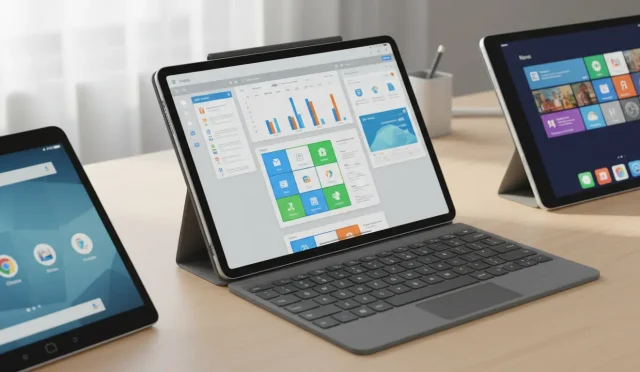
Android’s multitasking capabilities go far beyond just placing two apps side by side. Premium tablets provide enhanced features such as:
- App Pairing: Open a set of frequently used apps together.
- Floating Windows: Keep video calls or messaging apps on top while working in another app.
- Drag‑and‑Drop: Move images, text, or files between apps effortlessly.
- Resizable Windows: Resize apps to fit your workflow needs.
These tools allow users to work smarter, minimize app switching, and maintain a smooth workflow across tasks.
Best Use Cases for Split‑Screen and Multi‑Window Tablets
1.For Students
- Research in one pane, note‑taking app in the other
- Viewing lecture videos while studying documents
2.For Professionals
- Email + spreadsheets
- Video conferencing with shared documents
For Creative Users
- Drawing on one side, reference images on another
- Editing videos while monitoring audio tools
3.For Everyday Users
- Streaming + social media
- Browsing + online shopping
Final Recommendations
If you want the best overall multitasking experience, the Samsung Galaxy Tab S10 Ultra stands at the top. Its large screen, powerful processor, and enhanced multi‑window tools make it a premium productivity device.
For budget‑friendly options, the Xiaomi Pad 7 Pro or Amazon Fire Max 11 offer strong performance without premium pricing.