
Best In-Car Cameras for New York Taxi and Uber Drivers
New York rideshare work moves quickly, and every shift brings dense traffic, short pickups, unpredictable passengers, and tight curbside stops. The best dash cam for Uber drivers is not simply a gadget; it is a practical record of what happened before, during, and after an incident. For full-time New York taxi and Uber professionals, reliable video can turn a confusing situation into a clear timeline.
Why Dual Coverage Matters in New York City
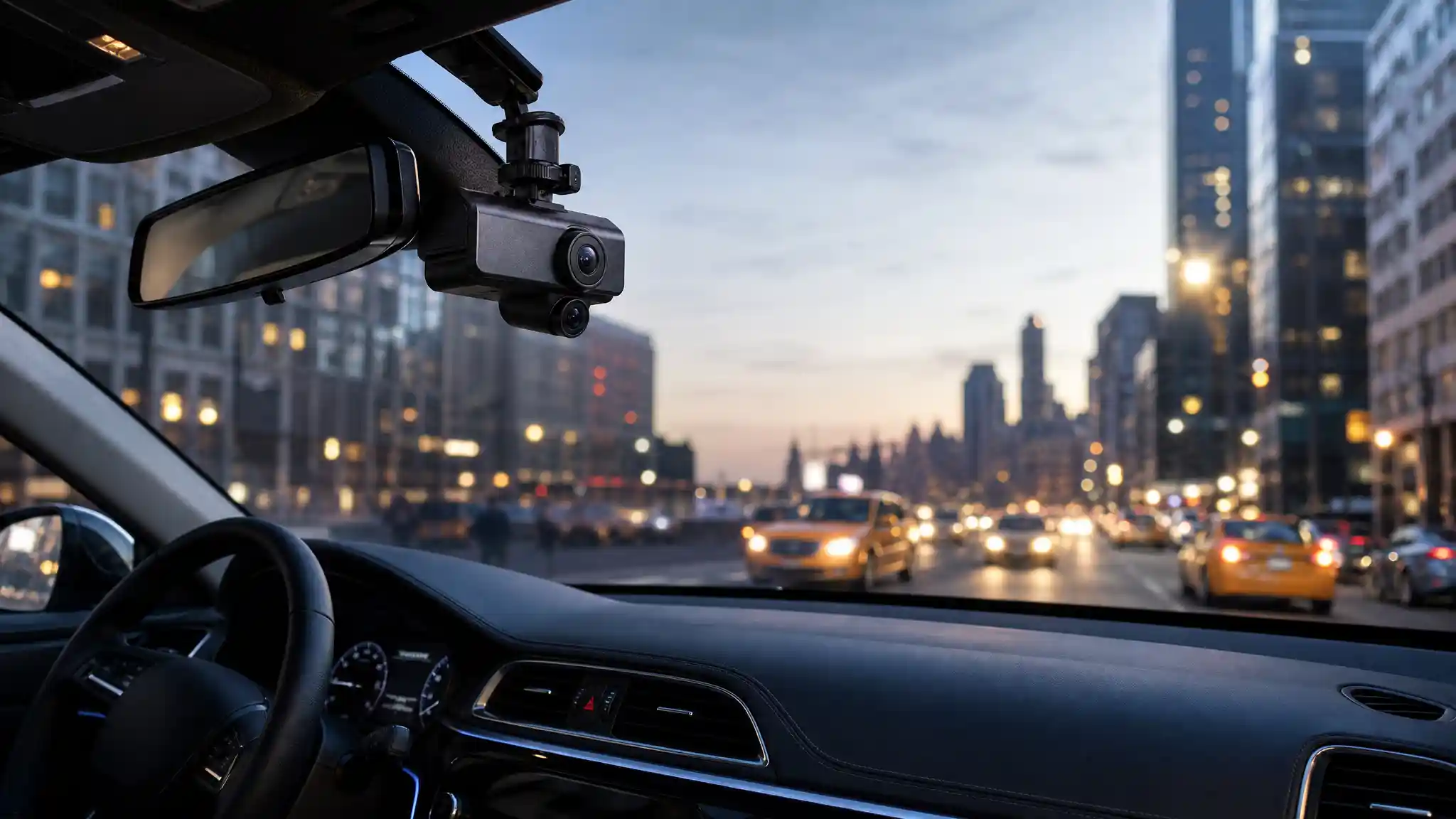
A front and inside dash cam gives working drivers coverage where it matters most. The forward lens records lane changes, sudden braking, cyclists, pedestrians, and collisions. The cabin lens records the vehicle interior. It can also encourage respectful behavior because passengers know the ride takes place in a monitored professional environment.
In New York, traffic conditions change block by block. A single-camera device may show an impact but miss the discussion or activity inside the vehicle. By contrast, an interior car camera and road-facing lens create a fuller account. Choose a model that records both views simultaneously rather than switching between modes.



Prioritize Clear Night Recording
Night driving is a major part of the rideshare business, so low-light quality deserves serious attention. Look for infrared night vision, wide dynamic range, and a sensor designed to manage headlights, street lamps, tunnels, and dark cabin areas. Strong night vision dash cam performance makes faces and important movements more visible without flooding passengers with distracting light.
Do not judge image quality from daytime resolution alone. A claimed 4K dash cam may still struggle if glare overwhelms its sensor or the cabin view becomes grainy after sunset. The most useful evidence is readable, stable, and properly exposed when an event actually occurs.
Choose Two or Three Channels
A dual-lens unit is often the sensible starting point for taxi and Uber work. It covers the windshield and cabin while keeping installation straightforward. However, a three channel dash cam adds a rear-facing view. That extra angle can record rear-end impacts, curbside incidents, and activity behind the vehicle.
More cameras do not automatically mean better coverage. Check the resolution delivered while all channels record at once. Some devices reduce front-camera quality when every lens is active. Also inspect cable routing, mount stability, and whether the interior lens can be adjusted to fit your vehicle. A clean installation looks professional and minimizes obstruction.
Essential Features That Save Time
The best rideshare dash cam should work automatically. Loop recording replaces ordinary clips when storage fills, while a G-sensor can protect files around a detected impact. A dedicated event button is equally useful because you can lock a clip after a confrontation or near miss. Wi-Fi dash cam access lets you transfer footage to a phone without removing the memory card, which can make post-incident documentation less stressful.
Parking mode can monitor the vehicle when it is unattended, although many systems need a hardwire kit or another reliable power solution. Use a high-endurance microSD card rated for continuous recording, format it as the manufacturer directs, and test recordings regularly. A camera cannot help if its card has failed silently.
Mounting, Privacy, and Passenger Communication
Install the camera where it does not block your view or interfere with safe operation. Position the interior lens to capture the seating area rather than aiming unnecessarily at people outside the car. Hide cables carefully so they do not create a distraction or a snagging risk.
Before recording passengers, confirm the rules that apply to your location and the platform you use, especially if you plan to record audio. Clear, visible notice can support transparency and reduce uncomfortable surprises. Never treat recordings as entertainment or publish passenger footage. Use your Uber driver camera for safety, incident documentation, insurance communication, and legitimate recordkeeping.
How to Compare Models Before Buying
Create a simple checklist before you shop. First, decide whether you need front-and-cabin recording or front, cabin, and rear coverage. Next, set a realistic budget that includes a memory card, a hardwire kit if needed, and professional installation if you prefer it. Avoid choosing only by price or a dramatic resolution label. An affordable rideshare camera with stable recording, clear infrared footage, and easy controls may serve a working driver better than a complicated premium device.
Select a camera with a heat-resistant design and a dependable supercapacitor if the vehicle sits in summer sun. Before relying on it, make a short daytime and nighttime test drive. Verify that the front view captures plates and signals, while the cabin view frames every passenger seat without reflecting the windshield.
Read recent user feedback, but focus on repeat patterns such as overheating, app connection problems, unreliable mounts, or poor customer support. Your ideal camera should remain dependable through long shifts, not merely impress during unboxing.
A Practical Routine for Camera Evidence
Once you install a camera, build a short routine. Confirm the recording indicator at the start of each shift. Check the lens for fingerprints or condensation. After any collision, passenger dispute, or suspicious event, safely stop when appropriate and save the relevant clip. Write down the time, location, trip details, and a brief factual summary while the event is fresh. Back up important footage promptly.
This routine protects the value of your video evidence. Keep your device firmware current when the maker releases trustworthy updates, and replace damaged cables or mounts early. Small maintenance tasks keep a rideshare dash cam ready for the moments when you need it most.
Final Recommendation
For New York taxi and Uber drivers, the strongest choice balances cabin coverage, road visibility, low-light performance, simple evidence retrieval, and dependable daily operation. Select a camera that suits your driving hours and vehicle layout, then use it responsibly with clear passenger communication. A dashboard camera cannot prevent every problem, but it can provide a more complete record and greater peace of mind on demanding city streets.
Amazon Product Recommendation
Consider the COOAU Dual Dash Cam 2.5K+1080P. Its Amazon listing describes front-and-inside recording, built-in GPS and Wi-Fi, night vision, accident recording, and a 24-hour parking mode. Check current compatibility, pricing, reviews, and applicable recording requirements before purchasing.