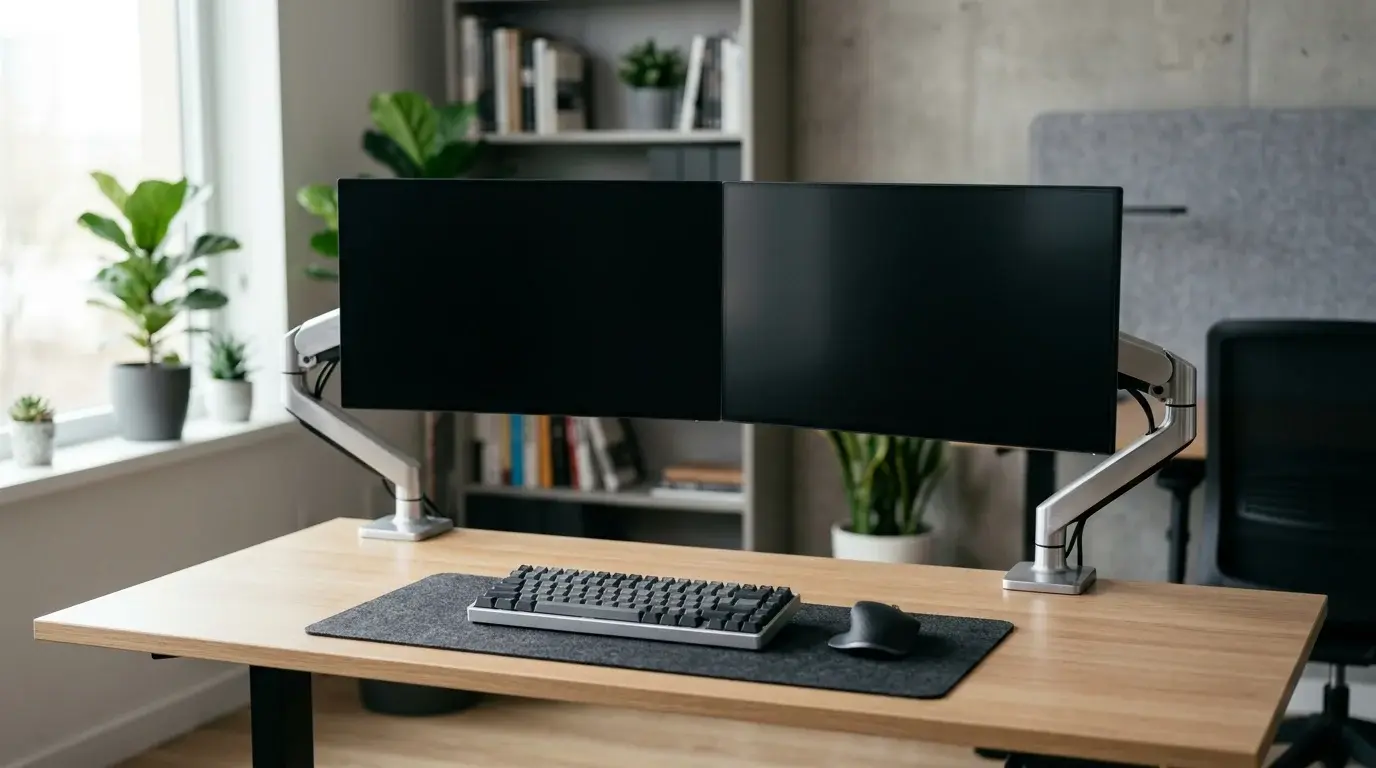

5 Best Monitor Arms for Clean Dual-Setup Desks
A clean and organized workspace has become more than just a design trend. Whether you work remotely, edit videos, code software, trade stocks, or enjoy immersive gaming, your desk setup directly influences comfort, productivity, and focus. One of the easiest upgrades you can make is installing a quality monitor arm.
A dual monitor arm does much more than hold your displays. It frees up valuable desk space, improves posture, reduces neck strain, and creates a professional-looking workstation. Instead of bulky monitor stands cluttering your desk, adjustable monitor arms give you complete flexibility over screen positioning.
This guide explores the five best monitor arms for clean dual-setup desks while helping you understand which features matter most before making a purchase.


Why a Dual Monitor Arm Makes a Huge Difference
Many people invest in expensive monitors but continue using the factory stands. While these stands work, they occupy unnecessary space and offer limited adjustment.
A premium dual monitor arm instantly transforms your workstation by allowing you to position each display exactly where you need it.
Some of the biggest advantages include:
- Better ergonomic posture
- Increased desk space
- Cleaner cable management
- Improved productivity
- Flexible viewing angles
- Easier collaboration
- Reduced neck and shoulder fatigue
When both monitors float above your desk, your workspace appears larger, cleaner, and far more organized.
What to Look for Before Buying a Monitor Arm
Not every monitor arm is built the same. Before choosing one, consider several important factors.
Weight Capacity
Every monitor arm supports a maximum weight range. Always verify your monitor’s weight before purchasing. Heavy ultrawide monitors require stronger gas spring arms than lightweight office displays.
VESA Compatibility
Most modern monitors support either:
- 75 x 75 mm
- 100 x 100 mm
Always confirm your monitor includes VESA mounting holes.
Desk Clamp or Grommet Mount
Most monitor arms offer two installation methods.
Desk Clamp:
Easy installation without drilling.
Grommet Mount:
Provides an even cleaner appearance by mounting through a desk hole.
Both options deliver excellent stability when installed correctly.
Gas Spring Mechanism
Gas spring monitor arms allow effortless height adjustment. They maintain screen position without requiring excessive force and deliver smoother movement compared to mechanical spring designs.
Cable Management
Integrated cable routing keeps HDMI, DisplayPort, USB, and power cables hidden, helping maintain a minimalist desk setup.
1. Ergotron LX Dual Stacking Arm
The Ergotron LX remains one of the industry’s most respected premium monitor arms.
Its exceptional build quality, smooth articulation, and long lifespan make it a favorite among professionals.
Key Features:
- Premium aluminum construction
- Smooth gas spring adjustment
- Supports multiple screen positions
- Excellent cable management
- Outstanding durability
Pros:
- Extremely stable
- Professional appearance
- Lifetime reliability
- Smooth movement
Cons:
- Premium pricing
For professionals who spend long hours at their desks, the Ergotron LX delivers outstanding ergonomic performance.
2. HUANUO Dual Monitor Stand
HUANUO has become a popular choice for users seeking premium features without premium pricing.
This dual monitor mount offers excellent flexibility for home offices and gaming setups.
Highlights include:
- Full swivel
- Tilt adjustment
- Height adjustment
- Strong steel frame
- Integrated cable clips
Its simple installation process makes it suitable even for first-time users.
The value it offers makes it one of the best budget-friendly monitor arms available today.
3. Amazon Basics Premium Dual Monitor Arm
Many buyers overlook Amazon Basics products, but this premium monitor arm surprises users with excellent quality.
Designed with smooth articulation and reliable construction, it performs similarly to several higher-priced alternatives.
Benefits include:
- Easy installation
- Strong build quality
- Excellent stability
- Smooth monitor positioning
Its understated design blends well into modern office environments.
4. VIVO Dual LCD Monitor Desk Mount
VIVO has earned an excellent reputation among home office enthusiasts.
This model offers outstanding adjustability while remaining affordable.
Important features include:
- 360-degree rotation
- Height adjustment
- Heavy-duty steel construction
- Secure desk clamp
- Hidden cable routing
Users appreciate how quickly they can customize their viewing angles throughout the day.
The sturdy frame keeps monitors stable even during frequent adjustments.
5. Mount-It! Dual Monitor Arm
Mount-It! combines affordability with professional-grade functionality.
Its gas spring design supports comfortable viewing positions for productivity, content creation, and multitasking.
Notable advantages include:
- Wide adjustment range
- Strong aluminum construction
- Cable management channels
- Modern minimalist design
- Quick installation
This monitor arm easily complements clean desk aesthetics while maximizing available workspace.
How Monitor Arms Improve Productivity
Workspace ergonomics directly affect concentration.
When monitors sit at the proper eye level, users naturally maintain better posture. Reduced neck strain allows longer periods of focused work without discomfort.
A properly positioned dual monitor setup also improves multitasking.
Common productivity examples include:
- Coding on one screen while testing on another
- Writing documents beside research materials
- Video editing with timeline separation
- Financial trading dashboards
- Streaming while monitoring chat
Small ergonomic improvements often lead to noticeable productivity gains over time.
Create a Minimalist Desk Setup
Minimalism isn’t only about appearance.
A clutter-free workspace helps reduce distractions while making cleaning easier.
To achieve a cleaner desk, combine your monitor arm with:
- Wireless keyboard
- Wireless mouse
- Desk mat
- Cable management tray
- Under-desk power strip
- Laptop stand
- USB-C docking station
Together, these accessories create an efficient workstation that feels spacious and professional.
Proper Monitor Positioning Tips
Installing a monitor arm is only the first step.
Position your displays correctly for maximum comfort.
Experts generally recommend:
- Top of monitor at eye level
- Viewing distance between 20–30 inches
- Slight upward viewing angle
- Monitors centered with your body
- Primary screen directly ahead
Small adjustments can dramatically improve daily comfort.
Are Dual Monitor Arms Worth It?
For most users, the answer is yes.
Compared to traditional monitor stands, monitor arms provide superior flexibility while improving desk organization.
They work especially well for:
- Remote workers
- Graphic designers
- Software developers
- Gamers
- Students
- Content creators
- Office professionals
Considering how many hours people spend in front of screens each day, investing in proper ergonomics offers long-term benefits.
Common Mistakes to Avoid
Many buyers choose a monitor arm based only on price.
Instead, pay attention to compatibility and build quality.
Avoid these common mistakes:
- Ignoring monitor weight
- Forgetting VESA compatibility
- Buying low-quality gas springs
- Poor cable management
- Incorrect installation
- Overtightening adjustment bolts
Taking time to install your monitor arm correctly ensures years of reliable performance.
Final Thoughts
A quality dual monitor arm represents one of the smartest upgrades for any modern workstation. It creates additional desk space, improves ergonomics, enhances productivity, and gives your office a sleek, professional appearance.
Whether you prioritize premium engineering, affordability, or minimalist aesthetics, the right monitor arm will transform the way you work every day. By choosing a model with solid construction, smooth articulation, and effective cable management, you can build a workspace that feels organized, efficient, and comfortable for years to come.
If your goal is a clean dual-monitor desk setup that supports long hours of productive work, investing in a reliable monitor arm is a decision you are unlikely to regret.
Recommended Product on Amazon
Recommendation:
Ergotron LX Dual Stacking Monitor Arm – One of the highest-rated premium dual monitor arms on Amazon.com, offering exceptional build quality, smooth gas spring adjustment, and industry-leading ergonomics for professional workstations.









